Written by:

Mohammed Younus
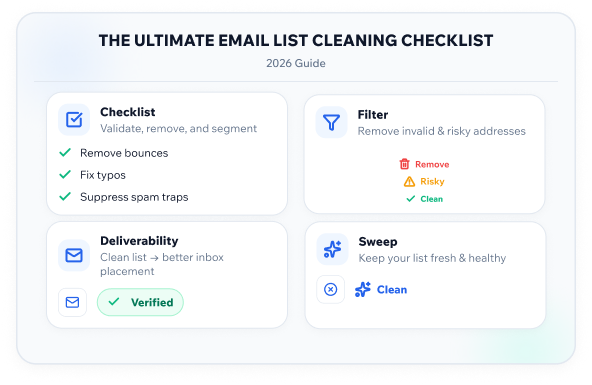
The Ultimate Email List Cleaning Checklist (2026 Guide)
> Sales
How to Evaluate B2B Data Vendors for Accuracy and Compliance

TL;DR
- Run a full email list cleaning checklist before every major send, not just once a year.
- Rising bounce rates and spam complaints are usually the first visible signs of a decaying list.
- Bulk email verification catches invalid, risky, and catch-all addresses before they reach your inbox provider.
- A neglected list quietly erodes email deliverability, sender reputation, and long-term engagement rates.
- Manual review can work for small lists, but larger or imported lists need a proper email verification service.
- Most experienced teams verify contacts at collection and again right before a send.
- ReachStream Email Verifier sorts your list into clear status categories so you know exactly what to keep, suppress, or remove.
- Skipping this kind of upkeep is one of the most common, and most expensive, mistakes in email marketing.
Why Email List Cleaning Matters Before Every Campaign
If you have ever watched a campaign’s open rate quietly slide over a few sends, you already know what a decaying list feels like. It is rarely one dramatic failure. It is a slow leak: a few more bounces each month, an occasional spam complaint, a sender score that never quite recovers.
Running an email list cleaning checklist before every send is not busywork. It is the difference between a campaign that lands in the inbox and one that trains spam filters to distrust your domain. Inbox providers track bounce rates, complaints, and engagement in real time, and they use all three signals to decide whether your next email even gets a fair shot.
This guide walks through a practical, field-tested email list cleaning checklist you can run before your next campaign, along with the reasoning behind each step so your team understands why it matters, not just what to click.
List Cleaning vs. Verification: What's the Difference
These two terms get used interchangeably, but they describe different things.
Verification is the technical check of whether a specific address is valid, deliverable, and safe to send to: syntax, domain records, mailbox existence, and risk signals.
List cleaning, sometimes called email list scrubbing, is the broader process. It includes verifying every contact, removing duplicates and unengaged subscribers, standardizing formatting, and retiring outdated records.
This check is one tool inside the larger cleanup. You cannot properly scrub a list without verifying it first, but verification alone will not fix duplicate entries, inactive domains left over from an old CRM import, or subscribers who have not opened an email in two years. Think of this article as your working email list hygiene checklist, covering both halves of the process.
Signs Your List Needs a Cleanup
Most teams do not audit their list until something forces the issue. Here are the warning signs experienced marketers watch for.
Quick Checklist: Warning Signs:
- Bounce rate creeping above 2 percent on recent sends
- A noticeable dip in engagement across the last two or three campaigns
- More spam complaints, even if the raw count still looks small
- Your email service provider throttles or flags your sending domain
- You recently imported contacts from a trade show, webinar, or third-party source
- It has been more than six months since your last full verification pass
If two or more of these apply, it is time to run your email list cleaning checklist before you send anything else.
See what's hiding in your list
Try ReachStream Email Verifier for free and see how many risky addresses are sitting in your list right now.
The Email List Cleaning Checklist
This is the core sequence. Whether you manage five hundred contacts or a database with hundreds of thousands of records, the same checklist applies, just at different scale.
Step 1: Export and Audit Your Current List
Pull your full list out of your CRM or email marketing platform before you touch anything, so you have a clean working copy to compare before and after.
- Check for obvious formatting issues (stray spaces, missing @ symbols, inconsistent capitalization)
- Flag duplicate entries across different fields (same person, different address)
- Note role-based addresses like info@ or support@ that rarely belong to a specific decision maker
Step 2: Run Bulk Email Verification
This is where most of the real cleanup happens. Rather than checking addresses one at a time, this step processes the whole list against several validation layers at once.
A thorough tool will typically sort each address into a status such as:
A thorough tool will typically sort each address into a status such as:
| Status | What It Means | Recommended Action |
|---|---|---|
|
Valid |
Confirmed deliverable |
Keep and send |
|
Invalid |
Does not exist or malformed |
Remove |
|
Risky |
High bounce or complaint likelihood |
Suppress or send with caution |
|
Catch-All |
Domain accepts all mail, individual address unconfirmed |
Segment and monitor |
|
Unknown |
Check inconclusive |
Recheck or exclude from priority sends |
|
Do Not Mail |
Known complainer, role account, or opt-out signal |
Remove immediately |
Pro Tip: Don’t just delete every flagged address and move on. Review your “Risky” and “Catch-All” segments separately. Some of these belong to legitimate contacts behind strict corporate mail servers, and a blanket removal can quietly shrink a perfectly good list.
ReachStream Email Verifier sorts addresses into exactly these categories, so your team can make an informed call on each segment instead of treating every flagged contact the same way.
Step 3: Remove Invalid and Do-Not-Mail Addresses
Anything confirmed invalid should come out of your active list entirely. Do Not Mail addresses, including known spam traps and opt-outs, should never go back in, even by accident through a future import.
Step 4: Segment Risky and Catch-All Addresses
Rather than an all-or-nothing call, move risky and catch-all contacts into a separate segment. Send to this group less often, watch bounce and complaint rates closely, and recheck periodically.
Step 5: Review Engagement History
A verification check tells you whether an address is deliverable. It does not tell you whether that person still wants to hear from you. Pull activity data covering the last 90 to 180 days and look for:
- Contacts with zero opens across the last five or more sends
- Subscribers who have opened but never clicked
- Addresses that were valid at last check but have since gone fully dormant
Expert Insight: Experienced marketers usually run a short re-engagement sequence before removing dormant contacts outright. A direct “still want to hear from us?” email can recover a meaningful share of an otherwise inactive segment.
Step 6: Standardize and Deduplicate
Merge duplicate records, standardize formatting such as lowercase domains and trimmed whitespace, and make sure each contact has one authoritative entry in your system.
Step 7: Recheck Before Every Major Send
Decay happens continuously. People change jobs, companies retire domains, and mailboxes get abandoned. A list that was clean three months ago is not guaranteed to be clean today.
Best Practice: Check your list at two points: once when contacts are first collected or imported, and again right before a significant send. This two-touch approach catches bad data at the source and decay that happened after collection.
Catch decay before it costs you
Try ReachStream Email Verifier before your next send to catch decay that has built up since your last checked.
Manual Review vs. Bulk Email Verification
| Factor | Manual Review | Bulk Email Verification |
|---|---|---|
|
Best for |
Lists under a few hundred contacts |
Lists of any size, especially large or imported lists |
|
Speed |
Slow, one address at a time |
Fast, processed in batches |
|
Consistency |
Varies by reviewer |
Consistent rules applied to every address |
|
Catches syntax errors |
Yes |
Yes |
|
Catches risky or catch-all domains |
Rarely |
Yes, with proper classification |
|
Scales with growth |
No |
Yes |
For a small list built one contact at a time, a careful manual pass might be enough. For anything larger, or for lists built from imports, scraped sources, or trade show scans, batch processing is the only realistic option. Trying to check a list in the thousands by hand is not just slow, it introduces human error at exactly the volume where consistency matters most.
Industry Insight: Deliverability research has consistently pointed to sender reputation being judged relative to engagement and complaint signals, not just raw list size. A smaller, well-maintained list often outperforms a larger, uncleaned one on open and click metrics.
Common Mistakes Teams Make When
Cleaning Their List
Even teams who know they should clean their list regularly run into the same handful of missteps.
- Treating list cleaning as a one-time project: Check once, then never revisit it until deliverability breaks.
- Buying a list and skipping verification entirely: Purchased and scraped lists carry a much higher rate of invalid and risky addresses.
- Ignoring catch-all domains instead of segmenting them: These get treated as either fully good or fully bad, when they need their own handling.
- Not checking at the point of signup: A verification step on your signup form catches typos and fake entries before they ever enter your database.
- Forgetting to recheck after a long gap between campaigns: A list that sat unused for six months has decayed more than most teams expect.
Common Mistake: Assuming a list that performed well a year ago is still safe to send to today. List decay is constant, and even a healthy list can lose a meaningful share of valid addresses within twelve months.
How Often Should You Clean Your List
There is no single universal answer, but here is a practical framework based on sending frequency and list source:
- Weekly senders: Verify in bulk monthly, and spot-check new sign-ups continuously.
- Monthly senders: Check the list before each send.
- Occasional or campaign-based senders: Always verify immediately before sending, regardless of when you last checked.
- Any list built from an import, purchase, or event: Verify your list before it ever touches your sending platform, no exceptions.
Tip: Set a recurring reminder tied to your sending cadence, not a vague “quarterly” goal. Teams that put this on the calendar as a fixed task are far more consistent than teams that plan to “get to it eventually.”
Choosing the Right Email Verification Service
Not every provider handles verification the same way. When comparing tools, a few factors are worth checking:
- Accuracy of results: Look for providers that publish their verification accuracy rather than making vague claims.
- Status granularity: A tool that only says "valid" or "invalid" gives you less to work with than one that separates out risky, catch-all, and do-not-mail categories.
- Bulk upload limits: If you regularly clean large lists, check how many addresses can be processed in a single batch.
- Compliance posture: Because you are uploading contact data, how the provider handles that data matters. Look for relevant compliance frameworks such as GDPR, CCPA, or SOC 2.
- Fit with your existing workflow: A tool that plugs into your existing process is more likely to actually get used consistently.
ReachStream Email Verifier is built around this kind of granular approach. It is designed to sort addresses into five distinct statuses (Valid, Invalid, Risky, Unknown, and Do Not Mail), so your team can make segment-level decisions instead of a blanket keep-or-delete call.
Final Thoughts
A clean list is not a one-time achievement, it is an ongoing habit, and the goal each cycle is simply to clean your email list before decay does real damage.
Rather than treating every flagged address the same, review each verification status and decide whether to keep, suppress, segment, or remove the contact. Solutions like ReachStream Email Verifier support this process by classifying email addresses into clear verification statuses, including Valid, Invalid, Risky, Unknown, and Do Not Mail, making it easier to make informed decisions for every segment.
Teams that treat this as routine, rather than reactive, are the ones who avoid the slow decline that eventually forces a painful, disruptive cleanup. Build the habit now, before your next campaign, not after your open rates have already dropped.
Ready to clean your list?
Try ReachStream Email Verifier for free and check your list before your next send.
Frequently Asked Questions
What is an email list cleaning checklist?
It is a repeatable set of steps used to audit, verify, and update an email list before a campaign goes out. It typically covers exporting the list, running bulk email verification, removing invalid and do-not-mail addresses, segmenting risky contacts, and reviewing engagement history.
How is list cleaning different from email verification?
Verification checks whether individual addresses are valid and deliverable. List cleaning is the broader process, which includes verification plus deduplication, formatting standardization, and removal of unengaged or outdated contacts.
How often should I clean my email list?
It depends on how often you send. Weekly senders should verify monthly and spot-check new sign-ups. Occasional senders should verify immediately before every send, regardless of how long it has been.
What counts as a high bounce rate?
Most sending platforms flag bounce rates above 2 percent as a concern, and rates above 5 percent can affect sender reputation and future inbox placement.
Can I clean my list manually instead of using a tool?
For very small lists, manual review can work. For anything beyond a few hundred contacts, or for imported and purchased lists, checking the whole batch at once is faster, more consistent, and far less prone to human error.
What is a catch-all email address?
A catch-all address belongs to a domain configured to accept mail sent to any address, even ones that do not actually exist. Verification tools flag these separately because they cannot always confirm a specific mailbox is real.
Does list hygiene actually affect engagement rates?
Yes. Sending to invalid or unengaged addresses drags down your overall open and click performance, and inbox providers factor that into future placement decisions. A smaller, well-maintained list often shows stronger results than a larger, uncleaned one.
Should I remove subscribers who never open my emails?
Not immediately. Most experienced teams run a short re-engagement sequence first, then remove contacts who still show no activity after that attempt.
Is bulk email verification GDPR or CCPA safe?
It depends on the provider. Look for a service that aligns with recognized compliance frameworks like GDPR, CCPA, and SOC 2, and that is transparent about how uploaded data is handled.
What is the difference between invalid and risky?
Invalid means the address does not exist or is malformed and should be removed. Risky means the address may be deliverable but carries a higher likelihood of bouncing or generating a complaint, which usually calls for suppression or cautious segmentation rather than outright deletion.
Mohammed Younus
Author
Mohammed Younus

Senior Manager of Business Operations specializing in B2B Marketing, Business Development, and Process Optimization, driving operational efficiency and growth at ReachStream.
Share
Table of Contents
Access 200M+ verified business emails and grow your sales pipeline effortlessly.
Power Your Sales
with Targeted Data
Mohammed Younus is the Senior Manager of Business Operations with a keen insight into the B2B landscape. Through his contributions to this blog, he aims to share cutting-edge tactics and insights that empower sales and marketing professionals to achieve unparalleled success.
Don't forget to share this post!















Check out our other blogs!

How to Build a Targeted Prospect List Using Filters
October 21, 2026

B2B Data for Ed-Tech Companies: Reaching School Decision-Makers
October 21, 2026

Direct Dial Numbers Explained: A Guide for Sales Reps
October 19, 2026