Written by:

Mohammed Younus
B2B Contact Data for Recruiters: A Sourcing Guide
How to find, verify and reach hiring managers and candidates

TL;DR
- B2B contact data for recruiters is business contact information used to find hiring managers and reach candidates.
- Passive candidates are rarely on job boards, so direct and relevant outreach matters.
- Filter by title, seniority, industry, company size and location, then verify every email.
- Use direct dials with care and follow local calling and privacy rules.
- Store clean records in your ATS with a source, a date and a retention period.
- Track response rate, bounce rate, source of hire and time to fill.
- ReachStream offers 500M+ contacts, 50M+ companies and 100M+ direct dials, plus a Free plan with 100 export credits a month.
What Is B2B Contact Data for Recruiters?
B2B contact data for recruiters is verified business information about professionals and organizations, such as job titles, employers, work emails and direct phone numbers, that helps recruiters find hiring managers, reach potential candidates and keep a clean candidate pipeline.
Used well, it lets a recruiter go beyond job boards and approach talent that is not actively applying. ReachStream Prospect gives recruiting teams access to 500M+ contacts, 50M+ companies and 100M+ direct dials, and our Free plan includes 100 export credits a month with no credit card.
How Do Recruiters Use Contact Data to Find Talent?
Recruiters use contact data in two main ways. The first is business development: finding hiring managers, HR leaders and talent acquisition heads at companies that are likely to need help. The second is candidate sourcing data: finding professionals with the titles, seniority and employers that match an open role, then reaching them with a relevant message.
A recruiter contact database helps with both, and B2B contact data for recruiters keeps names, titles, companies and verified contact details in one searchable place. Most teams combine it with other talent sourcing tools.
Such as job boards, professional networks and an applicant tracking system. Contact data fills the gap those tools leave, which is a reliable way to reach a person directly, and it is the core of passive candidate sourcing. Our guide to recruitment data sources compares the main options.
Who Are Passive Candidates and How Do You Reach Them?
Passive candidates are skilled people who are employed and not applying for jobs. They are often the best fit for senior or specialist roles, and they rarely show up on job boards. Because they are not looking, the first message matters: it needs to be relevant, brief and respectful of their time.
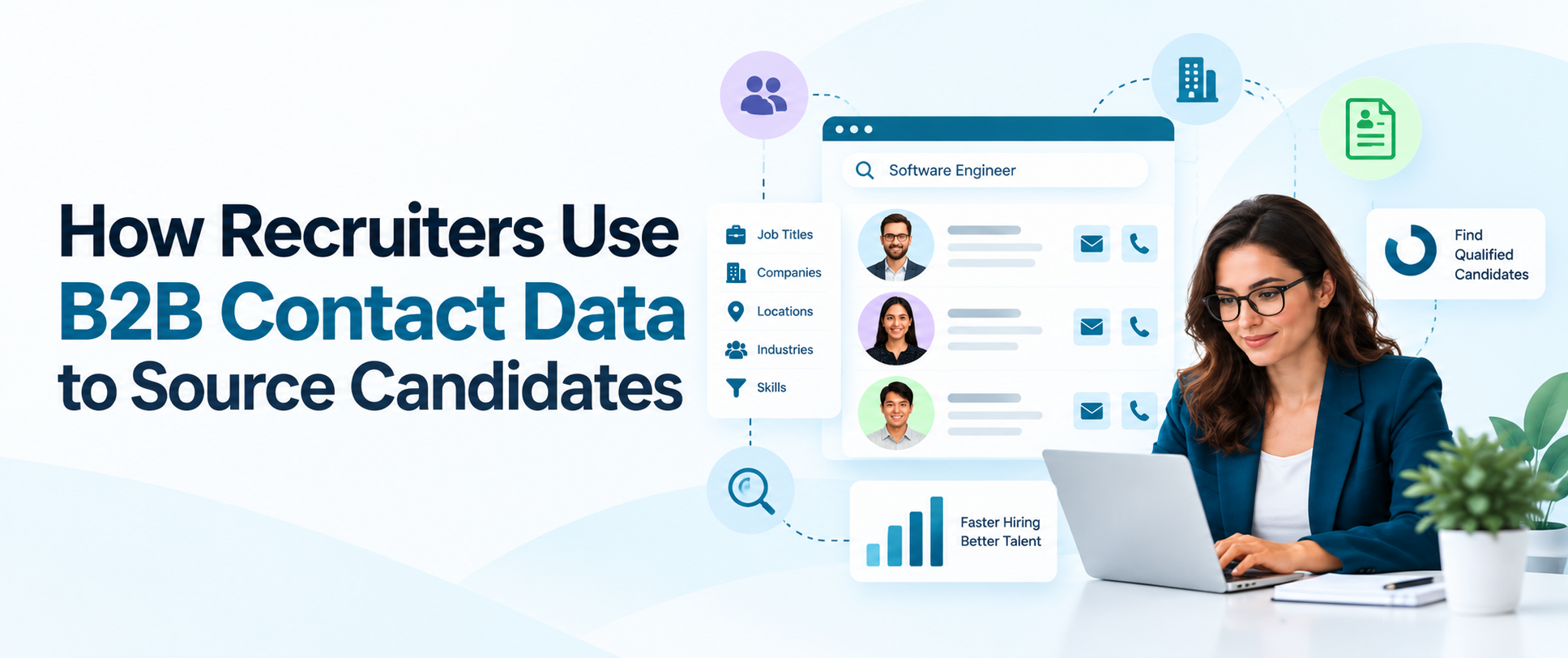
Active candidates, by contrast, come to you through job posts, so contact data helps most where the pool is small and every conversation counts.B2B contact data for recruitment supports this by letting you filter for the job title, seniority, industry, company size and location you need, then reach people through a verified work email when it is appropriate. Start with a clear picture and build the list from filters.
Which Data Fields Help Recruiters Find Candidates?
Good sourcing starts with the right fields. At the person level, look for job titles, seniority, department, current employer, location, a verified email and a direct dial where available. Employment history and skills filters help you judge fit, though the depth of these fields depends on the source, so check what each tool actually holds before you rely on it.
At the company level, capture industry, size and the technology a company uses, because they shape what a candidate would work on. Candidate personas turn those fields into a plan. Write down the titles, skills, industries and career moves that describe your ideal hire, then turn each trait into a filter.
ReachStream filters by title, seniority, industry, company size, location and technology used. For detailed skills and work history, pair it with your ATS and professional networks.
How Do You Verify Candidate Contact Information?
Verified candidate contact information means a record whose email or phone has been checked and recently confirmed, not just copied from a list. Start with email: run each address through a verifier before you send, watch bounce rates and remove addresses that fail.
For phone numbers, combine format checks with a recorded source and date, and learn from call outcomes such as wrong numbers.Many recruiters also try a candidate email finder to guess addresses from a name and company. Guessed addresses can bounce or reach the wrong person, so verify every one.
Candidate data enrichment helps here: it fills missing titles, employers and contact fields on records you already hold and updates them when people change jobs. We refresh ReachStream records on a 45-day cycle, and our guide to B2B data accuracy explains how to test a sample.
Can Recruiters Use Direct Dials for Outreach?
Yes, Recruiting direct dial numbers can get you to a person faster than a switchboard, which matters for senior hiring managers and for candidates who ignore email. Use business lines where you can, call during working hours, say who you are and why you are calling in the first sentence and accept a no politely. Candidates are people, not leads, and a bad first call can close the door on a future placement.
Rules vary by country and by type of call. Many regions apply do-not-call registers, consent rules for mobile numbers and data protection laws such as GDPR, so keep your own do-not-contact list and ask your legal team to review your process. ReachStream offers 100M+ direct dials, and our guide on how to get a direct dial covers the basics.
Search professional contacts with ReachStream
Filter by job title, industry and location, then export verified business contacts.
Which Data Source Fits Which Recruiting Task?
The table below compares common data sources for recruiting tasks. Most teams mix them, so adjust it to your own stack.
| Source | Best for | Typical fields | Watch-outs | What to test |
|---|---|---|---|---|
|
Contact database |
Reaching hiring managers and professionals directly |
Title, employer, verified email, direct dial |
Coverage varies by role and region |
Share of target roles found |
|
ATS and recruitment CRM |
Tracking people through your pipeline |
Applications, notes, stages, history |
Records go stale without refreshes |
Share of records updated this quarter |
|
Professional networks |
Skills, work history and warm introductions |
Profiles, skills, connections |
Platform limits on outreach and data use |
Reply rate by message type |
How Do You Build a Candidate Sourcing Workflow?
- Define the role: Write down the title, seniority, industry and location of the hire.
- Build a persona: Describe the skills, career moves and employers that fit.
- Search and filter: Turn the persona into filters and save the matches as a list.
- Verify and enrich: Check emails and fill missing fields before any outreach.
- Reach out: Send a short, relevant message and follow up by phone where appropriate.
- Log and refresh: Record every touch in your ATS and refresh records on a schedule.
How Should Candidate Data Be Stored in an ATS?
Your ATS is the system of record for candidates, so treat it that way. Store only the fields you need, record the source and date of every contact, and log consent or the legal basis for contacting each person where the law requires it. ATS integration matters here: when your contact data syncs to your ATS or recruitment CRM, notes, stages and outcomes stay in one place and nothing lives in a stray spreadsheet.
Clean recruitment CRM data also makes reporting on source of hire much easier. Treat B2B contact data for recruiters like any personal data: set a retention period for candidate data and delete records when it ends.
Honor requests to access, correct or delete personal data under laws such as GDPR and CCPA, and keep sensitive categories of data out of sourcing lists. ReachStream offers CSV export, native Salesforce and HubSpot sync and the Reach API to move data into other systems. This is general information, not legal advice.
What Metrics Should Recruiters Track?
- Response rate: The share of messages that get a reply.
- Bounce rate: The share of emails that fail, which shows data quality.
- Pipeline by stage: The number of qualified people at each step.
- Source of hire: Which channel produced each successful hire.
- Time to fill: How long a role stays open.
- Cost per hire: What each hire costs across tools and time.
How Does ReachStream Support Recruiters?
ReachStream Prospect is designed to help recruiters find professionals and hiring decision makers by job title, seniority, industry, company size and location. AI Search lets you describe who you want in everyday language, which can support AI candidate sourcing at the search stage, though it finds contacts and does not rank or screen candidates.
Similar Companies expands from employers that already fit, and Technology Insights adds technographic filters. A built-in email verifier checks addresses, a Chrome Extension helps capture leads from LinkedIn, dynamic lists stay current, and data enrichment, CSV export, the Reach API and native Salesforce and HubSpot sync move data into your stack.
Coverage differs by role and region, so test the roles you hire for on the Free plan. You can explore the platform on the ReachStream Prospect page, and our guide to building a recruitment database adds background.
Start with 100 free export credits a month
No credit card needed. Test coverage for the roles and regions you recruit for.
B2B Contact Data for Recruiters: The Short Version
The short version: B2B contact data for recruiters is business contact information you use to find hiring managers and reach talent directly, always with verified details and respect for privacy law. Build a persona, filter and verify, store clean records in your ATS and track response rate and source of hire.
For your next read, see our guide to B2B data for recruitment agencies and our guide to automated data enrichment.
Find a plan that fits your recruiting team
Discover the Right ReachStream Plan for Your Growth Goals
Frequently Asked Questions
1. How do recruiters use contact data to source candidates?
They filter a contact database by job title, seniority, industry, company size and location, verify the emails and phone numbers, and reach out with a relevant message. The same data helps find hiring managers at client companies. Matches and outcomes are then logged in the ATS or recruitment CRM.
2. What is passive candidate sourcing?
It is the practice of finding and approaching skilled professionals who are employed and not applying for jobs. These people rarely appear on job boards, so recruiters reach them directly with a short, relevant message by verified work email or, where appropriate, by phone.
3. Which data fields help recruiters find candidates?
Job title, seniority, department, employer, location, a verified email and a direct dial matter most, along with employment history and skills where your source holds them. Company size, industry and technology help judge fit. Record the source and date of each field.
4. How do you verify candidate contact information?
Run emails through a verifier before sending, check phone numbers against a recorded source and date, and learn from bounces and wrong numbers. Refresh records on a schedule because people change jobs. We refresh ReachStream records on a 45-day cycle and include a built-in email verifier.
5. Can recruiters use direct dials for candidate outreach?
Yes, in many cases, if you follow local rules. Use business lines, call during working hours, introduce yourself clearly and respect do-not-call and consent rules, especially for mobile numbers. Ask your legal team to review your process.
6. How should candidate data be stored in an ATS?
Store only the fields you need, with the source, date and legal basis for contacting each person. Sync contact data to your ATS or recruitment CRM so notes and outcomes stay together, set a retention period and honor access and deletion requests.
7. How does data enrichment improve recruiting?
Data enrichment fills missing titles, employers and contact fields on records you already hold and updates them when people move. That keeps your candidate pipeline current and reduces bounces and wasted outreach.
8. What metrics should recruiters track?
Track response rate, bounce rate, pipeline by stage, source of hire, time to fill and cost per hire. Compare them by channel and role so you know which sources produce real hires.
Mohammed Younus
Author
Mohammed Younus

Mohammed is Senior Manager of Business Operations at ReachStream, with a keen insight into the B2B landscape. Through his articles, he shares practical tactics for sales and marketing professionals.
Share
Table of Contents
Access 500M+ verified business emails and grow your sales pipeline effortlessly.
Power Your Sales
with Targeted Data
Mohammed Younus is the Senior Manager of Business Operations with a keen insight into the B2B landscape. Through his contributions to this blog, he aims to share cutting-edge tactics and insights that empower sales and marketing professionals to achieve unparalleled success.
Don't forget to share this post!















Check out our other blogs!
How to Build a Targeted Prospect List Using Filters
October 21, 2026

B2B Data for Ed-Tech Companies: Reaching School Decision-Makers
October 21, 2026

Direct Dial Numbers Explained: A Guide for Sales Reps
October 19, 2026