

How to Schedule a Meeting in Zoho CRM
How to Schedule a Meeting in Zoho CRM Updated on: Here’s how to schedule a meeting in Zoho CRM to stay on top of your engagements. 1. Open the Meetings module. 2. Click Create Meeting. 3. Enter all the required information. 4. Click Save. 5.The meeting is scheduled successfully. Need accurate B2B data? Get 200M+ […]
How to Convert a Lead to a Contact in Salesforce
How to Convert a Lead to a Contact in Salesforce Updated on: Here’s how to convert a lead to a contact in Salesforce with just a few simple steps 1. Navigate to the Sales app. 2. Open the Lead and Click the Convert button . 3. Choose to create a new Contact or link to […]
How to Add Users in Zoho CRM
How to Add Users in Zoho CRM Updated on: Here’s how to add users in Zoho CRM. 1. Open Setup. 2. Click Users under the General section. 3. Click Add New User. 4. Enter all user details. 5. Check all the information and click Save. Need accurate B2B data? Get 200M+ verified leads today for […]
How to Enrich Business Email Addresses in Bulk – Step-by-Step
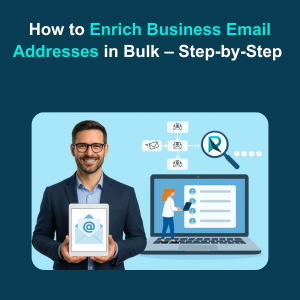
Learn how to enrich business email addresses in bulk with our step-by-step guide. Discover tools, strategies, and best practices to validate, enhance, and segment your email data efficiently, boosting lead quality and sales outcomes.
How to make calls from Zoho CRM
How to Make Calls from Zoho CRM Updated on: Here’s how to make calls from Zoho CRM to connect with your leads effortlessly. 1. Open the Calls module. 2. Click Create Call. 3. Enter all the required information. 4. Click Save. 5. The call is created successfully. Need accurate B2B data? Get 200M+ verified leads […]
How to change Language Zoho CRM
How to Change Language Zoho CRM Updated on: Here’s how to change the language in Zoho CRM. 1. Open More Settings. 2. Go to Setup. 3. Click Personal Settings under the General section. 4. Edit the Locale Information. 5. Add the language and click Save. Need accurate B2B data? Get 200M+ verified leads today for […]
How to Create a Task in Zoho CRM
How to Create a Task in Zoho CRM Updated on: Here’s how to create a task in Zoho CRM. 1. Open the Tasks module. 2. Click Create Task. 3. Enter the Task Information. 4. Verify all details and click Save. Need accurate B2B data? Get 200M+ verified leads today for smarter prospecting. Sign Up Now!
How to link Gmail with Zoho CRM
How to link Gmail with Zoho CRM Updated on: Here’s how to link Gmail with Zoho CRM to streamline your communication. 1. Open Setup. 2. Under Channels, select Email. 3. In Email Configuration, click Email and select Get Started. 4. Choose Gmail. 5. Click Configure. 6. The email is linked successfully. Need accurate B2B data? […]
How to add leads in Zoho CRM
How to Add Leads in Zoho CRM Updated on: Here’s how to add leads in Zoho CRM. 1.Open the Leads module. 2. Click the Create Lead button. 3. Enter the First Name, Last Name, and Company details. 4. Fill in the Additional Information section. 5.Verify all details and click Save. Need accurate B2B data? Get […]
How to create products in Zoho CRM
How to Create Products in Zoho CRM Updated on: Here’s how to create products in Zoho CRM. 1. Open the Products module. 2. Click Create Product. 3. Enter the Product information. 4.Fill in the Price Information and Stock Information. 5. Verify all details and click Save. Need accurate B2B data? Get 200M+ verified leads today […]