

How to Build a Verified Business Contact List That Converts
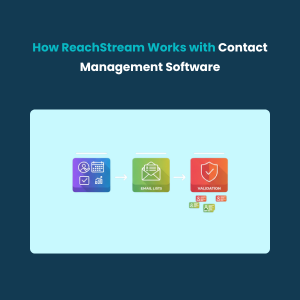
Building a verified business contact list is the foundation of every successful B2B outreach strategy. Accurate, up-to-date contacts help increase engagement, reduce bounce rates, and ensure your sales team connects with real decision-makers. In this guide, you’ll learn how to find, verify, and organize company contacts using modern tools and proven methods.
How to Download Artifacts from GitHub

All Tutorials / How to Download Artifacts from GitHub Updated on: Here’s how to download artifacts from GitHub for accessing workflow outputs : Open your repository on GitHub. Go to the Actions tab. Select the workflow run that created the artifact. Scroll to the Artifacts section at the bottom. Need accurate B2B data? Get 200M+ […]
How to Delete a Forked Repository in GitHub
All Tutorials / How to Delete a Forked Repository in GitHub Updated on: Here’s how to delete a forked repository in GitHub to keep your account organized : Go to the fork you want to delete. Click Settings. Scroll to the Danger Zone and Click Delete this repository. Click I want to delete this repository’ […]
How to Close a Pull Request in GitHub

All Tutorials / How to Close a Pull Request in GitHub Updated on: Here’s how to close a pull request in GitHub when changes are no longer needed : Open your repository on GitHub. Open Pull requests and select the one to close. Click on Mark as. Select Close. Need accurate B2B data? Get 200M+ […]
How to Archive GitHub Repository
All Tutorials / How to Archive GitHub Repository Updated on: Here’s how to archive a GitHub repository to preserve it without further changes : Go to your repository on GitHub. Click Settings. Scroll to Danger Zone and enable Archive this repository. Type the repository name and confirm the archive. Need accurate B2B data? Get 200M+ […]
How to Change GitHub Password
All Tutorials / How to Change GitHub Password Updated on: Here’s how to change your GitHub password to keep your account secure : Click your profile icon and select Settings. Click Password and authentication. Click on Change password button. Enter your current password and the new password and Click Update password Need accurate B2B data? […]
How to Add Secrets to GitHub

All Tutorials / How to Add Secrets to GitHub Updated on: Here’s how to add secrets in GitHub to securely manage sensitive data : Open your GitHub repository. Click Settings. Go to Secrets and variables > Actions. Click New repository secret. Enter the Name and Value of the secret and Click Add secret Need accurate […]
How to Customize GitHub Profile

All Tutorials / How to Customize GitHub Profile Updated on: Here’s how to customize your GitHub profile to showcase your skills and work : Click your profile icon and choose profile from the dropdown. Click Customize your pins to feature a repository on your profile. Select repositories to pin and click Save pins. Click Edit […]
How to Delete a Board in Monday.com

All Tutorials / How to Delete a Board in Monday.com Updated on: Here’s how to delete a board in Monday.com to clean up unused or outdated projects: Click the board you want to delete. Click the … (ellipsis) icon. Select Delete board. Your board has been successfully deleted. Need accurate B2B data? Get 200M+ verified […]
How to Make a Board Private on Monday.com

All Tutorials / How to Make a Board Private on Monday.com Updated on: Here’s how to make a board private on Monday.com to control who can view your data: Click the Add icon in the main workspace. Select Board. Click New Board. Choose Private. Click Create Board. Your private board has been successfully created. Need […]