Find Emails with 10 Proven Ways for Business Outreach
Summarize this article with AI:
Imagine you have a perfect product or service and a clear understanding of who your ideal customers are—yet you are stuck because you don’t know how to find emails to connect with your target audience. Endless Google searches, half-complete profiles, and trial-and-error email formats quickly turn outreach into a guessing game. Uncertainty around accuracy makes every send feel unreliable.
This challenge is common in modern B2B outreach—and it’s precisely where most strategies break down.
The article presents 10 practical, simple ways to find an email that removes friction from outreach and guide you to start effective business communication with clarity and confidence—no guesswork, no dead ends, just proven paths to connect with the right audience.
Let’s dive in.
Company Websites: The Primary Source to Find Emails
Sourcing email addresses the right way often begins with the company’s own website. It is one of the most transparent and dependable sources because the information is published directly by the organization for business communication.
Key pages to review
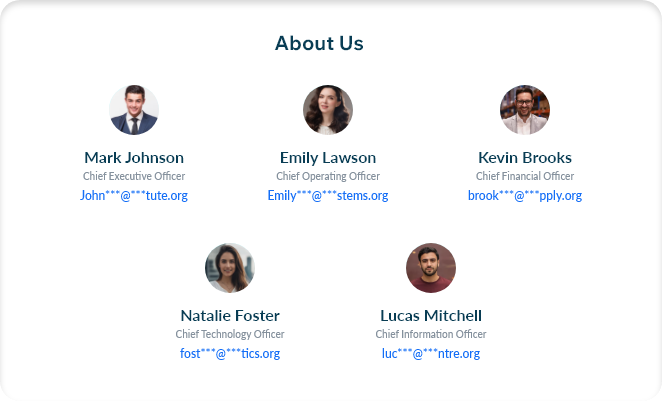
About Us or Team pages listing leadership and department owners
Leadership or Management sections highlighting decision-makers
Careers pages, especially HR or recruiter contact blocks
Press or Media pages publishing inquiry or spokesperson emails
These sections are built for external communication, making them a reliable starting point to find verified email addresses aligned with professional roles.
Footer sections listing role-based or departmental emails
Identifying a single valid email often reveals the format used across the entire domain
Search Engine: Find Email Addresses on the Web
Sometimes, finding an email address is less about using new tools and more about knowing how to search with intent. A few focused queries across search engines can surface email details that are already public but easy to miss.
Google: Leverage Smart Search Queries
To find email on Google, you first need accurate contact and company name. LinkedIn is the most reliable source to identify a professional’s name and the organization they belong to before starting your search.
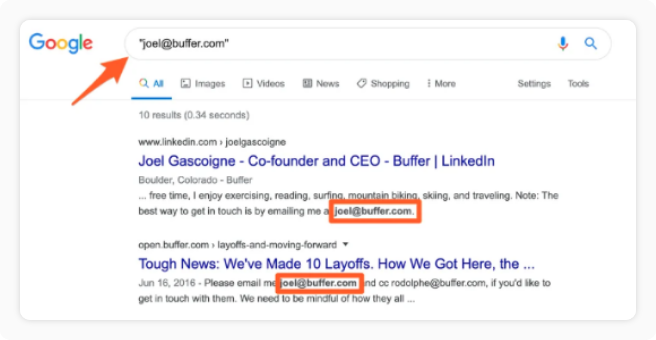
Use “person's name" + "@company.com"
This format focuses Google’s results on pages where the contact’s email is mentioned alongside the company domain.
Combine the contact’s name with the company domain in a focused Google search query.
Example: Michael Reyes “@northstartech.com”
Results typically surface from blog posts, author bios, press releases, event pages, or downloadable resources where the email is clearly referenced. This makes it easier to identify relevant, publicly available email addresses without scanning unrelated pages.
Find Email Addresses Using LinkedIn Profiles
LinkedIn has become the go-to hub for prospecting, where professionals share their business contact details, making outreach more direct and effective.
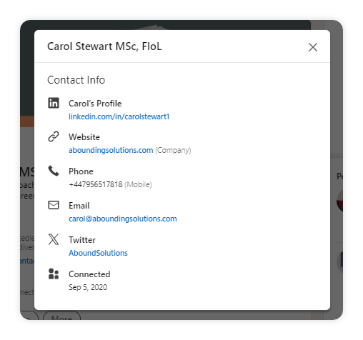
For teams looking to find emails manually with higher accuracy and lower risk, LinkedIn’s Contact Info section remains one of the most transparent sources available. Access to email details is limited to 1st-degree connections, which means a connection request must be sent and accepted before contact information becomes visible.
Steps to get Email Addresses from LinkedIn
Navigate to the contact’s LinkedIn profile and confirm their role and company.
Click “Contact info” located near the profile header.
Review the available details, which may include:
a. Business email address b. Phone number c. Company website d. Location e. Social media or portfolio links
When an email isn’t visible, explore the person’s recent posts or published content. Contact details are sometimes included in comment threads during event promotions, resource sharing, or collaboration announcements.
Export LinkedIn Connections to Access Emails
LinkedIn’s data export feature offers direct access to contact details already shared within your professional network. It enables teams to find verified email addresses at scale using first-party data, without relying on external tools.
Steps to extract prospects’ emails by Export
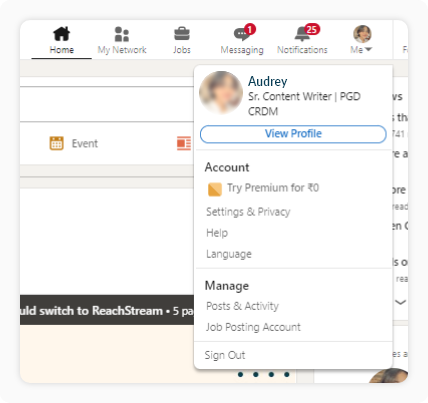
Click the Me icon in the top navigation and select Settings & Privacy.
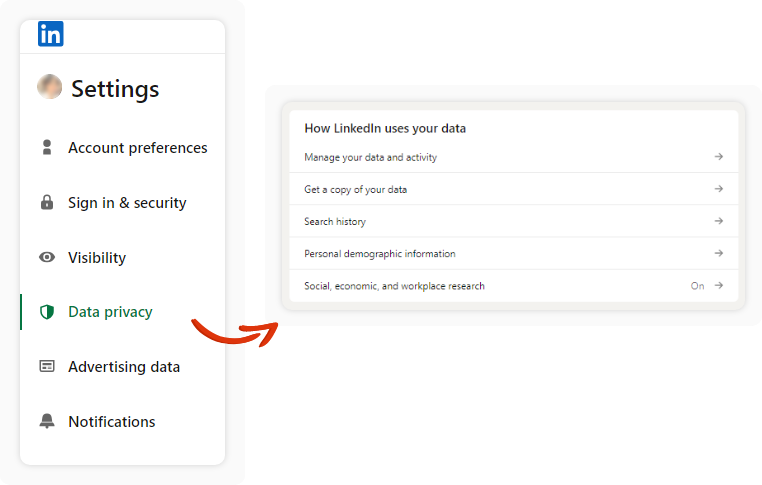
Go to Data Privacy and, under How LinkedIn uses your data, select Get a copy of your data.
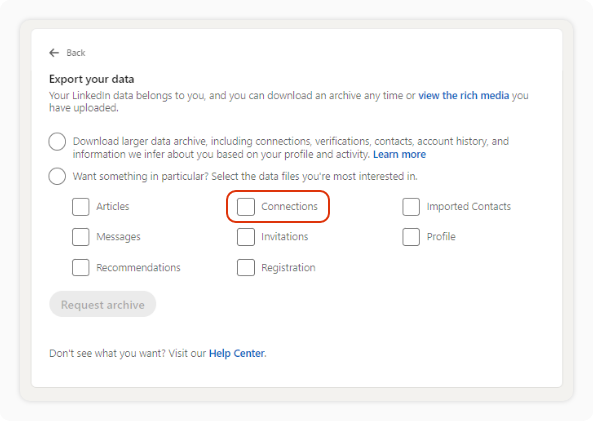
Choose the Connections option to include available details such as names, companies, and shared email addresses.
LinkedIn will send an email with a download link once the export is ready. The data is provided in a CSV file for easy review and use.
Exported connection data provides email addresses from your existing LinkedIn connections. These records support personalized outreach and direct business communication.
Uncover Emails with a Chrome Extension
Chrome extensions offer a fast, practical way to get email addresses directly from LinkedIn profiles while browsing in real time. Instead of manual searching, teams can extract verified contact details instantly and move straight into outreach.
One of the most trusted Chrome extensions used by leading brands is ReachStream LinkedIn Chrome extension. It provides quick access to business email addresses while browsing profiles, enabling teams to capture targeted contact details directly from LinkedIn.
Steps to Capture Email Addresses by Extension
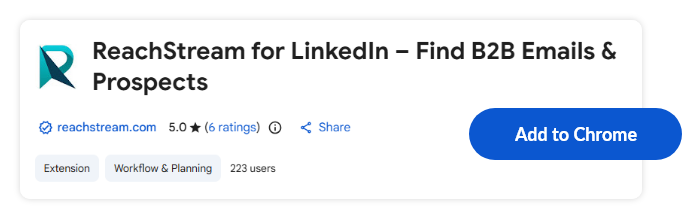
Add the ReachStream Chrome Extension from the Chrome Web Store. Open LinkedIn, click the extension icon, and sign in with your account to get started.
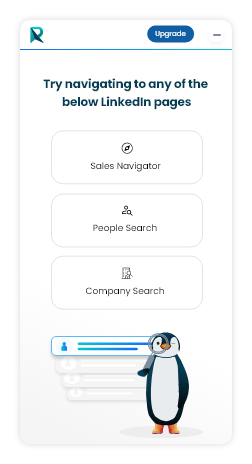
The extension presents three search modes: Sales Navigator, People Search, and Company Search. Select the mode that matches your prospecting goal.
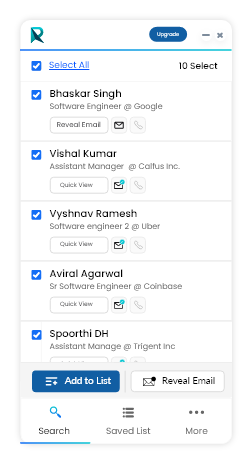
Choose the profiles or companies you want, add them to a new or existing list, and save as a list.
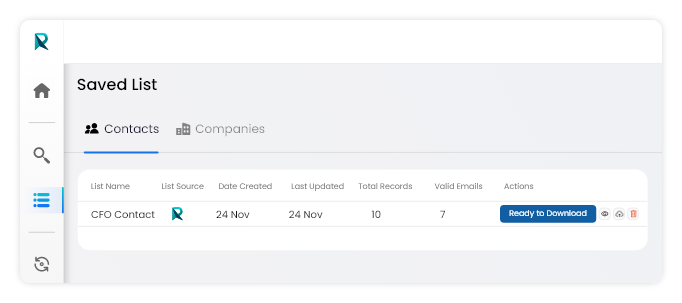
All captured records appear in your ReachStream dashboard, ready for verification and download for outreach.
Today, social media platforms are not just limited for entertainment, it functions as active channels for business interaction. Many professionals share their email addresses on their social media platforms to invite partnerships, business conversations, and direct inquiries.
We listed a few platforms below where you can find email addresses easily.
Identify Emails on X Handles
X-profiles are often the quickest place to locate a business email address, particularly for founders, consultants, creators, and industry leaders. Emails are commonly placed within the profile bio or header, allowing direct access without navigating external links or company pages.
Example:
Look at the SaaS founder’s X bio. It shows the email directly in the profile header: Founder at SaaSCo | Partnerships & collaborations | 📧 alex@saasco.com
Discover Emails from GitHub Accounts
GitHub profiles often reveal business email addresses for developers, engineers, and technical contributors. Emails are typically shared within profile summaries, project README files, or repository documentation where collaboration and communication are encouraged.
Example:
Open a developer’s GitHub profile and review the profile or repository overview. The contact detail is shown clearly: Contact: devname@company.com
Source Emails from Industry Communities
Email addresses often surface in discussion-driven spaces where professionals share their work or engage with peers. On platforms such as Reddit discussions, Indie Hackers profiles, or niche specific Slack groups, contact details are commonly included in bios, pinned introductions, or profile descriptions.
Example:
On an Indie Hackers profile, the contact detail is displayed directly within the user’s introduction: Feel free to reach out: hello@productname.com
Drive Emails from Conference and Events
Conference speakers such as founders, executives, consultants, and subject-matter experts actively share their visibility through public events, making it easier to find emails from trusted, public sources.
Where to look for the speaker’s email details?
Speaker Profile Pages: Event websites frequently publish speaker bios with direct contact details or personal websites.
Session & Agenda Pages: Individual talk listings sometimes include speaker emails or downloadable materials with contact info.
Organizer Inquiry Contacts: Event organizers often list a speaker contact email that routes messages directly to presenters.
Show Notes & Video Descriptions: YouTube videos, webinars, and podcast episodes commonly include prospects emails when guests promote a product, service, or book.
Capture Prospect Emails via Direct Messaging
Direct messaging is one of the most practical ways to find an email for free, especially when you want direct access to real decision-makers. Platforms such as LinkedIn, X, and Instagram support direct, permission-based conversations with prospects that remain professional and non-intrusive.
Direct Messaging for Qualified Email Access
Lead with relevance: Reference their role, recent post, or activity to create context before making any request.
Request consent first: A polite, permission-based ask increases replies and keeps the conversation professional.
Offer a clear reason to switch to email: Explain that email allows you to share resources, details, or follow-ups more effectively.
Collect qualified prospect emails: When someone shares their email voluntarily, it signals genuine interest and intent.
Example: Requesting an Email via Direct Message
Hi Alex, I came across your post on SaaS partnerships—great insights. I have a brief resource that builds on what you shared and would be happy to send it over email. Please let me know if that works for you.
Email Lookup Platforms for Identifying Valid Emails
Email lookup is a method used to identify existing email addresses associated with a person, company, or domain. Unlike guessing formats or scraping pages, email lookup platforms work by checking known data sources, domain records, and email infrastructure signals to surface valid contact emails.
This approach works best when you already know who you’re trying to reach—such as a founder, independent business owner, consultant, creator, or company representative, but need to accurately locate their email address.
Step-by-Step: How to Find Emails Using Email Lookup
Step 1: Identify the Domain
Start with the website domain associated with the person or business. Example: examplecompany.com
Step 2: Use a WHOIS-Based Email Lookup Tool
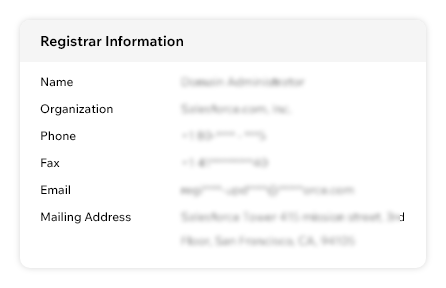
WHOIS data is collected during domain registration and often includes registrant or administrative contact emails, unless masked by privacy services.
You can run a lookup using tools such as:
Who.is
Namecheap
DomainTools
Nominet
DMCA0
Enter the domain and review the ownership records.
Step 3: Review Contact Fields Carefully
Look for:
Registrant Email
Administrative Contact Email
Technical Contact Email
These emails often belong to the domain owner or business decision-maker.
Access Verified Emails at Scale with B2B Platforms
A database is designed specifically to provide ready-to-use email addresses linked to real companies and professionals. Instead of manually searching across websites, profiles, or documents, email addresses are surfaced instantly through structured records.
This removes the trial-and-error involved in email discovery. When email addresses are already available in a usable format, teams can move straight to outreach instead of spending time searching, validating, or testing contacts.
ReachStream: Find Scalable Access to Verified Emails
ReachStream is built for winning teams seeking faster, scalable access to accurate email addresses. It delivers direct access to verified contact, and company email data, enabling organizations to move from prospect identification to outreach with precision.
Designed with deliverability and compliance at its core, ReachStream powers outbound campaigns by ensuring every email accessed is valid, verified, and ready for immediate execution.
Let’s look at the main 3 reasons why ReachStream should be your go-to platform for email discovery
High-Deliverability Verified Emails Every email address is validated through built-in email verification to reduce bounces and maintain accuracy, resulting in 90% email deliverability for outbound prospecting.
ESP-Validated Email Addresses Email addresses are verified against major providers such as Google, Microsoft, and Yahoo to confirm active inbox status.
Compliant Data with Smart Filters Our database follows 100% compliance standards and includes 15+ advanced filters for targeting by role, industry, location, and company attributes.
Finding emails is the first step in your business outreach. The approaches covered in the article focus on finding email addresses with precision, not assumptions. Whether you are looking for emails to initiate outreach, aiming to find B2B emails, or identifying ready-to-buy prospects, the methods discussed here definitely provide a structured way to locate usable email addresses with confidence.
Explore each method, experiment with what fits to find your targeted audience’s emails and win your business with conversions. When email discovery becomes deliberate instead of random, outreach becomes easier to execute—and far more effective.
FAQs
1. How to find an email address on Google?
To find an email address on Google, search using a person’s full name combined with their company domain. This approach surfaces publicly available email mentions from sources such as blogs, press pages, event listings, and downloadable documents.
2. How to find emails using LinkedIn profiles?
To find emails using LinkedIn, connect with the prospect and open the Contact Info section on their profile once the request is accepted. This area may display a business email address along with other verified contact details shared by the user.
3. What are email lookup platforms used for?
Email lookup platforms, which act as email finders used to identify existing email addresses linked to a person, company, or domain through verified data sources. An email finder analyzes domain records and public ownership details to surface valid contact emails without guessing formats.
4. How to find B2B emails at scale?
Findany B2B emails at scale becomes practical when using a reliable B2B data platform that offers verified company and contact email records. These platforms provide ready-to-use email data, removing manual searching and allowing outreach to begin immediately.
5. Does ReachStream support access to ready-to-buy prospects?
Our platform provides verified emails that helpteams to connect with ready-to-buy prospects with greater accuracy and deliverability. The platform offers an Icebreaker plan to find emails free, enabling your business to get started with outreach immediately.
Table of Contents
Junaid Hussain Khan
Author
Junaid Hussain KhanAuthor
Access 200M+ verified business emails and grow your sales pipeline effortlessly.