
Q3 Limited-Time Deal. Find verified B2B leads at half the cost. Get 50% Off with Coupon Code PROSPECT50. First 200 Users Only.
Unlimited Data.
Infinite Possibilities.
Looking for B2B data? Download Unlimited data using our Chrome extension at just $79/month.
Top Bulk Email Verification Tools in 2026 for Cleaner Email Lists
Written by:
Junaid Hussain Khan

Best Bulk Email Verifier in 2026: Cut Bounce Rates Fast

> Best Bulk Email Verifier

How to Evaluate B2B Data Vendors for Accuracy and Compliance

TL;DR

Introduction

If your marketing or sales team has ever uploaded a fresh email list and sent a campaign right away, you already know the sinking feeling of watching bounce rates climb an hour later. That is usually the moment teams start searching for a bulk email verifier. 

This kind of tool checks a full list at once, flagging which addresses are safe to send to and which ones will bounce, get caught by spam traps, or quietly damage your sender reputation. For any team running email marketing at volume, this step has become as routine as checking a subject line. 

This guide covers how the process works, what to look for when comparing providers, the steps to clean up a list before sending, and where ReachStream Email Verifier fits into that picture. 

What Is a Bulk Email Verifier and Why It Matters

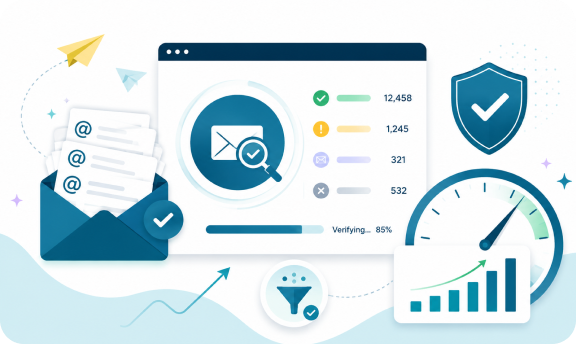
A bulk email verifier processes an entire email list at once, usually through a file upload or an API call, and returns a status for every address in the file. Instead of checking one address at a time, you get results for thousands of contacts in a single pass. 

This matters for a simple reason. Sending to a list with a high share of invalid or risky addresses does not just waste effort, it puts your domain’s ability to send emails at risk. Mailbox providers track bounce rates and complaint rates closely, and one bad campaign can affect inbox placement for everything you send afterward, including transactional mail. 

Tip
If you are about to email a list you have not touched in more than three months, treat it as unverified. An email address can go stale faster than most teams expect. 

How Bulk Email Verification Works 

When you upload a file, a few things typically happen behind the scenes: 
A MX record check alone tells you a domain can receive mail. It does not tell you whether a specific mailbox is full, disabled, or was never real to begin with. That gap is why a mailbox-level check matters as much as the domain lookup. 

Typical status categories:

Status What It Means What To Do
Valid
Mailbox exists and accepts mail
Safe to send
Invalid
Mailbox does not exist or domain is dead
Remove from list
Risky
Mailbox may exist but shows warning signs
Send with caution or exclude
Catch-All
Domain accepts mail to any address
Treat as unverified, monitor engagement
Unknown
Server did not respond conclusively
Retry later or review manually
Do Not Mail
Role account, complainer, or suppression list
Exclude
Expert Insight
Teams that only look at a single “verified” percentage after a check are missing the point. The real value is in the breakdown. A list that is 70 percent valid and 30 percent catch-all needs a very different sending strategy than one that is 70 percent valid and 30 percent invalid. 

Bulk Verifier vs Real-Time Checker 

Most teams eventually need both, just for different jobs. 

Checking a Full List at Once 

Best suited to cleaning an existing database, checking a purchased or scraped list before first use, or running a pre-campaign sweep across your whole email list. This is where most bulk email list verification work happens.

Real-Time Verification 

Best suited to catching typos the moment someone fills out a signup form, so an invalid address never makes it into your database in the first place. 
PRO TIP
Wire real-time checks into every capture point and verify in bulk on a monthly or quarterly schedule, depending on how fast your list grows. New contacts added between runs are the ones most likely to slip through unverified. 

Key Features to Look For 

Not every bulk email validator on the market checks the same things or returns results with the same level of detail. A few features separate the useful email verification tool from the surface-level ones. 

Common Mistakes When You Verify Bulk Email Lists

BEST PRACTICE
Segment your list by status after every run instead of treating results as a simple keep-or-delete decision. 
Get Started with ReachStream Email Verifier for Free 
Before your next send, see exactly how your list breaks down. ReachStream Email Verifier includes 100 free credits on signup, enough to test the process against your own contacts.  

How to Validate a Bulk Email List Step by Step

Step 1: Export your list.

Pull contacts from your CRM, ESP, or spreadsheet into a clean CSV file.

Step 2: Upload the file.

Run it through your provider and let the tool process the full list.

Step 3: Review the status breakdown.

Look past the headline “valid” number and check how many addresses fall into risky, catch-all, and invalid categories.

Step 4: Segment before you send.

Route valid addresses to your primary campaign, treat risky ones with a lighter touch or a separate warm-up sequence, and suppress invalid addresses entirely.

Step 5: Re-run before major campaigns.

Even a list checked last quarter should get a fresh pass before a high-stakes send.

Quick Checklist:

Choosing the Right Provider 

A handful of practical questions tend to separate the right fit from the wrong one: 
INDUSTRY INSIGHT
Deliverability guidance from major mailbox providers has consistently pointed to low bounce rates and near-zero complaint rates as a condition for reliable inbox placement, a major reason bulk verification has become standard practice before any large send. 

Why ReachStream Email Verifier Stands Out 

ReachStream Email Verifier helps businesses validate email addresses at scale without adding unnecessary complexity to their workflows. Whether you’re cleaning an existing contact database or verifying new leads before they enter your CRM, the platform combines bulk and real-time email verification to support cleaner data and better email deliverability.
Key capabilities include:
Evaluate Your Email List with Confidence
Run a sample batch through ReachStream Email Verifier to see how your contact database performs and help reduce bounce rates and improve deliverability.  

The Real Cost of Skipping Email Verification 

When evaluating a bulk email verification solution, it’s easy to focus on the price per credit or per verification. However, the cost of email verification is far smaller compared to the impact of sending emails to unverified contact lists. Invalid and outdated addresses increase bounce rates, reduce inbox placement, and can damage your sender reputation over time. A simple comparison puts the value into perspective:
Email Verification Skipping Verification
Predictable verification costs
Higher bounce rates and wasted email sends
Cleaner contact database
Reduced inbox placement
Cleaner contact database
Increased risk of sender reputation damage
More effective campaign performance
More time and effort spent rebuilding deliverability
EXPERT INSIGHT
Teams with mature outbound programs budget for routine bulk validation the same way they budget for an ESP or CRM seat, rather than treating it as optional. 
Build Every Campaign on Verified Data
Review your contact list before launching your next campaign and make informed sending decisions with detailed verification results.  

Conclusion 

A bulk email verifier is no longer optional for teams sending any real volume of outbound or lifecycle email. Bounce rates and spam traps carry real consequences for sender reputation, and a damaged domain is slow to rebuild. Teams that build this kind of check into their sending routine, rather than treating it as a one-time cleanup project, consistently protect their deliverability better than teams that only think about it after a campaign underperforms.

Whether you need to clean up a list before a single campaign or want a recurring check built into your process. Choosing a solution that combines accurate verification, detailed status insights, and seamless integration can support stronger email performance over the
long term. 

Try ReachStream Email Verifier for Free
Upload a sample of your contacts and see what your list is really made of before your next send.

Frequently Asked Questions

1. What is a bulk email verifier? 

A bulk email verifier is a tool that checks an entire list of email addresses at once and returns a status for each one, flagging which are safe to send to and which are likely to bounce or trigger spam filters. 
Processing a full list at once suits cleaning an existing database. Real-time verification checks a single address the moment it is entered, usually on a signup form, catching typos before they enter your system. 
It typically checks syntax, confirms the domain has a valid MX record, and runs a mailbox-level check to see whether the specific inbox exists and accepts mail. Some tools stop at the domain check, which misses a meaningful share of invalid addresses. 
Many providers flag known spam trap patterns and complainer addresses as part of the process, though no tool can guarantee it catches every trap, since new ones are created constantly. 
Monthly for high-velocity outbound teams, quarterly for smaller or slower-moving lists. Addresses decay steadily, so a one-time check is not a permanent fix. 
Catch-all addresses are typically treated as unverified rather than confirmed valid, since the domain accepts mail to any address and the tool cannot always confirm the specific mailbox is real.
Yes. Even a list of a few hundred email addresses can hurt sender reputation if a meaningful share bounces, and the cost of checking is small compared to the risk of a flagged domain. 
Yes. It supports batch uploads of up to 25,000 emails per file alongside real-time verification, so teams can check large contact files without switching tools. 
Junaid Hussain Khan

Author

Junaid Hussain Khan
Junaid is Senior Manager – Brand Growth & Strategy at ReachStream, where he drives content, SEO, and growth strategy for B2B sales and marketing teams.
Share
Table of Contents

Access 200M+ verified business emails and grow your sales pipeline effortlessly.

Power Your Sales with Targeted Data
Junaid Hussain Khan
Junaid Hussain KhanAuthor
Junaid Hussain Khan is the Business Development Manager at ReachStream, adept at forging strategic partnerships and identifying new market opportunities to propel ReachStream's growth and strengthen its position in the B2B ecosystem.

Don't forget to share this post!

Check out our other blogs!