
Written by:

Mohammed Younus
CRM Data Enrichment: How ReachStream Reduces Data Decay
- ReachStream > Sales
- > Article
- ReachStream > Sales
- > Article
How to Evaluate B2B Data Vendors for Accuracy and Compliance

TL;DR
- CRM data enrichment fills missing fields and updates outdated ones on records you already hold, using a verified outside source.
- CRM data decay is driven mostly by job changes, company changes, manual entry and duplicates.
- Widely cited estimates put B2B contact decay at roughly 20% to 30% a year, but your own rate depends on your data.
- Enrich email, job title, seniority and phone first, because these fields decay fastest.
- Clean duplicates before you enrich, and verify emails before any campaign.
- Measure data quality with a sample audit of 200 to 500 records and repeat it each cycle.
- Refresh new records on entry, active segments monthly and the full CRM at least quarterly.
What Is CRM Data Enrichment?
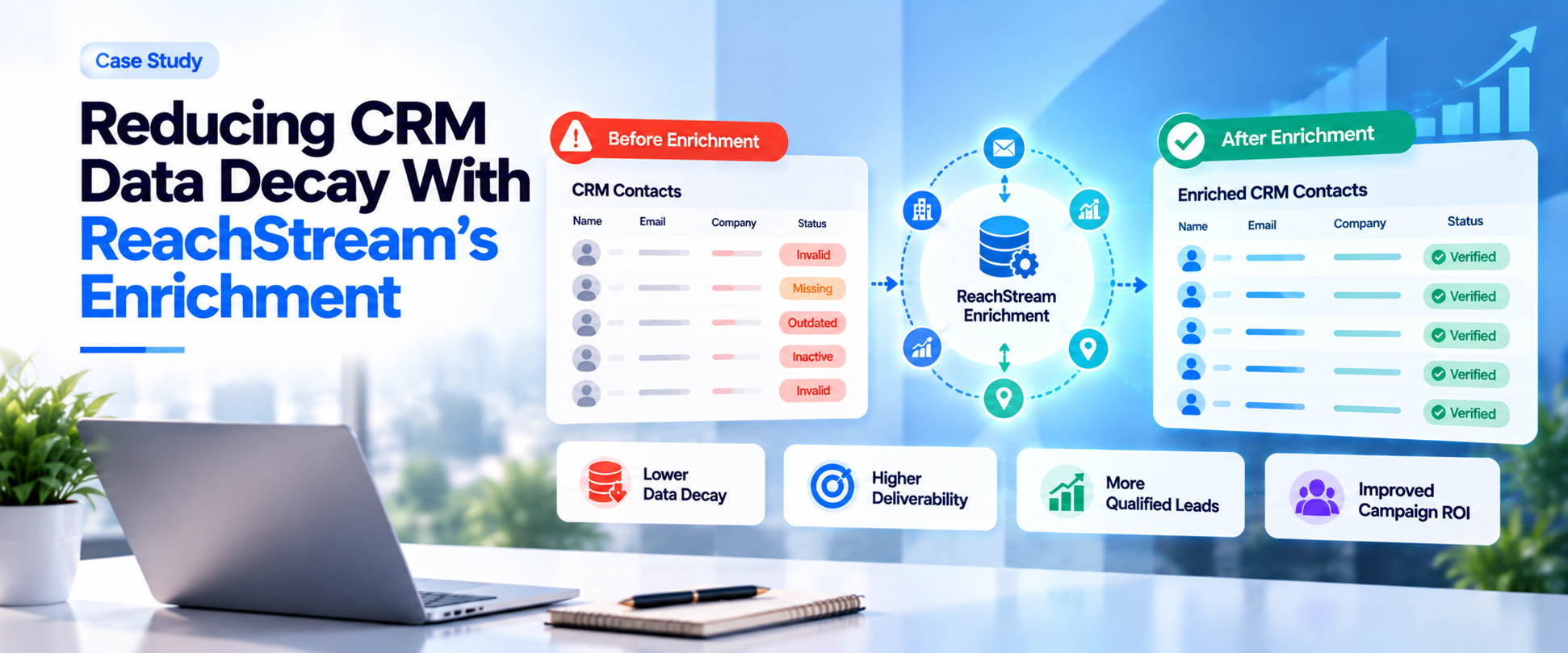
CRM data enrichment is the process of filling in missing fields and updating outdated ones on records you already hold, using a verified external data source. Done on a schedule, it is the most practical way to slow CRM data decay, because it replaces stale contact data with current details before reps and campaigns rely on it.
Most CRM managers recognise the pattern. A record that looked complete a year ago now has a bounced email, an old title and a phone number that rings through to someone else. Multiply that across thousands of contacts and you get wasted sales time, weaker reporting and a team that stops trusting the system.
What Is CRM Data Decay and Why Does It Happen?
CRM data decay happens because the real world changes faster than your database does. People get promoted, switch employers, move departments or change phone numbers, and the record stays exactly as it was entered. Companies merge, rebrand, relocate and change domains. Each change turns a once-correct record into stale records that mislead whoever opens them.
Job changes are the biggest driver, because they invalidate several fields at once: the work email, the title and often the direct phone number. Manual entry adds its own damage through typos, inconsistent formats and short lead forms that capture only a name and an email address. Duplicate imports from events, forms and reps then split one person into several profiles.
The effect is quiet at first and expensive later. Reps research basics before they can have a useful conversation, marketing sends to addresses that bounce and forecasts rest on contacts that no longer exist. Our guide to B2B data decay goes deeper on the causes.
How Quickly Does B2B CRM Data Decay?
Estimates vary by source, and most come from data vendors, so treat them as ranges. Widely cited figures put B2B contact data decay at around 2% a month, which compounds to roughly 20% to 30% a year, and some estimates run higher for lists that are used heavily. Fields move at different speeds. Job titles and phone numbers change fastest, work emails follow closely after a job change and company name and address are the most stable.
Your own data decay rate depends on your industry, the seniority of your contacts and how old the records are. A database full of mid-level managers in fast-moving technology companies will age quicker than one built around long-tenured owners of small businesses.
That is why a blended industry average is a poor planning tool. Use it as a warning, then measure your own rate with a sample audit, as described below.
How Does CRM Data Enrichment Work?
B2B data enrichment follows a simple loop. First, the tool takes an identifying detail from your record, such as an email address, name and company or a domain, and uses record matching to find the right person and account in its database. It then compares what you hold against what it holds, fills missing fields and flags values that look outdated.
Good enrichment also checks the data it returns. Email verification confirms the mailbox can receive mail, and phone number validation checks that numbers are formatted correctly and look usable. Standardization follows, so titles, countries and company names use one consistent format.
The last stage is the write-back. Real-time enrichment updates a record as it enters the CRM, such as when a form is submitted. Strong CRM enrichment software also includes duplicate prevention, matching new data to existing records instead of creating a second profile. Our overview of B2B data enrichment and earlier guide to improving incomplete CRM records cover the process in more depth.
Which CRM Fields Should Be Enriched First?
Start with the fields that your team uses daily and that decay fastest. Business email comes first, because a bad address damages sender reputation and stalls outreach. Job title and seniority come next, since they drive lead scoring and routing and change with every promotion. Add phone numbers, which are valuable for sales and decay quickly.
Then fill missing fields that affect segmentation: company size, industry, annual revenue, location and department. Contact data enrichment on these fields supports territory planning, account tiering and campaign targeting.
Pick a priority group of records too. Enrich contacts in open opportunities and high-value accounts before you work through the long tail. A focused first pass shows results quickly and tells you whether the data source is worth rolling out more widely.
How Can You Measure CRM Data Quality?
Data quality in CRM is easy to feel and hard to prove until you measure it. Pull a random sample of 200 to 500 records from a segment your team actually uses, then check each one against a trusted source. Score four things: whether the email is valid, whether the title is current, whether the phone number works and whether the company details are right.
Track a few simple metrics over time. Data completeness is the share of records with all required fields filled. CRM data accuracy is the share of sampled values that are correct. Add your email bounce rate, the percentage of duplicate records and the age of each record since it was last verified.
The business metrics matter as much. Better data should lift sales productivity, because reps spend less time on research, and improve pipeline accuracy, because forecasts rest on real contacts. Our guide on keeping your CRM clean with email verification shows how to track bounces.
Start with 100 free export credits and test it on your own records
Filter by industry, role, company size and location, then export verified contacts.
What Is the Difference Between CRM Cleansing and Enrichment?
Cleansing, enrichment and verification are often lumped together, but each solves a different problem. The table below compares the three: what each does, when to use it and what to watch for.
A healthy CRM uses all three. Cleansing fixes what is wrong, enrichment adds what is missing and verification confirms what you are about to use.
| Approach | What it does | Best used when | Typical effort | Watch out for |
|---|---|---|---|---|
|
CRM data cleansing |
Fixes duplicates, formats and obvious errors in existing records |
Before any import, enrichment or major campaign |
Medium, mostly rules and review |
Merging records that only look alike |
|
CRM data enrichment |
Adds missing fields and updates outdated values from an outside source |
Records are incomplete or aging, especially after job changes |
Low once matching rules are set |
Overwriting values reps entered on purpose |
|
Email and phone verification |
Confirms that emails and phone numbers can be used |
Before sending or calling at volume |
Low and often automated |
Catch-all and risky results that cannot be fully confirmed |
How to Fix CRM Data Decay: What Are the Steps?
- Audit a sample: Score 200 to 500 records for email validity, title accuracy, phone numbers and missing fields to set your baseline.
- Clean first: Remove duplicates, standardize formats and fix obvious errors, so you do not pay to enrich bad records.
- Verify emails: Run email verification on the list and suppress invalid and risky addresses before any campaign.
- Enrich priority records: Fill missing fields and update job changes for open opportunities and key accounts first.
- Enrich Salesforce contacts and other CRM records on a schedule: Use a batch sweep for existing records and real-time enrichment for new ones.
- Re-measure: Repeat the sample audit after each cycle and compare it with your baseline.
How Often Should CRM Data Be Refreshed?
How often to refresh depends on how fast your data moves, but a three-speed routine works for most teams. Verify and enrich new records at the point of entry. Re-check active segments and open opportunities monthly. Then run a full audit, including duplicates, at least every quarter.
Teams that run outbound at volume, or sell to roles that change often, should refresh more frequently. A rising bounce rate or a growing share of records with missing fields is the signal to bring the next refresh forward. Our guide on how to clean a B2B contact list gives a step-by-step routine for the cleansing part.
What Mistakes Keep CRM Data Decaying?
- Treating clean-up as a yearly project: By the time the next sprint arrives, a large share of records has already drifted.
- Checking only email format: A correctly formatted address can still belong to a mailbox that has been closed.
- Ignoring titles and phones: These fields decay as fast as email but get less attention.
- Enriching before cleaning: You pay to improve duplicate and broken records.
- Overwriting rep-entered data blindly: Set rules for which source wins.
- No owner for data quality: Without a named owner, hygiene rarely happens.
Where Does ReachStream Fit in CRM Data Enrichment?
ReachStream describes its enrichment as a three-step flow from raw data to enriched and verified data to lists you can use. ReachStream Prospect includes a built-in email verifier, a Verify & Export workflow, dynamic lists that update automatically and a Chrome Extension for enriching leads while you browse LinkedIn.
For existing records, ReachAPI is the relevant piece. ReachStream describes it as filling in missing or outdated fields on CRM records with batch and asynchronous updates, without creating duplicates, and delivering results as JSON or through webhooks.
Its pricing FAQ also lists native Salesforce and HubSpot integrations, which suit teams that want to enrich Salesforce contacts without building a custom connector. Confirm plan availability and limits on the pricing page before you plan a rollout. Our guide to connecting a lead database to your CRM explains the setup options.
Start with 100 free export credits a month
Test ReachStream’s enrichment and verification with no credit card needed.
CRM Data Enrichment: The Short Version
CRM data enrichment works when it is routine. Measure your baseline with a sample audit, clean duplicates, verify emails, enrich the records that matter most and repeat on a schedule. Pair real-time enrichment for new records with batch refreshes for the rest, and give someone ownership of data quality.
For your next read, see our guide to B2B data verification and explainer on B2B data decay.
Find a plan that fits your CRM size
Explore ReachStream Pricing and Find Your Ideal Plan
Frequently Asked Questions
1. What is CRM data decay?
CRM data decay is the gradual loss of accuracy in CRM records as people change jobs, companies rebrand and contact details change. A record that was correct when entered becomes stale over time. Left alone, decay leads to bounced emails, wasted sales effort and unreliable reports.
2. How quickly does B2B CRM data decay?
Estimates vary and many come from vendors, but widely cited figures put B2B contact data decay at roughly 20% to 30% a year, with some higher. Job titles and phone numbers change fastest, followed by work emails. Your own rate depends on your industry and how old your records are, so measure it with a sample audit.
3. How does CRM data enrichment work?
CRM data enrichment matches each record to an outside database using details such as email, name, company or domain. It fills missing fields, updates outdated values and verifies key details such as email addresses. Results are written back to the CRM either in real time as records arrive or in scheduled batches.
4. What CRM fields should be enriched?
Start with business email, job title, seniority and phone number, since these decay fastest and matter most to sales. Then fill missing company fields such as size, industry, revenue and location. Prioritise records in open opportunities and high-value accounts before enriching the rest of the database.
5. How can you measure CRM data quality?
Audit a random sample of 200 to 500 records and score email validity, title accuracy, phone numbers and company details. Track data completeness, accuracy rate, bounce rate and duplicate rate over time. Also watch business results, including sales productivity and pipeline accuracy.
6. Can ReachStream enrich existing CRM records?
ReachStream describes ReachAPI as filling in missing or outdated fields on existing CRM records, with batch and asynchronous updates and no duplicates. Its pricing FAQ also lists native Salesforce and HubSpot integrations. Check plan availability and limits on the pricing page before you start.
7. What is the difference between CRM cleansing and enrichment?
CRM data cleansing fixes errors that already exist, such as duplicates, inconsistent formats and invalid values. Enrichment adds or updates information from an external source, such as missing job titles or company size. Cleanse first, then enrich, so you do not pay to improve records that should be merged or removed.
8. How often should CRM data be refreshed?
Verify and enrich new records as they enter the CRM, re-check active segments and open opportunities monthly and run a full audit at least quarterly. Teams with high outbound volume or fast-changing roles should refresh more often. A rising bounce rate is the signal to refresh sooner.
Mohammed Younus
Author
Mohammed Younus

Mohammed Younus is the Senior Manager of Business Operations with a keen insight into the B2B landscape. Through his contributions to this blog, he aims to share cutting-edge tactics and insights that empower sales and marketing professionals to achieve unparalleled success.
Share
Table of Contents
Access 500M+ verified business emails and grow your sales pipeline effortlessly.
Power Your Sales
with Targeted Data
Mohammed Younus is the Senior Manager of Business Operations with a keen insight into the B2B landscape. Through his contributions to this blog, he aims to share cutting-edge tactics and insights that empower sales and marketing professionals to achieve unparalleled success.
Don't forget to share this post!















Check out our other blogs!

How to Build a Targeted Prospect List Using Filters
October 21, 2026

B2B Data for Ed-Tech Companies: Reaching School Decision-Makers
October 21, 2026

Direct Dial Numbers Explained: A Guide for Sales Reps
October 19, 2026