



How ReachStream Export Credits Work - The 1, 1, and 10 Rule
Summarize this article with AI:
Not All Exports Cost the Same, and That Trips People Up
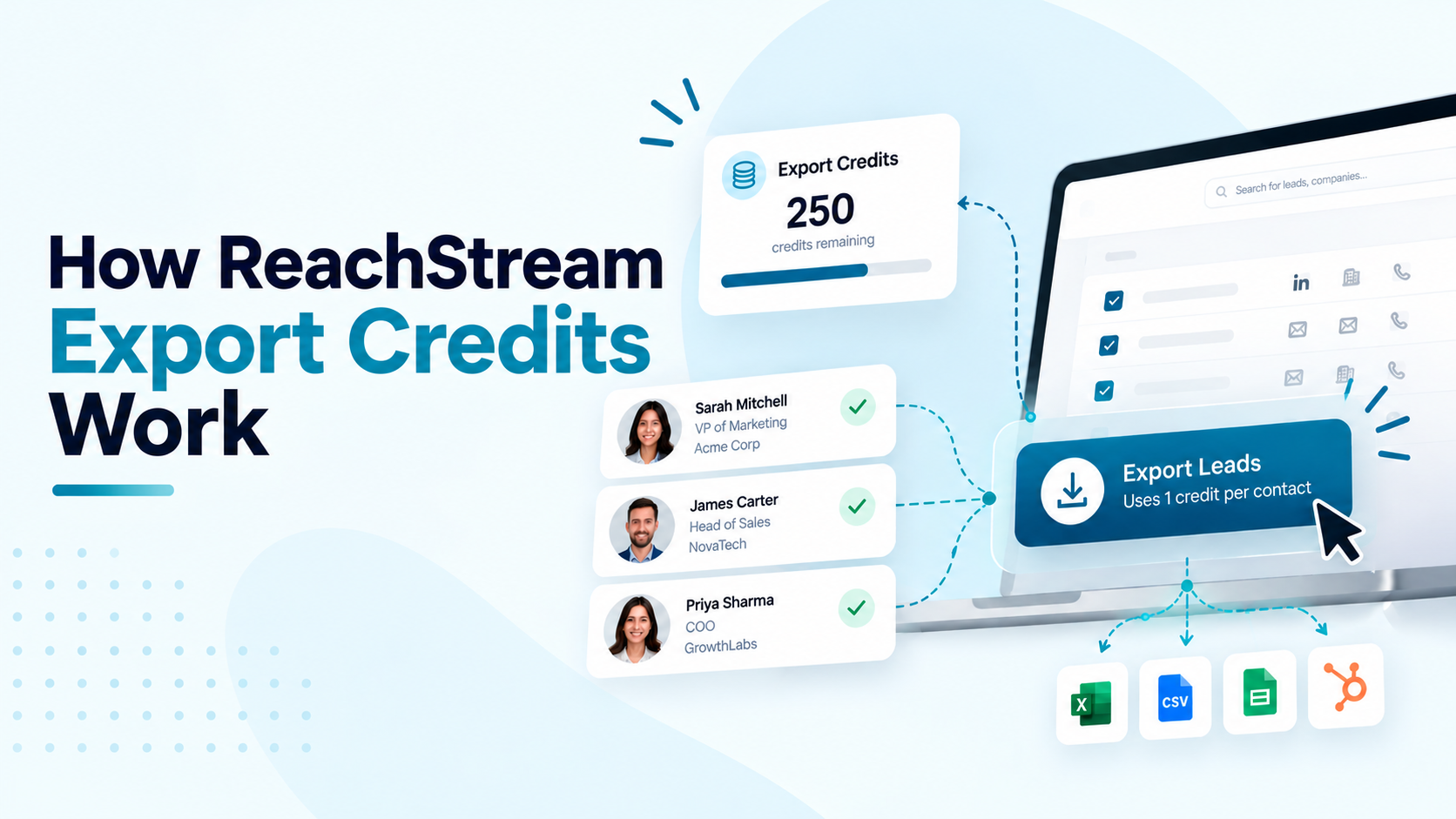
Every ReachStream export credits transaction follows one of three simple rules: 1 credit for a contact with a verified email, 10 credits for a phone number, and 1 credit for a company record. Searching and viewing profiles never touches your ReachStream export credits balance, only the moment you actually download or sync data does.
Here’s exactly how ReachStream export credits are counted, what each plan costs, and how to make every credit count.
Three simple numbers cover every way you’ll spend ReachStream export credits. Here’s what each one means in practice.
The most common way to use ReachStream export credits is exporting a contact that has a verified email address. Every valid, verified email you download or sync costs exactly 1 credit, regardless of which plan you are on.
Example: Export 100 contacts with verified emails and you will use 100 ReachStream export credits, no more.
Phone numbers cost more because they take more work to source and verify. Exporting a direct dial or mobile number uses 10 ReachStream export credits per number, whether or not you export the matching contact's email at the same time.
Example: A contact exported with both an email and a phone number uses 1 + 10 = 11 ReachStream export credits total.
Exporting company level data, firmographic details like industry, headcount, revenue, and location, costs 1 credit per company, separate from any contacts you export from that company. Building a targeted sales pipeline usually means exporting companies and contacts together.
Example: Export 50 companies and you will use 50 ReachStream export credits, regardless of how many contacts you pull from them.
Searching, filtering, and viewing contact or company profiles never touches your ReachStream export credits balance, no matter how many records you look at. Credits are only used the moment you export or sync data out of the platform. ReachStream verifies emails in real time during export, so credits are only spent on data that is actually usable.
Example: Search, filter, and review as many profiles as you like at 0 ReachStream export credits.
ReachStream export credits and email credits are tracked separately and never overlap. Export credits are used when you download contact lists or company data to a CSV file or sync them to your CRM. Email credits, also called email views, are used only when you view a verified email address inside the platform or the Chrome extension.
Example: Viewing an email address uses an email credit; exporting that same contact afterward uses a separate ReachStream export credit.
Enter what you plan to export and see exactly how many ReachStream export credits it will use.
Based on monthly credit allocations: Free 100, Starter 5,000, Pro 10,000, Business 20,000, Enterprise custom.
Every plan comes with a set number of ReachStream export credits that reset at the start of each billing cycle. Unused credits never roll over, so it’s worth matching your plan to how much you actually export.
Here’s what each plan includes:
Unused credits reset at the start of each new billing cycle and never roll over.
ReachStream export credits work best when you export only what you plan to use. Filter first, verify in real time, and keep your billing cycle’s credits working for you instead of disappearing on contacts you’ll never reach out to.
No credit card required. Upgrade whenever your exports outgrow the plan you are on.
The Free plan includes 100 ReachStream export credits a month or 1,200 a year.

Author
Access 500M+ verified business emails and grow your sales pipeline effortlessly.
Claim Your 100 Free Export Credits Today!
Don't forget to share this post!
Check out our other blogs!

12 Lead Generation Strategies That Work in 2026 + Examples

Year-End CRM Cleanup Checklist

Apollo.io Pricing 2026: $0-$149/User Plans + Hidden Costs

Wiza Pricing 2026: Plans from $0 to $199/mo + Hidden Costs