

How to Add Email Signature in Zoho CRM
How to Add Email Signature in Zoho CRM Updated on: Here’s how to add an email signature in Zoho CRM. 1. Open Setup. 2. Under Channels, select Email. 3. Scroll down and click Add New Signature. 4. Enter your Email Signature and Email Address. 5. Review all details and click Save. Need accurate B2B data? […]
How to Add Contacts in Zoho CRM
How to Add Contacts in Zoho CRM Updated on: Here’s how to add contacts in Zoho CRM. 1.Open the Contacts module. 2. Click Create New Contact. 3. Enter the Contact Information. 4. Fill in the Address Information and Description.. 5. Verify all details and click Save. Need accurate B2B data? Get 200M+ verified leads today […]
How to Add Users in Zoho CRM
How to Add Users in Zoho CRM Updated on: Here’s how to add users in Zoho CRM. 1. Open Setup. 2. Click Users under the General section. 3. Click Add New User. 4. Enter all user details. 5. Check all the information and click Save. Need accurate B2B data? Get 200M+ verified leads today for […]
How to change Language Zoho CRM
How to Change Language Zoho CRM Updated on: Here’s how to change the language in Zoho CRM. 1. Open More Settings. 2. Go to Setup. 3. Click Personal Settings under the General section. 4. Edit the Locale Information. 5. Add the language and click Save. Need accurate B2B data? Get 200M+ verified leads today for […]
How to Create a Task in Zoho CRM
How to Create a Task in Zoho CRM Updated on: Here’s how to create a task in Zoho CRM. 1. Open the Tasks module. 2. Click Create Task. 3. Enter the Task Information. 4. Verify all details and click Save. Need accurate B2B data? Get 200M+ verified leads today for smarter prospecting. Sign Up Now!
How to add leads in Zoho CRM
How to Add Leads in Zoho CRM Updated on: Here’s how to add leads in Zoho CRM. 1.Open the Leads module. 2. Click the Create Lead button. 3. Enter the First Name, Last Name, and Company details. 4. Fill in the Additional Information section. 5.Verify all details and click Save. Need accurate B2B data? Get […]
How to add lead source in Zoho CRM
How to Add Lead Source in Zoho CRM Updated on: Here’s how to add a lead source in Zoho CRM. 1.Open the Leads module. 2. Click Create Lead. 3. Select the Lead Source. 4. Enter the required details such as Name, Email, and other information. 5. Verify all details and click Save. Need accurate B2B […]
Where Can I Find a Verified Oncologist Email List for B2B Outreach?
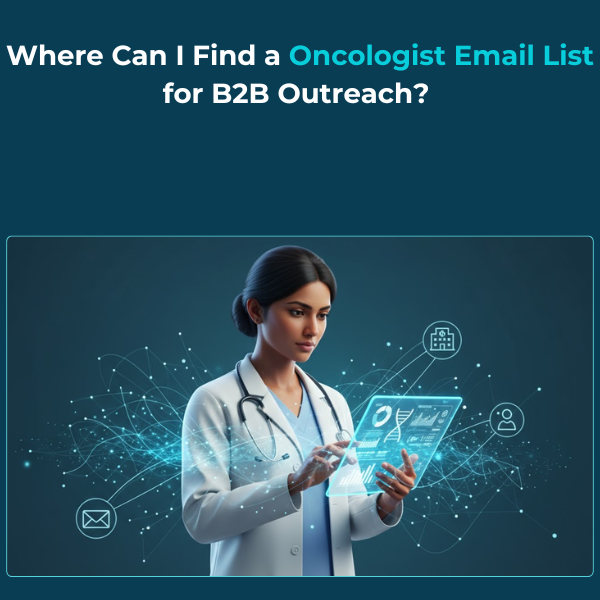
Unlock direct access to verified oncologists with accurate, GDPR-compliant data—ideal for pharma, medtech, and healthcare teams driving oncology outreach campaigns.
What is Firmographic Data? Power Up B2B Sales & Marketing

Firmographic data reveals company traits like size, industry, and revenue to help B2B teams segment markets, target prospects effectively, and boost sales and marketing performance.
Apollo.io Competitors: Why Businesses Choose ReachStream

Explore top Apollo.io competitors and see how ReachStream delivers better B2B data accuracy, real-time verification, and global compliance for smarter lead generation.