

Top 10 Dentist Email Addresses Providers in 2025
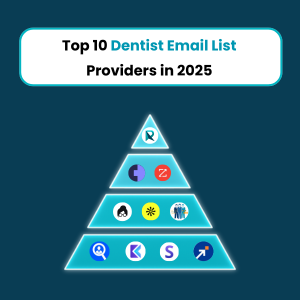
Explore the top 10 dentist email list providers of 2025 offering verified contacts, advanced features, and CRM integrations to supercharge your dental outreach campaigns.
Who Can Benefit from a Dentist Email Database?
Dental product suppliers, software providers, labs, recruiters, and marketers can all benefit from a dentist email database to reach verified professionals and boost targeted outreach campaigns.
Inside the Data: What’s Included in a Quality Plastic Surgeons Email List
A quality plastic surgeons email list includes accurate contact details, specialties, certifications, and segmentation data to help marketers run targeted, high-converting outreach campaigns.
Boost Your Startup Sales: B2B Data Solutions That Work

Boost your startup sales with powerful B2B data solutions tailored for lead generation and conversion. Discover proven strategies to connect with your ideal customers faster.
How SMBs Can Grow Faster with Verified B2B Contact Lists?
SMBs can accelerate growth using verified B2B contact lists by directly reaching decision-makers, reducing outreach time, boosting campaign accuracy, and improving ROI. These lists help target the right audience, enabling faster lead generation and conversion.
Writing Cold Emails That Actually Work with AI

Master the art of writing cold emails that deliver results using AI. This guide covers proven strategies, subject line optimization, personalization tips, and the best AI-powered tools to increase open rates, boost engagement, and drive higher response rates from your cold outreach campaigns.
Dentist Mailing List: How to Find, Build & Use It Effectively

Learn how to find, build, and use a dentist email list to boost your marketing efforts. This guide covers proven methods for reaching dental professionals, generating quality leads, and growing your business through targeted and well-managed email outreach.
Doctors Email List: 7 Mistakes Marketers Must Avoid
Using a doctors’ email list can boost your marketing, but common mistakes can ruin your success. Avoid issues like poor targeting, outdated data, and spammy messaging. Learn the top 7 mistakes marketers make and how to fix them to improve engagement, conversions, and ROI. Don’t let these errors cost you!
10 Ways to Find Physical Therapist Email List [2025]
![10 Ways to Find Physical Therapist Email List [2025]](https://resources.reachstream.com/wp-content/uploads/2025/03/10-Ways-to-Find-Physical-Therapist-Email-List-2025-2.png "10 Ways to Find Physical Therapist Email List 2025 2")
Looking for a physical therapist email list in 2025? This guide explores 10 effective ways to find verified contacts for marketing, networking, or research. From online directories and professional associations to data providers and search techniques, discover the best methods to build your list.
Best Alternative Tool for Apollo.io Extension – ReachStream is the Solution

Explore the 10 Best B2B Contact Database Providers of 2025, featuring platforms like Lusha, UpLead, and ZoomInfo. These providers offer diverse features such as advanced search filters, real-time data verification, and extensive databases, ensuring accurate contact information for effective outreach. Pricing varies, catering to different business needs and budgets.