Written by:

Abdul Kareem
B2B Prospecting Automation: Save Time with ReachStream
- ReachStream > Sales
- > Article
- ReachStream > Sales
- > Article
How ReachStream helps you find B2B leads faster and spend less time on manual research

TL;DR
- B2B prospecting automation hands repeatable tasks such as search, verification and export to software.
- ReachStream offers 500M+ contacts, 50M+ companies and 100M+ direct dials for prospecting.
- ICP filters, AI Search and Similar Companies are designed to speed up list building.
- Verified emails and direct dials come attached, so reps spend less time on research.
- Salesforce and HubSpot sync and the Reach API move data into your stack without copying.
- Time savings vary, so record a baseline and measure on your own accounts.
- The Free plan includes 100 export credits a month with no credit card.
What Is B2B Prospecting Automation?
B2B prospecting automation means letting software handle the repeatable parts of prospecting, such as searching, filtering, verifying and exporting contacts, so your reps spend their time on conversations instead of research.
ICP filters are saved search criteria that describe your ideal customer. Account prioritization is ranking target accounts by fit so reps start with the best ones. Buying signals are changes at a company, such as adopting a new technology, that suggest it may be ready to talk. CRM sync sends records from your database into your CRM without manual copying.
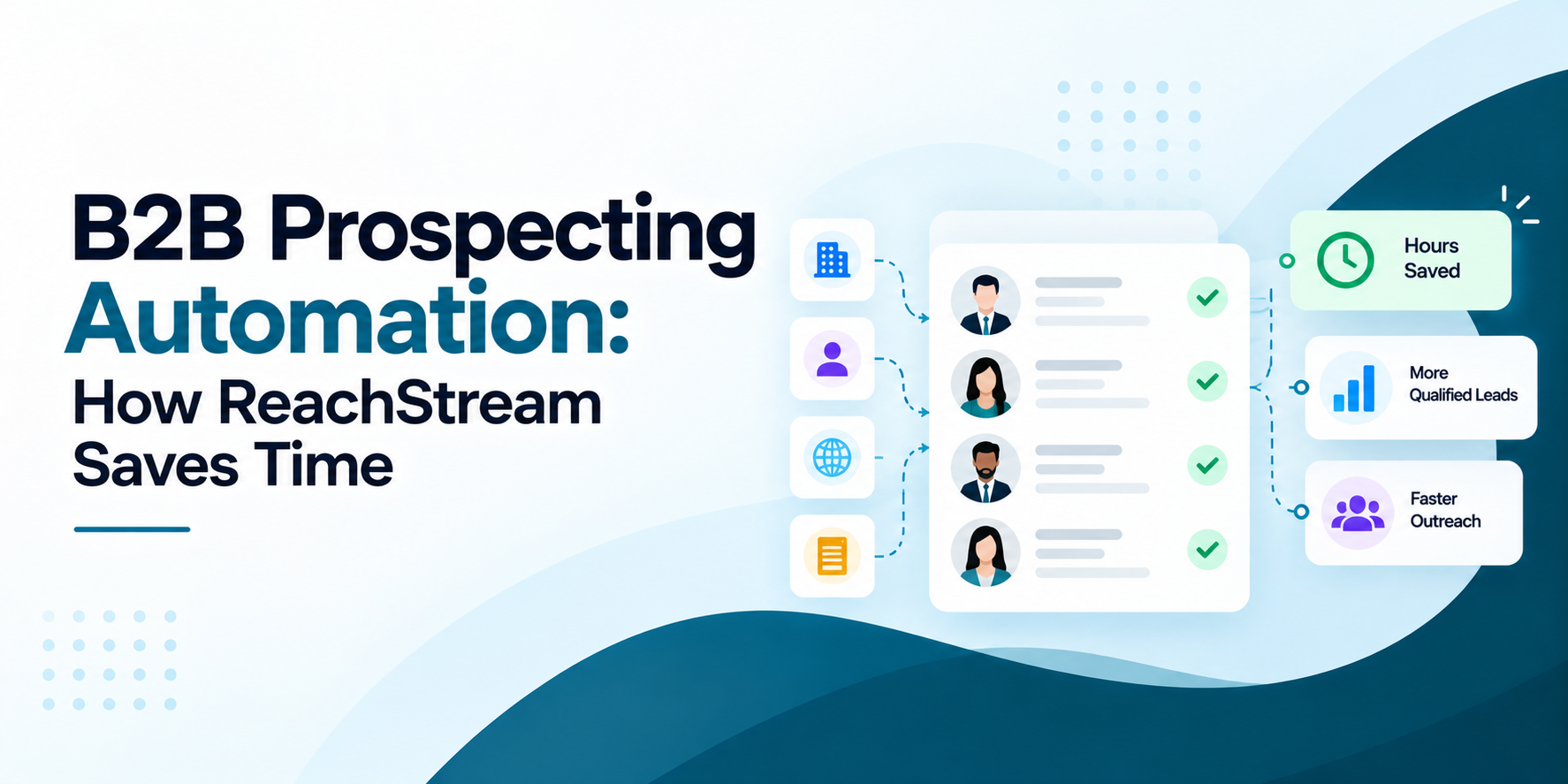
ReachStream Prospect gives sales teams a database of 500M+ contacts, 50M+ companies and 100M+ direct dials, and it is designed to help you spend less time on research by turning ICP filters, contact search and company search into one repeatable workflow that ends in a CRM sync.
Why Does Manual Prospecting Take So Long?
Most of the time in manual prospecting goes to research, not selling. A rep opens a company website, checks LinkedIn, guesses an email format, looks for a phone number, pastes the result into a spreadsheet and then repeats the routine for the next account. Each step is small, but together they use up the research time that should go into personalized outreach.
The second cost is quality. Records copied by hand go stale and bounce when they are used, which hurts deliverability and sales productivity. This is the problem B2B prospecting automation is meant to solve: fewer manual lookups, cleaner records and a list your reps can trust on day one. Our guide to B2B sales prospecting covers the wider process if you want the full picture.
How Can ReachStream Reduce Prospecting Time?
We built ReachStream Prospect to replace the manual research loop with a few connected steps. You describe your ideal customer with ICP filters such as role, industry, company size, revenue and location, or with AI Search, which is designed to let you find contacts and companies by describing who you want.
Technology Insights adds technographic filters across 22K technologies, and Similar Companies can make it faster to expand a list from accounts that already fit. From there, verified emails, direct dials and company details are attached to each record, so reps are not hunting for them one by one.
Our built-in email verifier checks addresses before you spend export credits, and we refresh records on a 45-day cycle. That is how our platform aims to help you work faster: less searching, less tab switching and fewer bounced emails to clean up later. This kind of sales research automation gives hours back, but how many depends on your current process.
Which Prospecting Tasks Can You Automate?
Sales prospecting automation works best on tasks that repeat every week. These are the ones teams usually automate first with ReachStream: contact search and company search against saved ICP filters, automated list building through dynamic lists that update as your search results change, email verification before export, lead exports as CSV, CRM sync through our Salesforce and HubSpot integrations.
On LinkedIn, our Chrome Extension helps capture leads while you browse, so nobody retypes names into a sheet. For custom workflows, the Reach API returns on-demand JSON, supports webhooks and batch or asynchronous enrichment and reports credit usage. Our guide to the automated data enrichment workflow shows how to set up the enrichment side.
How Do ICP Filters Speed Up List Building?
Automated list building starts with a clear ICP. Write down the industries, company sizes, regions, job titles and technologies that match your best customers, then turn each one into an ICP filter. In ReachStream, firmographic filters narrow companies by traits such as industry, size and revenue, and technographic filters narrow them by the tools they use.
A technology change can work as a simple buying signal, although we do not claim intent data, so treat it as one signal among several. Save the search as a dynamic list and account prioritization becomes a sorting job instead of a research job: rank the accounts by fit, start with the best ones. Together these steps give you automated lead generation. Our guide to B2B list building goes deeper on how to structure lists.
Can You Find Verified Direct Dials Fast?
Yes. ReachStream includes direct dials, with 100M+ direct dials in the database, and direct dial prospecting works best when you test coverage for your own target roles and regions before you plan call blocks. Coverage varies by market and seniority, and a prospecting database only helps if it has the numbers you need, so run a small sample first.
For email, our built-in verifier checks addresses so you work with verified contact data for sales instead of raw guesses, and exports use credits only on verified data. Build the list with contact search, verify it, then download a CSV or sync it to your CRM. Our guides to getting direct dials and exporting and cleaning a B2B contact list explain how to prepare a file before it goes into a sequence.
Build your first list from ICP filters
Set your ICP filters, build the list and export verified contacts.
How Does Automated Prospecting Compare?
The table below compares a manual workflow with an automated one on the tasks that take the most time. It describes a way of working, not a promise of results, so use the last column to collect your own numbers.
| Task | Manual prospecting | With ReachStream | Why it matters | What to measure |
|---|---|---|---|---|
|
Finding accounts |
Browsing websites, directories and LinkedIn by hand |
Company search with ICP filters and Similar Companies |
Research time grows with every account |
Minutes to build a list of 50 accounts |
|
Getting contacts |
Guessing emails and hunting for phone numbers |
Contact search with verified emails and direct dials |
Bad data bounces and wastes sends |
Share of contacts with a usable email and phone |
|
Moving data |
Copying rows into a spreadsheet and then the CRM |
Lead exports as CSV, CRM sync and the Reach API |
Manual copying adds errors and delay |
Time from list to CRM-ready records |
How Do You Set Up a Prospecting Workflow?
- Define your ICP: Write down the industries, company sizes, regions and roles you sell to.
- Time your baseline: Record how long a manual list of 50 contacts takes you today.
- Build the list: Use ICP filters or AI Search in ReachStream and save it as a dynamic list.
- Verify and export: Check emails with the built-in verifier, then export a small batch with your free credits.
- Sync to your CRM: Push a few records to a sandbox and check field mapping and duplicates.
- Compare and refine: Time the new workflow, track bounces and adjust your filters.
Who Gains Most From Prospecting Automation?
B2B prospecting automation helps most when prospecting happens every week. SDRs and sales representatives get research time back, sales and marketing teams can share the same ICP filters, lead generation agencies can build lists for several clients faster and sales operations managers get cleaner records and a CRM sync they can audit.
We focus on data, so teams that want sequencing and calling in one product may pair ReachStream with their sales engagement tools. If you are comparing B2B prospecting tools, our guide to the best sales prospecting tools in 2026 lays out the options, and a sales intelligence platform like ours works best when the rest of your stack can accept its data. Run every vendor on the same sample of accounts.
What Should You Measure After Automating?
- Research time: Hours per week your reps spend before outreach starts.
- List build time: Minutes needed to build a list of 50 qualified contacts.
- Email quality: Bounce rate on a first small batch, after verification.
- Phone coverage: Share of your target contacts that have a direct dial.
- CRM hygiene: Duplicates and missing fields after CRM sync.
- Sales productivity: Meetings booked per rep each week, compared with your baseline.
How Does ReachStream Prospecting Work Day to Day?
A typical week with ReachStream prospecting looks like this. At the start of the week, a rep opens a saved list built from ICP filters, checks the new accounts that match and uses Similar Companies to add more. During the week, contact search fills in the right roles, the Chrome Extension captures leads from LinkedIn and verified emails and direct dials flow into the CRM through Salesforce or HubSpot sync.
Operations teams use enrichment and the Reach API to keep records current. You can explore the platform on the ReachStream Prospect page, and our guide to the Reach API explains how it fits into a workflow.
Start with 100 free export credits a month
No credit card needed. Time your own prospecting workflow.
B2B Prospecting Automation: The Short Version
The short version: B2B prospecting automation lets reps stop doing repeatable research by hand. ReachStream gives sales teams 500M+ contacts, 50M+ companies and 100M+ direct dials, with ICP filters, AI Search, Similar Companies, verified emails, CRM sync and the Reach API, and a Free plan so you can time the difference. Measure your baseline first and judge the result on your own accounts.
For your next read, see our guide to B2B prospecting tools and tactics and our guide to B2B data accuracy.
Find a plan that fits your prospecting volume
Compare All Plans and Start Prospecting Smarter
Frequently Asked Questions
1. How can ReachStream reduce prospecting time?
ReachStream is designed to replace manual research with ICP filters, AI Search and Similar Companies, then attach verified emails and direct dials to each record. Lists can sync to your CRM, so reps skip the copying. How much time you save depends on your process, so time a manual list against a ReachStream list built for the same ICP.
2. What prospecting tasks can be automated?
Contact search and company search against saved ICP filters, dynamic list building, email verification, CSV lead exports, CRM sync and enrichment can all be automated with ReachStream. Our Chrome Extension helps capture leads from LinkedIn, and the Reach API supports custom workflows.
3. How fast can you find verified B2B contacts?
Speed depends on how clear your ICP is and how many roles you need. With saved ICP filters, a search returns contacts with emails attached, and our verifier checks addresses before export. The best test is to time how long it takes you to build a list of 50 contacts on the Free plan.
4. Can ReachStream build lists from ICP filters?
Yes. Set firmographic filters such as industry, size, revenue and location, add technographic filters through Technology Insights, then save the search as a dynamic list. Similar Companies can expand the list from accounts that already fit.
5. Does ReachStream provide direct dials?
Yes. ReachStream includes 100M+ direct dials. Coverage varies by region and seniority, so test your own target roles on the Free plan before you plan a calling campaign.
6. How does better data improve SDR productivity?
Better data means fewer bounced emails, fewer wrong numbers and less time spent researching each account. SDRs can use that time for personalized outreach instead. We refresh records on a 45-day cycle, and you should still check results on a sample of your own accounts.
7. Can you export prospects to a CRM?
Yes. ReachStream offers Salesforce and HubSpot integrations, and you can also download contacts as a CSV. Test the sync with a few records in a sandbox to check field mapping and duplicates before a full load.
8. What is the fastest way to find B2B leads?
Start from a clear ICP, save it as filters, let contact search and verification run on it and send the list to your CRM. Skipping manual research is where most of the time is saved. Our Free plan lets you try this on your own accounts.
Abdul Kareem
Author
Abdul Kareem

Abdul Kareem writes about B2B sales prospecting, email deliverability, and cold outreach for ReachStream, focusing on practical guidance that sales and marketing teams can put to use right away.
Share
Table of Contents
Access 500M+ verified business emails and grow your sales pipeline effortlessly.
Power Your Sales
with Targeted Data
Abdul Kareem writes about B2B sales prospecting, email deliverability, and cold outreach for ReachStream, focusing on practical guidance that sales and marketing teams can put to use right away.
Don't forget to share this post!















Check out our other blogs!
How to Build a Targeted Prospect List Using Filters
October 21, 2026

B2B Data for Ed-Tech Companies: Reaching School Decision-Makers
October 21, 2026

Direct Dial Numbers Explained: A Guide for Sales Reps
October 19, 2026