Written by:

Mohammed Younus
ReachStream for Recruitment Agencies: Candidate Sourcing
A practical workflow for finding, verifying and reaching candidates with business contact data

TL;DR
- ReachStream for recruitment agencies is a business contact database for finding clients and candidates.
- Passive candidates rarely use job boards, so filters and direct outreach matter.
- Filter by title, seniority, industry, location and company size, then verify emails.
- Use direct dials with care and follow local calling and privacy rules.
- Export to your ATS by CSV, Salesforce or HubSpot sync, or the Reach API.
- Track response rate, bounce rate, sourcing productivity and source of hire.
- ReachStream offers 500M+ contacts, 50M+ companies and 100M+ direct dials, plus 100 free export credits a month.
Why Use ReachStream for Recruitment Agencies?
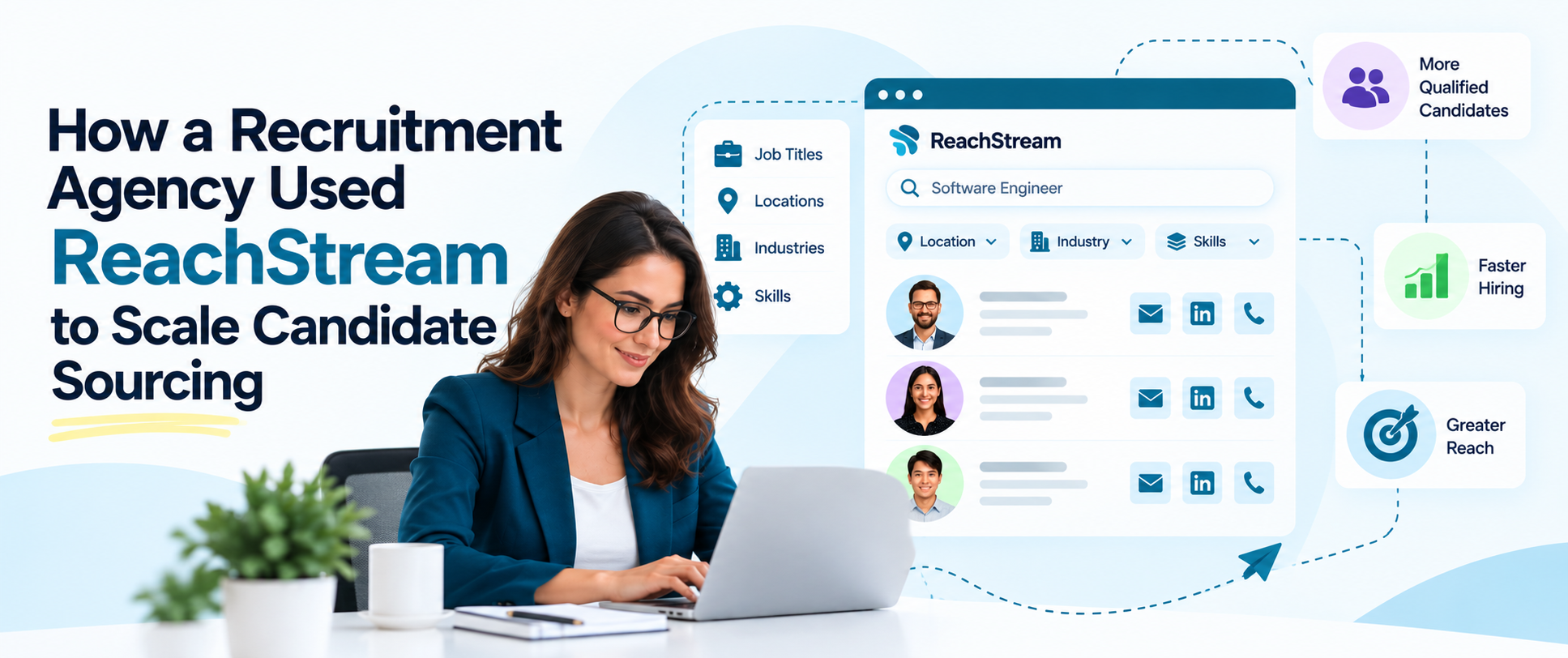
ReachStream for recruitment agencies is a way to build and reach candidate and client lists from a business contact database instead of relying only on job boards. In this guide we walk through how an agency can use ReachStream to source more candidates: define the role, filter contacts, companies, verify emails, direct dials, push clean records into the ATS and track what works.
The Free plan includes 100 export credits a month with no credit card, so a team can test it on a live search. A quick note on the title: The workflow below is a practical walkthrough of ReachStream candidate sourcing, not a claim about one firm’s results. ReachStream is a business contact and company database, not a resume database.
How Does Sourcing Break Down for Most Agencies?
Most agencies hit the same wall. Job boards bring in active applicants, but the strongest people for senior and specialist roles are usually employed and quiet. Recruiters then spend hours switching between a professional network, a spreadsheet and the ATS, copying names by hand and guessing at emails. Recruitment agency sourcing tools help most when they cut that manual work and keep one clean list.
A recruitment agency database is that list: titles, employers, locations and verified contact details in one searchable place. Our guide to B2B data for recruitment agencies covers the basics, and our guide to recruitment data sources compares the options. ReachStream for recruitment agencies fits in as the contact layer next to your ATS and job boards, not as a replacement for them.
How Do Agencies Reach Passive Candidates?
Passive candidates are skilled people who are employed and not applying. They rarely appear on job boards, so agencies need a passive candidate database of their own: a searchable list of professionals matched to the roles you fill most. You build it from filters such as job title targeting, seniority, industry filters and location filters, then save the matches as a list you can return to when a new mandate arrives.
The first message matters. Keep it short, name the role and the reason you chose that person, and make it easy to say no. Because ReachStream records are refreshed on a 45-day cycle, a list you saved last quarter can be re-checked rather than rebuilt from scratch.
Which Filters Build the Best Candidate Lists?
ReachStream filters by industry, job title, seniority, location, company size and technologies used. For a recruiter, job title targeting finds the people who hold the role you want to fill, or the manager who is hiring for it. Seniority narrows the list to the right level, industry filters keep you inside the sectors you know and location filters keep it inside the geography of the job.
Company size helps when a role only makes sense at a start-up or at an enterprise. Technology Insights adds filters based on 22K technologies a company uses, which helps when you recruit for engineering or data roles and want employers with a specific stack.
AI Search lets you describe the people you want in everyday language, and Similar Companies expands from employers that already fit. Skills matching is the one step to handle outside ReachStream: it does not hold resumes or detailed skills, so use your ATS and professional networks for that.
How Do You Verify Contacts Before Outreach?
Recruiter contact data is only useful if it reaches a real person. Before any campaign, run every address through an email verifier, watch the bounce rate and remove anything that fails. ReachStream includes a built-in email verifier and verified candidate emails protect sender reputation and your response rates. For phone numbers, record where the number came from, and learn wrong-number outcomes.
Data enrichment fills missing titles, employers and contact fields on records you already hold and updates them as people change jobs. Our guide to B2B data accuracy explains how to test a sample before you commit to any vendor.
Can Agencies Use Direct Dials Responsibly?
Direct dials can get an agency to a hiring manager or a busy specialist faster than a switchboard. ReachStream offers 100M+ direct dials, and they are most useful for senior searches and for candidates who ignore email. Use business lines, call in working hours, say who you are and why you are calling in your first sentence and accept a no politely.
Rules differ by country and call type. Many regions apply do-not-call registers, consent rules for mobile numbers and data protection laws such as GDPR, so keep your own do-not-contact list and ask your legal team to review your process. Our guide on how to get a direct dial covers the basics.
Try ReachStream for recruitment agencies
Filter by title, industry and location, then export verified business contacts.
Which Tool Handles Which Sourcing Task?
Candidate sourcing software comes in several types, and most agencies combine them. The table below compares three common ones. Adjust the rows to your own stack.
| Tool | Best for | Typical fields | Watch-outs | What to test |
|---|---|---|---|---|
|
Contact database |
Reaching hiring managers and professionals directly |
Title, employer, verified email, direct dial |
Coverage varies by role and region |
Share of target roles found |
|
ATS and recruitment CRM |
Tracking people through your pipeline |
Applications, notes, stages, history |
Records go stale without refreshes |
Share of records updated this quarter |
|
Professional networks |
Skills, work history and warm introductions |
Profiles, skills, connections |
Platform limits on outreach and data use |
Reply rate by message type |
What Does a Scalable Sourcing Workflow Look Like?
- Define the role: Write down the title, seniority, industry, location and must-have skills.
- Build the list: Filter in ReachStream and save it as a dynamic list, the base of your candidate sourcing automation.
- Verify and enrich: Run the built-in email verifier and fill missing fields.
- Reach out: Send a short, relevant message and follow up by phone where appropriate.
- Sync: Export to CSV or sync to Salesforce or HubSpot, then log every touch in the ATS.
- Review: Check response rates each week and refresh your lists.
How Do You Connect Contact Data to Your ATS?
Your ATS stays the system of record. ReachStream does not have a native ATS integration, but it does offer CSV export, native Salesforce and HubSpot sync and the Reach API, so most agencies use a bulk export and import the list into the ATS or recruitment CRM, then log every touch there.
Recruiting workflow automation can handle the repeatable parts, such as importing a saved list, tagging the source and scheduling follow-up reminders, while recruiters keep the conversations.
Store only the fields you need, record the source and date of every contact and log the legal basis for contacting each person where the law requires it. Set a retention period and honor requests to access, correct or delete personal data under laws such as GDPR and CCPA.
How Should an Agency Measure Sourcing Efficiency?
- Response rate: The share of messages that get a reply.
- Bounce rate: The share of emails that fail, which shows data quality.
- Pipeline by stage: The number of qualified people at each step.
- Sourcing productivity: Qualified conversations per recruiter hour.
- Time to fill: How long a role stays open.
- Source of hire: Which channel produced each placement.
How Does ReachStream Support Agency Teams?
ReachStream Prospect is designed to help agencies find professionals and hiring decision makers. ReachStream for recruiters is built around search, verification and export in one place: dynamic lists stay current, the Chrome Extension helps capture leads from LinkedIn, data enrichment, CSV export.
The Reach API, Native Salesforce and HubSpot sync move data into your stack. Coverage differs by role and region, so test the searches you run most on the Free plan. You can explore the platform on the ReachStream Prospect page. Security matters when you hold personal data: ReachStream is ISO 27001:2022 certified and SOC 2 Type II, and lists GDPR, CCPA, PIPEDA and DPDPA compliance.
Start with 100 free export credits a month
No credit card needed. Test coverage for the searches your agency runs most.
ReachStream for Recruitment Agencies: The Short Version
The short version: ReachStream for recruitment agencies is a business contact database you use to find clients and candidates directly, with verified details and respect for privacy law. Define the role, filter, verify, export to your ATS and track response rates and sourcing productivity. ReachStream offers 500M+ contacts, 50M+ companies and 100M+ direct dials, with a Free plan so you can test coverage for yourself.
For your next read, see our guide to B2B contact data for recruiters and our guide to automated data enrichment.
Frequently Asked Questions
1. How can ReachStream help agencies source candidates?
ReachStream for recruitment agencies lets recruiters filter a business contact database by job title, seniority, industry, location and company size, verify emails and export lists for outreach. It also helps find hiring managers at client companies. It is not a resume database, so pair it with your ATS for skills and history.
2. Can ReachStream find passive candidates?
It helps you find employed professionals by title, seniority, industry and location and reach them by verified work email or direct dial. Because it is not a resume database, it cannot show who is open to a move, so your first message has to do that work.
3. Which filters help recruiters build candidate lists?
Job title, seniority, industry, location, company size and technologies used. AI Conversational Search lets you describe the list in everyday language, and Similar Companies expands from employers that already fit.
4. How do agencies scale candidate sourcing?
Standardize the workflow: define the role, build a saved list, verify, export to the ATS and measure the result. Reuse filters across similar roles and refresh lists on a schedule instead of starting every search from zero.
5. Can candidate contacts be exported to an ATS?
Yes, by file or API. ReachStream does not have a native ATS integration, but you can export contacts to CSV, sync natively with Salesforce and HubSpot or use the Reach API to build your own flow. Check field mapping before a large import.
6. How does verified data improve recruiter outreach?
Verified emails mean fewer bounces, better sender reputation and more messages reaching real inboxes. ReachStream includes a built-in email verifier, and records are refreshed on a 45-day cycle.
7. What is the best data workflow for agencies?
Define the role, filter and save a list, verify and enrich, reach out with a short relevant message, log everything in the ATS and review results every week.
8. How should a recruitment agency measure sourcing efficiency?
Track response rate, bounce rate, pipeline by stage, sourcing productivity, time to fill and source of hire. Compare them by role and channel so you know which sources produce placements.
Mohammed Younus
Author
Mohammed Younus

Mohammed is Senior Manager of Business Operations at ReachStream, with a keen insight into the B2B landscape. Through his articles, he shares practical tactics for sales and marketing professionals.
Share
Table of Contents
Access 500M+ verified business emails and grow your sales pipeline effortlessly.
Power Your Sales
with Targeted Data
Mohammed Younus is the Senior Manager of Business Operations with a keen insight into the B2B landscape. Through his contributions to this blog, he aims to share cutting-edge tactics and insights that empower sales and marketing professionals to achieve unparalleled success.
Don't forget to share this post!















Check out our other blogs!
How to Build a Targeted Prospect List Using Filters
October 21, 2026

B2B Data for Ed-Tech Companies: Reaching School Decision-Makers
October 21, 2026

Direct Dial Numbers Explained: A Guide for Sales Reps
October 19, 2026