
Q3 Limited-Time Deal. Find verified B2B leads at half the cost. Get 50% Off with Coupon Code PROSPECT50. First 200 Users Only.
Unlimited Data.
Infinite Possibilities.
Looking for B2B data? Download Unlimited data using our Chrome extension at just $79/month.
Verified Email Meaning: Everything You Need to Know
Written by:
Junaid Hussain Khan

What Does "Verified Email" Mean?

> What Does

How to Evaluate B2B Data Vendors for Accuracy and Compliance

TL;DR

Introduction

Ask five people what a verified email is and you will probably get five different answers. Some think it just means the address is spelled correctly. Others assume it means someone clicked a confirmation link. Neither is quite right, and that confusion costs teams real money every time they send to a list that was never actually checked.

A verified email is an address that has been confirmed, through a series of technical checks, to exist and be capable of receiving mail. It is not a guess, and it is not the same as an address that simply looks correctly formatted. This matters more than most people realize, because sending to unverified lists is one of the fastest ways to damage your sender reputation and waste a marketing or outbound budget. 

This guide walks through what verified email actually means, how the checks behind it work, and where the line sits between valid, verified, and deliverable. 

What "Verified Email" Actually Means

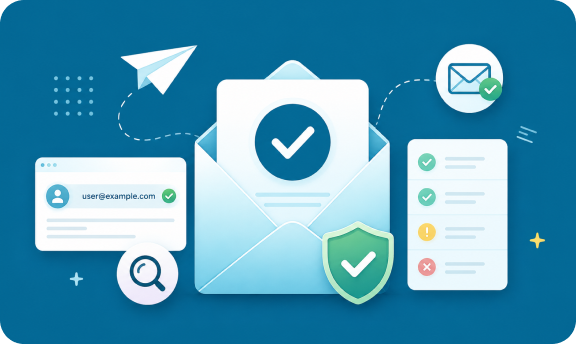
At its core, a verified email is an address that has passed a set of checks confirming it is real and active, not just correctly typed. When a tool says an address is verified, it is telling you something specific happened behind the scenes: the domain was checked, the mail server was contacted, and the mailbox was confirmed to exist. 

This is different from an address simply being present in a spreadsheet, a CRM field, or a signup form. It has been tested against the actual infrastructure that would need to accept the message you plan to send. 

COMMON MISTAKE
Assuming an email is verified because it “looks right.” An address like jane.smith@company.com can be perfectly formatted and still bounce if the mailbox does not exist or the domain has no mail server configured.
INDUSTRY INSIGHT
Deliverability researchers generally agree that list quality, not subject lines or send times, is the single biggest lever most teams have over inbox placement. Verification is the foundation everything else in a campaign sits on top of. 

How Email Verification Checks Work 

Checking an address is not one step. It is a sequence of checks, each one ruling out a different way an address can fail. Here is roughly what happens: 
Start Verifying Emails for Free
Validate your email lists with 100 free credits and discover why detailed verification results lead to smarter sending decisions. 

Verified vs Valid vs Deliverable: The Real Difference 

These three words get used interchangeably, and that is where a lot of confusion starts. 
Term What It Actually Means Common Misconception
Valid email
Correctly formatted, syntactically sound
People assume valid means it will be delivered 
Verified email
Confirmed to exist through mail server checks
People assume verified means it will always be opened
Deliverable
Likely to reach the inbox, based on verification plus sender reputation
People assume deliverable is guaranteed once an address is verified
A valid email can still bounce. A verified address can still land in spam if your sender reputation, authentication records, or content trigger filters. Verification is necessary but it is not the entire deliverability picture.
Expert Insight
Experienced marketing and sales teams treat verification as step one of list hygiene, not the whole job. They pair it with authentication setup (SPF, DKIM, DMARC) and gradual sending ramp-ups, especially on new domains. 

The Email Verification Process, Step by Step 

If you are verifying email addresses for the first time, here is a practical sequence to follow: 
QUICK CHECKLIST
Before You Trust a “Verified” List 
Improve Deliverability Before You Send
Verify your email list with ReachStream Email Verifier and make smarter sending decisions using detailed verification results. 

Verified vs Valid vs Deliverable: The Real Difference 

These three words get used interchangeably, and that is where a lot of confusion starts. 
Factor  Free Tier Paid Tier
Monthly volume
Usually 25 to 150 addresses
Often 1,000 to well over 100,000 
Status detail
Typically valid or invalid only 
Usually five or more statuses, including risky and Do Not Mail 
Bulk upload
Rarely available, or capped low
Standard, often with high batch limits 
API access
Limited or unavailable
Usually included 
ReachStream Email Verifier gives new accounts 100 free credits to start, with results returned across five statuses: Valid, Invalid, Risky, Unknown, and Do Not Mail. That level of detail is designed to help teams decide what to do with borderline addresses instead of guessing.
BEST PRACTICE
Use a free tier to test a tool’s accuracy against a list you already know well before committing budget. If the free results line up with what you expect, that is a reasonable signal the paid tier will behave the same way at scale. 

Common Misconceptions About Verified Email Addresses

PRO TIP
Keep a rolling re-verification schedule instead of treating your list as a one-time project. Teams that re-check active lists every few months catch decay before it shows up as a bounce rate spike. 

Why Verified Email Matters for Deliverability 

Sending to invalid addresses does more damage than most people expect. Every hard bounce is a signal to mailbox providers that you are not managing your list carefully, and enough of those signals will affect how your future messages get treated, even to addresses that are perfectly good. 

Bounce rates above roughly 2 to 3 percent tend to trigger warnings from most email service providers. Cross 5 percent and some providers will pause your sending account outright. That threshold gets crossed fast when a list has never been through verification. 

INDUSTRY INSIGHT
List hygiene is widely considered one of the few deliverability factors a sender fully controls, unlike inbox provider algorithms or a recipient’s personal filtering habits. 
Beyond bounce rates, invalid addresses can include spam traps: addresses set up specifically to catch senders with poor list hygiene. Hitting a spam trap can damage sender reputation far more severely than a normal bounce. 
Build a Cleaner Email List
Use ReachStream Email Verifier to identify invalid and risky email addresses before they impact your email campaigns. 

Questions to Ask Before Choosing a Verification Tool 

Not every email checker on the market does the same depth of work. When evaluating verification tools, look past the marketing page and ask specific questions: 

Best for high-volume teams: Tools with real API access and detailed status reporting. 

Best for occasional use: A lightweight free email checker used for spot checks before a small send. 

Conclusion 

A verified email is more than an address that looks correctly typed. It is one that has been checked against real mail server infrastructure and confirmed to exist. That distinction matters because valid formatting alone will not protect your bounce rates or your sender reputation. Verification, done well, separates addresses you can trust from ones that only look trustworthy on the surface.

If you are ready to see the difference verification makes, ReachStream Email Verifier gives you 100 free credits to check your first list and compare five-status results against a simple valid or invalid check. 

Keep Your Email Data Campaign-Ready
Prepare your contact lists with ReachStream Email Verifier and make every email campaign more effective with verified email addresses. 

Frequently Asked Questions

1. Is a verified email the same as a valid email address?

Not always. A valid email address may simply have the correct format, while a verified email has undergone additional checks to determine whether it is likely to receive messages. ReachStream Email Verifier provides detailed verification results to help you distinguish between valid, risky, and undeliverable addresses. 
ReachStream Email Verifier uses a multi-step verification process that includes syntax validation, domain and MX record lookups, SMTP verification, catch-all detection, and AI-assisted quality checks. This helps improve email deliverability while reducing hard bounces. 
It’s a good practice to verify new contacts as they’re collected and re-verify existing databases every 60 to 90 days. ReachStream Email Verifier supports both real-time and bulk email verification, making it easy to maintain a clean and up-to-date email list. 
Rarely, but yes. Mailboxes get deactivated, domains change mail server configurations, and verification is a snapshot in time. A list verified today is highly reliable, but not permanently guaranteed. 
Every hard bounce signals to mailbox providers that your list hygiene is poor. Enough of these signals can affect inbox placement for your entire sending domain, not just the individual bad address. 
Most teams re-verify active lists every three to six months, and always before a major send, since email addresses in real time change status as people switch jobs or companies migrate mail servers. 
Yes. New accounts get 100 free credits, with results returned across five verification statuses instead of a simple valid or invalid label. 
Junaid Hussain Khan

Author

Junaid Hussain Khan
Junaid is Senior Manager – Brand Growth & Strategy at ReachStream, where he drives content, SEO, and growth strategy for B2B sales and marketing teams.
Share
Table of Contents

Access 200M+ verified business emails and grow your sales pipeline effortlessly.

Power Your Sales with Targeted Data
Junaid Hussain Khan
Junaid Hussain KhanAuthor
Junaid Hussain Khan is the Business Development Manager at ReachStream, adept at forging strategic partnerships and identifying new market opportunities to propel ReachStream's growth and strengthen its position in the B2B ecosystem.

Don't forget to share this post!

Check out our other blogs!