


How to Evaluate B2B Data Vendors for Accuracy and Compliance
A small real estate industry email list can be built for free from business directories, professional networking platforms, company websites, event pages, and limited-access B2B data tools. Start by recording the person’s name, role, company, business email, location, source, and collection date, then verify and deduplicate the records before outreach. This guide explains how to find relevant real estate professionals, organize the data, manage quality, and decide when a scalable data platform is appropriate.
A real estate industry email list is a collection of business contact records for professionals and companies operating across residential real estate, commercial property, brokerage, property management, development, investment, lending, and related services. A useful list connects a person to a company account and includes enough context to determine whether the contact fits a particular business objective.
A contact record describes an individual, such as a broker, property manager, developer, or acquisitions director. It may contain a first name, last name, job title, business email, phone number, location, and professional profile reference. A company or account record describes the organization: its name, website, industry, size, location, and other firmographic information. One company can have several relevant contacts.
A business email is an address used for a person’s professional role or company activity. It may be a named address, such as name@company.com, or a role-based address, such as info@company.com. A verified business email has passed one or more checks, such as syntax, domain, and mailbox validation. Verification improves data quality, but it does not create permission to send unsolicited marketing or guarantee delivery.
Accurate job titles and company information matter because they determine relevance. A message for a commercial property investor should not go to a residential leasing coordinator, and a software offer for property managers should not be sent to a generic office inbox without a clear reason. Better context supports more precise segmentation and more respectful outreach.
The right audience depends on what you sell, where you operate, and which business problem you solve. A mortgage provider may prioritize brokers and lending executives, while a property-technology company may focus on property managers, operations leaders, and portfolio owners. A useful agent email list is therefore one segment—not a substitute for a complete industry database.
Include brokerage owners, managing brokers, residential agents, commercial brokers, leasing agents, buyer’s agents, and team leaders. Record the brokerage, territory, property specialty, and seniority where available.
Property managers, regional managers, facilities leaders, community managers, asset managers, and operations directors may influence software, maintenance, staffing, and vendor decisions. Separate residential, multifamily, commercial, industrial, and hospitality-related property operations when the offer differs.
Developers, development directors, project executives, construction leaders, land-acquisition professionals, and planning specialists can be relevant for financing, construction technology, materials, design, and professional services. For development-focused campaigns, a dedicated developers list guide can help clarify the audience and required fields.
Target investment firm partners, acquisitions directors, asset managers, portfolio managers, commercial property owners, REIT professionals, and investment analysts when your proposition relates to capital, transactions, research, or portfolio operations.
Mortgage brokers, lenders, appraisers, inspectors, title professionals, real estate attorneys, consultants, insurance specialists, relocation firms, and marketing agencies may serve the industry without being brokers or owners themselves.
Useful segmentation fields include:
Yes. Free methods can produce a small, useful real estate Industry Contact List for market research, a local prospecting test, partnership discovery, or an early campaign. The trade-off is that free collection usually requires more manual research, field matching, verification, deduplication, and maintenance than a structured B2B data platform.
Public directories and company pages may reveal a company name, website, office phone, team member, role, or contact form. They may not provide a current individual business email. Networking platforms can help identify the right person but may not display contact information. Free B2B tools may offer limited credits or searches, and the available fields may vary by plan and geography.
Treat every record as a research lead rather than a guaranteed deliverable contact. Check the source, confirm the person still works at the company, validate the domain, remove duplicates, and record when the information was collected. A publicly visible address is not automatically permission to send marketing messages; applicable privacy, direct-marketing, and email rules still apply.
The five methods below work best together. Use public sources to discover companies and roles, then use verification and a consistent record format to improve quality.
Business directories are useful for discovering brokerages, property management firms, developers, lenders, and local service providers. Search by business category, city, property specialty, and company type. Examples include searches such as “commercial real estate firms in Denver,” “multifamily property managers in Texas,” or “real estate developers in Singapore.”
Record the company name, website, office location, phone number, listed contact, category, source URL, and date found. If the directory displays a named business email, compare the domain with the company website before adding it. Do not assume that a directory entry is current simply because it is publicly visible.
Practical workflow:
Directories offer breadth and local discovery, but they often contain generic inboxes, duplicate businesses, outdated phone numbers, and no individual email. Use them as a company-discovery source, not as a finished mailing list.
Professional networking platforms help you identify companies, job titles, departments, locations, and seniority. Search for combinations such as “property manager + Phoenix,” “commercial real estate acquisitions + Chicago,” or “real estate development director + Toronto.” Review the company page and the individual’s professional context before creating a record.
Focus on legitimate business research. Do not scrape private information, bypass access controls, create misleading profiles, or collect personal details unrelated to the business purpose. Save the profile reference, company, title, location, and reason the person appears relevant. Then look for a business contact channel on the company’s own website or through a permitted data source. For teams that need to identify and verify prospects during research, ReachStream’s Chrome extension is one workflow option; use it only in accordance with applicable platform terms.
Networking platforms are strong for identifying the right person but inconsistent for email availability. Titles can also be ambiguous: “principal” may mean an owner, investor, broker, or consultant. Validate the person’s responsibilities before placing them in a campaign segment.
Company websites often provide the strongest first-party context. Review the About, Team, Leadership, Contact, Locations, Investor Relations, and Property Management pages. Look for named professionals, business units, office markets, specialty areas, and role-specific inboxes.
Capture the person’s name, exact title, company, website, office location, department, business email if openly provided, phone number where appropriate, source page, and collection date. Match the email domain to the official company domain and watch for outdated staff pages or domains that redirect to another business.
A contact form is not the same as a published email address. If no direct email is available, record the form or general office channel as a company-level route rather than guessing an address. Avoid generating likely email patterns and treating them as verified.
Conference websites, trade shows, professional associations, speaker pages, sponsor directories, and exhibitor lists can reveal active companies and relevant market segments. Use them to identify organizations that are currently participating in a topic, geography, or business community.
Record the event name, company, booth or sponsor category, speaker role, website, and event year. Check whether the list is current and whether its terms permit the intended use. An exhibitor list may identify an organization without providing permission to add its staff to a marketing database.
Event pages are especially useful for account-based research. Build a company list first, then identify appropriate contacts through official company sources or permitted business data. Recheck the event date because an old sponsor or speaker list can contain people who have changed roles.
B2B data platforms may combine company search, contact discovery, job-title filters, location filters, industry fields, exports, and email verification. Free access often means a trial, limited credits, or a restricted set of fields, so review the current terms before building a workflow.
ReachStream’s B2B prospecting platform is one option for teams that need structured contact and company discovery after testing free manual methods. Its current product pages describe filters for attributes such as industry, role, company size, revenue, and location, along with list building, verification, enrichment, and export workflows. Use only the fields and limits available to your account, and validate important records before outreach.
The advantage of a structured tool is repeatability. The limitation is that no database is perfectly complete or permanently current. Compare the output with a company’s official website, document the verification status, and apply your own compliance and suppression rules.
No free source is best for every stage. Directories and event lists are often strongest for discovering accounts, company websites provide context, networking platforms help identify roles, and B2B platforms can reduce manual work when their filters and coverage match your market. A list builder can be useful when a team needs to save and organize structured prospect segments, but the source still needs review.
Source | Free access | Contact details | Email availability | Verification | Scale | Best use |
Business directories | Usually public or limited | Company, category, location, phone | Inconsistent; often generic | Usually manual | Low to medium | Local company discovery |
Networking platforms | Public viewing may be limited | Person, role, company, location | Often limited or unavailable | Manual and source-dependent | Low to medium | Identifying decision-makers |
Company websites | Public | Company, team, role, office, forms | Varies; first-party context is useful | Domain and mailbox checks | Low | Confirming account and role details |
Events and exhibitor lists | Often public; terms vary | Company, sponsor, speaker, event context | Usually limited | Check date, source, and permission | Low to medium | Finding active market participants |
Free B2B data platforms | Limited credits or trial access | Contact and company fields vary | May include business emails | Platform and user checks | Medium, plan-dependent | Testing structured list building |
Treat “free access” as access to a source, not a promise of complete or unrestricted contact data. Read the source’s terms, preserve provenance, and remove records that cannot be reasonably validated.
A repeatable process prevents a spreadsheet from becoming a collection of disconnected names. Use this workflow for a local list or a larger research project. Teams that need to connect list-building activity to internal systems can evaluate a data API after defining the required fields, permissions, suppression logic, and review process.
For larger workflows, document the method in a short data dictionary. Define what “verified,” “active,” “decision-maker,” and “qualified” mean so different team members classify records consistently.
A practical contact record should contain enough information to identify the person, understand the account, verify the channel, and explain where the data came from. The current contact data capability pages are a useful reference for distinguishing person-level fields from company-level fields. The following fields work well in a spreadsheet or CRM.
Field | Why it matters |
First name and last name | Supports identity checks and appropriate personalization. |
Job title | Indicates role, responsibility, and likely relevance. |
Company name | Connects the person to an account and prevents orphaned contacts. |
Company website and domain | Helps confirm the organization and match the email domain. |
Business email | Provides the intended professional contact channel when available. |
Phone number | Supports appropriate follow-up where collection and use are permitted. |
Industry and sub-industry | Separates brokerage, property management, development, investment, lending, and related sectors. |
Company type | Distinguishes an agency, developer, owner, operator, investor, or service provider. |
Company size | Helps tailor the offer, territory, and likely buying process. |
Location and geography | Supports regional campaigns and market-specific relevance. |
Professional profile reference | Preserves context for role and identity checks. |
Source | Shows how the record was obtained and supports later review. |
Verification status | Makes it clear whether the email is unverified, valid, risky, unknown, or suppressed. |
Date collected and date verified | Shows freshness and indicates when rechecking is due. |
Notes | Captures specialization, property type, trigger, or reason for inclusion. |
Do not collect every possible field simply because a tool exposes it. Data minimization reduces clutter, limits unnecessary privacy risk, and makes the list easier to maintain.
Email verification matters because invalid, risky, or outdated addresses can waste sending capacity and harm domain reputation. A useful email verification guide explains common ways to check business addresses before outreach, while an email verifier can support verification within a structured prospecting workflow. Verification should be treated as a quality-control step—not as a guarantee that a message will be delivered or welcomed.
Use the following checks:
If a tool returns “unknown,” do not silently convert that status to valid. Keep the status visible and choose a lower-risk next step, such as confirming the contact through an official company page or using a different permitted channel.
Free research is valuable, but the output needs quality control. The most common issues and remedies are below.
Problem | What it causes | How to address it |
Missing email addresses | Incomplete outreach coverage | Keep the company record; mark the person as email unavailable rather than guessing. |
Outdated job titles | Irrelevant or misdirected messages | Recheck the person’s current company page and professional context. |
Duplicate records | Inflated counts and repeated outreach | Normalize email, domain, company name, and person name before merging. |
Generic addresses | Limited personalization and unclear ownership | Classify role-based mailboxes separately from named contacts. |
Incorrect company information | Bad segmentation and poor credibility | Confirm the legal or operating company through its official website. |
Unverified emails | Bounces and wasted sending capacity | Run syntax, domain, and mailbox checks before sending. |
Incomplete profiles | Weak targeting and unclear relevance | Add title, geography, company type, source, and notes where needed. |
Low scalability | Research time grows faster than campaign value | Narrow the segment or use structured tools for repeatable discovery. |
Data that becomes outdated | Declining accuracy over time | Store collection and verification dates and schedule rechecks. |
Inconsistent formatting | Difficult filtering and unreliable reporting | Use controlled values for titles, locations, industries, and statuses. |
A clean list is not the largest list. It is a list that can explain why each record belongs, what source supports it, when it was checked, and what action is permitted next.
Free methods are often enough for a small campaign, local market research, a niche test, or an initial prospect list. They become less efficient when researchers repeatedly search the same markets, reconcile multiple spreadsheets, or need consistent filters and exports for a CRM workflow.
A B2B data provider may be useful when your team needs larger datasets, advanced filters, faster prospect discovery, verification, enrichment, repeatable list building, or a documented export process. The decision should depend on coverage, field quality, compliance practices, freshness, workflow fit, and total cost—not on database size alone. For a neutral comparison framework, review how B2B providers differ in features and use cases.
Before adopting a provider, test a small sample from your exact segment. Compare company matches, job-title accuracy, geography, email status, duplicate rate, export format, and support for suppression. A data enrichment guide can help teams assess whether enriching existing CRM records is more appropriate than rebuilding a list. A smaller source that fits your market can be more useful than a larger source with weak coverage in your target niche.
ReachStream can be considered when a team has outgrown manual research and needs a more structured way to find, filter, verify, enrich, and export B2B contact and company records. Its current product information describes contact and company discovery, filters for attributes such as industry, role, company size, revenue, and location, custom list building, enrichment, and CRM-ready workflows. Capabilities, access, and limits depend on the current product and account terms.
Teams evaluating data quality can review data enrichment for workflows that update incomplete contact or company records. For companies that already have a spreadsheet or CRM, enrichment may be more efficient than rebuilding the entire list, but every returned field should still be reviewed against the campaign’s purpose.
ReachStream’s current pricing pages separate Prospect for B2B lead generation from Email Verifier for deliverability workflows. Pricing, credits, availability, and product limits can change, so check the live Prospect pricing page before publishing any numerical offer or promising a specific allowance.
Business contact data should be collected and used responsibly. A business email can still be personal data under applicable privacy rules, and public availability does not automatically establish consent or permission for marketing. Before sending, identify the jurisdictions involved, the lawful basis or consent requirement that applies, the sender, the purpose of the message, and the required opt-out process.
Use business information that is relevant to the recipient’s professional role. Identify the sender accurately, include a working unsubscribe or objection mechanism where required, honor suppression lists across campaigns, and stop contacting people who opt out. Keep source and date records so the team can explain how a contact entered the system and when it was last reviewed.
Apply data minimization: collect only fields needed for the defined business purpose, restrict access to people who need it, and establish retention and deletion rules. If your campaign covers multiple countries or regulated sectors, obtain appropriate legal guidance rather than relying on a generic statement that the list is compliant.
A free real estate Industry Contact List is practical for a focused market test or a small prospecting project. The reliable approach is to define the audience, discover companies and roles from legitimate sources, record consistent fields, verify business emails, remove duplicates, preserve source dates, and segment the final records before outreach.
When manual research becomes repetitive or the list must support recurring campaigns, evaluate a structured B2B data provider against your exact geography and audience. Whether you stay with free sources or adopt a platform, prioritize relevance, freshness, verification, responsible use, and a clear reason for every contact in the database.
If you are ready to compare a manual workflow with a scalable contact-data process, start with a small, testable segment rather than importing a large unreviewed list.
Yes. You can use real estate directories, networking platforms, company websites, associations, and event lists to collect contacts for free.
It is a database of professionals and companies in the real estate market, including brokers, agents, developers, investors, property managers, and consultants.
Free lists can be useful for small research projects, but they often need verification, cleanup, and manual updates before outreach.
It should include names, business emails, job titles, company names, phone numbers, locations, real estate segments, and company details.
ReachStream provides verified real estate industry contacts, list-building tools, email verification, CRM support, and scalable data access for B2B outreach.
Marketing professional with a Master’s degree in Marketing, specializing in SEO, content strategy, social media, performance marketing, prospecting, and demand generation.
Access 200M+ verified business emails and grow your sales pipeline effortlessly.
Don't forget to share this post!















Check out our other blogs!
How Many Follow-Ups Should a Cold Email Sequence Have?

How a Medical Device Company Can Reach Hospital Decision-Makers
What Data Fields Should a Healthcare Marketing Database Include?
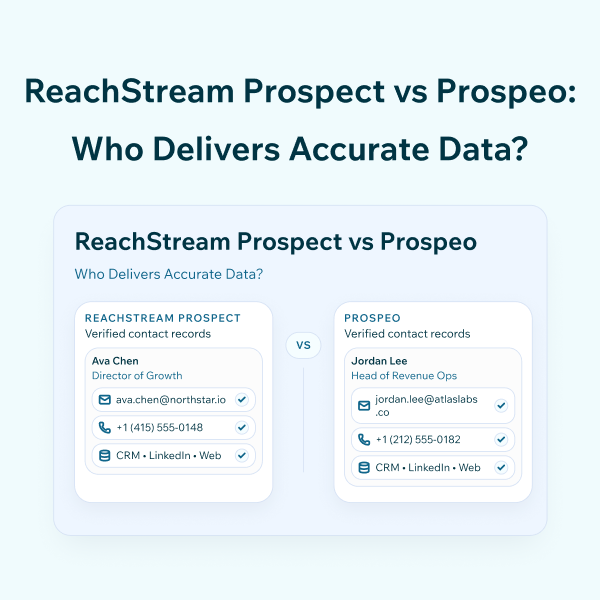
ReachStream Prospect vs Prospeo: Who Delivers Accurate Data?