

How to Evaluate B2B Data Vendors for Accuracy and Compliance
You send 500 cold emails. Forty bounce. Your domain reputation drops, and suddenly half your messages land in spam. The math is brutal: bad data costs you twice, once in wasted sends and again in damaged deliverability.
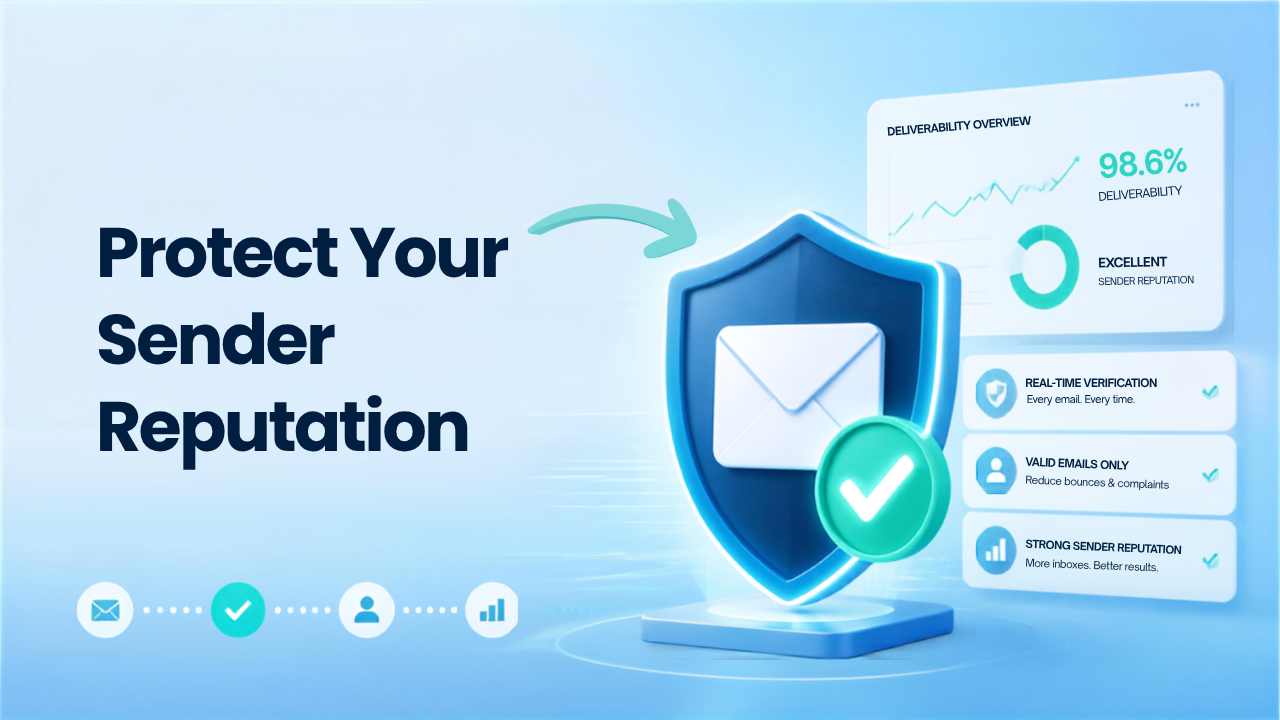
Real time email verification stops this cycle by validating addresses before they ever enter your outreach sequence. This guide covers how sender reputation works, what causes high bounce rates, and how verification at the point of entry protects your ability to reach the inbox.
Sender reputation is a score that mailbox providers like Gmail, Outlook, and Yahoo assign to decide whether your emails land in the inbox or the spam folder. The score depends on factors like spam complaints, bounce rates, and how recipients engage with your messages. Think of it as a credit score for your email domain: the higher it is, the more trust providers place in your sends.
When you send to an address that doesn’t exist, the receiving server returns what’s called a hard bounce. Each hard bounce tells mailbox providers you’re not keeping your list clean. Stack up enough of them, and providers start throttling your delivery or blocking your emails altogether.
The relationship here is direct. High bounce rates signal that you’re either buying lists, scraping contacts without checking them, or simply neglecting list hygiene. Mailbox providers read this as risky behavior, and they respond by limiting your access to inboxes.
Bounces come in two types. Hard bounces happen when an email address is permanently undeliverable, usually because the mailbox doesn’t exist or the domain is invalid. Soft bounces are temporary, like a full inbox or a server that’s down for maintenance.
Hard bounces are the ones that hurt. Most email service providers consider a hard bounce rate above 2% a warning sign. Cross 5%, and you’ll likely see deliverability problems with Gmail, Outlook, and other major providers.
The exact threshold varies depending on your sending history. A new domain with limited warmup has less room for error than an established sender with years of clean sends. Either way, the goal is to keep hard bounces as close to zero as you can.
High bounce rates rarely have a single cause. They usually result from a combination of outdated contact data, poor list hygiene, and invalid or risky email addresses that reduce deliverability and impact campaign performance.
People change jobs. Companies restructure. Email addresses go inactive. B2B contact dataPeople change jobs. Companies restructure. Email addresses go inactive. B2B contact data decays faster than most teams realize, and a list that was accurate six months ago might have a significant portion of invalid addresses today.
Manual data entry introduces mistakes. A missing character, a transposed letter, or an extra space can turn a valid address into a hard bounce. These errors slip through when leads are captured through forms or imported from spreadsheets without validation.
Some prospects use temporary email services to bypass forms. These addresses work once and then become invalid. Role-based addresses like info@ or sales@ often go unmonitored or trigger spam filters at higher rates than personal business addresses.
Spam traps are email addresses created or repurposed by ISPs to catch senders with poor list practices. Hitting one can damage your reputation immediately, even if the rest of your list is clean. These addresses never opt in to anything, so their presence on your list signals something went wrong with your data collection.
Catch-all domains accept all incoming mail regardless of whether the specific mailbox exists. This makes verification harder because the server won’t reject an invalid address. Inactive or parked domains create similar problems, accepting mail that will never be read.
Real time email verification checks each address at the moment it enters your system, before you ever send an email. The process runs through several validation layers, and each one catches different types of bad data.
The first check validates the email’s structure. Does it have an @ symbol? Is the domain formatted correctly? Are there invalid characters? This catches obvious typos and formatting errors immediately.
Next, the system confirms that the domain exists and has mail exchange (MX) records configured. MX records tell the internet where to deliver email for that domain. A domain without MX records can’t receive email, so any address at that domain is invalid.
This step connects to the mail server and simulates sending an email. The system issues an RCPT TO command to check whether the specific mailbox exists, without actually delivering a message. This is where most invalid addresses get caught. mailbox exists, without actually delivering a message. This is where most invalid addresses get caught.
Some domains are configured to accept all incoming mail. The verification system identifies these catch-all domains and flags them as risky, since deliverability can’t be confirmed with certainty.
The final step combines all signals to assign a status label. Addresses are typically classified as Valid, Invalid, Catch-all, Risky, or Do Not Mail.
| Verification Step | What It Catches |
|---|---|
| Syntax check | Typos, formatting errors |
| Domain lookup | Non-existent or parked domains |
| SMTP validation | Invalid or deactivated mailboxes |
| Catch-all scoring | Unverifiable risky addresses |
| AI classification | Final deliverability status |
Real-time email verification reduces bounce rates by validating email addresses before they’re added to your list or used in a campaign. This proactive approach helps ensure you’re only sending to deliverable, high-quality contacts.
Invalid emails never enter your outreach sequence. When verification runs at the point of entry, hard bounces drop to near zero because you’re only sending to addresses confirmed as deliverable.
Detection algorithms identify known spam trap patterns and recycled domains. While no tool catches every trap (ISPs create new ones constantly), verification removes the obvious ones before they can damage your reputation.
Instead of sending blindly to addresses that can’t be fully verified, you can exclude or deprioritize them. This gives you control over how much risk you’re willing to accept in your outreach.
Real time verification at signup forms, CRM imports, and API integrationsReal time verification at signup forms, CRM imports, and API integrations prevents bad data from entering your system in the first place. You’re not cleaning up a mess later. You’re preventing the mess from happening.
Lower bounce rates are one of the strongest indicators of a healthy email program. When more of your emails reach valid recipients, mailbox providers view your domain as a trusted sender.
Lower bounce rates signal trustworthy sending behavior. Mailbox providers reward this with better inbox placement, meaning your emails are more likely to land in the primary inbox rather than promotions or spam.
Consistent high bounces can trigger blocklist additions. Once you’re on a blocklist like Spamhaus, getting removed takes time and effort. Clean lists help you stay off these lists entirely.
Fewer bounces often correlate with better list engagement. When you’re sending to real people who actually work at the companies you’re targeting, spam complaints tend to drop as well.
Reputation damage can undo weeks of domain warmup work. A single bad campaign with high bounces might force you to start the warmup process over. Verification protects the investment you’ve already made in building your sending reputation.
| Factor | Real Time Verification | Bulk List Verification |
|---|---|---|
| When it runs | At point of entry or before each send | Scheduled batch processing |
| Best for | Lead capture forms, API integrations, outreach sequences | Cleaning existing lists, database maintenance |
| Data freshness | Validates current deliverability | May verify data that decays before use |
| Use case | Preventing bad data from entering | Cleaning data already collected |
The best approach combines both. Real time verification handles inbound data as it arrives. Bulk verificationThe best approach combines both. Real time verification handles inbound data as it arrives. Bulk verification cleans your existing database on a regular schedule. Together, they keep your entire contact list healthy.
No verification tool can guarantee delivery. What verification does is predict deliverability based on available signals.
Accuracy depends on several factors. SMTP responsiveness varies by mail server. Catch-all domains can’t be fully verified. Some servers use greylisting, which temporarily rejects messages before accepting them. These variables mean that even a “valid” result isn’t a 100% guarantee.
That said, verification dramatically improves your odds. The difference between sending to an unverified list and a verified one is often the difference between a problematic bounce rate and one that’s close to zero.
Real-time verification delivers the most value when it’s built into the moments where data enters or moves through your business. Adding it at key touchpoints helps prevent errors, improve data quality, and reduce manual cleanup.
Verification at form submission prevents bad data from ever entering your database. The prospect enters their email, verification runs instantly, and invalid addresses get flagged before the record is created. Verification runs instantly, and invalid addresses get flagged before the record is created.
Integrating verification with record creation and updates Integrating verification with CRM record creation and updates—such as through a Salesforce integration—keeps your data clean over time. When a new contact is added or an existing record is modified, verification confirms the address is still valid.
Verifying contacts before they enter your outreach sequences is especially important for prospecting, where you’re reaching out to people who haven’t opted in and list quality varies widely.
Older lists accumulate decay. Before launching a major campaign, running your list through bulk verification catches addresses that have gone invalid since your last send. Bulk verification catches addresses that have gone invalid since your last send.
Tip: B2B contact data decays at roughly 2–3% per month. A list that was clean 90 days ago might have a notable percentage of invalid addresses today.
ReachStream Email Verifier uses SMTP-level validation, multiple retry attempts, and AI-powered classification to verify addresses before you send. The tool supports single email checks, bulk CSV verification, and an API for automated workflows.
The 30/30/50 rule suggests that cold email success depends roughly on list quality, email copy, and timing or sending practices. The exact ratios vary by campaign and audience, but the principle is that even great copy fails with a bad list.
Lists benefit from re-verification every 30 to 90 days, depending on data age and source. B2B contact data decays as people change roles and companies, so older lists benefit from more frequent cleaning.
Real time verification can identify catch-all domains, but it can’t confirm whether specific mailboxes exist on those domains. These addresses are typically flagged as risky rather than valid or invalid, giving you the choice of whether to include them in your outreach.
Email verification catches many known spam traps and recycled domains. However, no tool can detect every trap because ISPs continuously create new ones without public disclosure. Verification reduces your risk but doesn’t eliminate it entirely.
Verification and warmup serve different purposes. Verification cleans your list by removing invalid addresses. Warmup builds your sending reputation gradually by starting with low volumes and increasing over time. Both are necessary for strong deliverability.
Marketing professional, specializing in SEO, content strategy, social media, performance marketing, prospecting, and demand generation.
Access 200M+ verified business emails and grow your sales pipeline effortlessly.
Don't forget to share this post!















Check out our other blogs!
How Many Follow-Ups Should a Cold Email Sequence Have?

How a Medical Device Company Can Reach Hospital Decision-Makers
What Data Fields Should a Healthcare Marketing Database Include?

ReachStream Prospect vs Prospeo: Who Delivers Accurate Data?