Written by:
Abdul Hafeez
Email Verification Tools: 15 Ways to Check Business Emails
> Sales
How to Evaluate B2B Data Vendors for Accuracy and Compliance

TL;DR
- Email verification tools assess whether a business address is valid, risky, disposable, inactive, or unsuitable for sending.
- Common checks include syntax, domain, MX records, SMTP responses, mailbox behavior, catch-all settings, and duplicate detection.
- Single verification suits one-off checks; bulk email verification suits list cleaning and database maintenance.
- Compare accuracy reporting, status labels, API access, integrations, security, speed, credits, and export quality.
- An email verification API is useful when verification needs to happen automatically inside a form, CRM, application, or data pipeline.
- Test a representative sample before purchasing. No provider can guarantee permanent deliverability because people change jobs and domains change configuration.
A clean business email list supports campaigns, CRM imports, and prospect research.
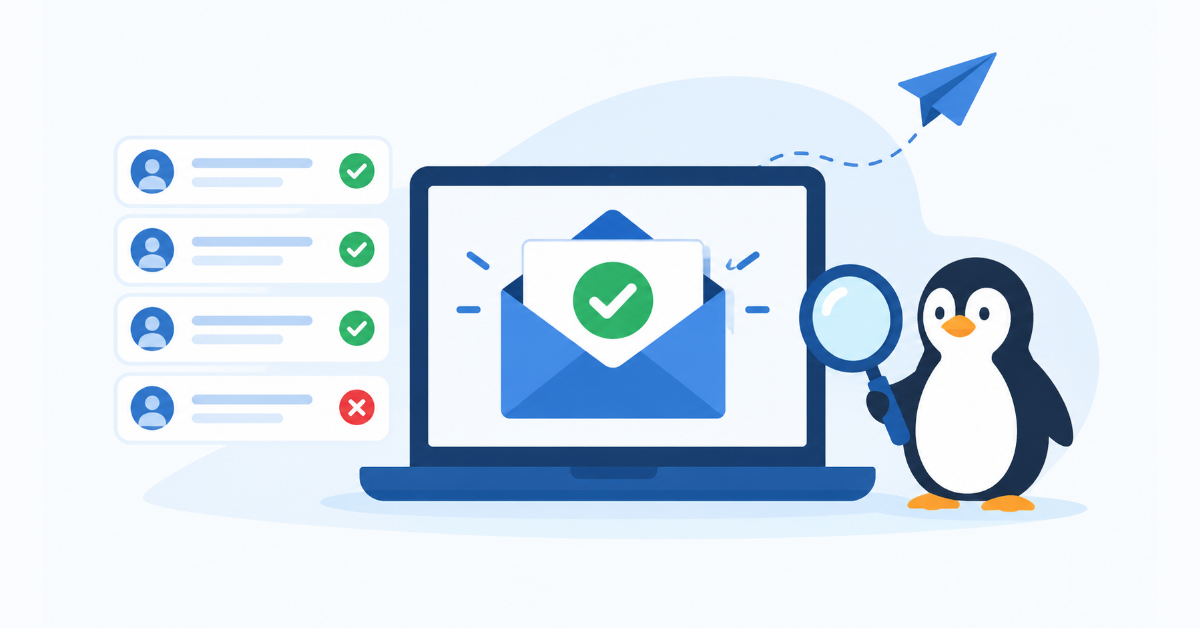
Deliverability starts even earlier, with a professional email setup on a properly authenticated domain. Email verification tools check whether an address is correctly formatted, connected to an active domain, and likely to accept mail before it enters a workflow. That can help reduce hard bounces, protect sender reputation, and prevent teams from spending time on unusable records.
What Are Email Verification Tools?
Email verification tools assess an address and return a deliverability status. They may flag invalid, risky, disposable, role-based, catch-all, or apparently active addresses. The result is time-sensitive, not a permanent inbox guarantee.
Validation checks format and domain structure; verification adds DNS, mail-server, and risk checks. An address can look valid while the mailbox no longer exists. See ReachStream’s B2B data guide for broader context.
Use verification before campaigns, CRM uploads, and sales handoffs. Pair it with consent, suppression, authentication, and sound sending practices.
How Do Email Verification Tools Work?
Most providers process an address through several layers:
- Syntax check: The service looks for a valid local part, an @ symbol, and a plausible domain format.
- Domain check: It confirms that the domain exists and can be resolved.
- MX record check: It looks for mail-exchange records that indicate where the domain receives email.
- Mailbox or SMTP check: It communicates with the receiving server to assess whether the mailbox appears to exist, without sending a normal message.
- Risk classification: It checks for disposable domains, role-based addresses, catch-all behavior, spam-trap indicators, and inconsistent server responses.
- Result normalization: It removes duplicates, assigns a status, and prepares the result for export or an automated workflow.
SMTP verification is imperfect because servers may block probing, accept every address, or return temporary responses. Results can also change when people leave or domains change. See ReachStream’s real-time verification overview.
15 Ways Email Verification Tools Check Business Emails
These checks explain what providers evaluate and when each matters.
- Syntax and formatting checks. The tool checks malformed characters, symbols, spaces, and structure.
- Domain verification. The service checks whether the domain exists and resolves. A nonexistent domain cannot receive mail.
- MX record checks. MX records identify the servers responsible for receiving mail. A website domain may lack mail configuration.
- SMTP verification. The provider queries the mail server without sending a campaign message. Use this before high-volume sends, knowing some servers conceal mailbox details.
- Mailbox existence checks. A verifier assesses whether the mailbox appears to exist.
- Disposable email detection. The tool compares the domain against known temporary-mail services. Disposable addresses may be unsuitable for account creation, lead scoring, or long-term B2B follow-up. Apply this check to free-trial forms and gated content.
- Role-based email detection. Addresses such as info@, sales@, support@, or admin@ may reach a shared inbox rather than one decision-maker. They are not automatically invalid, but teams may want a separate segment. Use the status to guide routing and personalization.
- Catch-all domain detection. A catch-all server accepts mail for addresses that may not have individual inboxes. Verification cannot confirm the specific mailbox with confidence in this case. Mark these records as uncertain instead of treating them as fully validated.
- Spam-trap risk detection. Providers may flag patterns associated with addresses that can harm sender reputation. Route risk labels to suppression or manual review.
- Duplicate email detection. Duplicate removal prevents repeated messages and avoids overstating list size. It is especially useful when combining exports from several sales representatives or databases.
- Invalid-domain detection. A separate invalid-domain check can identify misspellings, expired domains, and domains that no longer accept mail. Use it after a database merge or when a bounce report shows a cluster of failures.
- Typo and spelling detection. Some tools suggest likely corrections for common domain mistakes, such as a misspelled provider name. Suggestions should be reviewed before replacement because the intended domain is not always obvious.
- Inactive-mailbox identification. A mailbox can exist but show inactivity signals. Use the status for re-engagement or confirmation rather than deletion.
- Risk scoring. A score combines signals such as server behavior, catch-all status, disposable domains, and temporary errors. Use it to create valid, review, and suppress segments that match your tolerance for bounce risk.
- Bulk list verification. Bulk processing applies the checks to a CSV or database extract and returns status-labeled results. Use it before a large campaign, after a list purchase, and on a recurring data-maintenance schedule.
What Features Should You Look for in Email Verification Tools?
Start with workflow. The service should support your volume, data sources, and systems. ReachStream’s Email Verifier features page illustrates useful status and reporting details.
Look for single checks, bulk CSV upload and download, clear classifications, verification history, and real-time processing. For automatic checks, review the provider’s verification API documentation, including limits and response fields.
Assess integrations, duplicate handling, speed, credits, retention, access controls, deletion practices, and support. A fast tool with unclear exports can create extra work.
What Is the Difference Between Single and Bulk Email Verification?
Single verification checks one address when a user enters a lead, reviews a prospect, or prepares an individual message. Bulk verification processes a file or connected dataset and is better for campaign preparation, CRM cleanup, and regular database maintenance. ReachStream describes its bulk email verifier as a separate workflow for larger files and automatic deduplication.
Feature | Single verification | Bulk verification |
Best for | One prospect or form entry | Campaign and database cleaning |
Volume | One address at a time | Hundreds or thousands of records |
Workflow | Instant check during research | Upload, process, review, export |
Typical use case | Pre-send or lead capture | Pre-campaign list hygiene |
API support | Often real-time endpoint | Often batch or asynchronous endpoint |
Free vs Paid Email Verification Tools: Which Should You Choose?
Free tools suit workflow tests and small batches. Common limits include credits, restricted exports, no bulk processing, limited integrations, and little reporting.
Paid plans suit recurring cleaning, larger volumes, APIs, shared usage, support, or stronger controls. Compare cost per address. ReachStream’s pricing options separate prospecting and verification.
How to Compare the Best Email Verification Tools
The best tool depends on volume, integrations, and workflow. Score candidates against one sample:
Evaluation area | Questions to ask |
Accuracy | Does it correctly separate valid, invalid, risky, and unknown records? |
Methods | Does it use syntax, DNS, MX, SMTP, disposable, and catch-all checks? |
Scale | Can it process your largest file within the required window? |
Automation | Does the API support your forms, CRM, or data pipeline? |
Usability | Can nontechnical users upload, filter, and export results? |
Cost | Are credits, overages, and rechecks easy to understand? |
Governance | Are security, retention, and deletion practices documented? |
Support | Can your team get help when an import or API job fails? |
Use a controlled sample rather than popularity rankings. Include different domains, older records, role accounts, catch-all domains, and known invalid examples.
Email Verification Software vs Email Verification API
Email verification software usually provides a dashboard for manual checks, CSV uploads, status review, and exports. It suits teams that clean lists periodically and want a low-code workflow. An API connects verification to a form, CRM, application, or internal data process so checks can run automatically. For prospecting systems that need data retrieval and workflow integration, ReachStream’s ReachAPI overview provides a useful product example.
Choose an API for real-time checks or recurring jobs. Confirm authentication, rate limits, retries, bulk support, webhooks, and storage rules.
When Should You Verify Business Emails?
Verify before campaigns, CRM imports, and form follow-up. Recheck older records before major sales pushes because people change roles and domains change.
Use event-based checks with periodic maintenance. Teams building lists from professional networks may review a B2B contact platform that combines discovery and verification.
Common Mistakes to Avoid When Using Email Verification Tools
Do not treat one result as permanent. Review risky, catch-all, role-based, and unknown statuses instead of sending to every valid result. Do not skip a sample comparison.
Also avoid duplicates, API-limit surprises, unsuppressed hard bounces, and permanent reliance on old results. Verification should support consent, suppression, authentication, segmentation, and monitoring.
How to Test an Email Verification Service Before Buying
Use a mixed sample containing valid, invalid, disposable, role, catch-all, old, duplicate, and typo records. Compare statuses, speed, exports, cost, and uncertain-result handling.
For API testing, measure response time, errors, retries, authentication, rate limits, and dashboard consistency.
Quick Checklist :
- Can the tool process your normal and peak list sizes?
- Are valid, invalid, risky, catch-all, and unknown statuses clearly defined?
- Does the export preserve original fields and row order?
- Can you suppress or segment uncertain records?
- Does the API fit your forms, CRM, or data warehouse?
- Are pricing, credits, retention, and deletion rules clear?
- Did you test the tool with a mixed sample?
Where Do Email Verification Tools Fit in a B2B Sales Stack?
Verification is one step in a contact-data workflow connecting prospecting, enrichment, and CRM management. ReachStream’s data enrichment workflow shows how incomplete records can be improved.
The best setup sends only appropriate statuses into downstream systems. For example, valid addresses may enter a campaign, risky addresses may require review, and invalid or do-not-mail records may be suppressed. This separation improves data quality without pretending that verification replaces deliverability management.
How ReachStream Helps Verify Business Email Data
ReachStream combines B2B contact and company data with prospecting and email-verification workflows. Its Prospect product supports search, filtering, list building, enrichment, and CRM-ready data workflows. Its Email Verifier supports individual checks, CSV-based bulk processing, status labels, verification history, and API-based automation. Teams can review the built-in verifier when they want verification close to the prospecting workflow.
The platform can support list creation before verification: find contacts, apply filters, enrich records, verify addresses, and export a reviewable set. The right fit still depends on volume, systems, compliance requirements, and sample-test results.
Final Takeaway
Email verification tools identify risky and unusable addresses before they affect campaigns or CRM data. The 15 checks show why formatting alone is insufficient.
Compare methods, bulk capacity, APIs, integrations, reporting, security, and cost. Test a mixed sample before committing. Connect verification with prospecting, enrichment, CRM management, and monitoring. Compare B2B enrichment tools.
If you need to assess email data alongside prospect research, compare ReachStream with your workflow and contact data.
Power Your Sales
with Targeted Data
Access 400M+ verified business emails and grow your sales pipeline effortlessly.
Frequently Asked Questions
1. What are email verification tools?
Email verification tools assess whether an email address is correctly formed, connected to a working domain, and likely to accept mail. They may also flag disposable, role-based, catch-all, risky, or invalid addresses.
2. How does email address verification work?
It typically combines syntax checks, domain and MX lookups, SMTP-level signals, mailbox checks, and risk classification. Results are time-sensitive because mailbox and domain conditions can change.
3. What is the difference between email verification and email validation?
Validation often means checking whether an address follows the expected format. Verification is broader and may test domain configuration, mail-server behavior, mailbox signals, and risk indicators.
4. Are free email verification tools reliable?
A free tool can be useful for a small test, but free plans often limit credits, bulk processing, exports, integrations, or support. Test the same sample in a paid candidate before choosing a production service.
5. What is bulk email verification?
Bulk email verification checks a file or dataset containing multiple addresses. It is commonly used for campaign preparation, CRM cleanup, database maintenance, and list deduplication.
6. What is an email verification API?
An email verification API lets software submit an address and receive a status automatically. It is useful for forms, CRMs, SaaS products, and recurring data workflows that should not depend on manual uploads.
7. How often should business email addresses be verified?
Verify new addresses before important sends and recheck older records on a schedule based on list age, sending frequency, and bounce history. High-change databases generally need more frequent maintenance.

Abdul Hafeez
Author
Abdul Hafeez
Marketing professional with a Master’s degree in Marketing, specializing in SEO, content strategy, social media, performance marketing, prospecting, and demand generation.
Share
Table of Contents
Access 400M+ verified business emails and grow your sales pipeline effortlessly.
Power Your Sales
with Targeted Data
Don't forget to share this post!















Check out our other blogs!
What Is Prospecting? A Beginner’s Guide for Sales Teams
November 3, 2026

RocketReach Pricing 2026: Plans, Cost per Lookup & Free Plan
November 2, 2026

12 Lead Generation Strategies That Work in 2026 + Examples
October 30, 2026