Unlimited Data.
Infinite Possibilities.

Looking for B2B data? Download Unlimited data using our Chrome extension at just $79/month.
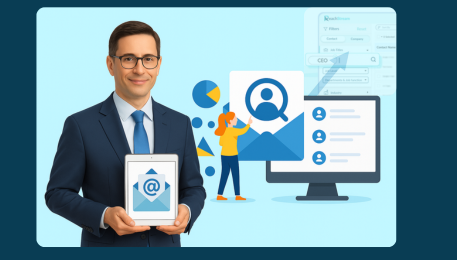
How to Build Your Own CEO Email List Using ReachStream

How to Build Your Own CEO Email List Using ReachStream

CEO email list gives you direct access to the people who make high-impact decisions. Whether you’re selling enterprise software, recruiting executive talent, or building strategic partnerships, a clean, targeted List of C-suite contacts can shorten sales cycles and increase reply rates. Building the List yourself—rather than buying an unvetted file—means higher accuracy, better targeting, and control over verification and segmentation. 

What is a CEO email list?

CEO email list (also called a chief executive officer email databaseCEO contact list, or chief executive officer mailing list) is a curated collection of CEO email addresses and associated contact metadata (company, role, industry, location, social profiles). Good lists are maintained, verified, and segmented so your outreach lands in the right inboxes at scale. 

Step-by-Step Guide: How to Build Your Own CEO Email List Using ReachStream

  1. Log in to ReachStream: Open your ReachStream dashboard and start a new search. 
  2. Select Job Title “CEO”: Use job title and role synonyms to capture variations (chief executive officer, Founder & CEO, Executive CEO). 
  3. Apply Country Filter: Choose the country or region (e.g., United States) to build a local, targeted CEO email list or go global for a global CEO email list. 
  4. Add Industry & Company Size: Narrow with industry, revenue, or employee count to refine the CEO marketing database for your ICP. 
  5. Save List: Save searches into named lists (e.g., “US Tech CEOs — Q4”). 
  6. Verify Emails: Run ReachStream’s verification step to minimize bounces and protect deliverability—this turns a raw file into a reliable chief executive officer contact database. 
  7. Download & Export: Export CSV/CRM-ready files as a CEO business email list or chief executive officer email directory for campaign upload. 

Benefits of building a CEO list yourself

Building your own List with ReachStream delivers several advantages over buying generic files: 

  • Higher accuracy & verification: A verified CEO contact list reduces bounce rates and protects sender reputation. 
  • Better targeting: Combining title filters with industry, revenue, or geography creates a truly targeted CEO email list that matches your ICP. 
  • Fresh leads & better segmentation: You control the frequency of refreshes so your chief executive officer leads remain current. 
  • Compliance & control: Creating internal lists makes it easier to respect opt-outs and privacy rules compared to third-party purchased lists. 
  • Actionable data: ReachStream often provides additional fields (such as social profiles and company size) that enhance the richness of the CEO outreach email list for personalization. 
  • Scalability: Save templates and automations so building subsequent executive CEO email lists becomes fast and repeatable. 
Connect with prospects and accelerate your B2B growth—get your ReachStream lead list now!

Why Use ReachStream for CEO Data?

  • 1.4M+ CEO Emails: One of the largest and most accurate CEO datasets available for global B2B outreach. 
  • 90%+ Data Accuracy: Verified CEO contacts ensure higher deliverability and stronger campaign performance. 
  • 100% ESP-Verified Emails: Every CEO email goes through advanced validation to prevent bounces and spam issues. 
  • Global CEO Coverage: Access data from 150M+ global business contacts across 150+ countries and 400+ industries. 
  • Deep Data Enrichment: Enhance your CEO lists with over 20 fields, including company size, revenue, tech stack, and social profiles. 
  • ReachAPI Access: Automate data enrichment, fetch contacts programmatically, and sync CEO data directly into your CRM. 
  • Unlimited LinkedIn Profile Emails (Polar Peak): Extract unlimited verified emails from LinkedIn using the ReachStream Chrome Extension. 
  • Unlimited Profile Views: Research CEO profiles without limits before exporting or saving your lists. 
  • Advanced Targeting Filters: Create precise CEO segments using filters such as industry, job role, geography, revenue, and employee size. 
  • Compliance-Ready Data: All contacts adhere to GDPR, CCPA, and CAN-SPAM regulations for safe and compliant outreach. 
  • Flexible Pricing Plans: From a free Icebreaker plan to the Polar Peak plan, ReachStream scales with your growth and outreach needs. 

Tips to improve your outreach after building the List

  1. Personalize beyond the name: Use company-specific triggers (such as recent funding or product launches) in your opening line—personalization significantly boosts reply rates when emailing a chief executive officer. 
  2. Segment by intent: Separate CEOs by industry, pain point, or ARR to tailor messaging from your CEO marketing database. 
  3. Warm with value: Start with non-sales value (benchmark data, a short case study) rather than a demo request—CEOs reward relevance. 
  4. Limit frequency & A/B test subject lines: Test subject lines and send cadences on a small slice of your chief executive officer contact list before scaling. 
  5. Use multi-channel touchpoints: Combine email with LinkedIn outreach and a brief voicemail—a mixed approach increases conversions from a CEO contact database. 
  6. Monitor deliverability: Keep an eye on bounce rates and spam complaints after importing your CEO business email list; re-verify and remove bad addresses. 
  7. Track replies, not opens: For high-value outreach to a chief executive officer, reply rate is the key metric—optimize for it. 

Common mistakes to avoid when building CEO lists

  1. Relying on title-only searches: A literal “CEO” filter misses title variations like “Co-Founder & CEO”—use synonyms to capture the whole chief executive officer email directory. 
  2. Skipping verification: Sending to unverified CEO email addresses harms deliverability and wastes campaign budget. 
  3. Overloading with irrelevant contacts: A big, untargeted global CEO email list doesn’t outperform a small, well-segmented targeted CEO email list. 
  4. Ignoring Compliance: Don’t Forget Consent and Local Regulations When Emailing International chief executive officer contact database Entries. 
  5. Poor personalization: Mass generic templates lower response rates—add at least one sentence that references the CEO’s company or role. 
  6. Not refreshing lists: Executive moves happen often; stale chief executive officer leads create false positives in outreach. 

Conclusion

A self-built CEO email list created with ReachStream gives you precision, control, and better campaign outcomes than off-the-shelf files. By following the simple step-by-step workflow—login, target “CEO,” apply country and firmographic filters, verify, and download—you’ll generate a chief executive officer email database that’s accurate, compliant, and CRM-ready. Combine that list with smart segmentation, strong personalization, and deliverability best practices to turn your CEO contact list into meetings, pipeline, and revenue. 

FAQs

ReachStream utilizes real-time verification and continuous database updates to deliver accurate, up-to-date CEO emails, ensuring improved deliverability and cleaner outreach campaigns. 

Yes. ReachStream enables segmentation by industry, employee strength, revenue, and location, allowing you to build a hyper-targeted CEO email list that matches your exact audience. 

Absolutely. You can build a Global CEO email list using country filters to find CEOs across the US, UK, Europe, APAC, and more. 

Yes. The platform’s workflow — Login → Select Job Title “CEO” → Apply Filters → Save List → Verify → Download — makes it simple even for first-time users. 

All CEO email addresses pulled from ReachStream go through ESP-grade verification, so you get a clean chief executive officer email directory optimized for high deliverability. 

Login, select “CEO” under job titles, apply country and industry filters, save your List, verify emails, and download — ReachStream automates the entire list-building workflow. 

Yes. Manual research is slow and inconsistent, while ReachStream provides pre-verified CEO contacts instantly, saving hours of effort. 

You get name, title, company, email address, location, industry classification, company size, and sometimes social profile links—making the CEO contact list richer and more actionable. 

Yes. ReachStream allows you to download your chief executive officer contact database in CSV format, which can be imported into CRMs such as HubSpot, Salesforce, or Pipedrive. 

Yes. Plans like Icebreaker (free), Glacier, Ice Floe, and Polar Peak offer flexible access levels, making CEO data accessible whether you're a startup or an enterprise sales team. 

Table of Contents

Don't forget to share this post!

Check out our other blogs!