



How to Evaluate B2B Data Vendors for Accuracy and Compliance

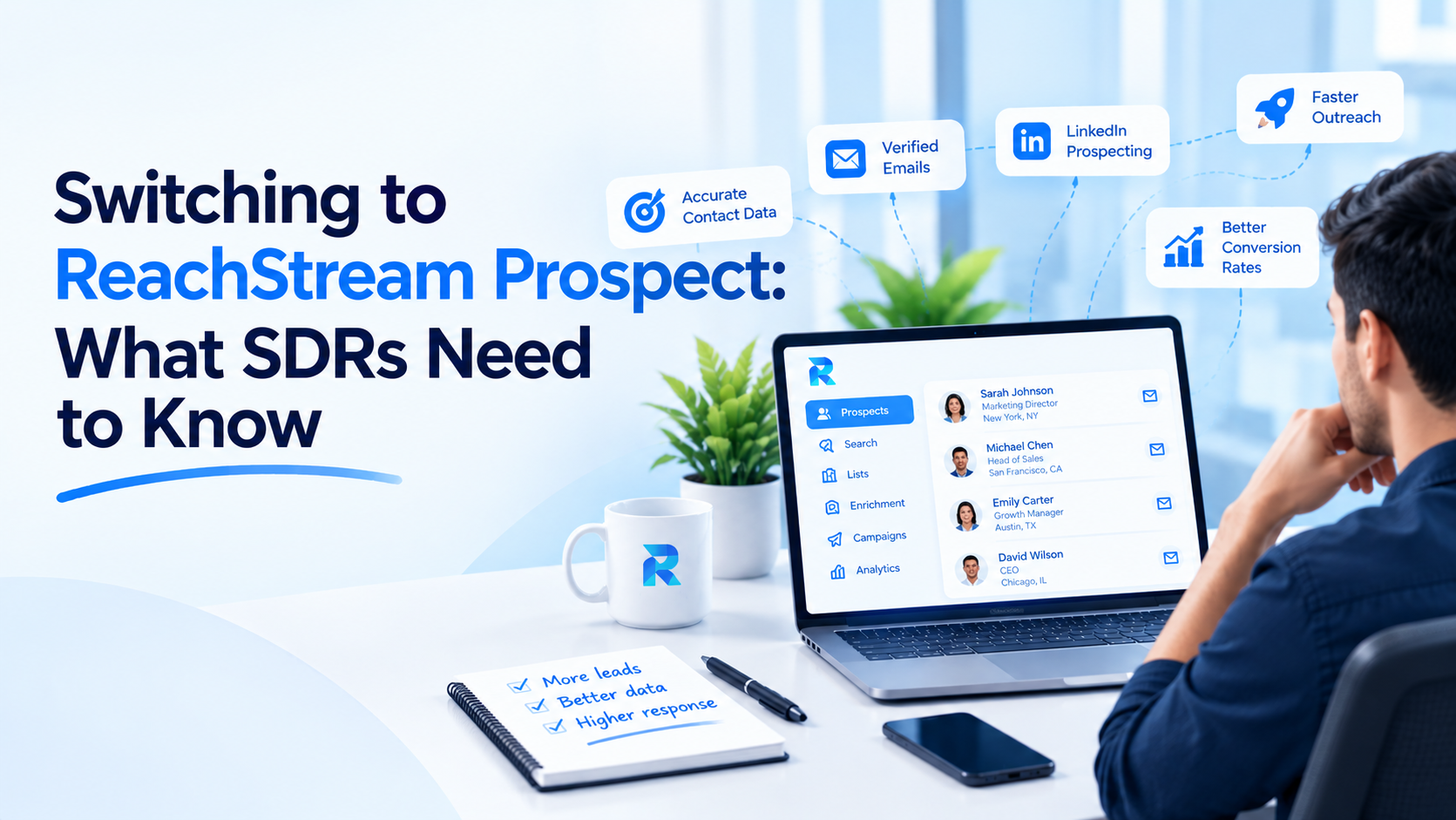
Most SDR teams start switching to ReachStream Prospect for one practical reason: they are tired of fixing contact data before they can use it. Bounced emails, outdated job titles and exports that need a second cleaning pass all take time away from real outreach. ReachStream Prospect is a B2B contact and company database with a built-in email verifier, so verification happens as part of the download instead of as a separate chore.
That does not mean every team should move. A switch makes sense when your current process has a visible data problem, such as high bounce rates, credits spent on addresses that never worked, or reps who keep a private spreadsheet of fixes.
Below you will find the problems that usually trigger a switch, how verification and credits work in ReachStream Prospect, what the daily workflow looks like for an SDR, and what to test first.
Contact data decays. People change roles, companies rebrand and mailboxes get shut down, so a list that was accurate when it was built slowly fills with dead ends. SDRs feel it first, because they send the volume.
The symptoms are easy to spot. Emails bounce. A prospect’s title is two jobs old. The same account appears in three lists with three different contacts. Somebody on the team ends up checking addresses by hand, or pasting lists into a separate tool before every campaign. None of it is dramatic on its own, but it repeats every week.
Time is the obvious cost. A rep who spends part of every week checking contacts is not writing, calling or following up. The less obvious cost is reputation. Mailbox providers watch how many of your messages bounce, and a steady stream of sends to addresses that do not exist makes a domain look careless. When deliverability slips, it can slip for every rep sending from that domain, including on messages to people who would have been glad to hear from you.
Email verification is the process of checking whether an address can receive mail before you send to it. Doing that before outreach, rather than after the first bounce, is what helps protect your sender reputation.
Inside ReachStream Prospect you build a list from your filters, save the contacts you want, and then choose Verify and Download. The built-in verifier runs a real-time check on the emails in that list, and ReachStream’s own walkthrough shows a breakdown of valid and risky addresses at the export step. You can also upload an existing list and run it through the same verifier.
Export credits are applied only to valid contacts, which is the first thing most SDR teams want to know about credits. Not every provider works this way, so it is worth comparing how your current tool charges for addresses that fail. How risky or catch-all addresses are counted is something to confirm in a trial, because it can change both your credit usage and your list size.
The verifier runs a seven-step process that combines AI and manual checks, with records refreshed on a 45-day cycle. It is designed to maintain 95% data accuracy and up to 90% email deliverability.
For daily prospecting, a handful of features carry most of the weight:
Two newer search features cut down the filter work.
Conversational Search lets you type a sentence such as ‘VPs of Engineering at Series B SaaS companies in the UK’ and shows the filters it applied as editable tags, so nothing is applied silently. It covers companies and contacts, asks one short question if a term is unclear, and each search stands alone.
Similar Companies starts from one company you already like and returns up to 50 lookalikes, ranked by a similarity score with a short plain-English reason, based on industry, size, location, technology. It works on
companies only for now.
Cleaning work hides in small tasks: exporting a file, scanning it for obvious junk, pasting emails into a verifier, merging the results back, deleting the rows that failed. Each step is minor, but together they can eat an afternoon. Credits spent on records that get thrown away also make a list more expensive than the plan price suggests.
When verification sits inside the download, two of those steps disappear and credits follow the valid contacts rather than the whole batch. The savings depend on how bad your current data is. A team whose lists were already clean will notice little. A team that discards a visible share of every export has more to gain.
In plain terms, an SDR defines the target account and persona, applies filters, and saves the matches to a list. The list goes through Verify and Download, and the verified contacts leave as a CSV or sync into Salesforce or HubSpot. Outreach then starts in whichever sequencing tool the team already uses.
The table below lines up each step with the usual pain point, what ReachStream Prospect does at that step, how credits behave, and what you should confirm yourself.
| Workflow step | Common problem | What ReachStream Prospect does | How credits behave | What to confirm yourself |
|---|---|---|---|---|
|
Describing the ICP |
Stacking filters one field at a time is slow, and the result still misses |
Conversational Search turns a typed sentence into filters and shows each one as an editable tag |
Yearly search caps apply by plan |
Type your ICP as a sentence and check the tags it applies |
|
Expanding from a best customer |
Recreating a good account profile with filters takes trial and error |
Similar Companies returns up to 50 lookalike companies, ranked by similarity score with a short reason for each |
Yearly search caps apply by plan |
Run it from your best customer and count how many results truly fit |
|
Building lists |
Lists go stale and get rebuilt by hand |
The list builder creates lists that update on their own |
List building has no extra cost; credits are spent on export |
Check that the list builder is included in the plan you would buy |
|
Researching on LinkedIn |
Names get copied into spreadsheets, then emails get hunted down separately |
The Chrome extension pulls verified contact details while you browse LinkedIn |
Email views are capped at 200 a month on Free and unlimited on paid plans |
Test it on a few profiles where you already know the right email |
|
Finding prospects |
Titles and companies drift out of date, so filters return people who have moved on |
Filters for title, seniority, department, industry, size, revenue, location and technology, plus saved lists |
Browsing contact and company profiles is unlimited on every plan; free email views are capped at 200 a month |
Run your real ICP filters and check a few accounts you know well |
|
Verifying emails |
Unverified addresses bounce and can hurt sender reputation |
Real-time check through Verify and Download, or upload an existing list to the verifier |
Export credits apply only to valid contacts |
Review valid versus risky results, then track bounces on a first send |
|
Exporting and starting outreach |
Exports get cleaned again in a spreadsheet or a separate tool |
Download a CSV or sync to Salesforce or HubSpot; ReachAPI covers other systems |
Export credits are spent on download or CRM sync and reset each billing cycle |
Check how your sequencing tool takes the list, since Outreach is still marked coming soon |
ReachStream’s Prospect pricing page lists five tiers.
Think of it as the data layer. ReachStream Prospect covers contact and company discovery, filtering, verification and export, then hands the result to whatever the team uses to sequence and track outreach. Native integrations exist for Salesforce and HubSpot.
Compliance deserves a careful read. ReachStream Prospect is compliant with GDPR, CCPA, CAN-SPAM, SOC 2 Type II, ISO 27001:2022, PIPEDA and DPDPA, and its Trust Center has the supporting documentation. These cover how ReachStream handles its own data and security.
It depends on how much your current data costs you. Teams with high bounce rates, heavy cleanup work or credits lost on bad addresses have the clearest reasons to look at ReachStream Prospect, mainly because verification happens at download and credits are tied to valid contacts.
Time saved on cleanup can go back into research and follow-up. Whether that leads to more meetings depends on your targeting, messaging and process. The practical move is a small, honest test on your own ICP. If the numbers hold up, the switch is easy to justify.
The usual reasons are bounce rates, stale contact data and time lost cleaning exports. Teams also compare how each tool charges credits, especially for emails that fail verification.
ReachStream Prospect is a B2B contact and company database that lets sales teams search with filters, build lists, verify emails and export them. The database holds 500M+ verified contacts, 100M+ direct dials and 50M+ company profiles across 150+ countries. Verification is built in, and exports go to CSV, Salesforce or HubSpot.
When you choose Verify and Download, ReachStream runs a real-time check on the emails in your saved list before the export. You can also upload an existing list and run it through the same verifier. The verification process has seven steps that combine AI and manual checks.
Export credits are applied only to valid contacts when you use Verify and Download. How risky or catch-all addresses are counted is worth confirming during a trial. Credits also reset each billing cycle rather than rolling over.
ReachStream Prospect has native integrations with Salesforce and HubSpot. For other tools you can use ReachAPI or export a CSV. Confirm the field mapping during your test so imported records land where your reps expect them.
ReachStream Prospect is compliant with GDPR and CCPA, and it also meets other standards including SOC 2 Type II and ISO 27001:2022. These cover ReachStream’s own data and security practices.
Start with the free plan, which includes 100 export credits and 200 email views a month and requires no credit card. Rebuild one real ICP, verify a small batch and compare bounce rates with your current tool.
Author

Access 200M+ verified business emails and grow your sales pipeline effortlessly.
Don't forget to share this post!















Check out our other blogs!
What Is B2B Data and Why It Matters for Modern Sales Teams
A Buyer’s Checklist for Evaluating B2B Data Providers
How to Sync B2B Data with Your Outreach Sequences