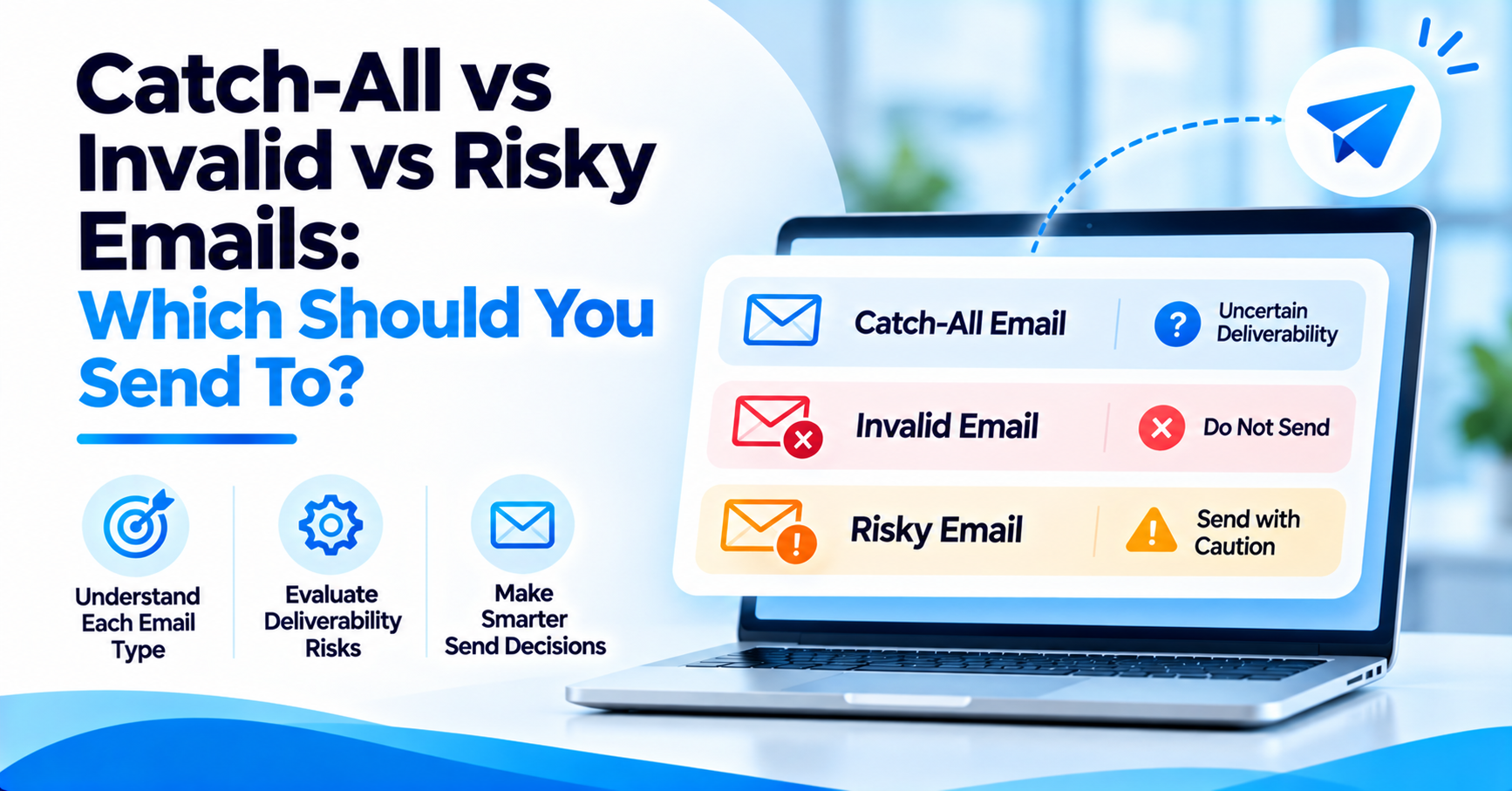

Catch-All vs Invalid vs Risky Emails: Which Should You Send To?
How to Evaluate B2B Data Vendors for Accuracy and Compliance

- Every email verification pass returns a status, not a simple yes or no.
- Catch-all means the server accepts everything sent to that domain, valid or not.
- Risky means one specific address was flagged, not the whole domain.
- Invalid means the mailbox is confirmed gone and should be removed before every send.
- Unknown means the verifier could not reach a confident answer at all.
- ReachStream Email Verifier uses seven statuses and a Catch-All Resolver to turn these into send-or-skip answers.
- Catch-all and risky results deserve a closer look, not an automatic removal or an automatic send.
Introduction
A verification pass rarely returns one clean answer. It returns a mix of valid, invalid, risky, and catch-all results, each with its own send-or-skip logic.
Treating every non-valid result the same way is how a clean-looking list still produces a bounce spike. This guide walks through catch-all vs risky emails, plus invalid and unknown statuses, so you know which ones are safe to send to.
Catch-all and risky results get grouped together by a lot of senders, but they come from different parts of the verification process and call for different next steps.
Email Verification Statuses Explained
Every email verification tool returns a status, not a simple yes or no. That status is a confidence signal, not a promise.
Catch-all vs risky emails is one of the most common comparisons senders ask about. The two sound similar, but they come from different parts of the verification process.
ReachStream Email Verifier returns one of seven statuses on every address: Valid, Invalid, Catch-All, Risky, Risky-Valid, Invalid Domain, and Do Not Mail. Each status answers a different question. Valid confirms the mailbox exists and is reachable. Invalid confirms it does not. The rest sit in between.
The short version of catch-all vs risky emails comes down to one line. Catch-all means the server accepts everything. Risky means the model flagged one specific address as uncertain.
Invalid Email Meaning
Invalid email meaning is the most straightforward status on the list. The mail server actively rejected the address, usually because the mailbox never existed.
That status confirms the mailbox is gone, so sending to it only produces a hard bounce and a dent in sender reputation.
Hard bounces from invalid addresses hurt fast. That is exactly why this status gets removed from a list before a send, not flagged for a second look.
What Does Risky Email Mean?
What does risky email mean in practice? It means the address passed some checks but failed, or could not confirm, others.
A risky result often points to a role account, a disposable email provider, or a mailbox with activity patterns that suggest low engagement. It is not confirmed dead. It is not confirmed safe either.
Catch-all vs risky emails matters here too. One status is a domain-wide setting. The other is a judgment call about one specific address.
Catch-All Email Verification Results, Explained
A catch-all status means the domain’s mail server accepts every address sent to it, whether or not a specific mailbox exists. Catch-all email verification results do not confirm a human inbox. They confirm the domain accepts mail.
Catch-all vs risky emails matters here because the two statuses get treated very differently by a good sending strategy. Catch-all is a server-level rule. Risky is an address-level signal.
The naming split is partly cosmetic. Some verification tools call the catch-all status accept-all instead, though the underlying server behavior stays the same. Risky stays its own category either way, since it describes one address, not a whole domain’s acceptance rule.
Valid vs Invalid vs Risky: How the Three Compare
Valid vs invalid vs risky breaks down to confidence level, not a strict pass-fail line. Valid means the verifier confirmed a real, reachable mailbox. Invalid means the server rejected it outright.
Risky sits in the middle. Some signal came back uncertain, such as a role account or a provider known for greylisting test messages.
Thinking of it as a scale, rather than three equal boxes, makes list segmentation much easier to plan around.
Thinking of valid, invalid, and risky as points on a confidence scale, rather than three equal boxes, makes list segmentation much easier to plan around.
A status label alone will not tell you whether a catch-all or risky address is worth keeping. The Catch-All Resolver runs the deeper check and returns a clear likely deliverable or likely invalid verdict.
Unknown Email Verification Result: What It Means
An unknown result means the verifier could not reach a confident answer at all. Usually the mail server timed out or refused to respond during the check.
That is different from risky. Risky means some signal came back and looked uncertain. Unknown means no usable signal came back, so the address needs a retry first.
Unknown means no usable signal came back at all, often because the mail server timed out or refused to respond. That is the one result where a retry, not a decision, is the right next step.
| Status | What It Confirms | What To Do |
|---|---|---|
|
Valid |
Confirmed real, reachable mailbox. |
Safe to send. |
|
Invalid |
Mailbox rejected outright, usually gone. |
Remove before every send. |
|
Catch-All |
Domain accepts all mail; this address is not individually confirmed. |
Run through the Catch-All Resolver before a big send. |
|
Risky |
One address flagged as uncertain, often a role account or low activity. |
Review the reason for the flag before deciding. |
|
Risky-Valid |
Deliverable but flagged, for example a role-based address. |
Usually safe in limited volume. |
|
Invalid Domain |
The domain itself does not accept mail. |
Remove from the list. |
|
Do Not Mail |
High-risk or a potential spam trap. |
Exclude from every send. |
Should I Send to Catch-All Emails?
Should I send to catch-all emails at all, given the hidden bounce risk? Sometimes, but never as a full-list blast.
Sending in small batches, and watching bounce rate closely, limits how much damage a late bounce wave from catch-all addresses can cause to sender reputation.
Deciding whether to send to catch-all emails separately from invalid or risky ones is what keeps a sending strategy predictable. How to treat catch-all results comes down to one habit: never treat them as confirmed valid, and never discard them automatically either.
A deeper resolver pass, run before a send rather than after a bounce, is the safer middle step for catch-all addresses. That one habit is most of what a catch-all vs risky emails strategy comes down to in practice.
Should You Send to Risky Email Addresses?
These addresses carry a different kind of risk than catch-all ones. The issue usually is not a hidden bounce. It is low engagement, spam complaints, or a role account nobody personally reads.
Email verification best practices treat engagement-based sending, such as warming up a domain first, as the safer path for addresses worth keeping.
- Check whether the flag came from a role account or a disposable provider.
- Treat a one-off signal differently from a known low-engagement pattern.
- Warm up a new sending domain before mailing uncertain addresses at volume.
- Re-verify risky addresses periodically rather than relying on one pass forever.
Invalid is the one status with a clear answer. There is no real argument for keeping a confirmed-dead address on an active list.
Remove Invalid Emails from List: Yes or No?
Clear them out before every send. There is no real argument for keeping a confirmed-dead address on an active list.
Risky and catch-all addresses deserve more caution. Some of them are genuinely active contacts sitting behind a strict mail server.
Removing catch-all and risky addresses on sight throws away what a risky result actually means: a maybe, not a no.
How ReachStream Email Verifier Handles These Results
ReachStream Email Verifier labels every address with one of its seven statuses, then goes further on the two that cause the most confusion. Its Catch-All Resolver returns a likely deliverable or likely invalid verdict instead of a flat maybe.
Teams can check a single address or run a bulk file through verification, with accuracy rated up to 99.8%. The same pass also helps improve deliverability on the addresses that do go out.
A mixed list of valid, invalid, risky, and catch-all results does not have to stay a guessing game. Start a free trial and run it through ReachStream Email Verifier to see where each address actually stands.
Conclusion
With email verification results explained clearly, acting on a mixed list stops being guesswork. Invalid gets removed. Valid gets sent to. Catch-all and risky get a second look first.
Running through all seven email verification statuses before you send is the safest habit a list hygiene routine can have. Catch-all vs risky emails is not a trick question once you know what each status actually verifies.
See how ReachStream Email Verifier scores every address across seven statuses, then pick the plan that fits how many addresses your team verifies each month.
Frequently Asked Questions
What does a catch-all result mean in email verification?
A catch-all result means the domain’s mail server accepts every address sent to it, whether or not a specific mailbox actually exists there. It does not confirm the address is real or reachable, only that the server did not reject the message outright, so a human may or may not ever read it.
What does a risky email mean?
A risky result means the address passed some checks but could not fully confirm others, often because it looks like a role account, a disposable provider, or a mailbox with low recent activity. It sits in a middle-confidence zone rather than a clear pass or fail, and it usually deserves a closer look before you decide.
What does an invalid email result mean?
An invalid result means the mail server actively rejected the address during verification, usually because the mailbox does not exist, was deleted, or the domain itself is no longer accepting mail. Sending to an invalid address almost always produces a hard bounce, so these results should be removed before any campaign goes out.
Can I send to catch-all emails?
Carefully, and in small batches rather than a full blast to the whole list. Since the server accepts every address regardless of whether a real mailbox exists, a late bounce can show up weeks after the message was first sent, long after the list looked clean.
Should I send to risky email addresses?
It depends on what triggered the risky flag in the first place. A role account or a known low-engagement pattern is lower priority than a one-off signal, so reviewing the specific reason behind the flag matters more than treating the label as a single verdict.
What is the difference between catch-all and invalid emails?
Catch-all means the server accepts everything sent to that domain, so the message is never rejected outright. Invalid means the server actively rejected the specific address because the mailbox does not exist. One is a domain-wide setting that says little about any one address, and the other is a confirmed dead end.
What does unknown mean in email verification?
Unknown means the verifier could not reach a confident answer at all, usually because the mail server timed out, blocked the check, or refused to respond during the lookup. It differs from risky, which at least returns some usable signal, even an uncertain one, about the address in question.
Should I remove all catch-all and risky results from my list?
Not automatically, and treating them the same way wastes good contacts. Invalid addresses should be removed before every send, but catch-all and risky results deserve a closer look first, since some of them are genuinely active contacts sitting behind a cautious mail server or a strict spam filter.
How do verification statuses differ between email verifiers?
Core categories such as valid and invalid stay fairly consistent across most tools, but naming for the statuses in between varies more than senders expect. Some providers use accept-all where others use catch-all, and the exact threshold that trips a risky flag differs from one verification provider to the next.
Author

Abdul Kareem writes about B2B sales prospecting, email deliverability, and cold outreach for ReachStream, focusing on practical guidance that sales and marketing teams can put to use right away.
Catch-all, risky, and invalid do not have to be guesswork. Verify your next list with ReachStream Email Verifier before you send.
Don't forget to share this post!















Check out our other blogs!
How Accurate Is Catch-All Verification? Our Test Results
Catch-All vs Invalid vs Risky Emails: Which Should You Send To?

What Is a Catch-All Email? How to Check and Verify One

Customer Stories: How Teams Cut Bounce Rates with ReachStream