


Best Tips on Lead Generation for Technology Companies
Summarize this article with AI:




Wiza is a LinkedIn email finder that extracts contact data directly from LinkedIn and Sales Navigator, then verifies email addresses before delivering them. The tool operates as a Chrome extension, letting sales teams turn LinkedIn searches into exportable prospect lists without switching platforms.
For teams evaluating Wiza, the real question isn’t just what it does, it’s whether the tool fits your prospecting workflow and data quality standards. This guide covers Wiza’s core features, pricing structure, verification accuracy, and the limitations you’ll want to consider before committing.
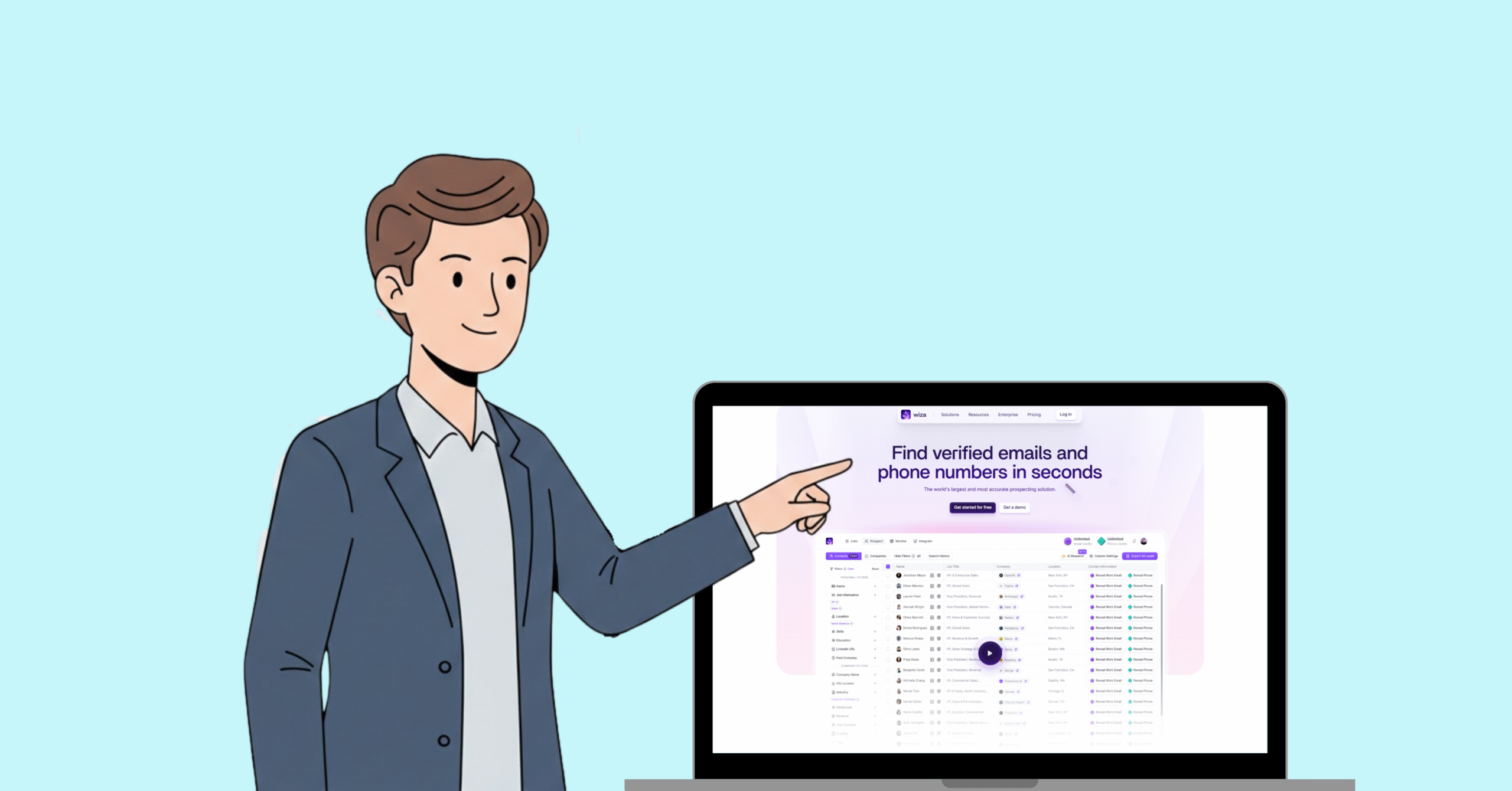
Wiza is a LinkedIn email finder that extracts contact data from LinkedIn and Sales Navigator profiles, then verifies email addresses in real time before delivering them. The tool operates as a Chrome extension that sits on top of LinkedIn, letting sales teams pull prospect information directly from search results without switching between platforms.
SDRs, recruiters, and marketers use Wiza to turn LinkedIn searches into exportable contact lists. Rather than manually copying names into separate lookup tools, you select profiles from a LinkedIn search and Wiza handles the extraction and verification in the background.
Here’s the catch: Wiza depends entirely on LinkedIn as its data source. It doesn’t maintain a standalone database, which means coverage and accuracy are tied to how complete LinkedIn profiles are in your target market. That distinction matters when comparing Wiza to B2B data providers that maintain their own verified databases.
From data extraction to email verification, Wiza brings everything you need into one seamless experience.
The Wiza browser extension installs in Chrome and activates when you’re browsing LinkedIn, similar to other LinkedIn Chrome extensions designed for lead generation. It works with both free LinkedIn accounts and Sales Navigator, though Sales Navigator unlocks more granular search filters.
Once installed, export buttons appear on LinkedIn search results and individual profiles. Your team can prospect without toggling between platforms—everything happens where the research already takes place.
Instead of exporting contacts one at a time, Wiza allows bulk selection from search results. You can highlight multiple profiles from a single search and queue them for extraction simultaneously, then download the results as a CSV file.
For teams running high-volume prospecting campaigns, bulk functionality saves considerable time compared to manual methods. The CSV format also makes it straightforward to import contacts into your CRM or outreach platform.
Wiza verifies email addresses before charging credits. The verification process checks deliverability at the moment of export, which helps reduce bounce rates in outreach campaigns. below the B2B average of 2.48%.
The pay-per-verified-email model means you’re not charged for contacts where Wiza can’t find or confirm a valid email. However, actual verification accuracy varies depending on the target industry and geographic region.
Intent topics are behavioral signals indicating which prospects are actively researching solutions related to your product category. Wiza surfaces intent data to help prioritize outreach toward buyers who may already be in-market.
Teams focused on account-based marketing often find intent signals valuable for timing campaigns. That said, intent data quality varies across providers, so results depend on how Wiza sources and scores the signals.
Wiza connects with popular sales platforms to streamline the handoff from prospecting to engagement:
Setup complexity varies depending on your existing tech stack, but the integrations reduce friction when moving data between systems.
Take a closer look at how Wiza transforms your LinkedIn activity into verified, ready-to-use prospect data.
Getting started requires installing the Wiza extension from the Chrome Web Store. Installation takes a few minutes, and you’ll authenticate with your Wiza account before the extension becomes active.
With the extension installed, navigate to LinkedIn and run a search using filters like job title, company, location, or industry. Sales Navigator users have access to more granular filtering options, which typically produces more targeted results.
From your search results, select individual profiles or bulk-select the entire visible list. Clicking the Wiza export button queues your selections for processing.
Wiza processes selected contacts through its verification queue, checking each email for deliverability. Once complete, download the verified list as a CSV or push it directly to an integrated CRM.
Processing time depends on list size. Small exports finish in minutes, while larger batches can take significantly longer during peak usage periods.
Wiza uses a tiered pricing structure based on monthly credit allotments and feature access. Credits are consumed when Wiza successfully verifies and delivers an email address.
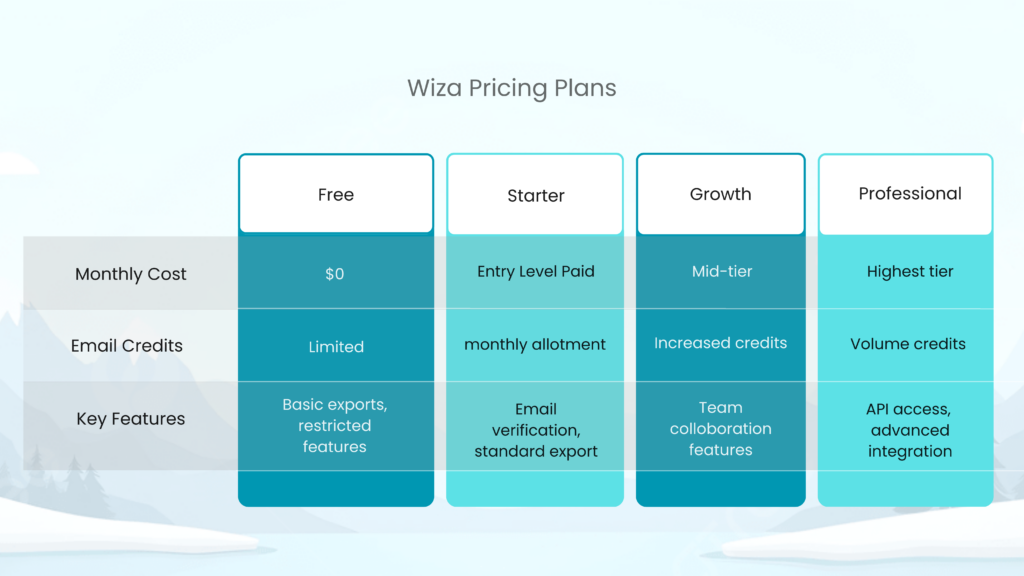
The free tier provides limited credits for testing the platform. Feature restrictions apply, making it suitable for evaluation rather than sustained prospecting.
Entry-level paid users receive a set monthly credit allotment with access to core verification features. This tier works for individual contributors with moderate export needs.
Mid-tier pricing unlocks additional credits and team collaboration capabilities. Growing sales teams often land here when individual plans become insufficient.
The highest tier includes API access, advanced integrations, and volume-based pricing. Enterprise teams with high export requirements typically need this level of access.
Like any tool, Wiza comes with strengths and areas for improvement—here’s what to consider.
Users frequently highlight several strengths:
Common criticisms appear consistently in user feedback:
While Wiza offers powerful features, there are a few limitations to keep in mind before relying on it fully.
Wiza credits typically expire at the end of each billing cycle without rolling over. This use-it-or-lose-it structure can create pressure to export contacts before month-end, even when timing isn’t ideal for your campaigns.
User reviews frequently mention confusion about how credits are consumed, particularly when exports fail or return partial results.
Because Wiza scrapes LinkedIn rather than maintaining its own database, data quality depends on how complete LinkedIn profiles are in your target market. Coverage tends to be strongest in North America and weaker in other regions.
Some reviews mention slow support response times and difficulties resolving billing disputes. For teams that rely on vendor support, this can become a friction point.
Any tool that automates LinkedIn activity carries some risk of account restrictions. Aggressive export volumes or sudden spikes in automation can trigger LinkedIn’s detection systems, potentially resulting in temporary or permanent account limitations.
Wiza accesses publicly visible information from LinkedIn profiles, which is technically legal. However, automated scraping violates LinkedIn’s Terms of Service, creating a gray area that users accept when using the tool.
From a compliance perspective, you’re responsible for ensuring your use of exported data follows regulations like GDPR and CAN-SPAM. Wiza provides the data—how you use it determines whether you’re compliant., with GDPR violations reaching €20 million or 4% of global revenue.
To reduce risk, consider using conservative export volumes, spreading exports across sessions, and maintaining proper consent records for outreach.
Wiza claims high accuracy through its real-time verification process, which checks email deliverability before charging credits. In practice, accuracy varies based on several factors.
The scrape-and-verify model works well when LinkedIn profiles contain current information. However, outdated profiles or incomplete data can result in lower match rates. Users targeting industries with high job turnover often report more inconsistent results., especially with B2B contact data experiencing 2.1% monthly decay.
Standalone B2B databases that cross-reference multiple sources typically deliver more consistent accuracy because they’re not dependent on a single platform’s data quality.
Take a look at what real users are saying about their experience with Wiza.
Positive reviews consistently mention ease of use and seamless LinkedIn integration. The pay-per-verified-email model also receives praise from users who previously paid for unverified contacts with other tools.
Negative feedback centers on credit system frustrations, inconsistent data accuracy, and support responsiveness. Users who operate outside North America or require high-volume exports tend to report more issues.
If Wiza doesn’t fully meet your needs, there are several strong alternatives worth exploring.
ReachStream offers a standalone B2B database with 95%+ ESP-verified emails and advanced firmographic filters. Unlike LinkedIn scrapers, it doesn’t depend on a third-party platform, which eliminates account safety concerns. The platform includes unlimited contact views, a Chrome extension, and flexible export credits.
Apollo combines a B2B database with built-in sales engagement features. It’s popular among teams wanting prospecting and outreach in a single platform.
Lusha focuses primarily on direct dial phone numbers, making it useful for teams prioritizing phone outreach over email.
RocketReach provides email and phone lookup capabilities with a straightforward interface for individual lookups.
Hunter specializes in domain-based email pattern matching, which works well for finding email formats at specific companies.

Choosing the right LinkedIn email finder depends on your specific goals, budget, and workflow.
Different tools use different verification approaches. Scraping offers real-time data but depends on source quality. ESP verification cross-references multiple signals for higher consistency. Consider which method aligns with your accuracy requirements.
Evaluate whether credits roll over, how expiration works, and what the true cost-per-contact looks like at your expected volume. Hidden costs often appear in credit policies rather than headline pricing.
Your email finder works best when it connects seamlessly to your CRM and outreach tools. Check integration depth—some tools offer basic CSV export while others provide native sync with automatic deduplication.
Weigh your risk tolerance for LinkedIn scraping against the safety of standalone databases. Teams with strict compliance requirements often prefer tools that don’t depend on platform scraping.
Standalone B2B databases like ReachStream offer several advantages over LinkedIn-dependent tools:
For teams running sustained outbound campaigns using various sales prospecting tools, the reliability of a dedicated database often outweighs the convenience of browser-based scraping.
Wiza credits typically expire at the end of each billing cycle and do not roll over. Planning exports to use available credits before renewal helps avoid waste.
Wiza can return phone numbers when they appear on LinkedIn profiles, though phone data coverage is generally less consistent than email data.
Bounce rates vary based on target industry and data freshness. The real-time verification process reduces invalid emails, but some bounces still occur—particularly with older LinkedIn profiles.
Wiza is designed primarily for standard LinkedIn and Sales Navigator. Compatibility with LinkedIn Recruiter may be limited or unsupported.
Export time depends on list size and verification queue load. Small lists typically finish in minutes, while large exports can take considerably longer during peak periods.
Access 200M+ verified business emails and grow your sales pipeline effortlessly.
Claim Your 100 Free Export Credits Today!

Don't forget to share this post!















Check out our other blogs!
How Many Follow-Ups Should a Cold Email Sequence Have?

How a Medical Device Company Can Reach Hospital Decision-Makers
What Data Fields Should a Healthcare Marketing Database Include?
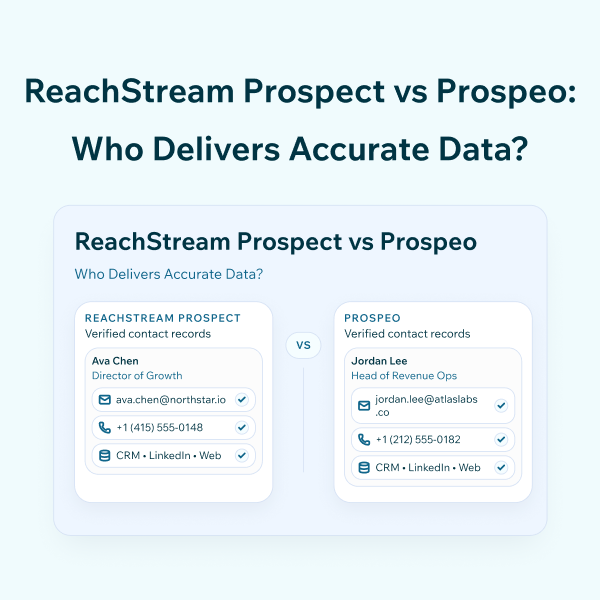
ReachStream Prospect vs Prospeo: Who Delivers Accurate Data?