Written by:

Abdul Kareem
How to Clean an Email List: 7 Steps to Lower Your Bounce Rate
How to Evaluate B2B Data Vendors for Accuracy and Compliance

TL;DR
- Email lists naturally decay from job changes, closed mailboxes, typos, and unconfirmed signups.
- A rising bounce rate can hurt your sender reputation before you notice the underlying cause.
- Hard bounces should be suppressed, but repeated soft bounces deserve a second look too.
- An email verification tool checks syntax, domain, MX records, and mailbox signals where supported.
- Spam traps, disposable, role-based, and catch-all addresses often need review rather than automatic deletion.
- Inactive subscribers deserve a re-engagement attempt before you suppress them.
- Double opt-in helps keep bad addresses from entering your list in the first place.
Why Your Email List Gets Dirty Over Time
Every email list decays a little every month, even one built carefully. People change jobs and abandon old inboxes. Mailboxes get closed or deleted entirely. Someone fat-fingers a letter while typing their address into a form. And some addresses enter a list without real confirmation at all, picked up from a conference badge scan or a hasty signup that nobody double-checked.
None of this makes a list bad on purpose. It just means that learning how to clean an email list is less a one-time project than an ongoing habit, since new decay starts the moment a list goes live. Duplicate emails from repeated form submissions or merged spreadsheets add to the same problem, quietly inflating a list that already needs attention.
7 Steps to Clean Your Email List
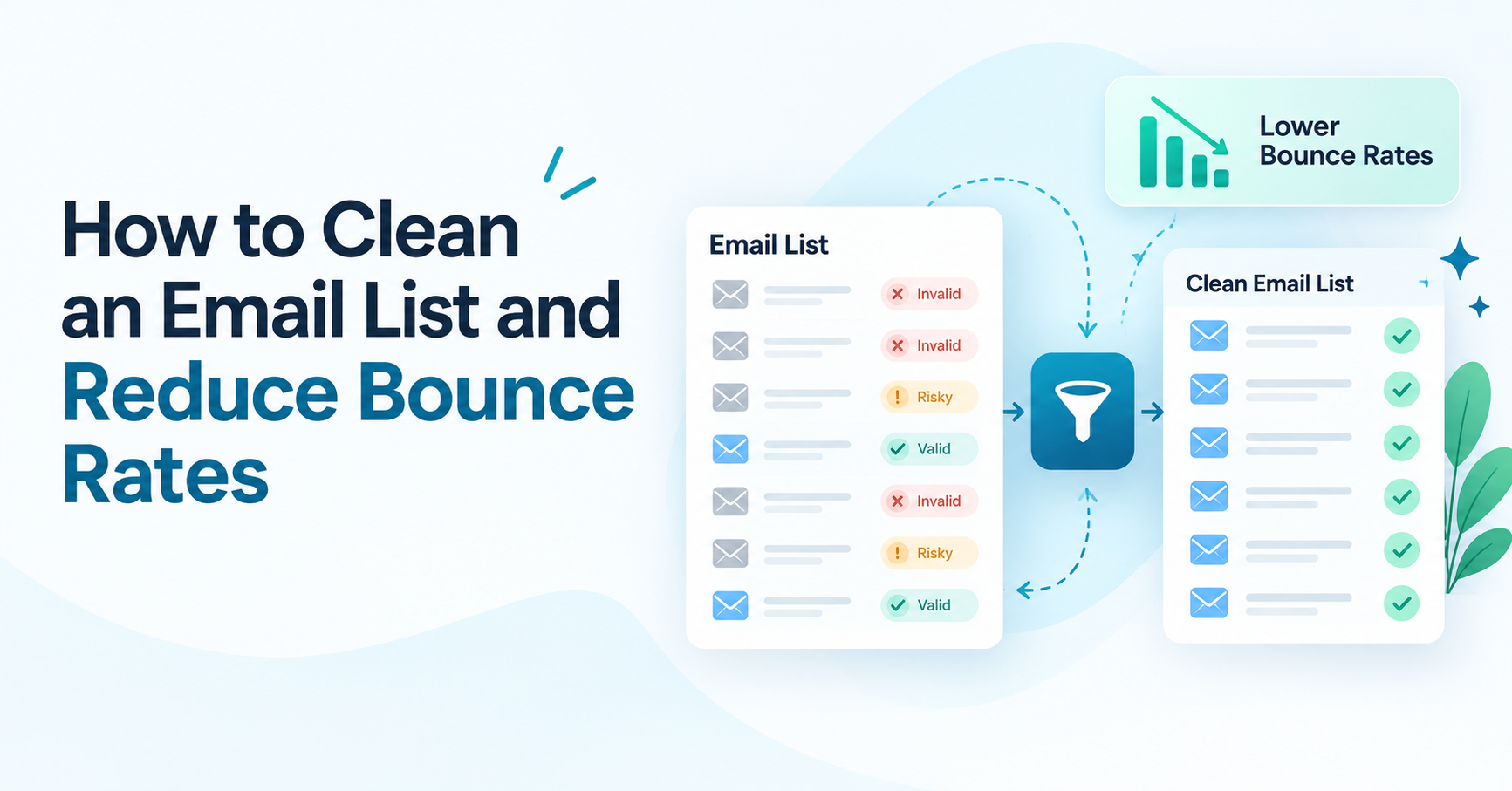
- Review your bounce reports and separate confirmed hard bounces from occasional soft bounces before deciding what to remove.
- Remove duplicate records, since repeated entries inflate list size and send counts without adding any value.
- Correct obvious typos in common domains, a missing letter or swapped character is easy to miss by eye but shows up quickly once you are looking for it.
- Run the list through an email verification tool to remove invalid email addresses and flag risky or catch-all results before a send.
- Review inactive subscribers separately, trying a re-engagement campaign before moving anyone to a suppression list.
- Maintain a suppression list so confirmed hard bounces and unsubscribes never get re-added by a future import.
- Set up ongoing list hygiene, such as double opt-in on new signups and a regular re-verification schedule, so the work does not have to start over from zero.
What a High Bounce Rate Actually Costs You
A bounce is not just a missed send. Each hard bounce tells a mailbox provider that whoever sent the message was not paying close attention to list quality, and enough of them in a short window can affect how future campaigns get treated. There is also a direct cost question, since most email platforms charge based on list size or sends, so a list full of dead addresses is money spent reaching nobody.
Teams that treat email list hygiene as routine maintenance, rather than a fire drill after a bad send, tend to avoid both problems at once.
Hard Bounces vs Soft Bounces: What's the Difference
A hard bounce means the receiving server has permanently rejected the message, almost always because the mailbox does not exist. These are safe to suppress right away, since sending again will not change the outcome.
A soft bounce is temporary, often caused by a full inbox, a large attachment, or a server that is briefly unavailable. One soft bounce rarely means much. A contact who soft bounces on every single send, though, is worth a closer look rather than an automatic pass, since that pattern can be an early sign the address is on its way to becoming invalid.
How an Email Verification Tool Actually Works
A syntax check confirms an address has the basic shape of a real one, catching obvious typos. A domain check confirms the domain itself exists and accepts mail at all. From there, an MX record check looks at whether mail servers are even configured for that domain.
Where supported, deeper checks look at mailbox-level signals to judge whether a specific address is likely to accept delivery, without ever sending a real message to it. This is the layer that separates a basic syntax check from a genuine email verification tool, and it is usually what catches addresses that look fine on paper but no longer correspond to an active mailbox. Running a list through these checks is the core of how to clean an email list at scale, since it does in minutes what would take hours by hand, and it is one of the more direct ways to reduce email bounce rate before a big send.
Spam Traps, Disposable, Role-Based, and Catch-All Addresses
Spam traps are addresses built specifically to catch senders with poor list practices, often recycled from long-abandoned accounts. Hitting one is worth taking seriously, since it usually means outdated data has been sitting in a list too long.
Disposable emails come from temporary inbox services and rarely convert, making them reasonable candidates for removal. Role-based addresses, like info@ or sales@ at a company domain, are not personal inboxes, but they can still receive mail and sometimes convert in a B2B context, so a quick review beats an automatic delete.
Catch-all domains accept mail sent to any address at that domain, which means a check cannot always confirm whether one specific catch-all address is truly deliverable, so these need their own kind of handling instead of a blanket invalid label.
What to Do With Each Risky Signal
Not every flagged address calls for the same response. Some, like a confirmed hard bounce, are safe to remove immediately. Others need a short review first. The table below lays out a reasonable starting point for the signal types this article has covered.
| Signal Type | What It Means | Risk Level | Recommended Action | Needs Review? |
|---|---|---|---|---|
|
Hard bounce |
Mailbox does not exist |
High |
Suppress immediately |
No |
|
Soft bounce |
Temporary delivery issue |
Low |
Monitor, suppress if repeated |
Yes |
|
Spam trap |
Signals outdated or risky data |
High |
Remove and review list source |
No |
|
Disposable email |
Temporary inbox address |
Medium |
Remove unless rare |
No |
|
Role-based address |
Shared inbox, not personal |
Low |
Keep for B2B relevance, review |
Yes |
|
Catch-all domain |
Accepts all mail, status uncertain |
Medium |
Flag for verification tool review |
Yes |
Check One Address Before You Clean the List
Not ready to run the whole list yet? Check a single address for free first and see exactly how a result like a hard bounce, catch-all, or risky signal actually looks before you commit to a full cleanup.
Finding and Re-Engaging Inactive Subscribers
An inactive subscriber is not automatically an invalid email address. Someone who has not opened a message in months may still have a perfectly valid, deliverable inbox, just one that has stopped paying attention to your sends.
Engagement segmentation is the usual starting point. Teams that remove inactive subscribers without first trying a re-engagement campaign or a winback sequence often throw away contacts that could still convert. Only after a genuine attempt to win attention back, through a shorter, more direct sequence than a regular campaign, does moving the remaining non-responders to a suppression list make sense.
What Counts as an Acceptable Bounce Rate
There is no single number that applies to every sender, and treating one figure as a universal pass or fail is not realistic. A lower bounce rate is generally the goal, but the right benchmark depends on list age, how contacts were collected, and how often the list has been cleaned. Reputable senders tend to aim for bounce rates in the low single digits, though this varies by industry and list source, so check current guidance from your email service provider rather than relying on one fixed threshold.
Does Cleaning a List Guarantee Better Deliverability?
Cleaning a list is designed to reduce the number of hard bounces and risky addresses a campaign hits, which can help protect sender reputation over time. It does not guarantee better deliverability or a higher open rate on its own, since inbox placement also depends on content, sending patterns, authentication setup, and how recipients actually engage with your mail.
Double Opt-In Helps Prevent This From the Start
Requiring a confirmation click before adding someone to a list filters out mistyped addresses and bots before they ever become a cleanup problem.
Where ReachStream Email Verifier Fits In
ReachStream Email Verifier is built to support the verification step of this process. It checks addresses using SMTP-level validation, including the RCPT TO step, without ever sending a real email to the address being checked, and results come back sorted into six statuses: Valid, Invalid, Catch-All, Risky, Unknown, and Do Not Mail, rather than a single pass or fail flag.
For list cleaning specifically, bulk verification accepts CSV uploads of up to 25,000 emails per batch, with a full status breakdown and a clean list available for download afterward. The Catch-All Resolver is designed to help resolve catch-all and risky results into a more confident likely-deliverable or likely-invalid read, which can shrink the pile of addresses stuck in a genuine gray area.
Clean Your Full List Before Your Next Send
Run every contact through the same checks covered in this guide, hard bounces, soft bounces, spam traps, disposable, role-based, and catch-all addresses, in one pass using your free trial credits.
Clean Your List, Then Keep It That Way
Knowing how to clean an email list, and how to clean up an email list once it has already gotten messy, matters less as a one-time fix than as a habit built into how you collect and maintain contacts. Reviewing bounce reports, correcting duplicates and typos, verifying addresses, and giving inactive subscribers a real chance to re-engage before suppressing them all add up to a list that keeps performing instead of quietly decaying in the background.
Make List Cleaning a Routine, Not a Rescue
See which ReachStream Email Verifier plan fits how often you actually need to clean and re-verify a list like the one this guide just walked you through.
Frequently Asked Questions
How do I clean my email list?
Knowing how to clean an email list starts with reviewing bounce reports and removing confirmed hard bounces, then correcting duplicates and typos, running the list through an email verification tool, and giving inactive subscribers a chance to re-engage before suppressing them.
How often should I clean my email list?
Many teams verify email list contacts before a large campaign, after importing new contacts, or when a list has sat unused for months, rather than relying on a single cleaning done long ago. There is no fixed answer to how often to clean email list contacts, since it depends on how fast your list grows and how often you send.
What bounce rate is acceptable for an email list?
There is no single universal number, but reputable senders generally aim for bounce rates in the low single digits, and the right benchmark depends on list age, collection method, and cleaning history.
How do I remove inactive subscribers from my email list?
Segment inactive subscribers by engagement, try a re-engagement or winback campaign first, and only move the remaining non-responders to a suppression list.
What is the difference between a hard bounce and a soft bounce?
Use double opt-in on new signups, re-verify on a regular schedule, and review bounce reports after every send rather than waiting for a problem to build up.
Can I clean an email list for free?
Job changes, closed mailboxes, typos during signup, duplicate entries, and addresses collected without real confirmation all contribute to list decay over time.
Why do email lists get dirty?
A hard bounce is permanent, usually because the mailbox does not exist, while a soft bounce is temporary and often resolves on its own, though repeated soft bounces from the same address are worth a closer look.
How do I keep my email list clean over time?
A free bulk email verifier or limited free tier can work for small batches, but larger lists generally need a paid tool for a full, reliable pass at a clean email list.
Does cleaning an email list improve deliverability?
It can help by reducing hard bounces and risky sends, which supports sender reputation over time, though it does not guarantee better deliverability on its own since other factors matter too.
Abdul Kareem
Author
Abdul Kareem

Abdul Kareem writes about B2B sales prospecting, email deliverability, and cold outreach for ReachStream, focusing on practical guidance that sales and marketing teams can put to use right away.
Share
Table of Contents
See how your list checks out before you send.
Check Your List Before You Send
Abdul Kareem writes about B2B sales prospecting, email deliverability, and cold outreach for ReachStream, focusing on practical guidance that sales and marketing teams can put to use right away.
Don't forget to share this post!















Check out our other blogs!

How to Build a Targeted Prospect List Using Filters
October 21, 2026

B2B Data for Ed-Tech Companies: Reaching School Decision-Makers
October 21, 2026

Direct Dial Numbers Explained: A Guide for Sales Reps
October 19, 2026