Written by:

Abdul Kareem
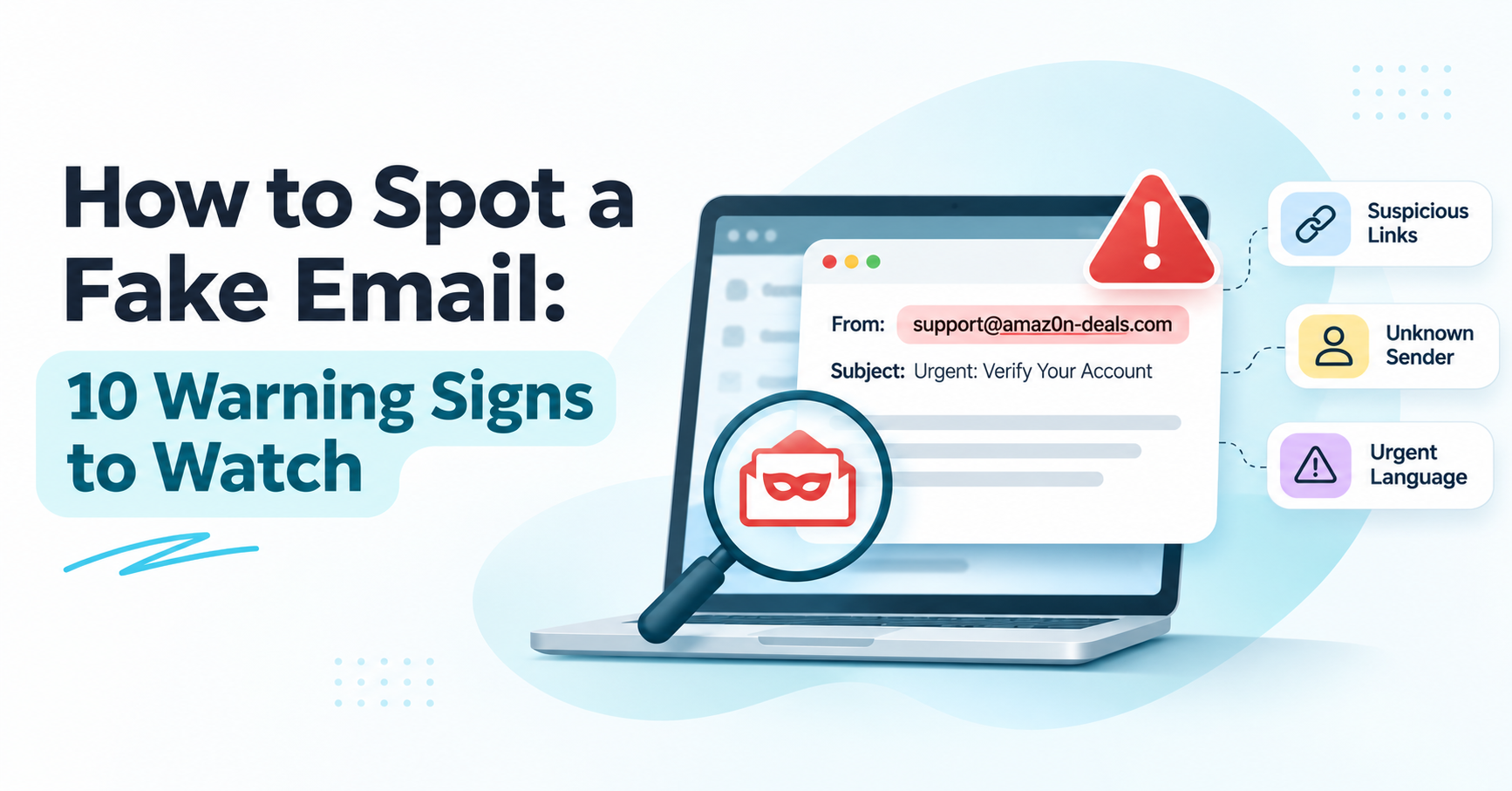
How to Spot a Fake Email: 10 Warning Signs to Watch
Compare the best UK RevOps data platforms for contact enrichment, company intelligence, sales automation and CRM data quality.

TL;DR
- RevOps data platforms help teams collect, enrich and use company and contact data, and differ from full revenue operations platforms that manage workflows and forecasting.
- Poor data slows sales teams, hurts targeting, creates inconsistent reporting and raises acquisition costs.
- This guide compares ReachStream, Cognism, Apollo.io, ZoomInfo and Lusha by what each is best suited for.
- Look for contact enrichment, company intelligence, technographic data, email verification, CRM integrations and room to scale.
- Test UK data coverage on your own target accounts and compare the total cost, not just the starting price.
- UK GDPR and PECR should be part of any provider evaluation, not an afterthought.
If you’re wondering how to tell if an email is fake, start with five things: the sender’s actual address, the domain it was sent from, where any links really lead, what the message is asking you to do, and whether that request makes sense coming from this particular person or company.
No single check proves an email is faked on its own, but together they catch most of what lands in an inbox trying to look like something it isn’t.
The ten warning signs below cover what to look for first, followed by a quick way to check headers and authentication when you need more certainty, and what to do once you’ve spotted something suspicious.
10 Warning Signs of a Fake Email
1. The Display Name Doesn't Match the Sender
Most email apps show a display name instead of the actual address by default, and that name is whatever the sender typed in, trusted or not. A message can arrive showing “IT Support” or a colleague’s name while the real address behind it is something unrelated.
Tap or click on the sender’s name to expand the full address before trusting anything else in the message. This single habit catches many fake email warning signs before you even read the body text.
Example: Display name reads “Account Security Team,” but the address underneath is security-alert@mailservice-noreply.net, a domain with no connection to the company being referenced.
2. The Domain Is Misspelled or a Lookalike
Once you’ve checked the full address, look closely at the domain itself. Scammers swap a single character for one that looks nearly identical: a zero for an “o,” an “rn” for an “m,” or an extra hyphen tucked into a familiar brand name. These lookalike domains are built to pass a glance, not close reading.
Example: support@arnazon.com instead of support@amazon.com, where “rn” is standing in for “m.”
3. The Email Creates Urgency or Pressure
Phrases like “your account will be suspended within 24 hours” or “immediate action required” exist to short-circuit careful reading.
Fake emails push urgency because a rushed reader is far less likely to notice a mismatched domain or a strange request. If a message is trying to make you feel like you have no time to think, that pressure is itself one of the clearest fake email warning signs, regardless of how legitimate the rest of the message looks.
4. The Greeting or Context Feels Generic
“Dear Customer” or “Dear Account Holder” from a company that normally knows your name is worth a second look, especially paired with other signs on this list. That said, a generic greeting by itself proves very little.
Many legitimate automated notifications use generic greetings too, and well-crafted phishing emails increasingly personalize the greeting to avoid this red flag. Context matters more than the greeting alone: does the message reference an account, order, or relationship you have?
5. Links Lead to Unfamiliar Websites
Before clicking anything, hover over a link on desktop or press and hold on mobile to preview where it goes. A button labeled “Verify Your Account” might point to a domain with no relationship to the company at all.
Example: Link text reads “Reset Password,” but the destination shown in the preview is a URL like account-verify-secure.info, not the company’s actual domain.
Not Sure If an Address Is Real?
ReachStream Email Verifier checks whether an address is properly formatted, exists, and can receive mail, before you rely on it.
6. There Are Unexpected Attachments
An invoice, resume, or shipping document you weren’t expecting is reason enough to pause, particularly file types like .exe, .zip, or .js that aren’t normally used for documents.
Even a familiar-looking file format can carry malicious macros, so the real question isn’t the file type alone, but whether you expected this attachment from this sender in the first place.
7. It Asks for Passwords or Verification Codes
No legitimate company asks for your password by email, and you should never share a two-factor verification code with anyone who contacts you asking for it, even if they claim to be from your bank’s security team.
A message requesting this information directly, rather than directing you to log in through the company’s own app or website, is one of the more reliable signs something is wrong.
8. It Requests Payments or Bank Detail Changes
Requests to change a vendor’s bank details, pay an invoice through an unusual method, or send a gift card as “urgent reimbursement” are common in business email compromise attempts.
These messages often impersonate an executive or a known vendor and rely on the recipient not double-checking the request through a separate channel before acting on it.
9. Branding or Contact Details Don't Match
Scammers can copy a real company’s logo easily, but smaller details slip: an outdated logo version, a phone number that doesn’t match the one listed on the official website, a footer address in the wrong city, or formatting that looks slightly off from what that company normally sends.
None of these alone confirms anything, but a handful of small inconsistencies together is a pattern worth noticing.
10. Authentication or Technical Details Look Off
This is the most technical of the ten signs, and the one most reader will only check when something else on this list has already raised suspicion.
Email authentication results, visible in the headers, can show whether a message claimed sending server actually matches the domain it says it’s from. The next section explains what this looks like in practice.

Phishing vs. Email Spoofing: What's the Difference
A phishing email is designed to trick the recipient into handing over something, a password, a payment, or personal information, usually by creating urgency or impersonating a trusted source.
Email spoofing is a technical method that forges the “From” address, so a message appears to come from a domain the sender doesn’t control.
The two overlap constantly but aren’t the same: a phishing email often uses a spoofed sender address to look more convincing, but spoofing can also show up outside phishing, and not every phishing attempt relies on a spoofed domain.
Some phishing emails come from real, newly registered lookalike domains the attacker owns, rather than spoofing an existing one.
Email Authentication and Headers: What They Reveal
Three authentication checks sit behind most modern email security:
- SPF confirms which mail servers are allowed to send on behalf of a domain.
- DKIM adds a digital signature verifying a message that wasn’t altered in transit.
- DMARC ties the two together and tells receiving mail servers what to do when a message fails to check.
None of these three checks, individually or combined, guarantees that a message is safe. They confirm that a message came from a server authorized to send on behalf of a domain, not that the content is trustworthy or that the domain itself is genuine.
You can see these results, along with the message’s actual routing path, by viewing the email headers. Most email clients offer this through a simple menu option; Gmail calls it “Show original,” Outlook has a “View headers” or message details option, and similar options exist across other providers.
The headers will typically show a pass, fail, or neutral result for SPF, DKIM, and DMARC near the top. A failure on any of these is a strong signal something is wrong, but a pass on all three only means the sending server was authorized, not that the sender’s intentions are good.

See Your Own Results Before You Decide on Anything
ReachStream Email Verifier gives new accounts 100 free credits, no credit card required, so you can run real checks before committing to a plan.
Quick Checklist: How to Tell If an Email Is Fake
When you need a fast, repeatable process rather than working through all ten signs individually, run through this:
- Inspect the full sender address, not just the display name.
- Compare the domain against the organization’s actual, official website.
- Check where links lead before clicking, using a hover or long press.
- Be cautious with unexpected attachments and any request for information.
- Consider whether the message and its request actually make sense given who it claims to be from.
- Check the email headers if you need further verification after everything else.
What to Do If You Receive a Suspicious Email
Don’t click on any links, open attachments, or reply with any information, even to “unsubscribe” or confirm you received it.
If the message claims to be from a company or person you have a real relationship with, contact them directly through a known channel, their official website, a saved phone number, or a separate message thread, rather than anything in the suspicious email itself. Most major email providers and companies let you report a suspicious message directly from your inbox, which helps flag the pattern for others who may receive the same one.
Verifying an Email Address vs. a Genuine Message
These are two different questions, and mixing them up is a common mistake. Verifying an email address confirms things like whether the address is properly formatted, whether the domain exists, and whether the mailbox appears able to receive mail.
It does not confirm who is actually sending from that address, what they’re asking for, or whether the message itself is trustworthy. A perfectly valid, real email address can still be used to send a phishing message. Verification and trustworthiness are related but separate checks.
This distinction matters most for businesses and professionals who need to verify many addresses before reaching out, cleaning a contact list, or checking out a lead capture form for bad data. ReachStream Email Verifier is built for this kind of address-level check, confirming whether an address appears valid without claiming to evaluate the safety of any specific message.
If you regularly need to check whether addresses on your list are valid before you send to them, the ReachStream Email Verifier can help you catch invalid, risky, and otherwise problematic addresses before they create downstream problems. However, remember this is one piece of a much broader picture when it comes to recognizing fake or malicious emails.
Ready to Check More Than a Handful of Addresses?
Compare Email Verifier plans built for everything from occasional checks to full list cleanup and API access.
Conclusion
Spotting a fake email rarely comes down to one obvious red flag. It’s usually a combination of small signs, a mismatched sender address, a domain that’s almost right, a request that doesn’t quite fit the context, that together tell you something is off.
Running through the warning signs above, checking headers when you need more certainty, and verifying addresses before you rely on them are three separate habits that work better together than any one of them does alone.
Frequently Asked Questions
How do you tell if an email is fake?
Check the full sender address rather than just the display name, look closely at the domain for misspellings or lookalike characters, and check where any links lead before clicking.
Combine this with whether the message creates unusual urgency or asks for something unexpected, like a password or payment, since no single check proves an email is fake.
How can you verify that an email address is real?
An email verification tool can confirm whether an address is properly formatted, whether its domain exists, and whether the mailbox appears to be able to receive mail. This confirms that the address is real, but it’s a separate question from whether a specific message sent from that address is trustworthy.
What is email spoofing?
Email spoofing is forging the “From” address on a message, so it appears to come from a domain the actual sender doesn’t control. It’s a common technique in phishing attacks, though the two aren’t identical, spoofing is the technical method; phishing is the goal of tricking the recipient.
Can a phishing email look completely legitimate?
Yes. Many phishing emails today use correct grammar, accurate branding, and realistic formatting, especially as AI tools make polished writing easier to produce at scale. This is exactly why checking the sender’s actual address and where links lead matters more than judging a message by how professional it looks.
How do I check the headers of an email?
Most email clients have a simple option for this, Gmail calls it “Show original,” reachable from the three-dot menu on an open message, while Outlook offers a “View headers” or message details option.
The headers show the message’s authentication results and its actual routing path, which can reveal inconsistencies that aren’t visible in the normal inbox view.
Can a fake email pass SPF, DKIM and DMARC?
Yes, in some cases. These checks confirm that a message came from a server authorized to send on behalf of a domain, not that the domain itself is trustworthy or that the content is safe.
A scammer who registers their own lookalike domain and sets up proper authentication for it can pass all three checks while still sending a fake or malicious message.
What should I do if I receive a suspicious email?
Avoid clicking links, opening attachments, or replying with any information.
Contact the organization the email claims to be from using a known channel you trust, like their official website or a saved phone number, rather than any contact details included in the suspicious message itself and report it through your email provider if that option is available.
Is manual or automated verification better?
They serve different purposes rather than competing directly. Manual checks work well for evaluating one suspicious message you’ve received, while automated email verification is built for confirming large numbers of addresses at once.
How can I check if a sender's domain is new?
A domain age or WHOIS lookup tool can show when a domain was first registered.
A very recently registered domain sending unsolicited messages is worth extra caution, but domain age alone doesn’t confirm whether an email is fake, since plenty of new domains are completely legitimate and plenty of fake emails come from older, previously compromised domains.
Abdul Kareem
Author
Abdul Kareem

Abdul Kareem writes about B2B sales prospecting, email deliverability, and cold outreach for ReachStream, focusing on practical guidance that sales and marketing teams can put to use right away.
Share
Table of Contents
Confirm whether an address is valid and able to receive mail in seconds.
Check an Email Before You Trust It
Abdul Kareem writes about B2B sales prospecting, email deliverability, and cold outreach for ReachStream, focusing on practical guidance that sales and marketing teams can put to use right away.
Don't forget to share this post!















Check out our other blogs!