Best B2B Sales Lead Databases: How to Choose the Right One
- Best Practice > Marketing > Sales
- > Article
- Best Practice > Marketing > Sales
- > Article
How to Evaluate B2B Data Vendors for Accuracy and Compliance
Sales reps lose hours every week just tracking down a working email address or a direct phone number. Multiply that across a team, and “finding the right contact” quietly becomes one of the highest hidden costs in a sales organization. The tools built to solve this problem — B2B sales lead databases — vary enormously in how well they actually solve it.
Choosing the right database isn’t a back-office decision. It directly shapes lead quality, how much time reps spend on research versus selling, and how quickly a pipeline fills with real opportunities. A database with outdated contacts or shallow filters can quietly stall a quarter’s targets, no matter how strong the sales process is around it.
This guide breaks down what separates strong lead databases from mediocre ones, how to match a database to your sales motion, and a practical framework for evaluating any provider before you commit budget.
The Growing Role of B2B Sales Lead Databases
As buying committees grow and outbound volume increases, the database behind a sales team’s prospecting has become as important as the strategy driving it. Before comparing providers, it helps to understand exactly how reliable data changes a sales team’s day-to-day.
Why Reliable Business Data Matters
Sales and marketing teams can only be as precise as the data they work from. Verified contact data lets reps skip the guesswork of chasing bounced emails or outdated titles, and instead spend that time on conversations with people who actually hold buying authority.
Reliable data does three things at once: it shortens research time per lead, it raises reply and connect rates because outreach reaches real inboxes and working numbers, and it improves how campaigns are measured, since performance numbers reflect actual delivery rather than data decay. As outbound volume increases, the cost of unreliable data compounds — a 20% bounce rate on a small list is an annoyance, but the same rate at scale damages sender reputation and skews every downstream metric.
Not Every Lead Database Delivers the Same Value
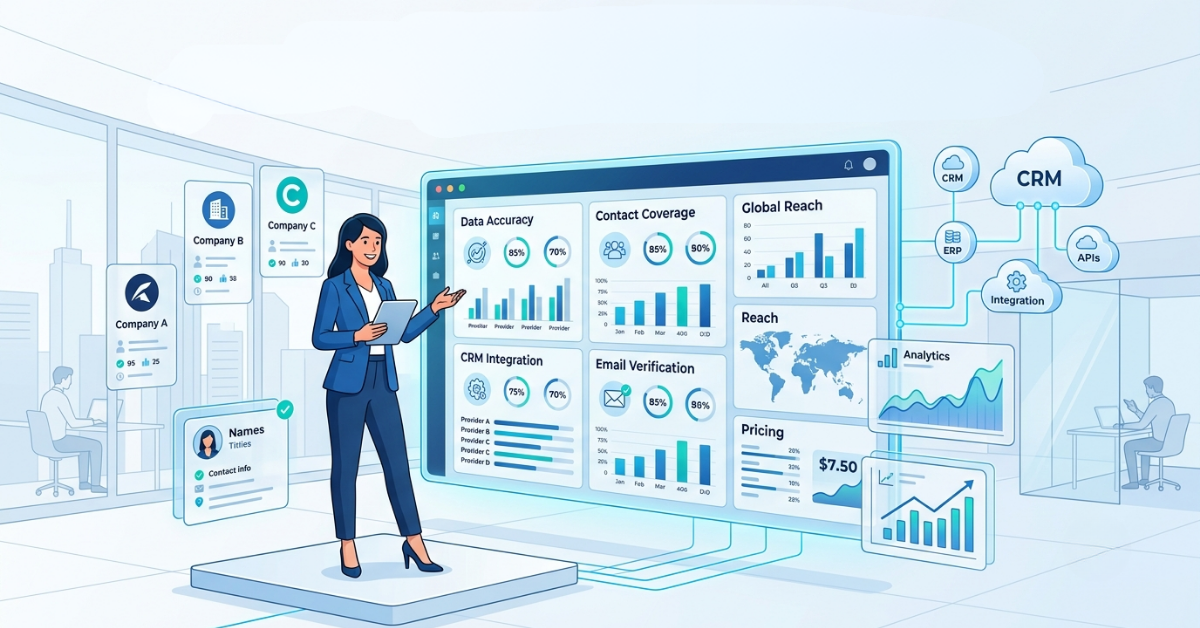
Two databases can claim similar contact counts and still perform completely differently in practice. The real differentiators sit beneath the headline numbers:
- Data accuracy: How often listed emails, phone numbers, and titles are actually correct and current
- Industry coverage: Depth within the specific verticals a team sells into, not just breadth across every industry
- Geographic coverage: Strength in the regions a business actually targets, since global claims often hide regional gaps
- Contact depth: Availability of multiple contacts per account, including alternate decision-makers, not just one name per company
- Update frequency: How often records are re-verified as people change roles or companies
- Compliance standards: Whether data collection and storage align with GDPR, CCPA, and other regional privacy regulations
The table below shows how these factors typically separate a basic database from an enterprise-grade one.
Factor | Basic Database | Enterprise-Grade Database |
Data accuracy | Verified in bulk, infrequently rechecked | Continuously verified with active re-checks |
Industry coverage | Broad but shallow across sectors | Deep coverage in priority verticals |
Geographic coverage | Concentrated in one or two regions | Balanced global and regional depth |
Contact depth | Single contact per account | Multiple stakeholders per account |
Update frequency | Periodic, batch-style refreshes | Ongoing, near real-time updates |
Compliance standards | Limited or unclear documentation | Documented GDPR/CCPA-aligned practices |
Essential Features That Separate Good Databases from Great Ones
Most providers list similar feature sets on their pricing pages. What matters is how much each feature actually moves the needle on prospecting speed and outreach performance once a team is using it daily.
Data Quality and Verification
Verification processes — email pattern checks, phone validation, periodic re-confirmation — are what keep a database usable month over month. This is what keeps bounce rates low and protects sender reputation, which in turn keeps outreach landing in inboxes instead of spam folders.
Advanced Search Capabilities
Granular filters by title, seniority, department, technology stack, funding stage, and company size let reps build tightly targeted lists instead of broad ones that need manual pruning. This shortens list-building time and raises the relevance of every list a rep touches.
Company Intelligence
Firmographic and technographic context — company size, revenue signals, tech stack, growth indicators — helps reps prioritize accounts that are actually a fit before the first call, rather than discovering fit issues mid-conversation.
Contact Enrichment
Enrichment fills gaps in existing CRM records — missing titles, direct dials, LinkedIn profiles — so teams get more value out of contacts they already have instead of only adding new ones.
CRM and Workflow Integrations
Native integrations with CRMs and sales engagement platforms remove the manual export-import cycle, keep data synced across systems, and reduce the chance of reps working from stale local spreadsheets.
Compliance and Security
Databases built around documented consent and privacy practices reduce legal exposure and protect deliverability, since providers with poor compliance practices are more likely to supply data that triggers spam complaints or regulatory issues.
Matching a Lead Database to Your Sales Strategy
There’s no single “best” database — the right choice depends heavily on how a team actually sells. A feature that’s essential for one motion can be irrelevant overhead for another.
High-Volume Outbound Sales
Outbound-heavy teams need breadth, speed, and clean list export — large volumes of verified contacts, fast filtering, and low friction moving lists into a sequencer. Accuracy at scale matters more than deep account-level detail here.
Account-Based Marketing (ABM)
ABM teams need the opposite emphasis: fewer accounts, but multiple stakeholders per account plus rich firmographic and intent signals. Contact depth and company intelligence matter more than raw volume.
Enterprise Sales Teams
Long, multi-stakeholder deal cycles call for org-chart-level visibility, accurate seniority data, and integrations that keep account records synced across CRM and account-planning tools throughout a lengthy sales cycle.
SMB Growth Teams
Lean teams typically need fast time-to-value: simple search, quick list-building, and pricing that scales with team size rather than complex enterprise-tier feature sets they won’t fully use.
A Practical Framework for Evaluating Lead Databases
Rather than comparing feature lists side by side, this five-step process evaluates a database against a team’s actual ICP and workflow — the only comparison that predicts real-world performance.
Step 1 – Define Your Ideal Customer Profile
Before comparing providers, define the industries, company sizes, regions, and job titles that matter most. Without this, every database will look reasonably strong, since general accuracy claims mean little without your specific ICP as the test.
Step 2 – Audit Your Current Prospecting Process
Identify where time is actually being lost today — manual research, verifying emails, cleaning lists — so the evaluation focuses on the features that solve real, existing friction rather than hypothetical ones.
Step 3 – Compare Data Quality
Request or pull sample records for your ICP and check them directly: are emails valid, are titles current, are phone numbers reachable. A short sample audit reveals more than any vendor’s stated accuracy percentage.
Step 4 – Test Integrations and Workflow
Run a trial that mirrors the real workflow — search, filter, export or sync into the CRM — since a database that performs well in isolation can still create friction once it’s wired into daily tools.
Step 5 – Measure ROI Before Scaling
Start with a limited rollout, track connect rates, reply rates, and time saved per rep, and only expand the commitment once those numbers hold up against the current process.
Red Flags to Watch Before Investing
Some problems with a database only surface after a contract is signed and a list is already loaded into a CRM. Catching these signs during evaluation avoids a costly mid-quarter switch.
Warning Signs of a Low-Quality Database
Certain patterns show up consistently in underperforming providers:
- Outdated contacts: Titles and companies that no longer match current roles
- Low email accuracy: High bounce rates once lists go into real campaigns
- Limited filters: Broad categories that force manual list cleanup afterward
- Poor customer support: Slow or unhelpful responses when data issues come up
- Hidden pricing: Unclear credit systems or unexpected overage charges
- Weak integrations: Manual export/import cycles instead of native CRM syncing
Green Flags | Red Flags |
Transparent, documented verification process | Vague or unverifiable accuracy claims |
Clear, predictable pricing structure | Hidden fees or confusing credit systems |
Responsive support with real onboarding | Slow or automated-only support |
Native CRM and workflow integrations | Manual CSV export/import required |
Documented GDPR/CCPA compliance | No clear compliance documentation |
Regularly refreshed records | Static lists with infrequent updates |
Building a Smarter Prospecting Workflow
A database is the starting point of a prospecting workflow, not the entire workflow. The teams that get the most value treat it as one stage in a larger, repeatable process.
Combining Lead Databases with Sales Intelligence
A lead database rarely works best in isolation. Most scalable prospecting workflows combine a database with email verification, enrichment tools, CRM syncing, and automation so that a raw contact list becomes a continuously maintained, sales-ready pipeline.
Stage | What Happens | Tool in the Workflow |
1. Source | Build a targeted list against the ICP | B2B lead database |
2. Verify | Confirm emails and phone numbers are current | Email/phone verification |
3. Enrich | Fill gaps in existing CRM records | Contact/company enrichment |
4. Sync | Push clean records into the CRM | Native or API integration |
5. Engage | Launch personalized outreach sequences | Sales engagement platform |
6. Refresh | Re-verify and update records over time | Ongoing data maintenance |
Where ReachStream Fits into the Modern Sales Stack
Applying the evaluation framework above to ReachStream shows how the pieces of a modern prospecting workflow can come from a single platform rather than several disconnected tools.
Supporting Data-Driven Prospecting
ReachStream is built around the workflow described above rather than a single piece of it. Verified B2B contacts give teams a starting list they can trust, while company intelligence adds the firmographic context needed to prioritize accounts before outreach begins.
Contact enrichment fills gaps in records already sitting in a CRM, and advanced filters — by industry, title, seniority, location, and more — help teams build tightly targeted lists instead of broad ones that need manual cleanup. The Chrome Extension brings that same data directly into LinkedIn and other browsing workflows, so reps can pull verified contact details without switching tabs.
Together, these pieces are designed to produce sales-ready prospect lists — data that’s accurate enough to act on immediately, not just a large volume of names to sort through.
Conclusion
Pulling the evaluation criteria, sales-motion fit, and red flags above into a single takeaway comes down to one principle:
Choosing a Database That Grows with Your Business
The right B2B sales lead database isn’t the one with the largest contact count — it’s the one that matches your ICP, fits your sales motion, and holds up to scrutiny on accuracy, compliance, and integration. Running the five-step evaluation framework above before committing budget prevents the common mistake of choosing on size alone and discovering the gaps only after rollout.
For a broader look at how lead databases fit into a complete B2B lead generation strategy — from targeting to outreach to pipeline measurement — explore The Ultimate B2B Lead Generation Guide.
Claim 100 free leads to see data quality in action
Frequently asked questions
1. How often should a B2B lead database update its records?
Look for providers that re-verify records on an ongoing basis rather than in large, infrequent batches. Job changes happen constantly, so a database updated only once or twice a year will quickly accumulate outdated contacts.
2. What's a reasonable email accuracy rate to expect?
Providers should be able to speak clearly to their verification process. A short sample test against your own ICP is a more reliable check than any single published accuracy figure.
3. Is a larger database always better?
Not necessarily. A smaller database with strong coverage in your specific industries and regions often outperforms a larger, more generic one that’s shallow where you actually need depth.
4. Do lead databases replace the need for email verification tools?
Not entirely. Even well-maintained databases benefit from a verification step before a large send, since contact details can change between database updates and campaign launch.
5. How does CRM integration affect day-to-day usability?
Native integration removes the manual export/import cycle, which reduces errors and keeps reps working from one system instead of toggling between a database tool and the CRM.
6. What compliance standards should a database provider meet?
At minimum, look for documented alignment with GDPR and CCPA, along with clarity on how contact data was originally sourced and consented to.
7. How should ABM teams evaluate a database differently from outbound teams?
ABM teams should weight contact depth and company intelligence more heavily than raw volume, since the goal is multiple stakeholders per target account rather than a wide net of contacts.
8. What's the best way to test a database before committing to a contract?
Run a trial against your actual ICP and workflow — pull a sample list, check accuracy, and test the CRM integration — rather than evaluating based on marketing claims or demo data alone.
Abdul Hafeez
Marketing professional with a Master’s degree in Marketing, specializing in SEO, content strategy, social media, performance marketing, prospecting, and demand generation.
Share
Table of Contents
Access 200M+ verified business emails and grow your sales pipeline effortlessly.
Power Your Sales
with Targeted Data
Don't forget to share this post!















Check out our other blogs!
How to Build a Targeted Prospect List Using Filters
October 21, 2026

B2B Data for Ed-Tech Companies: Reaching School Decision-Makers
October 21, 2026

Direct Dial Numbers Explained: A Guide for Sales Reps
October 19, 2026