Unlimited Data.
Infinite Possibilities.

Looking for B2B data? Download Unlimited data using our Chrome extension at just $79/month.

How ReachStream Works with Contact Management Software

How ReachStream Works with Contact Management Softwares

Best Tips on Lead Generation for Technology Companies

In B2B sales and marketing, contacts fuel the entire business engine. But collecting them isn’t enough. You need to store, organize, update, and activate these contacts in the systems your team uses every day. That’s why choosing the right contact management software is crucial. And even more important is ensuring that your data provider integrates seamlessly with it.

This guide explains how ReachStream works together with your contact management software, automating contact sync, improving data accuracy, enriching your CRM, and eliminating manual work. Whether your team uses a contact management CRM system, a contact management program, or a full-scale sales engagement platform, this blog will show you exactly how the workflow becomes smoother, faster, and more predictable.

What Is Contact Management Software?

Contact management software is a digital system that stores, organizes, and updates business contacts in one centralized location. It replaces spreadsheets, manual updates, and scattered contact lists by offering a streamlined way to manage interactions, communication, and customer data.

Most modern platforms offer full contact management CRM features like :

While many companies start with simple B2B contact database tools, growing teams eventually need advanced platforms that sync enriched data directly from sources like ReachStream.

Why Sales and Marketing Teams Need Contact Management Tools

Every organization dealing with leads, prospects, or customers needs a reliable contact management application. Manually tracking data creates:

A modern contact management program solves this by offering features such as

automated updates, communication tracking, and unified data dashboards. When paired with ReachStream’s verified B2B database, your contact management software for small business or enterprise CRM instantly becomes more powerful.

Teams use these tools to:

For teams using free client database software for small business, ReachStream becomes the missing enrichment engine that fills those contacts with verified details.

How ReachStream Works with Contact Management Software

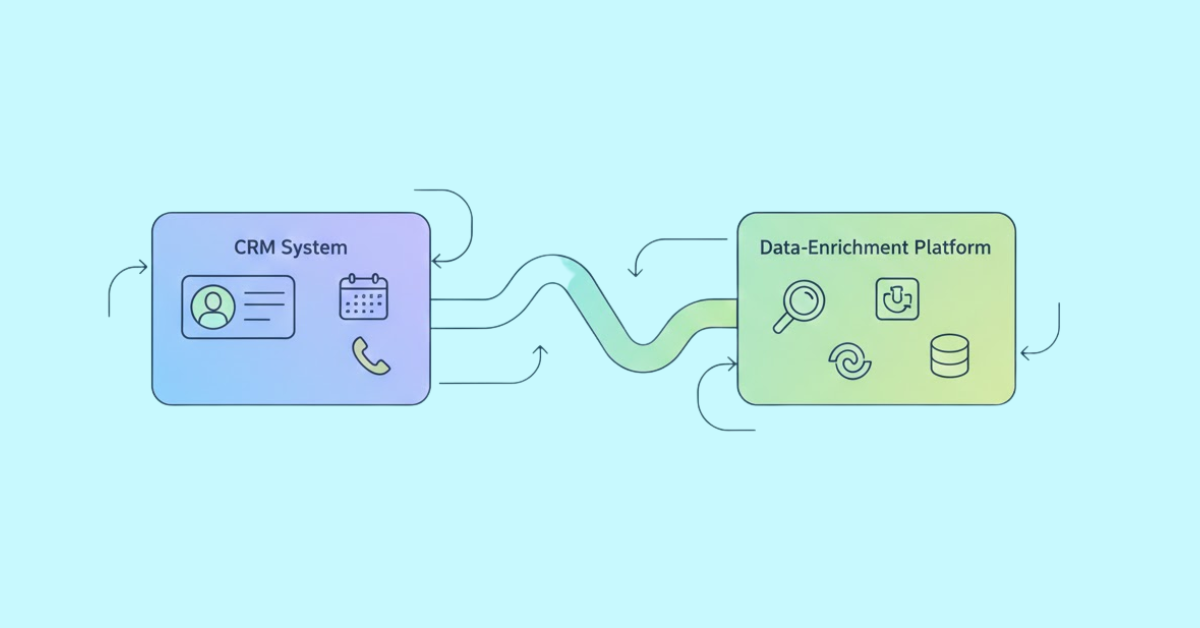
One of ReachStream’s biggest advantages is its ability to sync contacts automatically into any contact management system your business uses, no manual import/export needed.

1. Centralized Contact Lists

  • ReachStream organizes verified contacts in one platform, making them easy to manage before syncing to a CRM.

2. CRM Integration

  • Users connect ReachStream to their CRM through secure authentication.
  • The integration shows an active status once successfully linked.

3. Syncing Verified Contacts

  • Users select a verified contact list in ReachStream.
  • A single upload/sync action pushes these contacts into the connected CRM.

4. Maintaining Accurate Data

  • Only verified contacts are synced, reducing errors and ensuring CRM data is reliable.

5. Streamlined Workflow

  • New verified contacts can be pushed to the CRM instantly, minimizing manual data entry.

6. Enhanced Growth and Insights

  • Accurate CRM data enables sales and marketing teams to focus on engagement, conversions, and workflow automation.

ReachStream acts as a bridge between verified contact lists and CRMs, keeping HubSpot and Salesforce populated with reliable data for efficient sales and marketing operations.

Benefits of Syncing ReachStream with Your CRM or Contact Management Software

Automated Data Entry: Contacts sync automatically into your CRM or free customer database, saving hours weekly.

Accurate, Enriched Contacts: ReachStream ensures verified email contact info, updated phone numbers, firmographics, and more.

Zero Duplicate Contacts: Auto-normalization ensures a clean, structured database.

Better Segmentation for Outreach: Enriched fields enable better campaigns and personalization.

Higher Sales Productivity: Teams using small business contact management or enterprise CRMs can work faster with cleaner data.

Integrations Supported by ReachStream

ReachStream currently connects with leading CRM software, making it easier to manage, organize, and streamline your data processes.
As of now, ReachStream integrates with popular CRM tools such as:

In addition, through ReachAPI, you can connect or sync your contacts to other CRM platforms.

Step-by-Step Guide: Integrate ReachStream with HubSpot & Salesforce

Step 1: Sign in to ReachStream: Log in to your ReachStream account using your credentials.

Step 2: Navigate to Integrations: From the dashboard, go to the Integrations or Connected Apps section.

Step 3: Select Your CRM(s): Choose the CRM you want to connect: HubSpot, Salesforce, or both.

Step 4: Authenticate Each CRM:

  • For HubSpot: Log in and approve ReachStream access.
  • For Salesforce: Log in and authorize ReachStream.
  • Ensure each connection shows active/connected.

Step 5: Select a Verified Contact List: In ReachStream, locate your saved lists and choose a verified list to sync.

Step 6: Upload Contacts: Click Upload/Sync to push the contacts to all connected CRMs.

Step 7: Verify Integration Success:

  • Open HubSpot and Salesforce to confirm contacts appear correctly.
  • Check that the data is accurate and ready for use in outreach workflows.

Result: Contacts from ReachStream are now synced with HubSpot and Salesforce, ensuring accurate, verified data for sales and marketing activities.

How to Choose the Best Contact Management Software

While Choosing the best contact management software, Look for:

Your CRM should act as a long-term foundation, not a temporary fix.

Common Mistakes Teams Make When Managing Contacts

Managing contacts can be tricky, and even experienced teams often fall into patterns that reduce efficiency, accuracy, and overall effectiveness. Without the right processes and tools, it’s easy to make mistakes that impact outreach, lead quality, and sales results.

Below are some of the most common mistakes teams make when managing contacts:

ReachStream helps prevent all these issues by ensuring your business contact list stays accurate.

Try ReachStream Free

Supercharge your CRM with verified, enriched B2B contacts, start syncing instantly.

Conclusion

If your business relies heavily on outreach, nurturing, or customer communication, having the right contact management software is just the beginning. The true magic happens when that software is powered by accurate, verified, and enriched contact data — and that’s where ReachStream steps in.

By integrating directly into your CRM or contact management tools, ReachStream removes the friction of manual uploads, cleans messy data, and automates updates across your entire b2b database. This results in smoother workflows, more efficient sales operations, and better-performing marketing campaigns.

From startups using online contact database tools to enterprises with multi-layer CRMs, ReachStream acts as the growth engine that keeps your system fresh, organized, and activation ready.

FAQs

1. What is contact management software used for?

It helps businesses store, organize, and track customer and prospect information so teams can communicate more effectively.

Look for features like automation, integrations, ease of use, and scalability to meet your business needs.

Yes, many tools offer free plans with basic customer and contact management features.

It removes manual entry, reduces errors, and ensures your CRM always has updated and actionable contact data.

Definitely, they track conversations, organize leads, and improve follow-ups for faster conversions.

It updates missing or outdated fields such as email addresses, phone numbers, and job titles using verified external sources.

A CRM handles the full customer lifecycle, while contact management tools primarily organize and store contact details.

Most platforms let you upload CSV files or use integrations that sync data automatically.

Yes, it works for basic lead tracking, though advanced automation may require paid tools.

ReachStream syncs verified business contacts directly into your CRM, ensuring accurate and enriched records instantly.

Table of Contents
Sharanya N K

Author

Access 150M+ verified business emails and grow your sales pipeline effortlessly.

Claim Your 100 Free Export Credits Today!

Power Your Sales with Targeted Data
Sharanya N K
Sharanya N KAuthor
Sharanya N K
Sharanya N KAuthor

Don't forget to share this post!

Check out our other blogs!