


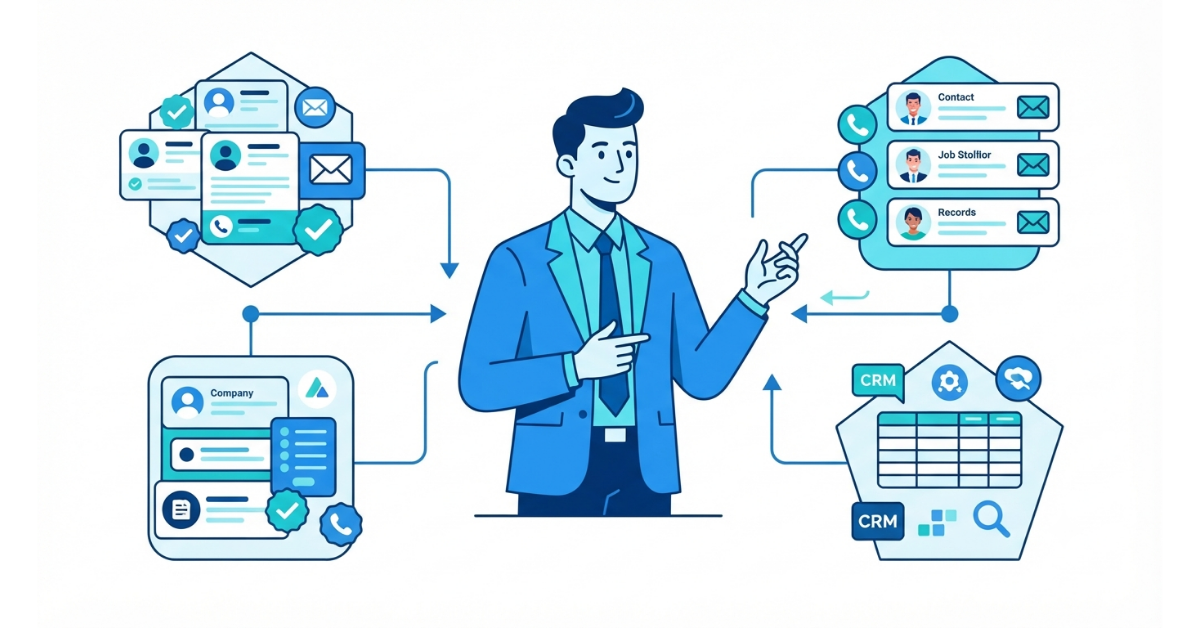
How to Evaluate B2B Data Vendors for Accuracy and Compliance
Most large b2b contact data providers lead with the same kind of headline: “Access 500 million contacts!” “Explore 1.7 billion profiles!”
Those numbers may look impressive, but database size by itself tells you very little about how useful the data will be. B2B data changes quickly. Accuracy can fall by 22.5% to 30% a year, while work email addresses can change at roughly 3.6% a month as people move jobs, teams are reorganized, or companies close. So, a huge unverified list from generic b2b contact data providers does not necessarily mean more usable prospects. It can just mean more dead emails and disconnected numbers, along with wasted credits, extra SDR work, and more risk to your sending reputation.
Your reps do not need another spreadsheet full of names. They need working direct numbers and verified inboxes that belong to people who are still in the right roles.
Rather than relying on the vendor pitch, look at how the data works in practice. The framework below can help you compare providers, check accuracy, and test the data before you commit any budget.
A B2B database can sit at the center of your prospecting process, so it is worth testing more than the sales presentation. Before the demos turn into contracts, run each provider through these five practical checks.
How Quickly the Data Changes:
How Real Accuracy Shields Your Business:
What to Look for Behind the Scenes:
Technical Questions Worth Asking:
Look Past the Headline Profile Count:
Regional Factors to Check:
Direct Dials vs. Main Switchboards:
Go Beyond Broad Industry Tags:
Tracking Live Tech Stacks:
Spotting Real Intent Signals:
Keeping Your CRM Clean:
Removing Friction for Sales Reps:
Automated Data Backfilling:
Understanding Credit Models:
Bounce Policies & Replacement Credits:
Hidden Fees & Lengthy Contracts:
Rank / Provider | Best For… | Data Accuracy & Verification | Regional Strengths | Pricing Structure & Free Tier |
1. ReachStream | SMB & Mid-Market ROI, High-Accuracy Outbound | 95% Accuracy (Built-in ESP Verifier + 400M+ Records) | Global (150+ Countries, Strong US/APAC/EMEA) | Unlimited Contact Views; Plans from $29/mo; Permanent Free Tier (100 Exports/mo) |
2. ZoomInfo | Enterprise Teams & Deep Org Charts | High (Complex multi-source enrichment) | US-Centric (Heavy Enterprise) | Quote-based ($15,000+/yr); No free tier |
3. Apollo.io | All-in-One Outbound & Email Sequencing | Moderate (20%+ bounce rates reported) | Global | Freemium available; Paid plans burn credits on views |
4. Cognism | GDPR Compliance & European Direct Dials | High (Phone-verified EMEA numbers) | EMEA / Europe Heavy | Custom quote-based; Annual contract required |
5. UpLead | Pay-As-You-Go Mid-Market Accuracy | High (Real-time email verification) | US & Global | Public pricing from $99/mo; 7-day trial with 5 credits |
6. Lusha | Individual SDR Lookups & Social Prospecting | Moderate to High | Global (Strong US/Israel) | Freemium tier (5 credits/mo); Paid from $29/seat/mo |
7. Seamless.AI | High-Volume AI Scraping | Variable (Higher bounce rates reported) | Global (US Heavy) | Credit-based; Free plan with 50 credits/mo |
8. Clearbit (Breeze) | Native HubSpot Inbound Enrichment | High (Continuous web tracking) | Global | Bundled into HubSpot ecosystem; Credit-based |
9. Lead411 | Trigger-Based & News Event Outbound | High (Verified US direct dials) | North America | Tiered pricing from $99/mo; 7-day free trial |
10. RocketReach | Niche Lookup & Professional Profiling | Moderate (Aggregated public data) | Global | Tiered pricing from $39/mo; Limited free searches |
Finding the right B2B contact data provider comes down to balancing accuracy, regional coverage, and your budget. Below is a breakdown of the top 10 vendors in the market, detailing their key features, strengths, limitations, and pricing models to help you choose the best fit for your sales engine.
ReachStream is aimed at SMBs, growing sales teams, and RevOps managers that need fresh, verified B2B data without moving into five-figure enterprise contracts. Its database includes over 400 million verified profiles across 150+ countries, and its model avoids using credits simply to browse records.
Key Features
Pros
Cons
Pricing
ZoomInfo is built for large sales teams that need broad coverage, detailed company hierarchies, and intent signals across major accounts.
Key Features
Pros: Deep enterprise account coverage in North America; excellent workflow automation.
Cons: Expensive ($15,000–$50,000+/year contracts); unverified bulk list exports can still bounce at 15%+.
Pricing: Custom enterprise quotes starting around $15,000/year. No self-serve monthly options or free tiers.
Apollo combines a 275M+ profile database with built-in cold email sequences, automated dialers, and AI messaging tools.
Key Features
Pros: Very accessible for solo founders; puts your database and outbound engine under one roof.
Cons: Credits get burned just for viewing profiles; broad list exports can see 20%+ bounce rates without extra verification.
Pricing: Free plan available. Paid plans range from $49 to $119 per user/month (billed annually).
Cognism is a UK-based platform aimed at teams working across Europe, the UK, and APAC, where privacy and data-sourcing requirements are important considerations.
Key Features
Pros: Best-in-class European direct dials; bulletproof privacy compliance.
Cons: Premium pricing; database depth trails off outside European regions.
Pricing: Custom enterprise pricing (usually starting above $12,000–$15,000/year). No monthly self-serve tier.
UpLead puts verification at the center of its workflow, checking email addresses live before a record is downloaded.
Key Features
Pros: Very high data accuracy with a 95% deliverability guarantee; unused credits roll over.
Cons: Smaller total directory (160M+ contacts); higher cost per lead on basic plans.
Pricing: 7-day trial with 5 credits. Paid plans start at $99/month for 170 credits, scaling up to $199 and $399/month.
Lusha focuses on quick browser-based prospecting, helping individual SDRs find direct numbers and work emails while they research online.
Key Features
Pros: Simple setup for individual reps; user-friendly browser extension.
Cons: Credit limits run out fast during heavy prospecting; data quality drops outside major business hubs.
Pricing: Free tier with 5 credits/month. Paid tiers start at $29/user/month (Pro) and $51/user/month (Premium, billed annually).
Seamless.AI works more like a real-time search engine, crawling the web to find and build contact details as users search.
Key Features
Pros: Broad overall coverage; handy for quick individual searches.
Cons: Scraping data on the fly leads to higher bounce rates (20–30% reported); strict credit policies.
Pricing: Free tier with 50 credits/month. Paid plans are quote-based (typically around $147–$179/user/month).
Now part of HubSpot as Breeze Intelligence, Clearbit is mainly focused on identifying website traffic and enriching inbound lead forms.
Key Features
Pros: Smooth experience if you run on HubSpot; excellent company tech stack data.
Cons: Expensive if you aren’t using HubSpot; tailored for inbound conversion rather than cold outbound list building.
Pricing: Sold as credits bundled into HubSpot subscription tiers and add-on packages.
Lead411 combines contact data with real-time news alerts so reps can act when companies hit growth milestones.
Key Features
Pros: Great for reaching prospects at the exact right moment; solid US phone accuracy.
Cons: Platform design feels a bit dated; international data is limited outside North America.
Pricing: 7-day free trial. Basic paid plans start at $99/user/month, scaling to $199/month for trigger features.
RocketReach works as a global lookup directory, bringing together personal emails, work emails, and social profiles for executives around the world.
Key Features
Pros: Great for finding hard-to-reach contacts in niche or non-standard industries.
Cons: Often returns personal or catch-all email addresses; phone number accuracy varies quite a bit.
Pricing: Plans range from $39/month (Essentials) to $249/month (Ultimate), billed annually.
Do not rely on a sales slide or an accuracy promise alone. A simple 100-contact “Burn Test” gives you a way to see how the data performs before you spend money.
The 100-Contact Burn Test Steps:
Step 1: Export a Sample of 100 Leads
Start with a specific ICP segment, such as “VPs of Sales at Series B SaaS companies with 50–200 employees.” Then export 100 target leads from the vendor you are evaluating.
Step 2: Grab the Same Roles on ReachStream
Sign up for ReachStream’s Icebreaker Tier, which provides 100 free export credits, unlimited profile views, and does not require a credit card. Then pull the same 100 job titles and target companies.
Step 3: Run a Third-Party Verification Check
Run both lists through an independent email verifier, or use ReachStream’s built-in ESP verifier, and compare the results:
Step 4: Send a Short Email Test
Send a standard personalized email to both 100-contact lists from a secondary domain and watch the results:
As a baseline, look for checks every 30 to 90 days. Providers that also run real-time email verification at export have another layer of protection against the natural decline in data quality.
Reputable vendors should be able to explain their legitimate-interest approach and how they maintain suppression lists. If you prospect in Europe, ask to see the provider’s GDPR compliance documentation.
Basic web scraping may return unverified email patterns and general company switchboard numbers (“1-800” lines). Direct dials are intended to connect you more directly to a decision-maker’s mobile or desk phone.
High bounce rates and spam complaints can hurt a sending domain. Sending large numbers of emails to dead addresses creates hard bounces and can make future campaigns more likely to land in spam.
“Pay-on-View” uses credits when you open a lead’s profile. “Pay-on-Export” lets you browse and research first, using credits when you actually download verified data into your CRM or email tool.
ReachStream does not use long multi-year contracts, steep seat minimums, or pay-on-view credits. Its self-serve setup charges for the data you actually export.
Yes. ReachStream offers a permanent “Icebreaker” free plan with 100 export credits each month, unlimited profile searching, and no credit card requirement.
ReachStream combines 400M+ global profiles with real-time verification that checks inbox validity when you export a lead.
Marketing professional, specializing in SEO, content strategy, social media, performance marketing, prospecting, and demand generation.
Access 200M+ verified business emails and grow your sales pipeline effortlessly.
Don't forget to share this post!















Check out our other blogs!
How a Medical Device Company Can Reach Hospital Decision-Makers
What Data Fields Should a Healthcare Marketing Database Include?
ReachStream Prospect vs Prospeo: Who Delivers Accurate Data?

How to Evaluate B2B Lead Generation Platforms: 7 Non-Negotiable Criteria