


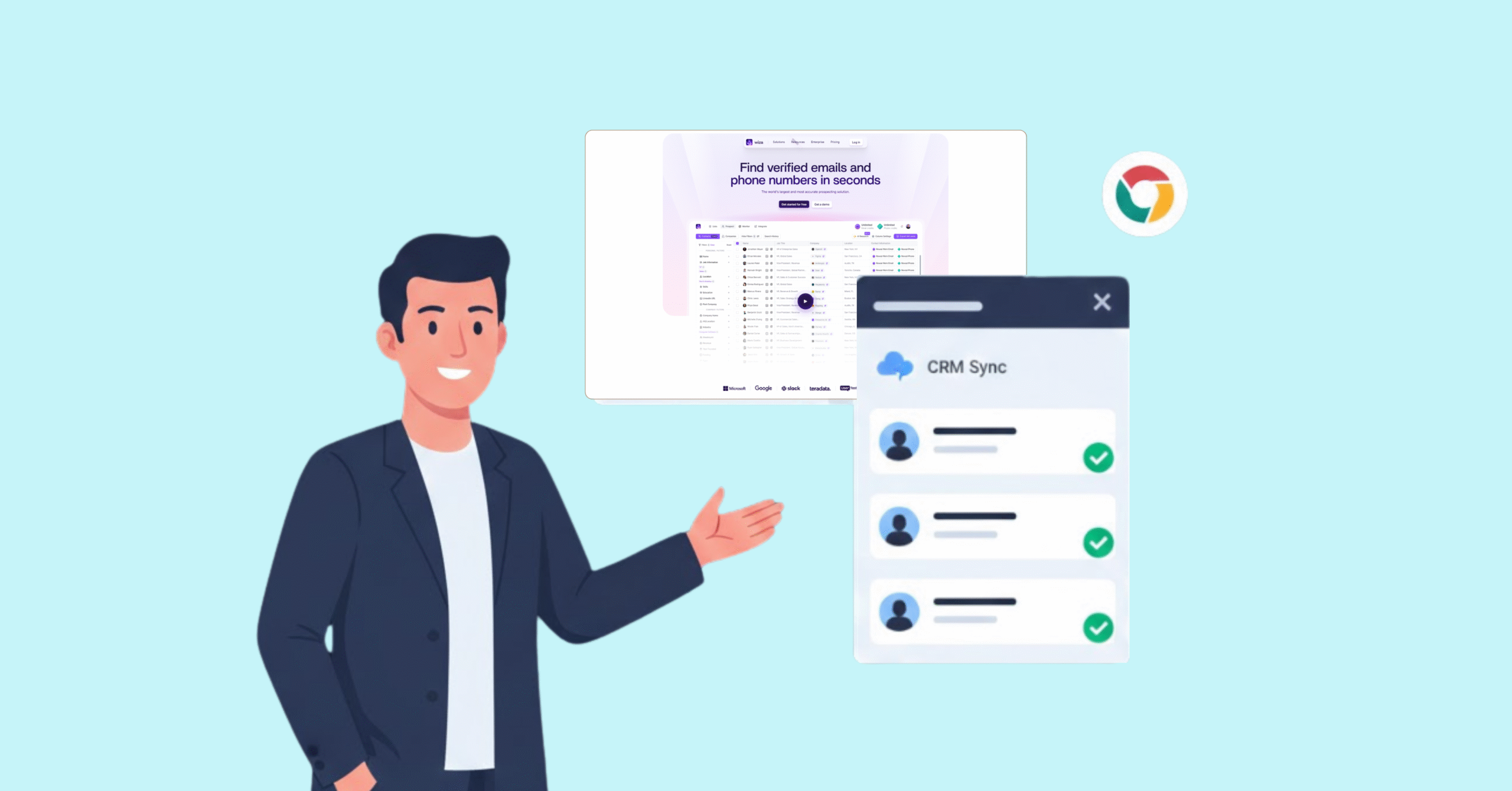
Best Tips on Lead Generation for Technology Companies
Wiza Chrome extension helps users collect contact information from LinkedIn and Sales Navigator. It is designed for sales teams, recruiters, marketers, and other professionals who build prospect lists from LinkedIn. Its main appeal is speed: instead of copying information manually, users can select profiles and export available contact data. However, buyers should verify current pricing, credit rules, data coverage, integrations, and LinkedIn-compliance requirements before using it at scale.
Wiza can be useful for LinkedIn-led prospecting when a team needs a quick way to find and export contact data. It should not be treated as a substitute for independent verification, a complete business database, or a compliance review.
The Wiza Chrome extension is a prospecting tool that works within supported LinkedIn workflows. It is intended to help users identify contact information associated with professional profiles and move that information into a prospecting or customer relationship management workflow.
Depending on the current product configuration, the extension may support individual profile lookups, search-result workflows, Sales Navigator pages, or list-based exports. The exact supported surfaces and available fields should be confirmed in the current Wiza documentation and Chrome Web Store listing before the article is published.
In a typical workflow, a user opens a relevant LinkedIn page, launches the extension, selects one or more profiles, and requests the available contact data. The result may include fields such as a person’s name, job title, company, LinkedIn profile URL, work email address, or phone number. Do not describe any field as guaranteed. Availability depends on the profile, geography, data source, account settings, and the product’s current coverage.
Wiza is most relevant to teams that begin their research on LinkedIn and need to turn that research into an organized prospect list. Typical users include:
The tool is less suitable for buyers who need a broad, independently sourced company database, complex territory management, advanced enrichment, or guaranteed coverage across every target account.
The extension’s value depends on four capabilities: discovery, extraction, organization, and workflow integration.
Users can begin with a LinkedIn profile or a search workflow and use the extension to investigate multiple prospects. Search filters such as job title, company, industry, and location can help narrow the audience before collecting data. The exact filtering and bulk-selection experience should be tested against the current product version.
Wiza is positioned around finding contact information that may not be visible directly on a LinkedIn profile. The extension may return email addresses, phone numbers, or other professional fields when data is available. A successful lookup is not the same as a guarantee that the field is current, complete, or appropriate for outreach.
The existing article describes CSV export and connections to sales and outreach workflows. Before publication, verify the current list of supported destinations and whether each integration is native, available through an automation platform, or limited to a particular plan. Potential destinations mentioned in the existing content include Salesforce, HubSpot, Pipedrive, Outreach, Salesloft, and Zapier. These should be presented only after checking current first-party documentation.
Verification should be described precisely. If Wiza labels a contact as verified, explain what that label means according to Wiza’s current methodology. Avoid unsupported claims such as “real-time verification,” fixed regional hit rates, or a universal accuracy percentage unless a dated test methodology and source supports them.
The basic workflow is straightforward, but the exact buttons and supported pages can change. Use screenshots from the current product version to make this section more useful.
Open the official Wiza listing in the Chrome Web Store and review the publisher, permissions, privacy information, supported browser, and current user feedback. Install the extension only after confirming that the requested permissions are appropriate for your organization’s policies.
Navigate to the LinkedIn profile, search results, or Sales Navigator page you intend to research. Confirm that Wiza’s current documentation supports the page type. If the extension does not appear, check whether the page requires a different account type, browser state, or workflow.
Use the extension to select an individual profile or a group of profiles. Review the available fields before starting a larger export. A small test is preferable to an immediate bulk export because it reveals how credits are consumed and how often the requested fields are available.
Review the returned records for duplicate profiles, missing fields, outdated information, and incorrect company associations. Export the results in the available format or send them to a connected workflow. Apply your own validation and suppression rules before beginning outreach.
If the extension does not work as expected, check whether Chrome is updated, the extension is enabled, the correct LinkedIn page is open, and the user is signed in to the required accounts. Also check whether a credit limit causes the issue, a page type that is not supported, an integration setting, or a temporary service problem. Capture the error message and test with a single profile before escalating the issue.
The Wiza extension supports a range of prospecting and data-capture workflows across sales, marketing, recruiting, and growth teams.
Sales development teams can use Wiza to turn a defined LinkedIn search into an initial outreach list. The most effective workflow is selective rather than indiscriminate: define the ideal customer profile, identify relevant roles, collect a small sample, validate the results, and then expand the search.
ABM teams can use the extension to map contacts at named accounts. It can help identify job functions and possible buying-committee members, but the output should be combined with account research. A contact list alone does not establish that a person is involved in a current buying process.
Recruiters can use LinkedIn research to identify potential candidates and organize professional contact details. They should apply appropriate consent, data-retention, and communication rules, particularly when handling personal information across regions.
Event organizers and partnership teams can use a targeted search to identify speakers, sponsors, attendees, or relevant business contacts. The list should be reviewed manually because role changes and company affiliations can make event research outdated quickly.
The current article mentions free and paid plans but does not provide enough evidence for a reliable pricing summary. Replace this section with a dated table taken from Wiza’s official pricing and credit documentation.
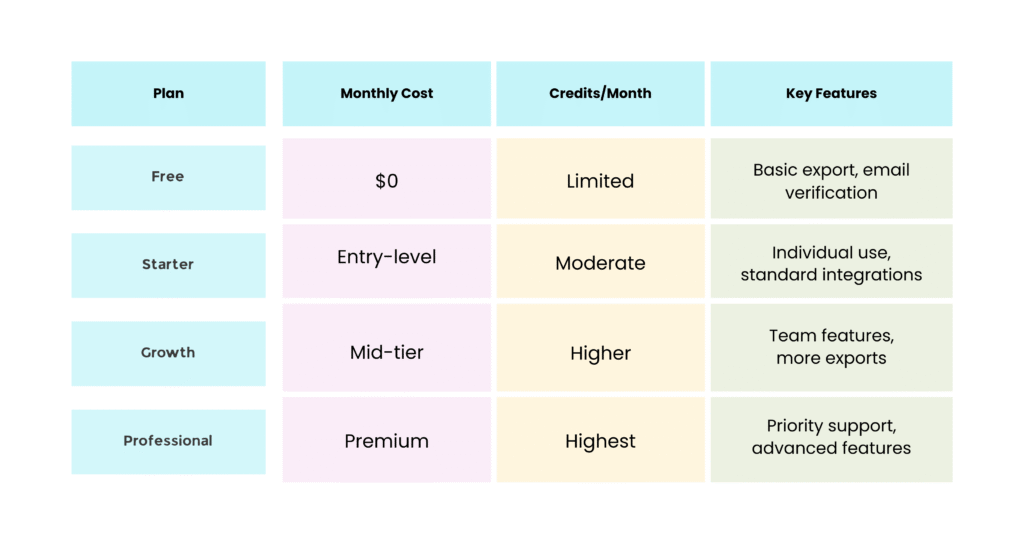
The free tier provides limited credits for testing. It’s useful for evaluating whether Wiza fits your workflow, though credit restrictions make it impractical for regular prospecting.
Starter works for individual contributors with moderate volume. Growth adds team collaboration and higher limits. Professional includes maximum credits and priority support.
A tool may find an email address for one profile and return nothing for another. Coverage can vary by geography, company size, role, source availability, and the freshness of the underlying data. Test the tool on a representative sample of your audience before forecasting results.
Bulk prospecting can consume credits quickly. Teams should calculate the expected cost per usable contact rather than looking only at the monthly subscription price. The calculation should include failed lookups, duplicates, invalid addresses, verification, and the time required for manual review.
Extensions that depend on a third-party website may be affected by layout changes, rate limits, account settings, or changes to platform policies. Avoid promising uninterrupted operation. Keep a manual fallback and monitor the extension after browser or LinkedIn changes.
A product page may mention a CRM or automation connection without explaining whether it is native, plan-limited, or available through another service. Verify each integration, field mapping, export direction, and authentication requirement before making a buying recommendation.
Review support response times, cancellation rules, billing cycles, refund language, and data-retention terms. These details can matter as much as the headline feature list for a team that plans to use the tool every day.
There is no single yes-or-no answer that applies to every use case. Safety and compliance depend on the extension’s permissions, the data collected, the way the data is stored, the legal basis for processing, the recipient of the outreach, and the terms that apply to the platforms involved.
Before using Wiza, review its current privacy policy, terms, security information, and Chrome Web Store permissions. Review the applicable LinkedIn terms and your organization’s rules for browser extensions and prospecting data. Do not describe a product as “GDPR compliant,” “CCPA certified,” or “legally safe” without a specific, current source that supports the exact claim.
Accuracy should be evaluated with a controlled sample, not with an unsupported percentage. Select a representative group of profiles, record the date and source of each known contact detail, run the same workflow for every profile, and measure the results separately.
Useful measures include the percentage of profiles that return an email address, the percentage that return a phone number, the percentage that pass verification, the duplicate rate, the bounce rate, and the number of records that require manual correction. Report the sample size, target audience, test date, and definition of “accurate.”
For example, a responsible review might state: “We tested the extension on [sample size] profiles across [audiences] on [date]. We measured [metrics]. The result is a snapshot of that test, not a universal accuracy guarantee.”
User reviews can reveal practical issues product pages don’t explain, including failed lookups, billing confusion, browser compatibility, support quality, or export friction. However, reviews are not a controlled performance study. They may reflect different plans, regions, use cases, and test methods.
If you include G2, Capterra, Chrome Web Store, or other review-site feedback, show the review date, sample size, rating context, and exact pattern being reported. Do not turn a handful of complaints into a universal conclusion. Likewise, do not use a high average rating as proof of data accuracy.
The best alternative depends on whether the priority is LinkedIn workflow speed, database breadth, verification, enrichment, price, or integrations.
Alternative | Best for | What to compare | Key question before switching |
ReachStream | Teams seeking a broader B2B data workflow | Contact coverage, verification, filters, integrations, and compliance documentation | Does it provide enough verified data for your target market? |
Apollo.io | Teams combining prospecting with engagement workflows | Database scope, sequences, exports, credits, and CRM connections | Do you need an all-in-one sales platform rather than an extension? |
Lusha | Users seeking contact discovery and enrichment | Field availability, pricing, verification, and integrations | Is the coverage strong in your target regions and industries? |
ZoomInfo | Larger organizations requiring extensive company and contact intelligence | Database depth, governance, workflows, and total cost | Does the enterprise feature set justify the procurement effort? |
Hunter | Teams focused on email discovery and verification | Domain search, email verification, API, and campaign workflow | Do you mainly need email work rather than LinkedIn-based prospecting? |
These are positioning categories, not claims that one tool is universally better. Add current prices, supported integrations, and source dates only after checking each provider’s official documentation.
For a wider comparison, link readers to 10 Best Wiza Competitors and ReachStream vs. Apollo.io.
Start with the workflow rather than the feature list. Decide whether the team needs individual lookups, bulk exports, Sales Navigator support, CRM synchronization, email verification, phone numbers, or a broader database.
Next, test a representative sample. Use the same target roles, industries, company sizes, and regions that the team will use after purchase. Track usable contacts, not just returned records.
Finally, assess operational risk. Review browser permissions, platform dependencies, privacy terms, data retention, opt-out handling, integration security, and billing controls. A tool that produces more records but creates more cleanup or compliance work may not be the better option.
For additional context, see ReachStream’s B2B data privacy guide, Salesforce integration guide, and B2B data overview.
The Wiza Chrome extension is best understood as a LinkedIn-led prospecting aid, not as a complete replacement for a B2B data platform. It can reduce manual copying and help teams organize an initial list, but the value depends on contact coverage, verification quality, credit economics, integrations, and the user’s compliance process.
Before adopting it, run a dated sample test, calculate the cost per usable contact, review permissions and data policies, and compare the result with at least one broader database and one email-focused alternative. If the final version of this article includes current prices, claims about accuracy, review trends, legal status, or integration availability, attach a source and date to each claim.
Install it from the official Chrome Web Store listing after reviewing the publisher, permissions, privacy information, and current user feedback. Confirm that your organization’s browser policy allows the extension.
Supported pages can change. Check Wiza’s current documentation for profile pages, search results, Sales Navigator pages, and any bulk workflow before relying on a specific page type.
Available fields depend on the profile and the product’s current coverage. Confirm whether the current version can return names, job titles, company information, profile URLs, work email addresses, phone numbers, and other fields. Treat every field as potentially missing or outdated until reviewed.
The answer depends on the current plan and credit policy. Confirm whether a lookup, verification, export, or failed result consumes a credit. Add the current figures and source date to this article rather than relying on an old plan description.
The existing article describes CSV export, but the current export formats and limits should be verified before publication. Also confirm whether CRM and sales-engagement integrations are native, plan-limited, or available through an automation service.
No extension can remove every platform or account risk. Review permissions and current platform terms, avoid excessive activity, and follow your organization’s browser and data policies. Check current guidance before using the tool at scale.
Access 200M+ verified business emails and grow your sales pipeline effortlessly.
Claim Your 100 Free Export Credits Today!
Don't forget to share this post!















Check out our other blogs!
What Is B2B Data and Why It Matters for Modern Sales Teams
A Buyer’s Checklist for Evaluating B2B Data Providers
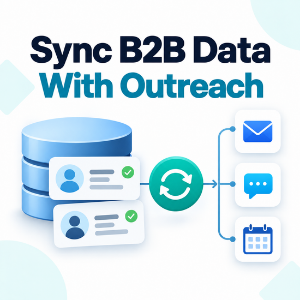
How to Sync B2B Data with Your Outreach Sequences