


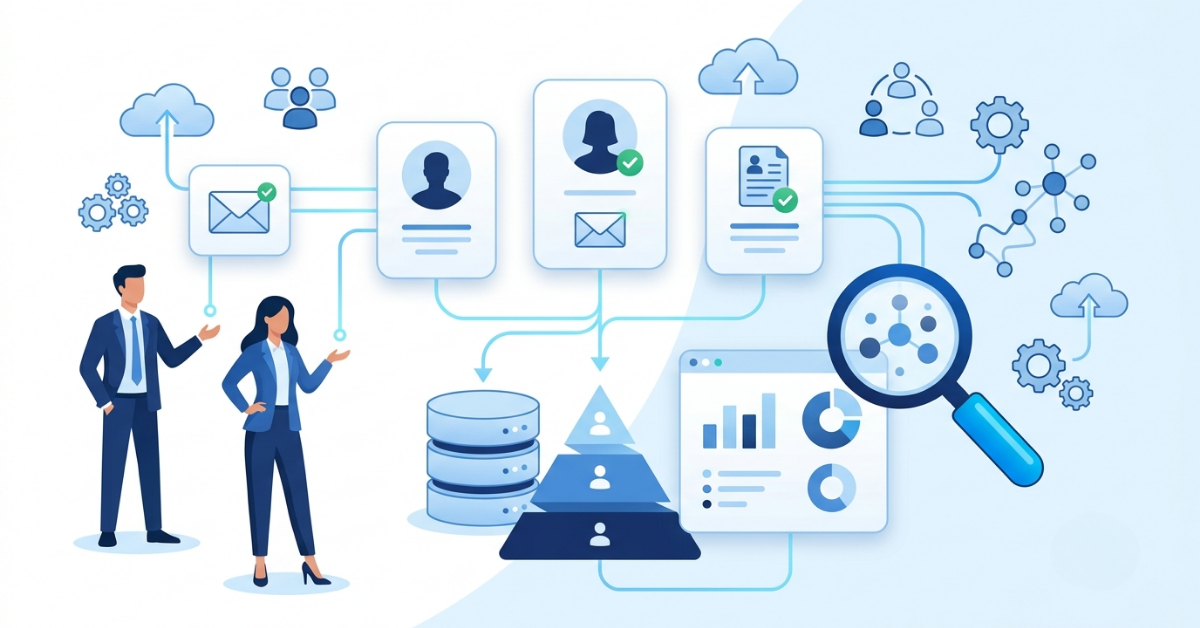
How to Evaluate B2B Data Vendors for Accuracy and Compliance
Microsoft Office 365 runs inboxes, calendars, and file storage for millions of businesses across every industry, from five-person agencies to global enterprises. For B2B sales and marketing teams, that scale of adoption creates a specific, high-intent prospect segment: companies that already pay for cloud productivity tools and already have an IT budget sized for solutions that pair well with what they run. This guide covers practical ways to find, verify, and use email contacts for Microsoft Office 365 users for your next campaign.
Office 365 adoption spans small operations and enterprise accounts, and it says something specific about a company’s technology budget and cloud readiness. A business that pays for Office 365 already funds recurring software costs, already trusts cloud infrastructure, and already has an IT function that approves new vendors. That combination makes Office 365 users a strong-fit audience for CRM add-ons, security tools, managed IT services, and productivity software built to sit alongside Microsoft’s suite.
Reviewing technology insights alongside firmographic filters helps sales teams separate active Office 365 accounts from companies that only trialed it once. ReachStream’s buyer profile guide breaks down how this kind of buyer intent connects to broader technology stack decisions, which matters when your product sits next to Microsoft 365 in a customer’s toolkit.
Not every company using Microsoft email counts as a genuine Office 365 account, and teams that skip this distinction end up with lists full of Google Workspace users and free Outlook.com accounts mixed in with real prospects. A real Office 365 user is a business that pays for a Microsoft 365 Business or Enterprise plan, which usually means dedicated IT administration, an Exchange Online setup, and integration with other Microsoft products like Teams and SharePoint. Filtering on contact data that includes verified technographic fields keeps your segment accurate, rather than relying on data nobody has verified.
Manual research still has a place for small target lists or account-based campaigns built around a handful of named companies. Start with the company website’s leadership or contact page, then cross-check names on LinkedIn to confirm current job titles and departments. Company press releases, case studies published by Microsoft partners, and job postings that mention Microsoft 365 administration often confirm active adoption before you spend a single credit on a paid tool. For teams building lists one contact at a time, ReachStream’s email finder guide walks through ten free and paid methods that pair well with manual research, and the list providers guide compares options once manual work reaches its limit.
Manual research does not scale past a short account list, and that’s where technographic filtering earns its place in the process. B2B data platforms track which companies run specific software by scanning public technology signals, then let you search by that single filter alongside firmographics such as company size, industry, and location. Instead of checking each company one at a time, you set the technology filter to Microsoft Office 365, layer in your target industries, and pull a list of matching companies with verified contacts already attached. ReachStream’s List Builder applies this exact filter combination, and the platform’s own step-by-step guide shows the full process from search to export.
A list of Office 365 users means little if half the addresses bounce on the first send. Business email addresses change often: people move roles, companies merge domains, and old Exchange aliases get deactivated without notice. Verification checks each address against mail server records before it reaches your list, catching invalid domains, full mailboxes, and catch-all addresses that appear valid but later reject messages. This step protects your sender reputation, since mailbox providers and spam filters track bounce rates closely and penalize senders who ignore them. ReachStream’s built-in verifier checks every export before download, and its data accuracy guide explains why B2B contact data decays by roughly 2-3% every month.
Business email contacts generally face fewer restrictions than personal consumer data under most privacy regulations, but compliance remains essential for maintaining strong email deliverability, protecting your sender reputation, and meeting legal requirements. Regulations such as GDPR, CCPA, and CAN-SPAM establish guidelines for consent, opt-out options, and the lawful collection and use of business contact information.
Before launching any B2B email campaign, verify that your data provider clearly explains how contacts are sourced, offers a simple unsubscribe mechanism, and regularly updates its database rather than distributing outdated or inactive records. ReachStream simplifies this evaluation by providing a vendor assessment checklist that helps businesses review data sourcing practices, consent management, regulatory coverage, and data quality before selecting a provider.
Additionally, ReachStream is certified in ISO 27001:2022 and SOC 2, and complies with GDPR, CCPA, PIPEDA, and DPDPA, giving businesses greater confidence in the security, privacy, and compliance of their B2B contact data.
ReachStream built its platform around the exact problem this article covers: connecting technology adoption signals to verified, ready-to-use business contacts. The platform holds 200 million-plus contacts and lets you filter by Microsoft Office 365, along with 20+ other attributes, including job title, company size, industry, and location, so you can build a targeted list instead of downloading an unfiltered database and sorting through it by hand. Every contact carries a verified email checked through the platform’s own verifier, and credits apply only to valid, exportable records, so a bad match never costs you anything. Sales, marketing, RevOps, and recruiting teams pull from the same list to run different campaigns from a single, shared source of accurate data. Read why ReachStream works for teams replacing spreadsheets with a live, filtered contact database, and check current pricing to see how the credit-based model compares with a flat subscription.
A verified contact list only pays off once it reaches a campaign built around it. Segment the list by company size or industry before writing a single email, since a message that fits a 20-person firm rarely fits a 2,000-employee account the same way. Personalize the opening line around a specific detail, such as a recent product launch or a role change, rather than sending a single message to everyone on the list. Warm up a new sending domain slowly, and watch open and reply rates closely for the first few sends so you catch deliverability problems early rather than after a full send. ReachStream’s marketing use case page shows how marketing teams structure segmented campaigns from a single exported list, and the sales use case page covers how reps prioritize accounts once a list lands in the CRM.
Picking a data partner comes down to a few practical checks rather than the size of the number on their homepage. Ask about accuracy percentage, how often records refresh, whether pricing charges you for invalid contacts, and how filtering handles a specific technology like Office 365 alongside your other targeting criteria. A platform built for a small team looks different from one built for a 500-person sales floor, so match the plan to your team size before committing budget. ReachStream’s SMB plan is ideal for smaller teams testing a new list, while the enterprise plan supports larger teams running multiple campaigns across departments at once. Comparing a short list of two or three providers against these points takes less time than fixing a bounced send after launch.
Yes. For B2B contact data, most privacy laws, such as GDPR and CAN-SPAM, permit the collection of professional email addresses tied to a role rather than to a private individual, provided the sender documents the data source, offers a clear opt-out, and follows regional consent rules where they apply.
Technographic data tracks live software signals such as MX records, SPF and DKIM configuration, and public technology mentions in job postings, which show which mail platform a company currently runs rather than which one it used in the past.
Reputable B2B data providers report verified accuracy between 90% and 98%, achieved through SMTP-level checks and regular refresh cycles. Anything below 90% raises the risk of high bounce rates and a damaged sender reputation.
Microsoft rebranded Office 365 as Microsoft 365 in 2020, so most technographic filters treat the two names as the same underlying subscription. Enterprise-tier Microsoft 365 plans add extra security and device management features worth noting for higher-value accounts.
Business contact data typically decays by 2-3% each month as people change roles or companies adjust their technology stack. Refreshing the list every 30 to 90 days keeps bounce rates low and keeps your segment matched to active accounts.
Marketing professional with a Master’s degree in Marketing, specializing in SEO, content strategy, social media, performance marketing, prospecting, and demand generation.
Access 200M+ verified business emails and grow your sales pipeline effortlessly.
Don't forget to share this post!















Check out our other blogs!
What Is B2B Data and Why It Matters for Modern Sales Teams
A Buyer’s Checklist for Evaluating B2B Data Providers
How to Sync B2B Data with Your Outreach Sequences