


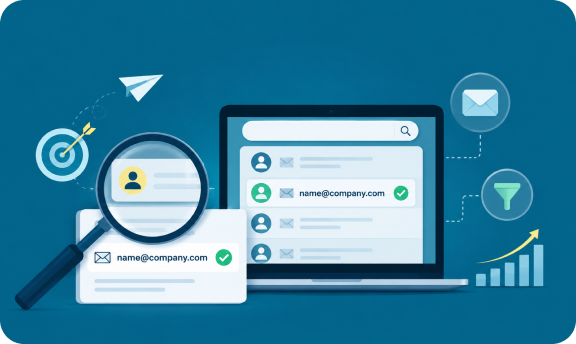

> How to Find
How to Evaluate B2B Data Vendors for Accuracy and Compliance

Cold outreach lives or dies on one detail most reps only think about after a campaign underperforms: whether the email address was ever real to begin with. You can write the sharpest subject line in your pipeline, but if you cannot find business email addresses that actually land in an inbox, the rest of the sequence never gets a chance to work.
This guide walks through the practical ways sales professionals, SDRs, marketers, founders, recruiters, and agencies find business email today, from free manual research to verified B2B contact databases, along with how to check that what you found is actually usable before you hit send.
Every outreach program is only as strong as the list behind it. When teams find business email that turns out to be outdated, mistyped, or attached to someone who left the company two years ago, the damage goes beyond one bounced message. High bounce rates hurt sender reputation, which affects deliverability for every future campaign, including the ones sent to prospects who would have replied.
Sales professionals, revenue operations teams, and recruiters all face the same core problem from different angles. An SDR needs speed. A founder doing early outbound needs something free enough to test before committing budget. An agency running outreach for multiple clients needs a repeatable process that works across industries. The methods below cover all three.
The most basic way to find business email starts with the company website itself. Most businesses list a general contact address, and the domain in that address is the same domain used for individual employee emails.
Once you have the company domain, check these places:
LinkedIn tells you who works where and what their title is. Google search operators help confirm whether an email format has appeared publicly before. Combining site:linkedin.com searches with the target company name narrows down the right person fast, and a follow up business email search for “@companydomain.com” sometimes surfaces an address that has been published in a PDF, forum post, or conference speaker list.
This approach works, but it is slow. Doing this one contact at a time does not scale past a handful of prospects a day, which is exactly the ceiling most reps hit when a list needs to grow past 50 or 100 names.
An email finder automates the domain and pattern guessing work described above. You give it a name and a company, and it returns a probable business contact email address, usually with a confidence score.
This is faster than manual research and is often how teams first learn to get a business email at scale rather than one contact at a time. The trade off is that finder tools vary widely in accuracy, and a lot of the free tier options return unverified guesses rather than confirmed valid emails. A finder that skips verification is really just a faster version of Method 2.
The most reliable way to find business email at real volume is not, in practice, free once you count the hours spent verifying guesses by hand. That is why most growing teams eventually move to a B2B contact database that has already done the collection and verification work. Instead of researching one company at a time, you filter by industry, title, company size, or location and get accurate business email addresses back in minutes.
One example is ReachStream Prospect, which combines verified B2B contacts with advanced search filters, firmographic and technographic insights, and a built-in email verification workflow. Its Chrome Extension emables users to find business email addresses directly from LinkedIn profiles and company websites, while providing mobile numbers for teams running multichannel outreach campaigns.
A B2B business email list is only useful if it is built around the right criteria, not just the biggest count you can export. A list of ten thousand loosely relevant contacts will underperform a well filtered list of one thousand that actually matches your ideal customer profile.
Every business contact you add to a sequence should earn its place through relevance, not just availability. When building a contact list, filter by:
| List Approach | Speed | Accuracy | Best For |
|---|---|---|---|
|
Manual domain research |
Slow |
Medium |
Very small, high value target accounts |
|
Pattern guessing |
Fast |
Low without verification |
Yes, through mailbox level checks |
|
Email finder tool |
Fast |
Medium |
Built for bulk email cleaning |
|
B2B contact database |
Fast |
High |
Built for bulk email cleaning |
It is possible to find business email addresses for free using domain research, LinkedIn, and pattern guessing. These methods cost nothing but time, and time is the real cost. For a founder sending twenty highly targeted emails a week, free methods are often enough.
For teams running outbound at any real volume, the math flips. The hours spent manually verifying formats and chasing down mail servers add up fast, and the bounce rate from unverified guesses costs more in damaged sender reputation than a verified contact database would have cost in the first place.
There is no single correct way to find business email. Manual domain research and pattern guessing are free and workable at a small scale. Email finder tools speed things up but still need a verification step. A B2B contact database is the most reliable option once outreach volume grows, because the collection and verification work is already built in.
Whichever method you start with, the rule stays the same: never send to an address you have not verified. A contact list full of verified emails will always outperform a bigger list full of guesses.
Author

Access 200M+ verified business emails and grow your sales pipeline effortlessly.
Don't forget to share this post!















Check out our other blogs!
Is Buying B2B Data Legal? What You Need to Know
Intent Data: What It Is and How to Use It for Campaign Targeting
What Mid-Market SaaS Teams Need in Lead Gen Tools
ReachStream Prospect for E-commerce Brands: Outbound Case Study