

Written by:

Dhanush D
How to Validate an Email Address in PHP (with Code Example)
How to Evaluate B2B Data Vendors for Accuracy and Compliance

TL;DR
- PHP's filter_var() with FILTER_VALIDATE_EMAIL is the simplest way to check an address's format, but it cannot confirm a mailbox exists.
- Trim input with trim() before validating, so accidental spaces don't cause a false rejection.
- Regex can enforce a custom, narrow rule, but a strict pattern can reject legitimate addresses and a loose one can accept bad ones.
- checkdnsrr() and getmxrr() check whether a domain has mail servers configured, which is a useful signal but not proof a mailbox exists.
- A confirmation email with a one-time link is the most practical way to confirm someone can access an inbox.
- FILTER_FLAG_EMAIL_UNICODE can allow Unicode characters in the local part, but internationalized domains may need separate IDNA handling.
- For stronger checks like disposable or catch-all detection, connect an email verification API from your PHP backend.
Introduction
Email addresses are a key part of registration forms, account updates, newsletters, and customer communication. But forms can collect addresses with typing mistakes, missing characters, or domains that cannot receive email. Accepting these addresses without checking them can create problems later.
PHP gives developers a few ways to check an email address before saving it. You can use a built-in filter for basic format validation, regular expressions for custom rules, and DNS checks to see whether a domain has mail records. For a deeper check, an email verification service can help identify risky or undeliverable addresses.
In this guide, we show how to validate an email address in PHP in a simple way, explain what each method can and cannot tell you, and share examples you can adapt to your website.
Browser Checks Alone Are Not Enough
Server-side validation is important because browser-side checks alone can be bypassed. Always confirm the format on your PHP backend before storing or using an address.
Why Validate Email Addresses in PHP?
Server-side validation is important because browser-side checks alone can be bypassed. When your PHP application receives form data, trim input, check the format, and handle errors before storing or using the address.
Catching bad addresses early helps keep email lists cleaner for future communication, which also protects sender reputation once those lists are actually used for outreach.
Method 1: Validate an Email Using filter_var()
The simplest way to validate an email in PHP is to use PHP’s built-in filter_var() function with FILTER_VALIDATE_EMAIL. It checks whether an address matches PHP’s supported email format rules. You do not need to write a regex for a basic check.
Example:
<?php
$email = "person@example.com";

if (filter_var($email, FILTER_VALIDATE_EMAIL)) {
    echo "Email format is valid";
} else {
    echo "Invalid email format";
}
?>
If the address passes, PHP returns the filtered value, which evaluates as true in this condition. If it fails, the result is false. FILTER_VALIDATE_EMAIL is a good starting point for format validation. It does not confirm that the mailbox exists or that the person can receive your message.
Trim Input Before Validation
Form inputs can contain extra spaces before or after the address. Use trim() to remove surrounding whitespace before you validate. This avoids rejecting an otherwise correctly entered address because of accidental spaces.
<?php
$email = trim($_POST['email'] ?? '');

if (filter_var($email, FILTER_VALIDATE_EMAIL)) {
    echo "Email format is valid";
} else {
    echo "Please enter a valid email address";
}
?>
In a real application, make sure the input is a string, handle errors, and avoid echoing untrusted input without escaping it.
What Does filter_var() Actually Do?
filter_var() applies a filter to a value. With FILTER_VALIDATE_EMAIL, it checks whether an email address follows a supported format. It is useful for a quick, readable check without creating and maintaining your own pattern.
You may see “filter_validate_email” used informally in tutorials, but the PHP constant you typically pass to filter_var() is FILTER_VALIDATE_EMAIL. It is not a standalone function.
PHP also provides FILTER_SANITIZE_EMAIL. Sanitizing attempts to remove characters that are not allowed by that filter; it is not the same as validating an address. Sanitized output still needs validation.
Method 2: Validate Email Addresses Using Regex
A regular expression, or regex, lets you define a pattern that text must match. You may find a PHP email validation regex in tutorials, but email syntax is complicated. A very strict pattern can reject legitimate addresses, while a loose one can accept addresses you do not want.
For most applications, filter_var() is easier to maintain. Use regex only when you have a clear, limited rule that the built-in filter does not cover. The preg_match() example below checks a simple pattern, not the entire email standard.
<?php
$email = "person@example.com";

if (preg_match('/^[^\s@]+@[^\s@]+\.[^\s@]+$/', $email)) {
    echo "Matches the basic pattern";
} else {
    echo "Does not match";
}
?>
If you are deciding between regex and filter_var for email validation, use the built-in filter for general format checks and regex for narrowly defined custom rules.
Method 3: Check Whether the Email Domain Has MX Records
Format validation only checks the structure of an address. To learn more about the domain, PHP can query DNS. MX records identify mail servers that handle mail for a domain. This check can help detect domains that are not configured to receive email, although DNS results alone do not prove that a particular mailbox exists.
You can use checkdnsrr() to check for MX records, or getmxrr() to retrieve mail exchanger information.
<?php
$email = trim("person@example.com");

if (filter_var($email, FILTER_VALIDATE_EMAIL)) {
    $domain = substr(strrchr($email, "@"), 1);

    if (checkdnsrr($domain, "MX")) {
        echo "Email format is valid and MX records exist";
    } else {
        echo "No MX record was found";
    }
} else {
    echo "Invalid email format";
}
?>
This adds a domain-level check. DNS can be slow, unavailable, or configured in ways that make simple checks inconclusive. Some domains may accept mail through fallback routing even without an MX record, so avoid making MX-only logic your entire validation policy.
Sanitizing Is Not the Same as Validating
Sanitizing attempts to remove characters that are not allowed by a filter. It is not the same as validating an address, and sanitized output still needs validation.
Add a Real Verification Check to Your PHP App
Reading about these methods only goes so far.
Add a real verification check to your PHP app and see the structured result it returns.
Can PHP Confirm That a Mailbox Actually Exists?
Manual research still works for a short list of high-value target accounts. If you are selling into twenty specific companies, a research-heavy, personalized approach can outperform a database search.
Where manual research breaks down is scale. Checking company websites and LinkedIn one contact at a time might take fifteen or twenty minutes per verified decision-maker. A B2B contact database compresses that into seconds, provided the underlying data is accurate.
DNS Checks Don't Prove a Mailbox Exists
DNS can be slow, unavailable, or configured in ways that make simple checks inconclusive. Some domains may accept mail through fallback routing even without an MX record.
| Method | What It Checks | Confirms Mailbox Exists? |
|---|---|---|
|
filter_var() |
Format rules |
No |
|
Regex |
A custom pattern you define |
No |
|
MX record check |
Domain mail configuration |
No |
|
Confirmation email |
Inbox access at signup time |
Partially |
|
Email verification API |
Format, domain, SMTP, disposable and catch-all signals |
No guarantee, but a stronger signal |
Method 4: Use an Email Verification API From PHP
Not reliably through format validation alone. A format check and a DNS lookup provide useful signals, but email existence verification is a different step. Even an SMTP check may be inconclusive because servers can hide mailbox information, accept mail for all addresses, throttle requests, or block verification attempts.
For many websites, the practical approach is to send a confirmation email with a one-time link or code. This confirms that the person can access the inbox at that moment. It does not prove identity or guarantee future deliverability.
If you need deeper checks before sending, an email verification API can provide additional signals, such as disposable email detection, catch-all detection, and server-level checks. Use an API key securely on your server and review the provider’s documentation and privacy practices.
A Confirmation Email Confirms Access, Not Identity
A confirmation email confirms that the person can access the inbox at that moment. It does not prove identity or guarantee future deliverability.
Unicode and International Email Addresses
When you need more than format validation, an email verification API can check addresses using additional techniques. This may be useful for registrations, CRM imports, or forms where you want to flag disposable or potentially risky addresses.
A typical integration sends the address to a provider’s endpoint using a cURL request, then reads a JSON response. This example is illustrative; replace the endpoint, headers, and parameters with those from your provider.
<?php
$email = "person@example.com";
$apiKey = "YOUR_API_KEY";
$url = "https://api.example.com/verify?email=" . urlencode($email);

$ch = curl_init($url);
curl_setopt($ch, CURLOPT_RETURNTRANSFER, true);
curl_setopt($ch, CURLOPT_HTTPHEADER, [
    "Authorization: Bearer " . $apiKey
]);
curl_setopt($ch, CURLOPT_TIMEOUT, 10);

$response = curl_exec($ch);
$statusCode = curl_getinfo($ch, CURLINFO_HTTP_CODE);
curl_close($ch);

if ($response !== false && $statusCode === 200) {
    $result = json_decode($response, true);
    print_r($result);
} else {
    echo "Verification request failed";
}
?>
This example demonstrates request structure only. APIs differ in authentication, endpoint, response fields, and error handling. Keep the API key out of public code, handle timeouts and failures, and do not automatically reject every uncertain result.
Why Validate Email Addresses in PHP
- Catch simple typing and formatting errors before saving data.
- Reduce invalid addresses in account and contact records.
- Protect signup and contact forms from some low-quality submissions.
- Make confirmation-email workflows more reliable.
- Help keep email lists cleaner for future communication.
Keep the API Key Out of Public Code
Keep the API key out of public code, handle timeouts and failures, and do not automatically reject every uncertain result, the same way you would protect any role-based address signal or other sensitive field your verification call returns.
Format Validation vs. Email Verification
Some email addresses use international characters. PHP’s FILTER_VALIDATE_EMAIL normally follows a limited set of supported formats. FILTER_FLAG_EMAIL_UNICODE can allow Unicode characters in the local part of an address when used with FILTER_VALIDATE_EMAIL, where supported.
<?php
$email = "name@example.com";

if (filter_var(
    $email,
    FILTER_VALIDATE_EMAIL,
    FILTER_FLAG_EMAIL_UNICODE
)) {
    echo "Accepted by this filter";
} else {
    echo "Not accepted";
}
?>
Unicode support is not the same as support for internationalized domain names. Domains with non-ASCII characters may need IDNA conversion to ASCII form before DNS operations. If your application supports Unicode email addresses, test the exact formats you plan to accept.
Unicode Support Isn't the Same as Domain Support
Unicode support is not the same as support for internationalized domain names. Domains with non-ASCII characters may need IDNA conversion to ASCII form before DNS operations.
Which PHP Email Validation Method Should You Use?
Format validation checks whether the address is structured correctly. Verification adds checks such as domain, DNS, SMTP, or confirmation-email steps to gather more evidence about its usability.
For most forms, start with trim() and filter_var() using FILTER_VALIDATE_EMAIL. This keeps validation simple and readable. Add an MX lookup if checking domain mail configuration is useful, but treat it as an additional signal rather than a final verdict.
If your app needs stronger checks, such as flagging catch-all domains or cleaning a large list with a bulk email verifier, consider a verification service. Combine server-side validation with a confirmation email and sensible handling for uncertain results.
Connect Verification to Your Own Backend
The same account and credits work across the API, the MCP connector, and the Bulk Email Verifier. Connect verification to your own backend today.
Conclusion
PHP makes it straightforward to validate an email address’s basic format using filter_var() and FILTER_VALIDATE_EMAIL. With a few extra steps, you can also check DNS records, handle Unicode input, or connect to an email verification API.
Keep your checks practical. Validate on the server, explain errors clearly, avoid relying on regex alone, and use confirmation emails when you need to confirm inbox access, the same way real-time email verification confirms an address the moment it is submitted.
If your workflow runs through an AI client instead of a PHP script, an MCP-based connector can offer a similar check without writing an integration at all. These steps help your app collect cleaner email data without making signup harder than it needs to be.
Pick the Plan That Covers Your Request Volume
See and pick the plan that covers how many requests your app sends each month.
Frequently Asked Questions
How do I validate an email address in PHP?
Trim the input and use filter_var($email, FILTER_VALIDATE_EMAIL). This checks the address’s format against PHP’s supported rules. You can add DNS checks or confirmation emails when needed.
What does PHP's filter_var() do for email validation?
With FILTER_VALIDATE_EMAIL, filter_var() checks whether the value matches a supported email format. It returns the filtered value when accepted or false when it fails.
What are the limitations of FILTER_VALIDATE_EMAIL?
It checks syntax, not mailbox existence or delivery. Its supported format rules may reject some legitimate internationalized addresses and it cannot confirm that an inbox is active.
How do I validate email addresses with international characters in PHP?
FILTER_FLAG_EMAIL_UNICODE can permit Unicode in the local part when used with FILTER_VALIDATE_EMAIL. Internationalized domains may require IDNA conversion and separate handling.
How do I check if an email domain has MX records in PHP?
Use checkdnsrr($domain, ‘MX’) to check for MX records, or getmxrr() to retrieve mail exchangers. DNS checks do not confirm a mailbox.
What is the difference between email format validation and email verification?
Format validation checks whether the address is structured correctly. Verification adds checks such as domain, DNS, SMTP, or confirmation-email steps to gather more evidence about its usability.
Should I use regex or filter_var to validate email in PHP?
For general email format validation, filter_var() with FILTER_VALIDATE_EMAIL is a practical default. Use regex for specific custom patterns, not as a replacement for every email rule.
How do I verify that an email address actually exists in PHP?
PHP cannot reliably prove mailbox existence with a format check alone. A confirmation email is a practical way to confirm access. SMTP or third-party checks may provide additional signals but can be inconclusive.
How do I call an email verification API from PHP?
Use cURL or another HTTP client to send the address and your API key to the provider’s endpoint. Parse the response, handle errors and timeouts, and follow the provider’s documentation.
Dhanush D
Author
Dhanush D

Dhanush D is a Technical Specialist at ReachStream. He writes about email verification, deliverability, list hygiene and data compliance, explaining how each one works behind the scenes in plain language so sales and marketing teams can send with confidence.
Share
Table of Contents
One API call, one clear result, no guesswork. Add real email verification to your PHP app today.
One API Call, One Clear Result
Dhanush D is a Technical Specialist at ReachStream. He writes about email verification, deliverability, list hygiene and data compliance, explaining how each one works behind the scenes in plain language so sales and marketing teams can send with confidence.
Don't forget to share this post!















Check out our other blogs!
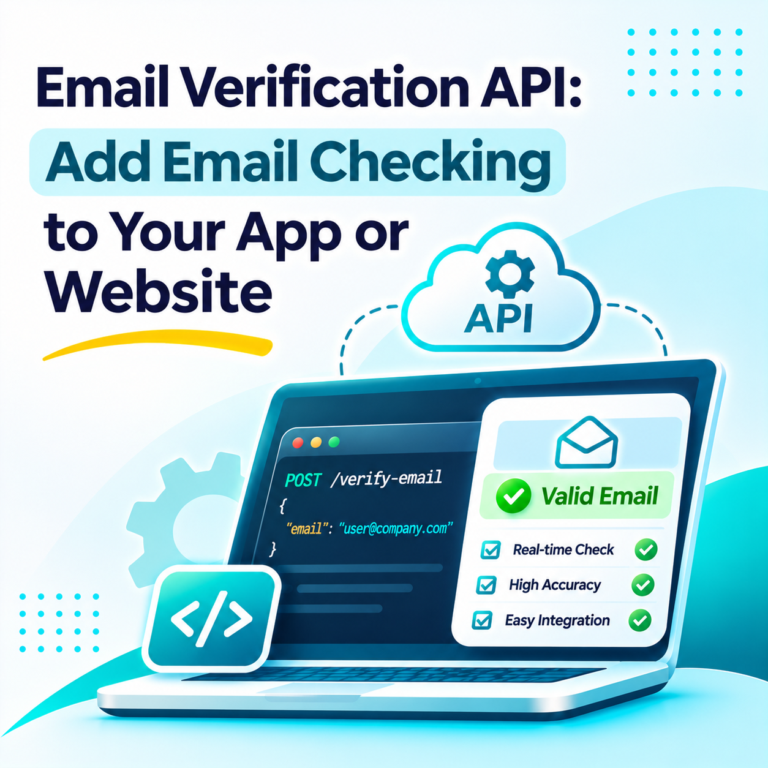
Email Verification API: Add Email Checking to Your App or Website
November 20, 2026

5 Ways to Use Email Verification Inside AI Agent Workflows
November 20, 2026

What Is MCP? A Simple Guide for Sales and Marketing Teams
November 19, 2026