

Written by:

Junaid Hussain Khan
What Is MCP? A Simple Guide for Sales and Marketing Teams
How to Evaluate B2B Data Vendors for Accuracy and Compliance

TL;DR
- MCP (Model Context Protocol) is an open standard that lets AI applications connect to external tools, services, and data sources through a shared protocol.
- Anthropic introduced MCP in November 2024 and released it as an open-source project.
- MCP uses a client-server architecture: an AI application acts as the client and connects to a server that exposes specific tools or resources.
- MCP does not replace APIs; an MCP server may rely on a service's API behind the scenes.
- Claude, Cursor, and Visual Studio Code are among the applications that support MCP today.
- For sales and marketing teams, MCP can connect CRM data, campaign reporting, and content repositories into the same AI-assisted workflow.
- MCP does not guarantee accuracy, security, or autonomous task completion; results depend on the server, the service, and the permissions granted.
Introduction
AI tools are becoming more useful when they can work with the information and systems teams already use. But an AI assistant that cannot access your CRM, campaign data, documents, or other business tools may have limited context.
What is MCP, and how can it help? The Model Context Protocol (MCP) is a standard that helps AI applications connect with external systems, data sources, and tools through a consistent interface.
Think of MCP as USB-C for AI. Instead of building a separate, custom connection for every tool, compatible apps can use a shared approach to discover and interact with available capabilities. This guide covers mcp explained, how it works, and practical ways sales and marketing teams can use it.
Not a CRM, Not an Automation Platform
MCP offers a shared way for AI applications to connect to tools, data, and workflows. Rather than treating every connection as a separate integration, it gives compatible AI clients and servers a common protocol to work with.
For sales and marketing teams, the practical value is in carefully configured workflows that bring useful business context into AI-assisted tasks, such as keeping CRM contact data clean as part of that same workflow. Start with a trusted server, narrow permissions, and a workflow where connected information can save time.
What Is Model Context Protocol (MCP)?
What is model context protocol? It is an open-source standard that allows AI applications to connect to external tools, services, and data sources. MCP defines how an AI app can discover capabilities and exchange information with a connected system.
Anthropic introduced MCP in November 2024 as an open standard for connecting AI assistants with the systems where data and tools live. It is designed to reduce the need for one-off integrations, giving compatible applications a common way to connect, in much the same way ReachStream’s own MCP server gives any compatible client one way to reach its verification tools.
How Does MCP Work?
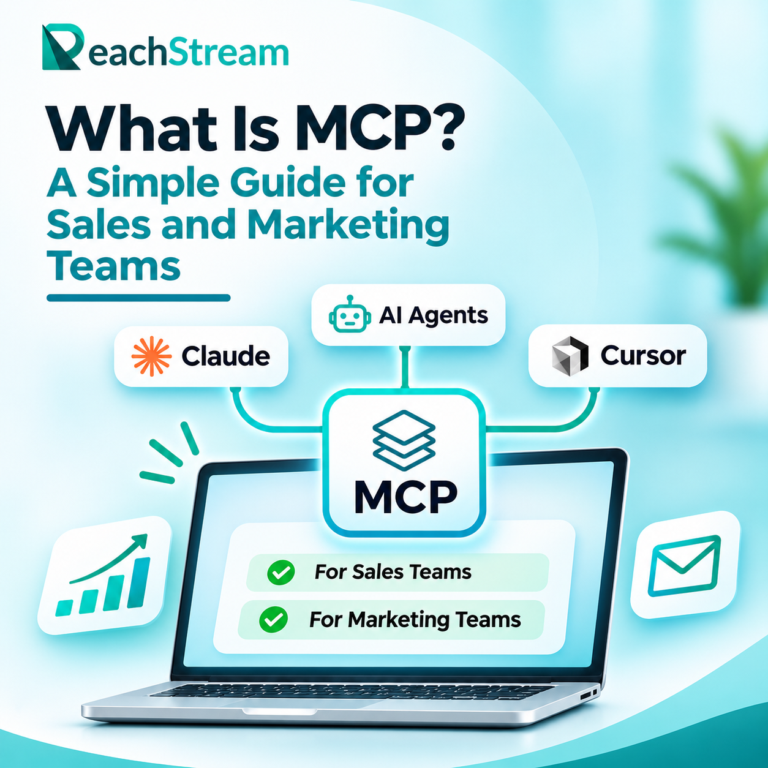
It typically uses a client-server architecture. An AI application acts as the MCP client and connects to an MCP server, which makes specific tools, resources, or prompts available. The client and server communicate using the protocol’s defined messages.
In a simplified flow, an AI application connects to a configured MCP server, the server describes the capabilities it offers, the AI application uses those capabilities in response to a user’s request subject to permissions and approval controls, the server interacts with its underlying system and returns relevant results, and the AI uses those results to help complete the task or answer the question.
Connections may use stdio transport for local processes or HTTP-based transports for remote servers, depending on the implementation.
What Is an MCP Server?
An MCP server is a program or service that exposes selected capabilities to MCP-compatible applications. It can provide access to data, offer tools to perform tasks, or supply contextual resources.
For example, a server could allow an AI assistant to search a company knowledge base, read files, query a database, or interact with a supported business system, the same way ReachStream’s Email Verifier shows how a real verification check works.
The server does not automatically grant unrestricted access. Its configuration, the connected system’s permissions, and the AI application’s controls determine what can be accessed or performed.
MCP Client and Server: What's the Difference?
The MCP client is the component associated with the AI application that initiates and manages a connection. The server is the component that provides the capabilities. Together, mcp client and server enable a standardized exchange without requiring the AI application to implement a unique connection for every service.
MCP vs API: What's the Difference?
MCP vs API is not an either-or comparison. APIs are interfaces that software systems use to communicate; many services already have APIs, including ReachStream’s own Email Verifier API. MCP provides a standardized way for AI applications to discover and use tools or resources exposed through MCP servers. An MCP server may itself rely on a service’s API behind the scenes.
A traditional API integration often requires developers to design how an application calls a particular service. MCP can standardize how AI clients discover and interact with capabilities across compatible servers. It does not replace APIs or make every integration effortless; systems still need implementation, authentication, permissions, and configuration.
The Server Decides What Can Be Reached
MCP itself is not an AI model, CRM, or automation platform. It is the protocol that helps an AI application interact with other systems when configured and authorized to do so.
See a Connected MCP Server in Action
Reading about MCP only goes so far. See ReachStream Email Verifier‘s own MCP server running inside a real conversation.
Which AI Apps Support MCP?
MCP support has grown across AI applications and developer tools. Claude is among the early applications to support MCP, and developer environments such as Cursor and Visual Studio Code have also incorporated MCP-related capabilities.
Support, configuration options, and available integrations can vary by app and version, so check the product’s current documentation before setting up a connection, the same way you would confirm how connecting an MCP server to Claude Desktop actually works before relying on it.
Not an Either-Or With APIs
The server does not automatically grant unrestricted access. Its configuration, the connected system’s permissions, and the AI application’s controls determine what can be accessed or performed.
| Step | What Happens |
|---|---|
|
Connect |
An AI application connects to a configured MCP server. |
|
Describe capabilities |
The server describes the capabilities it offers, such as tools or resources. |
|
Request |
The AI application uses those capabilities in response to a user’s request, subject to permissions and approval controls. |
|
Execute |
The server interacts with its underlying system and returns relevant results. |
|
Respond |
The AI uses those results to help complete the task or answer the question. |
MCP Use Cases for Sales and Marketing Teams
MCP for AI agents can make it possible for an AI assistant to use connected tools as part of a workflow rather than simply generating text. These mcp use cases depend on which servers a team has configured and what permissions are granted.
MCP for Sales Teams: a configured assistant could retrieve account information from a CRM, look up meeting notes, summarize a prospect’s history, or help prepare a follow-up. A sales rep might ask an assistant to summarize recent interactions with an account, using authorized CRM and document sources, without the rep switching between several applications.
MCP in Marketing: connecting campaign reporting, content repositories, analytics, and planning tools lets a marketer ask an AI assistant to compare campaign performance, retrieve approved messaging, or assemble a draft report from connected sources, the same conversational pattern a bulk email verifier check follows before a list goes out. Any changes should remain governed by appropriate access and review.
Other Potential Use Cases: research and reporting that gathers information from permitted data sources into a structured summary, content workflows that retrieve approved brand guidelines and assets, and operational assistance that helps organize tasks with appropriate review before actions are taken.
Results Still Depend on Setup and Permissions
MCP vs API is not an either-or comparison. An MCP server may itself rely on a service’s API behind the scenes, so the two usually work together rather than compete.
Why MCP Matters
A free plan is a reasonable way to test data quality in your specific industry before paying for anything. Most free tiers cap monthly exports or limit which fields you can see, which is normal and expected.
Quick Checklist: Before You Trust a Server
- Use trusted servers and review the permissions they request.
- Limit access to the minimum necessary for the task.
- Protect credentials and avoid exposing them in chat.
- Treat any consequential action as needing user approval or human review.
Security Starts With Minimum Access
MCP does not guarantee accuracy, interoperability with every system, security, or autonomous task completion. Results depend on the server, the connected service, the model, the setup, and the permissions involved.
Is MCP Safe to Use?
MCP is useful because it provides an open standard for AI applications to connect to tools and information in a consistent way. As organizations adopt more AI assistants and agents, a shared protocol may reduce duplicated integration work and make workflows easier to extend.
It can also help AI systems use business context that would otherwise remain separated across applications. However, MCP does not guarantee accuracy, interoperability with every system, security, or autonomous task completion.
Results depend on the server, the connected service, the model, the setup, and the permissions, the same variables that shape how well any email verification workflow performs once it is connected.
Support Varies by App and Version
Support, configuration options, and available integrations can vary by app and version, so check the product’s current documentation before setting up a connection.
Do You Need to Know How to Code?
MCP connections can involve access to sensitive data or actions, so security should be part of the setup. Teams should use trusted servers, review the permissions they grant, limit access to the minimum necessary, protect credentials, and understand what data is sent to each connected service. Treat a tool call as needing user approval or human review for any consequential action.
Connect Verification to Your Own AI Client
The MCP connector uses the same account and credits as every other way to verify.
Explore ReachStream Email Verifier to connect verification to your own AI client.
Conclusion
Not necessarily. Users may be able to connect prebuilt MCP servers through an AI app’s settings or supported integrations, the way protecting sender reputation works without any coding at all. Building, hosting, troubleshooting, or customizing servers generally requires technical skills. The experience varies between applications and providers.
Pick the Plan That Covers Your Request Volume
See how the MCP connector, the Bulk Email Verifier, and the Email Verifier API all draw from the same account, then pick the plan.
Frequently Asked Questions
What is MCP (Model Context Protocol)?
MCP is a standard that helps AI applications connect to external tools, services, and data sources through a shared protocol.
Who created MCP?
Anthropic introduced MCP in November 2024. It was created at Anthropic by David Soria Parra and Justin Spahr-Summers, and released as an open-source project.
How does MCP work?
An AI application connects through an MCP client to a server that exposes selected resources or tools. The client can use these capabilities, subject to configuration and permissions, and receive results.
What is an MCP server?
An MCP server is a program or service that exposes resources, tools, or other capabilities for MCP-compatible AI applications to use.
What is the difference between MCP and an API?
An API is an interface for software communication. MCP standardizes how compatible AI clients discover and interact with tools or resources exposed by MCP servers; servers may use APIs internally.
Which AI apps support MCP?
Examples include Claude and developer tools such as Cursor and Visual Studio Code. Support and setup vary by product and version.
Why does MCP matter for sales and marketing teams?
It can help AI assistants use context and capabilities from connected CRM, analytics, campaign, content, and other business tools, potentially reducing manual app switching.
Is MCP safe to use?
It can be used securely, but safety depends on server trust, access controls, permissions, credential handling, and review of potentially consequential actions.
Do I need to know how to code to use MCP?
Not always. Some apps support connecting prebuilt servers, while developing, hosting, or customizing servers typically requires technical skills.
Junaid Hussain Khan
Author
Junaid Hussain Khan

Junaid Hussain Khan is a Senior Manager, Business Development at ReachStream. He leads strategic partnerships, uncovers new market opportunities, and helps drive ReachStream’s growth and its position in the B2B ecosystem.
Share
Table of Contents
One chat, one live check, no separate tool to switch to. Explore real-time email verification through ReachStream’s MCP connector today.
One Chat, One Live Check
Junaid Hussain Khan is a Senior Manager, Business Development at ReachStream. He leads strategic partnerships, uncovers new market opportunities, and helps drive ReachStream's growth and its position in the B2B ecosystem.
Don't forget to share this post!















Check out our other blogs!
Email Verification API: Add Email Checking to Your App or Website
November 20, 2026

5 Ways to Use Email Verification Inside AI Agent Workflows
November 20, 2026
What Is MCP? A Simple Guide for Sales and Marketing Teams
November 19, 2026