


To find a Business Owners Email Address for free, start with the company’s About, Team, Leadership, Contact, or newsroom pages. Identify the owner or founder, confirm the company domain, and look for a published business email. If none is listed, use legitimate discovery methods or a possible email pattern, then verify the address before contacting the person and honor applicable privacy and opt-out rules.
A free search can identify the right person and company, but it may not reveal a usable email address. Treat every guessed format as a hypothesis, not a confirmed address. Keep the source and date for each record, avoid private personal addresses, and contact people only when your message and data use are appropriate for the relevant jurisdiction.
A business owner’s email address is a professional email account used to contact the person who owns or controls a company. It may be an individual business email, such as name@company.com, or a role-based address, such as info@company.com or sales@company.com.
The person may be described as an owner, founder, CEO, managing director, or another executive. These titles are not interchangeable. A founder may no longer run the company, a CEO may be an employee rather than an owner, and a managing director’s authority varies by country and business structure.
An individual business email identifies one person. A role-based email reaches a function or department. A personal email belongs to an individual outside the company’s professional domain and should not be treated as a prospecting target merely because it is discoverable. A verified business email has passed an email-validation process, but verification does not prove that the person gave permission to receive marketing or that the address will remain active indefinitely.
The most reliable free workflow is to identify the company and decision-maker first, then locate and verify a professional address. You can use these eight methods:
Each method produces a different kind of evidence. A company website may publish a real address. LinkedIn may confirm the person’s role but not show an email. A directory may provide an outdated phone number or role. An email finder may return a possible address that still requires validation. Record what the method actually establishes instead of presenting an inference as a fact.
The official company website should usually be your first source because it provides context for the person’s identity, role, and company domain. Begin with the company’s own domain rather than a third-party profile or data listing. A business owner list can support larger research projects, but manual source checking remains valuable when you are researching one business.
Search the company name together with its location or industry. Check the domain carefully for spelling, regional variations, and impersonation risk. A social profile or directory may lead you to the wrong company, so confirm the domain through the organization’s own website and other consistent business details.
Look for pages titled About, Our Team, Leadership, Management, Founder, or Executive Team. Note the person’s full name, title, company name, location, and any other information that confirms the relationship. Do not assume that the first executive listed is the owner.
Review the Contact, Press, Media, Newsroom, Investor Relations, and Locations pages. These pages sometimes publish a business email for a founder, press contact, or executive office. Use a publicly listed address for the purpose stated on the page; a media contact is not automatically an invitation for sales outreach.
Cross-check the person’s name and role against the company’s website, a professional profile, a public filing, or a reputable industry source. Pay attention to former employees, similarly named companies, and owners who use a trading name that differs from the legal entity.
Record the domain used by the business, such as company.com. Do not infer that the owner uses the same domain if the website uses a franchise, parent-company, agency, or hosted email address. The domain should be tied to the company and the person’s current role.
If an email is published on an official business page, copy it exactly and save the page URL and date accessed. Prefer a professional address over a personal mailbox. If the site provides only a form or general inbox, use that channel instead of trying to uncover a private address.
Common formats include firstname@domain.com, first.last@domain.com, and f.lastname@domain.com. These are possible formats only. A pattern guess is not evidence that the mailbox exists or belongs to the person.
Run the possible address through an email-verification service before sending. Separate results such as valid, invalid, catch-all, risky, and unknown where the tool provides them. Do not treat a catch-all result as confirmation of a particular mailbox.
Maintain a simple record containing the person’s name, role, company, domain, address, source URL, collection date, verification status, verification date, and opt-out status. This prevents old research from being treated as current data.
Professional networking platforms can help you confirm an owner, founder, CEO, managing director, industry, location, and current company. Use the profile to validate identity and company affiliation, then return to the company’s official domain for contact information. A LinkedIn extension can support permitted prospect research, but do not scrape personal information, bypass platform restrictions, or collect data that is unnecessary for your stated purpose.
Check whether the profile is current, whether the person lists the company as their present employer, and whether the company name matches the official website. A profile may identify the right person without disclosing an email address. In that case, use the platform’s professional connection feature or the company’s public contact channel rather than attempting to obtain a private address.
Search operators can surface public business information, but they cannot reliably reveal private contact details. Use them to find pages that the company or individual has already made public. The ReachStream articles hub can provide additional context for B2B research, but search evidence should still be combined with independent identity and domain checks.
Useful searches include:
Review the page context carefully. A search result can be copied, outdated, or unrelated to the person you need. Do not use an exposed address from a data leak or a page that clearly publishes it for a different purpose.
When the owner’s name and company domain are known but no address is published, you can test common business-email structures:
Email pattern ≠ verified email address.
Companies often use a consistent convention, but the convention may change after a merger, domain migration, or rebrand. Some businesses use initials, nicknames, departments, subdomains, or role-based inboxes. Generate only a small number of reasonable candidates, verify them, and retain the evidence for the result you use.
A verification result may indicate that the domain exists while the individual mailbox cannot be confirmed. Catch-all domains are a common example: the server accepts many addresses, but the result does not prove that a particular mailbox is monitored.
Business directories, chambers of commerce, licensing registers, trade groups, and professional associations can help identify the company, owner, executive, industry, and location. They may also publish a general business phone number or contact address. A company directory is useful for discovery, but a directory record is not automatically current or verified.
Check the date of the listing, the directory’s update process, and whether the contact information is intended for public business communication. Compare important details with the company website. If the directory lists only a general inbox, use it for an appropriate business inquiry instead of converting it into an individual address.
Webinar speaker pages, conference agendas, industry communities, association events, speaker biographies, and company presentations can identify the person who owns or leads a business. They are especially useful when the company website has limited leadership information. A related B2B data guide can help explain how identity, firmographic, and contact fields fit together in a research workflow.
Use these sources to confirm the person’s role and professional context. Do not extract a personal email from a community profile unless the person has clearly provided it for business contact. When no email is published, contact the event organizer, use the company’s public channel, or send a professional connection request.
Some email-finder services offer limited free searches, trial credits, or free verification for a small number of addresses. Availability, quotas, and features change, so check the provider’s current first-party terms before publication or use. Do not describe one tool as the universal “best” free option.
A useful email-finding guide should help you distinguish a discovered address from an inferred format. Compare tools by the evidence they show, result categories, catch-all handling, export controls, privacy terms, and support for removal requests. A free result still needs identity, domain, and compliance checks.
B2B databases can help identify companies, owners, founders, job titles, business emails, locations, industries, and other company information. They differ from manually researching one contact because they are designed to support repeated searches, filtering, verification, and list management. ReachStream’s contact data platform is one example of a B2B research workflow; readers should still evaluate the source, freshness, and lawful use of every record.
For a single owner, manual research may be sufficient. For a larger project, define the target market first, filter by role and geography, review the records, verify the selected addresses, and preserve source and suppression fields. Avoid exporting more data than you need.

Free methods are suitable for small-scale research. They require more manual work, provide variable coverage, and often limit the number of searches or exports. They are useful when you need to understand one company or validate a small set of contacts, but they do not remove the need for verification and responsible outreach.
Paid B2B data tools may provide larger-scale research, advanced filtering, enrichment, exports, integrations, and repeatable workflows. They are not automatically more accurate or legally suitable. Evaluate coverage, freshness, verification methodology, privacy terms, access controls, suppression support, and total cost. If you need to update incomplete records, data enrichment is a separate workflow from simply finding an email address.
ReachStream can be relevant when manual research no longer scales. Its current product pages describe contact and company discovery, role and firmographic filters, list building, data enrichment, a Chrome Extension, and email-verification workflows. Read the business owners article for market context, then confirm current capabilities in the product interface before relying on a claim.
For a focused use case, the built-in verifier can be considered alongside a separate email-verification workflow. These tools support research and data preparation; they do not replace identity checks, lawful-basis analysis, message relevance, or suppression management.
The most common errors are treating a guessed email as verified, relying on outdated information, confusing a company with its owner, or contacting the wrong executive. Other mistakes include using a personal email address, ignoring an opt-out, assuming public information equals marketing permission, failing to verify an address, and repeating a record that has already bounced.
Also avoid copying old tool limits or pricing into new content, collecting unnecessary personal information, and claiming that a verification result guarantees delivery. A defensible workflow is narrower: identify the person, confirm the company, locate a professional channel, verify the address, document the evidence, and stop when the recipient asks you to stop.
The practical answer to “how to find a business owner’s email address for free” is a verification workflow, not a single search trick. Start with the company website, identify the correct owner or decision-maker, confirm the domain, locate a published or possible professional address, verify it, document the source and date, and contact the person responsibly. If the address is not public, use a public business channel rather than trying to uncover private information.
If you need to research many companies, compare the cost and coverage of manual work with a structured B2B data process. Keep product, pricing, quota, and compliance information current before publication.
Start with the official domain and inspect the About, Team, Leadership, Contact, newsroom, and press pages. Confirm the person’s current role and look for a published professional address. If none is listed, use a possible company email pattern only as a hypothesis, verify it, and record the source and date.
Check the company website, public professional profile, conference biography, webinar page, association listing, or published business contact channel. A founder may not be the current owner or CEO, so confirm the role before contacting them. Do not substitute a private email for a professional business channel.
Run the address through a reputable verifier after checking the syntax and company domain. Review whether the result is valid, invalid, risky, unknown, or catch-all. Keep the verification date and remember that validation does not establish consent or guarantee engagement.
Use the company’s contact form or a relevant role-based inbox, send a professional connection request, or ask for the appropriate contact. You can also use a legitimate B2B data provider with transparent terms. Respect requests not to be contacted and suppress the record.
The legality depends on the jurisdiction, the source and use of the data, the type of message, and the recipient’s rights. Guessing a format is not the same as having permission to send. Obtain legal advice for a specific campaign and follow applicable privacy, electronic-marketing, and opt-out requirements.
There is no universal yes-or-no answer. CAN-SPAM imposes requirements on many commercial emails in the United States, while GDPR and country-specific electronic-marketing rules impose different obligations in Europe. Assess lawful basis, consent requirements, transparency, relevance, sender identification, and opt-out handling for the recipient’s jurisdiction.
A role-based address belongs to a function, such as info@company.com or sales@company.com, and may be monitored by several people. An individual business email belongs to one professional, such as jane@company.com. A personal email is outside the business domain and should not be used for prospecting merely because it is available.
There is no permanent universal winner. Free quotas, trial credits, search coverage, export rules, and verification features change. Compare current first-party terms, result quality, evidence shown, catch-all handling, privacy practices, and removal controls instead of choosing only by the advertised number of searches.
Reverify before a new campaign and whenever a record is old, high-risk, bounced, or linked to a company undergoing change. The right interval depends on the data source, industry, campaign frequency, and risk tolerance. Keep the original verification date so the age of each result is visible.
Provide a clear contact or unsubscribe route, record the request, suppress the address and related identifiers where appropriate, and do not re-add the person from another list. Share the request with relevant systems and vendors. Follow applicable legal retention and deletion requirements for your organization.
Don't forget to share this post!















Check out our other blogs!
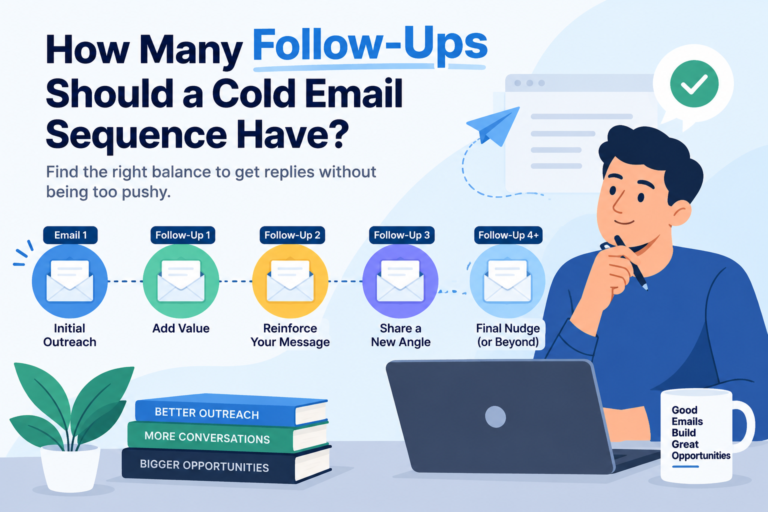
How Many Follow-Ups Should a Cold Email Sequence Have?

How a Medical Device Company Can Reach Hospital Decision-Makers
What Data Fields Should a Healthcare Marketing Database Include?
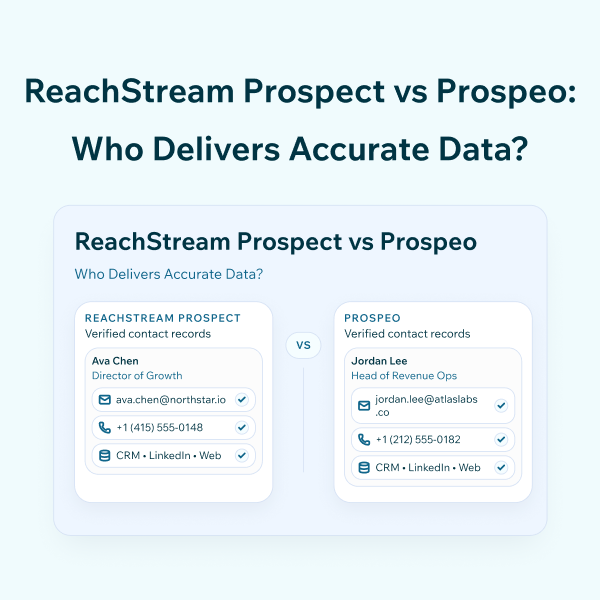
ReachStream Prospect vs Prospeo: Who Delivers Accurate Data?