



> Best Practice
How to Evaluate B2B Data Vendors for Accuracy and Compliance

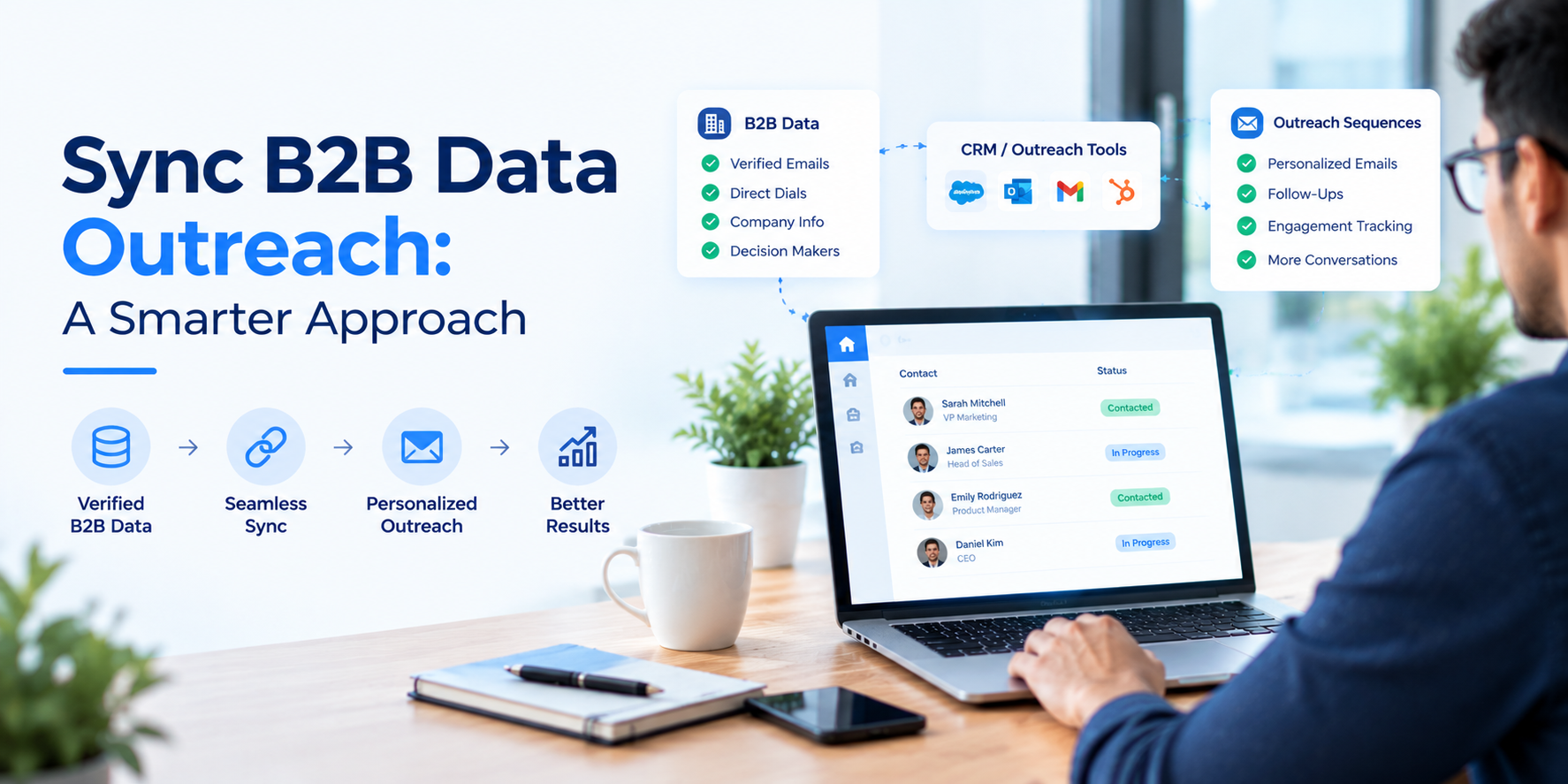
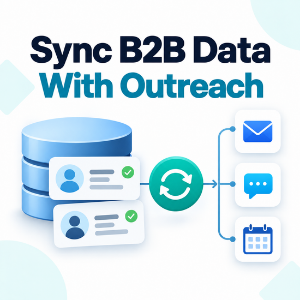
Syncing B2B data outreach really just means this: your CRM, your enrichment provider, and your sequencer talk to each other automatically, so a verified contact updates everywhere at once instead of sitting in an export someone forgot to re-run. New or changed CRM fields fire an API integration or a webhook, that pushes sync enriched B2B data into the sequencer, and reps work on list that’s already a week old.
That’s the short version. Below we get into why enrichment has to happen before a record enters a sequence (not after), how to set up B2B data sync without ending up with duplicate contacts everywhere, and why teams building real sales workflow automation now treat B2B data integration and sync B2B data to outreach sequences as one project instead of two.
Push unverified records into a sequence and you’ll see it in the numbers within a week more bounces, softer reply rates, and nobody can tell you why. Waterfall Enrichment gets around this by checking several b2b data providers for each record in sequence, so a gap in one provider’s catalog gets filled by the next instead of just shipping with a hole in it.
It’s also the reason B2B data enrichment tools matter more than people assume: a contact that fails contact verification at one provider often clears it at the next, and the record only reaches your sequencer once that check passes.
CRM data decays by roughly 30 to 40 percent a year. People switch jobs, companies merge, domains get shut down. A sync built on a one-time import carries that decay from day one and it only gets worse which is why data freshness can’t be a cleanup task you do, it has to live inside the sync itself.
Think of data synchronization as something that runs in the background permanently, not a project you finish.
An export gets a sequence started. It doesn’t keep it accurate. Two-Way CRM Synchronization closes that gap a reply, a bounce, or a disqualification in the sequencer writes back to the CRM, and a title change or a new field value in the CRM flows forward into the sequence.
Skip that loop and reps end up working two versions of the same contact that slowly drift apart. Most CRM integrations handle this fine once the field mapping is actually set up.
Field mapping is where sync projects usually break not the API integration itself. Job title, seniority, company size, firmographic data: all of it needs a defined home on both sides before a single record moves, or sequence triggers start firing on the wrong people.
Web hooks are the cleanest way to handle this. A field changes in the CRM, that fires a web hook, enrichment updates the record, and the sequencer gets the refreshed version without anyone touching a CSV. Write the mapping down once across both CRM platforms if you’re running more than one and treat a new field as something to review, not something to bolt on.
Real-time sync is for outbound that moves fast, inbound demo requests, intent signals, anything where a same-day lag actually costs you something. For longer enterprise cycles, batch sync overnight or weekly is usually fine; nothing changes in six hours that matters.
Whichever cadence you pick, route it into the same Forecasting and Reporting layer so your pipeline numbers reflect what reps are actually working from, not a spreadsheet from two weeks ago. Some teams are now using AI-driven workflows to flag which records need a re-check before the next sync window, instead of refreshing the whole database every time.
See how ReachStream CRM integration keeps verified contact data moving between your CRM and your outreach sequences — no manual export in the middle.
A manual handoff is someone exporting a segment, cleaning it up in a spreadsheet, and uploading the file to a sequencer by hand once a week, if the team’s disciplined about it. An automated pipeline skips all of that: records move on their own, and list Targeting happens inside the CRM instead of a spreadsheet somebody has to remember to rebuild.
You notice the difference most with Multi-Channel Orchestration. One CRM record can trigger an email, a call task, and a LinkedIn touch from a single sync event not three separate manual steps each working off a slightly different version of the list. Teams running real b2b sales outreach volume usually hit a wall with manual handoffs within a quarter or two.
| Approach | Best for | Time per verified contact | Scalability | Data freshness risk |
|---|---|---|---|---|
|
Manual CSV export/import |
One-off list builds |
10 to 15 minutes |
Low, breaks down past a few hundred contacts |
High, stale within weeks |
|
Native CRM enrichment plugin |
Teams already standardized on one CRM |
Seconds, but single-source only |
Medium, capped by one provider’s coverage |
Medium, depends on the provider’s refresh cycle |
|
ReachStream + CRM integration |
RevOps teams running continuous outbound |
Seconds, auto-synced into the sequence |
High, scales with pipeline volume |
Low, refreshed on a schedule you control |
Email Deliverability is usually the first casualty when unverified records sneak into a sequence , a handful of bounces early on can tank inbox placement for weeks. A reasonable bar for any enrichment vendor is around 90 percent deliverability on verified records; below that, you’re taking on risk the sync wasn’t supposed to create.
Email Automation tools help here too – a sequencer that pauses a contact after a bounce or spam complaint, instead of plowing ahead, protects the sending domain for everyone else in the queue.
ReachStream data enrichment sits right at that enrichment layer — appending firmographic data, verified emails, and direct-dial numbers before a record ever reaches your sequencer, instead of catching problems after a rep has already started outreach. ReachStream CRM integration then pushes those records into your CRM and keeps them current as replies, bounces, and opt-outs come back from the sequencer.
If you’re still weighing a manual process against a managed one, ReachStream’s free Ice Breaker plan gives you 100 export credits a month — enough to run the whole sync pipeline, enrichment and CRM write-back included, before you commit to anything paid.
Grab a sample of verified, enriched contacts and run them through your real pipeline — CRM to enrichment to sequencer and back — before switching it on for the whole database.
Syncing B2B data into your outreach sequences isn’t really about picking the right integration tool. It’s a pipeline: enrich before the record moves, keep the connection two-way so both systems stay current, and test on a small batch before anything touches the full list. Get that right and b2b sales outreach stops eating so much manual time reps end up working records they can actually trust.
Whether you’re building this for the first time or fixing one that’s drifted, the same sales workflow automation rules apply: map the fields, enrich before you sync, close the loop.
See how ReachStream combines verified contact data, continuous enrichment, and CRM integration in one pipeline — so your sequences are never working off a stale export.
You connect your CRM, an enrichment provider, and your sales engagement platform so new or updated CRM records trigger enrichment and flow into the sequencer on their own — usually through an API integration or a webhook, not a manual export.
Unverified records cause bounces and spam complaints that hurt email deliverability for every contact sharing that sending domain, not just the bad one. Enriching and verifying before a contact enters a sequence catches most of that risk early.
Most CRMs support webhooks or a native API, which fire when a record hits certain criteria — a lifecycle stage change, say. That event can kick off enrichment and then hand the verified record to the sequencer, no export required.
Map the fields across all three systems first. The CRM identifies the record, enrichment fills gaps and verifies the contact, and the sales engagement platform gets the finished version. Build the write-back path at the same time — don’t leave it for later.
One-time enrichment fixes a list the moment you run it, then starts decaying immediately — about 30 to 40 percent a year. Continuous enrichment re-checks records on a schedule or in real time, so what a rep is working from still holds up months later.
ReachStream’s CRM integration pushes verified, enriched contacts straight into your CRM, where they trigger your existing outreach workflows like any other qualified record — no separate import step.
By handling enrichment and verification before a record reaches the CRM, and keeping it updated as sequence events come back, ReachStream cuts out most of the exporting, cleaning, and re-uploading that used to sit between a CRM and an outreach tool.
Author

Abdul Kareem covers B2B sales and marketing operations at ReachStream, focusing on how verified contact data and ongoing email verification keep outreach lists usable instead of just accurate on paper.
Access 200M+ verified business emails and grow your sales pipeline effortlessly.
Don't forget to share this post!















Check out our other blogs!
What Is B2B Data and Why It Matters for Modern Sales Teams
A Buyer’s Checklist for Evaluating B2B Data Providers
How to Sync B2B Data with Your Outreach Sequences