
Skip the filters to search leads. Use AI Search to find prospects instantly.
Lifetime access to 200 email views and 100 export credits every single month
LinkedIn Prospecting Made Simple
Written by:
Abdul Kareem

LinkedIn Prospecting: Capture and Verify Leads

A Field Guide to Finding, Qualifying, and Verifying Leads on LinkedIn

TL;DR

What LinkedIn Prospecting Actually Means

LinkedIn prospecting is the practice of finding, qualifying, and reaching out to potential buyers directly on LinkedIn, using the platform’s search, filters, and activity signals instead of cold lists bought from somewhere else. Done well, prospecting on LinkedIn blends research and outreach into one motion: you see a prospect’s role, company, and recent activity in the same place you send the first message.

LinkedIn B2B prospecting has become the default starting point for most sales prospecting methods because the platform already holds the firmographic and role data reps used to dig for elsewhere. The catch is that LinkedIn itself gives you almost no way to verify or export what you find, which is where most LinkedIn prospecting workflow breaks down.

The practice in sales has always been to identify the correct person before anyone else does; LinkedIn has simply changed the place where this search takes place. The first message is also the point at which LinkedIn outreach is either accepted or ignored, which is why it’s important to carry out capture and verification before sending a single word.

Building a Repeatable LinkedIn Prospecting Workflow

Most people begin their LinkedIn prospecting by searching for a job title and then scrolling through the results. This method does bring in a number of leads, but it fails when a sales quota is at stake. Before starting a outreach, a LinkedIn prospecting process needs three elements: a clearly defined ideal customer profile to use as a filter, a way to record what you find without retyping it, and a way to verify contact details in a sequence.

Reps who go straight to messaging usually find themselves having to repeat the same searches every week since nothing they came across was saved in any useful place.It also maps onto the classic 5 P’s of prospecting: Purpose, Process, Performance, Positioning, and Perseverance, each one failing quietly when there’s no system behind the search bar.

Why Verified Data Still Matters on LinkedIn

A LinkedIn profile tells you who someone is and where they work. It doesn’t tell you whether the email address you’ve guessed, found, or bought separately will actually reach them. Hard bounce rates average around 7.5% on unverified contact lists, and B2B email addresses decay at roughly 2.1% a month as people change roles and companies.

That decay rate means a list pulled from LinkedIn six months ago is already meaningfully stale. Verifying contact details at the point of capture, rather than after a campaign bounces, is what keeps a LinkedIn-sourced list usable past the first send.

LinkedIn Email Verification: Closing the Loop Before You Outreach

LinkedIn email verification means confirming that the address tied to a profile is real and deliverable before it ever lands in a sequence. Without it, reps are sending cold outreach into a 7.5% bounce rate, which hurts sender reputation on every domain the message goes out from.

Verified lists keep bounce rates below 1-2% instead, which is the difference between an inbox that stays trusted and one that starts landing in spam after a few sends. The simplest test for any tool in this workflow is whether it can verify emails at the moment you capture a contact, not sometime after a campaign has already gone out.

Boolean Search and Filters That Actually Narrow Your List

Boolean Search operators (AND, OR, NOT, quotation marks for exact phrases) turn LinkedIn’s search bar into something closer to a real query tool. Combined with filters for industry, company size, seniority, and geography, Boolean Search is one of the more underused LinkedIn Prospecting Techniques, since most reps stick to single keywords and scroll through pages of near-matches instead.

Sales Navigator adds filters standard search doesn’t have, and the numbers back up the upgrade: Sales Navigator users identify 45% more prospects than standard search and report 18% larger pipelines. This is one of the clearer arguments for picking up LinkedIn Sales Navigator instead of relying on the free search alone.

Intent Signals and AI Scoring Inside LinkedIn

Intent signals on LinkedIn show up as job changes, company growth, content engagement, and shared connections, all of which hint at who’s more likely to respond right now. Reps who filter for recently active profiles see 3 to 4 times higher reply rates than those messaging dormant accounts, which makes activity itself one of the more reliable targeting filters available.

Layering AI scoring on top of these signals is becoming a standard part of LinkedIn Prospecting In 2026, mainly because manually tracking who’s active across a 40-account territory isn’t realistic past a certain list size.
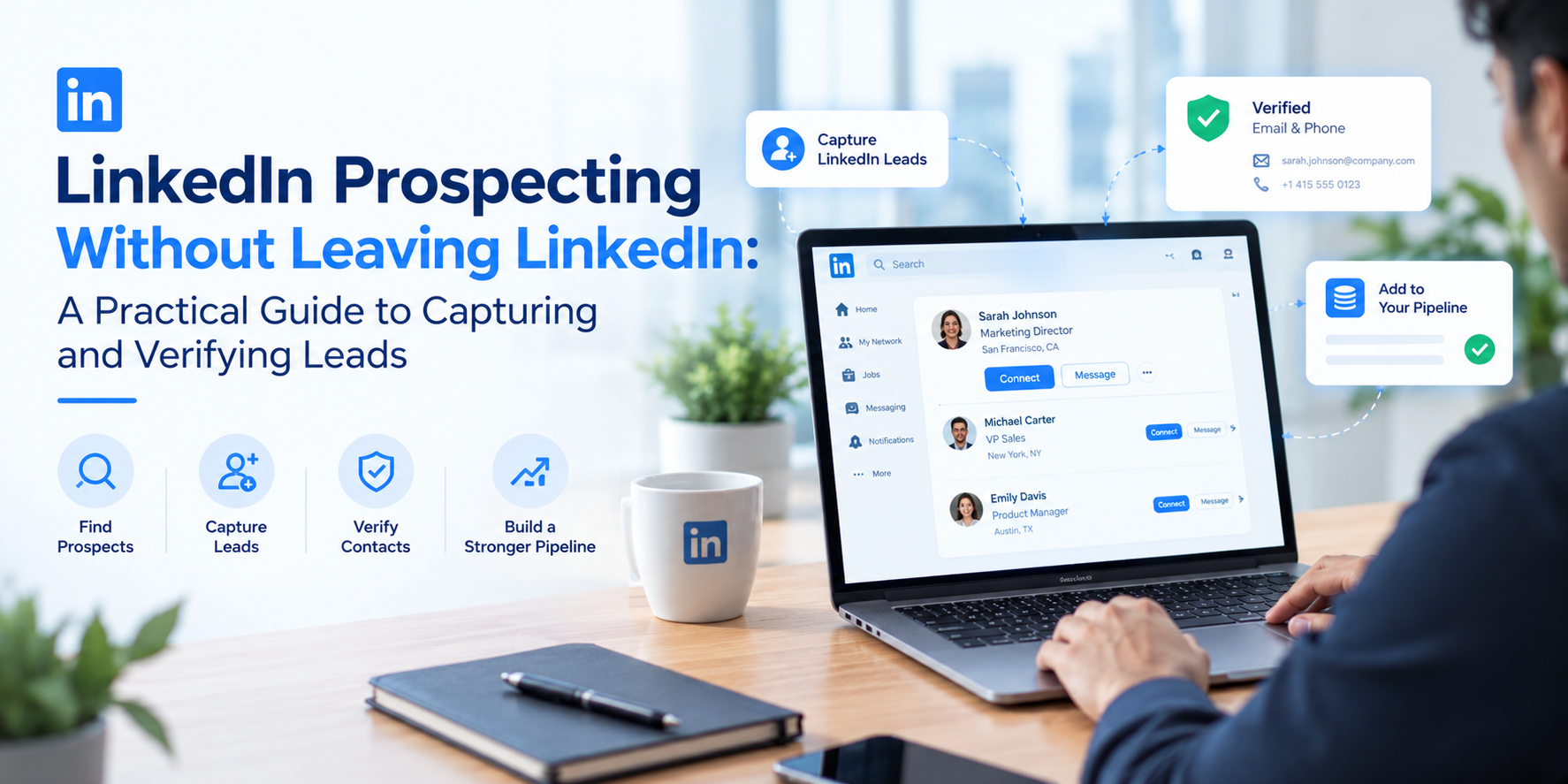
See LinkedIn prospecting data captured and verified in one step
Pull verified contact details straight from a LinkedIn profile without leaving the page.

LinkedIn Prospecting Chrome Extension vs Manual Copy-Paste

Copying a name, title, and company from a profile into a spreadsheet works for a handful of leads a week. It stops working the moment a rep needs 40 or 50 a day. A LinkedIn prospecting Chrome extension captures that same data, plus a verified email, in a click from the profile itself, which is the main reason LinkedIn prospecting tools built as browser extensions have become standard kit for anyone prospecting at volume.

It’s part of a broader shift toward LinkedIn automation tools that handle the repetitive parts of prospecting, so reps can spend that saved time on the actual conversation instead.
Approach Best For Time per Verified Contact Scalability Data Freshness Risk
Manual LinkedIn browsing
A handful of high-priority target accounts
10 to 15 minutes
Low, does not scale past a short list
Low, you see the profile live
Sales Navigator alone
Larger lists, no verified email capture
2 to 5 minutes
Medium, better filters but still manual export
Unknown until you send
Chrome extension with verification
Most SDR and prospecting teams
Seconds per profile
High, scales with how many profiles you open
Low, verified at the point of capture

How to Find B2B Prospects on LinkedIn, Step by Step

Define your ideal customer profile first  specifying the industry, number of employees, job level, and location, and make sure you write it down. Create a Boolean search string based on the job titles you’re targeting and use Sales Navigator or a standard search function to carry out the search. Further narrow your results by looking at recent activity including, job changes, and connections shared to determine whom to contact first.

When you’ve opened each suitable profile, use a LinkedIn prospecting Chrome extension to save the contact and at the same time verify their email address. Import the verified contacts into a multi-channel sequence rather than relying on a single LinkedIn-only interaction.

When drafting your messages, include something specific about the profile such as a recent post, a shared group, or a change in role, rather than just using a mail-merge first name. Monitor the reply and connection rates according to the source of each list, and then adjust your Boolean search string for next week’s group of contacts based on the actual results achieved.

Run a new multi-channel sequence on 20 to 30 prospects before loading in a full list. It’s a fast way to catch a weak opening line or a step that’s getting ignored before it costs you a week of outreach on autopilot.

LinkedIn Prospecting Workflow for B2B SDR Teams

A typical LinkedIn prospecting workflow used by an SDR team will generally take the following form: carrying out research and building a list on LinkedIn or Sales Navigator, using a Chrome extension to capture and verify the information, enriching the data according to account-based marketing criteria, and then carrying out a multi-channel sequence that combines LinkedIn interactions with emails and telephone calls.


Multi-channel campaigns combining email, phone, and LinkedIn generate 37% more conversions than single-channel outreach, and it takes an average of 18 touchpoints to turn a cold contact into an opportunity, so the workflow has to support persistence across more than one channel by design, not as an afterthought.

Common LinkedIn Prospecting Mistakes to Avoid

Sending a connection request with a generic pitch attached, which reads as spam before the prospect even accepts. Relying on a single LinkedIn touch instead of a multi-channel sequence, so one unopened message ends the entire outreach attempt. Skipping email verification and finding out from a bounce report instead of before the send. 

Treating LinkedIn Lead Generation as a one-time list pull rather than an ongoing LinkedIn prospecting workflow that gets revisited weekly. And copying contact details by hand at volume, which is slow enough that most of these mistakes happen simply because there wasn’t time left to do things carefully.

Where ReachStream Fits Into Your LinkedIn Workflow

ReachStream LinkedIn prospecting is built around the exact gap LinkedIn itself leaves open: a Chrome extension that captures and verifies contact data straight from a profile, plus an API and an MCP server for teams that want that same data flowing into a CRM or an AI agent without a manual export step. Beyond capture, ReachStream also handles contact enrichment, filling in the account and role details.

Test verified LinkedIn contact data before you commit
Pull a real sample of verified LinkedIn contacts and compare the bounce rate against whatever you are using today.

Conclusion

LinkedIn prospecting for sales works best when research, capture, and verification happen in the same motion instead of three separate steps. A rep with a clear ICP, a working Boolean Search string, and a way to verify contacts before outreach will out-produce one running the same searches with no system behind them, no matter how much time either one spends on the platform.
Start capturing verified LinkedIn leads today
See how the ReachStream Chrome extension combines LinkedIn prospecting with built-in email verification and enrichment.

Frequently Asked Questions

1. What is LinkedIn prospecting?

LinkedIn prospecting is the process of finding, qualifying, and reaching out to potential buyers directly on LinkedIn, using the platform’s search, filters, and activity signals instead of a purchased list. It combines research and outreach in one place, which is why it’s become a default step in most B2B sales prospecting.
Start with a clear ideal customer profile, then build a Boolean Search string around your target titles and run it through standard search or Sales Navigator. Filter by activity and intent signals to prioritize who to contact first, then move qualified contacts into a multi-channel sequence rather than a single LinkedIn message.
Combine Boolean Search operators with filters for industry, company size, seniority, and location to narrow a broad search down to accounts that match your ICP. Sales Navigator adds filters standard search doesn’t have, which is why Sales Navigator users typically surface more qualified prospects than those using basic search alone.
Run it through an email verification step before outreach rather than after a bounce. A LinkedIn prospecting Chrome extension that verifies emails at the point of capture catches invalid addresses immediately, instead of letting a list quietly decay the way unverified contacts do over time.
A workflow that separates research, capture, and verification from outreach tends to scale best: build the list with Boolean Search and filters, capture and verify contacts with a Chrome extension, then run a multi-channel sequence that mixes LinkedIn touches with email and calls instead of relying on LinkedIn alone.
Yes. The ReachStream Chrome extension captures contact details straight from a LinkedIn profile and verifies the email in the same step, so there’s no separate export-then-verify process to manage.
It sits on top of the LinkedIn profile you’re already viewing, captures the contact and company details, and verifies the email before you save it. The data can then flow into a CRM or an AI workflow through ReachStream’s API or MCP server, without a manual copy-paste step.
Abdul Kareem

Author

Abdul Kareem
Abdul Kareem covers B2B sales and prospecting workflows at ReachStream, with a focus on how LinkedIn data, verification, and sequencing fit together in practice.
Share
Table of Contents

Access 200M+ verified business emails and grow your sales pipeline effortlessly.

Power Your Sales with Targeted Data
Abdul Kareem
Abdul KareemAuthor
Abdul Kareem writes about B2B sales prospecting, email deliverability, and cold outreach for ReachStream, focusing on practical guidance that sales and marketing teams can put to use right away.

Don't forget to share this post!

Check out our other blogs!