Written by:

Abdul Kareem
B2B Data Platform Features That Drive Better Sales Results
How to Evaluate B2B Data Vendors for Accuracy and Compliance

TL;DR
- The B2B data platform features to protect first are verified accuracy, data freshness, coverage and clear sourcing.
- Test accuracy on a sample of accounts you already know instead of trusting a headline percentage.
- Check account coverage and contact coverage separately, by role and seniority.
- Native CRM integrations should include deduplication, normalization and enrichment.
- Firmographic and technographic filters show company fit and stack fit.
- Privacy controls and consent management reduce your own compliance risk.
- Add intent data, account hierarchy and buying group mapping when your team can act on them.
Which B2B Data Platform Features Should You Never Compromise On?
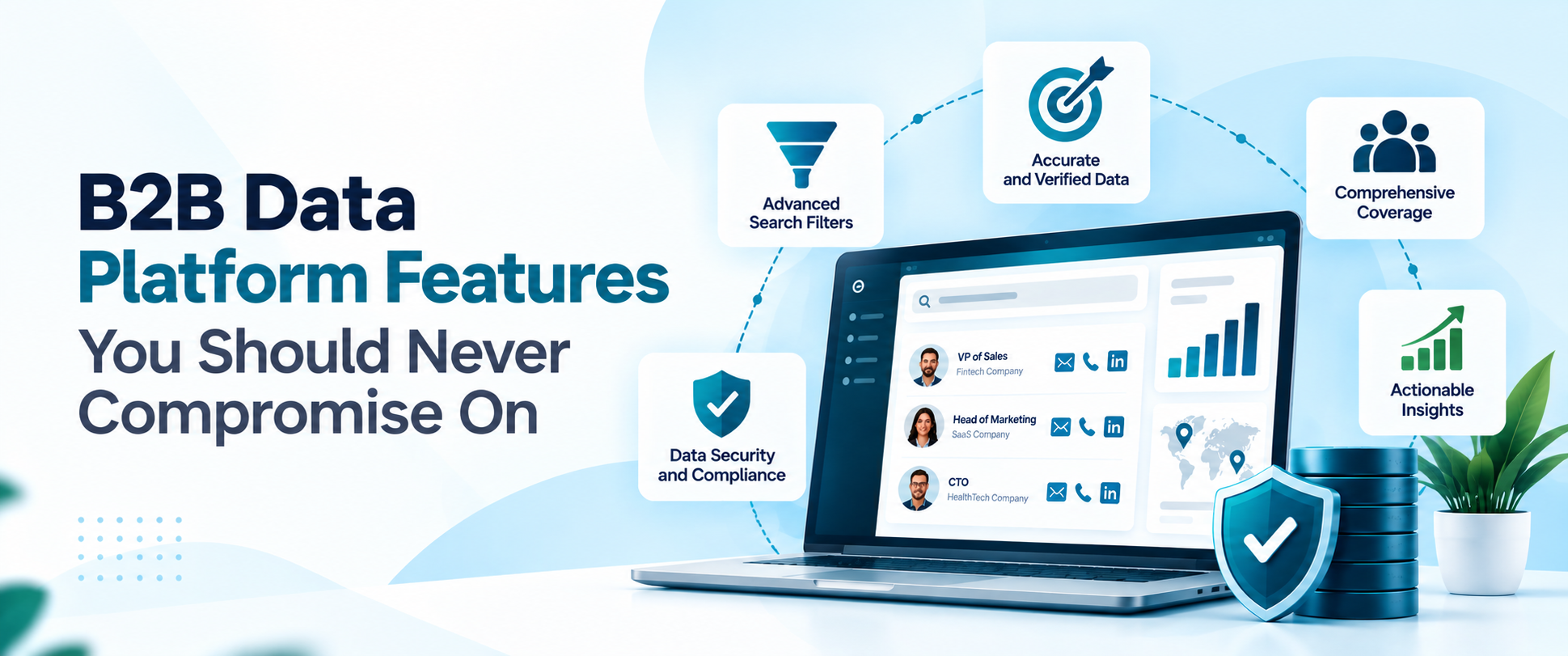
The B2B data platform features you should never compromise on are verified accuracy, current data, broad account coverage and contact coverage for your own target market, native CRM integrations, working privacy controls and clear sourcing. Everything else, from intent signals to fancy dashboards, is useful only when those basics are in place.
A modern B2B data platform does far more than hold a list of names. It supplies the B2B contact database that sales and marketing teams prospect from, enriches records already in the CRM and, in some cases, adds signals about who is likely to buy. That breadth is why vendor comparisons get confusing, and why a demo that looks impressive can still disappoint once your team starts using it.
How Do You Evaluate B2B Data Accuracy?
Start with a test, not a number. Providers quote accuracy percentages, but a figure on a sales page tells you little about how a platform performs on your market. Take a sample of around a hundred accounts and contacts you already know well, run them through the platform and count how many records are correct, how many are missing and how many are wrong.
Look at data verification in layers. Ask whether emails are checked before they are delivered, how bounces are handled and whether job titles and company details are re-checked on a schedule. Then measure account coverage and contact coverage separately. A platform may list most of your target companies but hold few contacts in the roles you sell to, and that gap only shows up when you filter by function and seniority.
Finally, ask where the data comes from. Providers should be able to explain how records are collected and validated, and Data Axle’s vendor evaluation guide makes the same point about database size: a large database is not proof of a good one. Our guide to B2B data accuracy goes deeper on measuring it, and evaluating B2B data vendors lists the questions to ask.
How Often Should B2B Contact Data Be Updated?
Often enough that you should plan for it rather than react to it. People change jobs and companies restructure all the time, so records go stale even when they started out accurate. The US Bureau of Labor Statistics reported median tenure with a current employer of 3.9 years across wage and salary workers in January 2024, which means a large share of any contact list changes roles over time.
No standard sets the right interval, but one common practitioner approach is to re-verify contacts in your active pipeline about every 30 days, batch-refresh other lists at least every 90 days and verify any email again just before a sequence sends. Treat those figures as a starting point, not a rule.
What matters in a platform is that data freshness is something you can see and control. Look for record-level dates, the ability to re-verify on demand and enrichment that updates existing CRM records instead of only adding new ones. Our guide to B2B database hygiene covers a routine you can follow.
What Is the Difference Between Firmographic and Technographic Data?
Firmographic data describes the company: industry, employee count, revenue band, location and sometimes growth or funding. Technographic data describes the technology stack the company uses, such as its CRM, marketing automation tool. Firmographics tell you whether an account fits your ideal customer profile, while technographics tell you whether your product fits its stack and whether a competitor is already in place.
A strong platform offers both as filters, so you can build a list of mid-sized software firms that use a certain CRM in a certain region without exporting everything and sorting by hand. Ask how often technology data is refreshed, because stacks change.
Also check for account hierarchy data. Large companies have parents, subsidiaries and regional offices, and without a clear hierarchy you can end up pitching three divisions of the same group with three different messages, or missing the head office entirely. Our guide to firmographic vs technographic data explains the difference in more detail.
Why Are CRM Integrations Important in a B2B Data Platform?
A data platform that cannot talk to your CRM creates manual work, and manual work creates errors. Native CRM integrations let you push contacts and accounts into Salesforce or HubSpot, keep fields mapped consistently and avoid exporting and importing spreadsheets. Check the direction of sync too, since one-way pushes can overwrite fields your reps have corrected.
Beyond the sync itself, look at what the platform does to the records. Good CRM data integration includes deduplication, so a contact is not created twice, normalization, so job titles, countries and company names follow one format, and data enrichment capabilities that fill gaps. Identity resolution in B2B data matters here too, because it is what lets the platform recognise two records are the same person.
Marketing automation integrations are the other half. If leads move from the data platform to a nurture tool, make sure fields, consent flags and suppression lists travel with them. Our guides to CRM-compatible B2B data platforms and connecting a lead database to your CRM cover the setup.
What Privacy and Compliance Features Should You Look For?
B2B data compliance is no longer a legal-team afterthought, because a platform that cannot support it can put your outreach at risk. Look first for clear privacy controls: a documented source for each type of data, an easy way to suppress or delete a contact and a process for handling requests from people who ask to be removed.
Consent management matters where local rules require it, such as when you email sole traders in some markets or run campaigns across several regions. Ask how the platform records consent and opt-outs, whether it flags contacts by country and whether suppression lists sync to your CRM and email tools. Data governance has broader discipline behind this: who can access the data, how long it is kept.
Ask for the provider’s privacy policy and data processing terms, and let your own legal or compliance team read them. Our guide to GDPR and B2B data explains what sales teams need to know, and our guide to B2B data privacy covers the wider picture.
Test the filters on your own target accounts
Filter by role, industry and location, then export verified contacts.
How Do You Compare B2B Data Providers Side by Side?
A side-by-side view keeps a B2B data provider evaluation objective. The table below compares three features that deserve the most weight, with what to check and the warning signs to watch for.
Add your own rows for pricing, support and any region-specific needs, then score each provider the same way.
| Feature | What to check | Why it matters | Question to ask | Warning sign |
|---|---|---|---|---|
|
Accuracy and verification |
Sample test on your own records and email verification |
Bad data wastes sends and hurts sender reputation |
How are emails verified before delivery? |
Only a headline percentage, no way to test |
|
CRM integration |
Native sync, field mapping, deduplication and normalization |
Clean records keep reps working from one source |
Is sync one-way or two-way, and what gets overwritten? |
CSV exports as the only route into the CRM |
|
Privacy and compliance |
Sourcing, suppression, consent flags and processing terms |
Protects your outreach and your brand |
How are opt-outs and deletions handled? |
No documented sourcing or privacy policy |
How Do You Test a B2B Data Platform Before You Buying it?
- Write down your target market: List the industries, company sizes, regions and roles you sell to.
- Run a sample test: Check about a hundred known accounts and contacts for accuracy and coverage.
- Verify the emails: Send a small batch to a clean test list and track bounces.
- Test the CRM sync: Push a few records into a sandbox and check field mapping and duplicates.
- Review privacy terms: Read the sourcing, opt-out and data processing documents.
- Compare and decide: Score each provider on the same criteria and weigh the results by what your team needs the most.
Does a B2B Data Platform Need Intent Data?
Not always. An intent data platform shows which accounts are researching topics related to what you sell, which helps with timing and prioritization. It is valuable for teams with enough volume to act on the signals, and for sales cycles where catching an account early changes the outcome. Teams that mostly build lists and run outbound can do well without it.
Decide by looking at your process. If your reps already know whom to call and the problem is data quality, fix accuracy and coverage first. If the problem is knowing which accounts to call this week, intent can help, but treat it as a signal and not proof of a buying decision. Our guide to intent data for campaign targeting and our comparison of contact data vs intent data explain the trade-offs.
Buying group mapping is a related feature worth checking. B2B purchases involve several people, so a platform that helps you find the champion, the budget owner and the technical evaluator in one account saves research time.
What Mistakes Do Teams Make When Buying B2B Data?
- Judging by database size: A headline record count says little about accuracy in your market.
- Skipping the sample test: Demos use curated data, so test with your own accounts.
- Ignoring CRM fit: A weak sync turns into duplicates and manual clean-up.
- Overlooking privacy terms: Sourcing and opt-out handling affect your own risk.
- Paying for features you will not use: Intent and hierarchy tools help only if your team acts on them.
- Forgetting the refresh plan: Even good data decays, so ask how updates and re-verification work.
Where Does ReachStream Fit Among B2B Data Platform Features?
ReachStream Prospect covers the core features this guide describes. You can filter by industry, role, company size, revenue and location, use dynamic lists, find lookalike accounts with Similar Companies and see what stack an account runs with Technology Insights. The built-in email verifier checks addresses before you use export credits, and lists can sync to your CRM, including native Salesforce and HubSpot integrations.
No single platform does everything. If you need intent signals, deep account hierarchies or specific consent tooling, ask each provider, ReachStream included, what it offers and test it on your own accounts. Our guide to a B2B contact database explains the basics, and our B2B data platform evaluation guide is a good companion when you build your scorecard.
Start with 100 free export credits a month
No credit card needed. Test the data on accounts you already know.
B2B Data Platform Features: The Short Version
The short version: prioritise accuracy you can test, data freshness you can see, coverage of your own market, native CRM integrations with clean deduplication and normalization, and privacy controls your legal team can review. Add intent data, account hierarchy and buying group mapping when your process can use them, and compare providers on the same scorecard.
For your next read, see our roundup of B2B data platforms and our guide to B2B data enrichment.
Find a plan that fits your outreach volume
Find the Right ReachStream Plan for Your Outreach Volume and Goals.
Frequently Asked Questions
1. What features should a B2B data platform have?
A B2B data platform should offer accurate, verified contacts, strong account and contact coverage for your market, current data, firmographic and technographic filters, native CRM integrations, privacy controls and clear sourcing. Intent data, account hierarchy and buying group mapping are useful extras when your team can act on them.
2. How do you evaluate B2B data accuracy?
Test it on your own records. Run about a hundred accounts and contacts you know well through the platform, count what is correct, missing or wrong, and check how emails are verified. Also ask how the provider sources its data and re-checks it over time.
3. Why are CRM integrations important in a B2B data platform?
Poor integration creates duplicates, manual exports and mismatched fields. Native CRM integrations keep records mapped consistently, support deduplication and normalization and let enrichment update existing records, so reps work from one clean source.
4. What is the difference between firmographic and technographic data?
Firmographic data describes a company, such as industry, size, revenue and location. Technographic data describes the technology it uses, such as its CRM or marketing tools. Firmographics show fit with your ideal customer profile, while technographics show stack fit and competitor presence.
5. How often should B2B contact data be updated?
It depends on the role and the stage. As a common practitioner approach, re-verify active pipeline contacts about every 30 days, refresh other lists at least every 90 days and verify emails again before sending. Look for record dates and on-demand re-verification.
6. What privacy and compliance features should you look for?
Look for documented data sourcing, easy suppression and deletion, opt-out handling, consent and country flags where local rules require them, access controls and clear data processing terms. Have your legal or compliance team review the provider’s policies.
7. Does a B2B data platform need intent data?
Not always. Intent data helps prioritise accounts that are researching your topics, which suits teams with volume to act on it. If your main problem is inaccurate or incomplete contact data, fix that first, then add intent if timing is the gap.
8. How do you compare B2B data providers?
Use one scorecard for every provider: accuracy on a sample of your own records, coverage of your target market, data freshness, CRM and marketing automation integrations, privacy controls, sourcing transparency and total cost. Test each platform on the same accounts.
Abdul Kareem
Author
Abdul Kareem

Abdul Kareem writes about B2B sales prospecting, email deliverability, and cold outreach for ReachStream, focusing on practical guidance that sales and marketing teams can put to use right away.
Share
Table of Contents
Access 500M+ verified business emails and grow your sales pipeline effortlessly.
Power Your Sales
with Targeted Data
Abdul Kareem writes about B2B sales prospecting, email deliverability, and cold outreach for ReachStream, focusing on practical guidance that sales and marketing teams can put to use right away.
Don't forget to share this post!















Check out our other blogs!
How to Build a Targeted Prospect List Using Filters
October 21, 2026

B2B Data for Ed-Tech Companies: Reaching School Decision-Makers
October 21, 2026

Direct Dial Numbers Explained: A Guide for Sales Reps
October 19, 2026