How to Evaluate B2B Data Vendors for Accuracy and Compliance
Sales teams use prospecting technology to find accounts, identify decision-makers, and prepare outreach. Yet selecting from numerous platforms is difficult. One may offer broad coverage but weak niche data; another may fit your workflow but cost too much at scale. The right choice improves pipeline quality and sales productivity. The wrong choice creates unused seats, duplicate records, and manual work. This guide gives decision-makers a practical framework for evaluating prospecting tools against business requirements.
What Is a B2B Prospecting Tool?
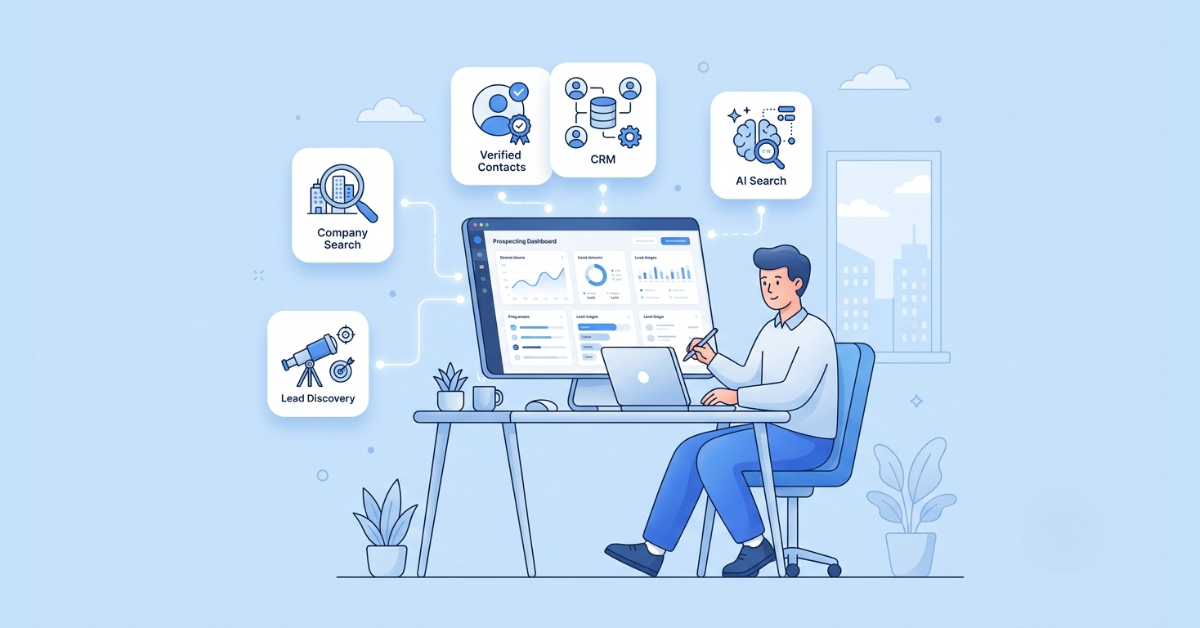
A B2B prospecting tool helps teams discover target companies and the people involved in buying decisions. It may combine a business contact database, company database, search, contact discovery, enrichment, buyer signals, and integrations. A CRM records relationships after contacts enter your process; B2B prospecting software helps create and research those contacts before outreach. Some platforms also support list building and account prioritization.
Manual Prospecting vs A Prospecting Platform
Why Does Choosing the Right Tool Matter?
Prospecting software shapes who enters the pipeline and how much time representatives spend preparing outreach. If the database misses your market, automation still produces weak opportunities. If the interface feels complex, adoption falls. For a five-person SaaS team targeting US finance leaders, accurate work emails, role filters, and CRM export may matter more than global coverage. A multinational team may value regional depth, governance, APIs, and permissions instead.
Which Features Should Every Prospecting Tool Include?
Data Accuracy, Verification, and Contact Coverage
Ask how the provider verifies emails, titles, employers, and company details; how often records refresh; and how it corrects errors. Test coverage against an ICP sample. Database size says little if the sales intelligence platform lacks the industries, seniority levels, countries, or small companies you need.
Advanced Search, Buyer Intent, and Enrichment
Filters should mirror your ICP: industry, geography, headcount, revenue, role, seniority, and technology. Buyer intent can prioritize accounts, but verify the signal source, age, and meaning before treating it as purchase readiness. Enrichment should fill missing fields without overwriting trusted CRM data.
CRM Integration, Chrome Extension, and Team Workflow
A useful integration supports field mapping, duplicate control, ownership rules, and update logic—not just CSV export. A Chrome extension can shorten research on company sites or professional profiles. For team collaboration, check saved searches, shared lists, notes, permissions, and usage reporting.
Compliance, Pricing, Support, and Scalability
Review sourcing, privacy controls, suppression handling, security practices, and contract terms with your legal team. Model pricing against seats, credits, exports, enrichment, API calls, and growth. Test onboarding and support quality. A tool scales only when its data, controls, integrations, and commercial model grow with the team.
Essential Feature Evaluation Table
How Can You Evaluate Prospecting Tools for Your Team?
1. Define Prospecting Goals and Your ICP
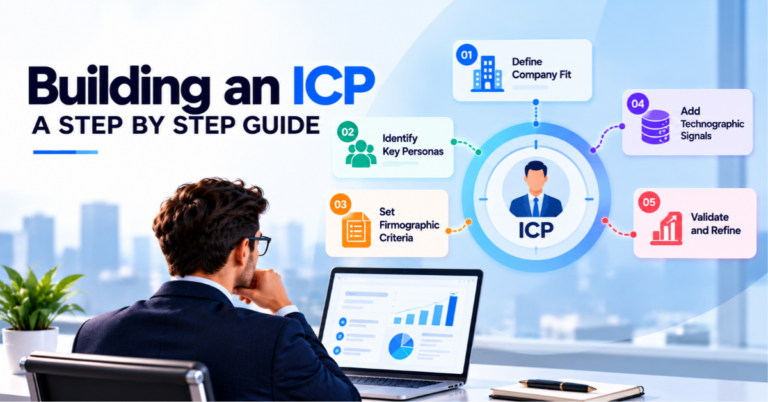
Start with outcomes: more qualified meetings, faster research, entry into a new region, or cleaner CRM data. Translate the ICP into required filters, fields, markets, and personas. This keeps irrelevant features from driving the decision.
2. Test Database Quality With Real Scenarios
Give every vendor the same test. Search for known targets, obscure accounts, recently changed contacts, and difficult job titles. Score match rate, completeness, email validity, duplicates, and time saved. Use your criteria and data during a free trial or demo.
3. Pilot the Complete Workflow
Ask several SDRs and a RevOps owner to build a list, research a contact, enrich a record, and send it to the CRM. Record friction, training needs, and errors. Plan role-based training and a short usage playbook before rollout.
4. Measure ROI After Implementation
Capture a baseline before launch. After 30, 60, and 90 days (about 3 months), compare research time, valid contact rate, qualified meetings, cost per opportunity, CRM completeness, and active-user rate. This separates productivity gains from activity growth.
How Can Different Business Sizes Choose the Right Solution?
Company size changes the criteria but does not determine them. Sales motion, market complexity, data volume, and governance should lead the decision. Use this matrix as a starting point, then validate it through a pilot.
How Does ReachStream Help Simplify B2B Prospecting?
ReachStream brings verified B2B contact data, company intelligence, advanced filtering, and enrichment into one research workflow. Teams can define account and persona criteria, discover sales-ready contacts, and build focused lists from a scalable prospect database. Its Chrome Extension supports contact discovery while representatives browse relevant pages, reducing context switching. These capabilities suit teams moving from manual prospect research toward a repeatable process. Buyers should still test ReachStream against their ICP, CRM workflow, expected volume, and data-quality benchmarks.
Build the Decision Around Your Sales Process
The best prospecting tools produce accurate, usable data inside the way your team sells. Define the ICP, run a controlled pilot, calculate total cost, train users, and measure results. For the wider system, explore The Ultimate B2B Lead Generation Guide (2026), plus related guides on Lead Generation Strategy, Lead Qualification, Sales Lead Databases, Free B2B Leads, Outbound Lead Generation, and B2B Sales Software.
Claim 100 free leads to see data quality in action
It helps teams identify target companies, find decision-makers, organize research, and move qualified records into outreach or CRM workflows with less manual effort.
2. Which features are most important in prospecting tools?
Prioritize data accuracy, ICP coverage, useful filters, enrichment, CRM integration, privacy controls, transparent pricing, and easy adoption. Use intent only when its source and timing fit your sales motion.
3. Can small businesses benefit from prospecting software?
Yes. A small team can reduce research time and build focused lists. Choose a simple plan with strong niche data, essential filters, flexible usage, and low training overhead.
4. How do sales prospecting tools improve productivity?
They centralize contact discovery, company research, filtering, enrichment, and list building. Representatives spend less time switching sources and more time on relevant outreach and qualification.
5. What is the difference between a CRM and a prospecting tool?
A prospecting tool finds potential buyers before engagement. A CRM stores relationships, activities, opportunities, and customer history. Integration connects discovery with pipeline management.
5. How often should prospecting data be updated?
Frequency should match how quickly your market changes. Ask for the refresh policy, field timestamps when available, bounce handling, and a process for correcting outdated records.
Abdul Hafeez
Marketing professional with a Master’s degree in Marketing, specializing in SEO, content strategy, social media, performance marketing, prospecting, and demand generation.
Share
Table of Contents
Access 200M+ verified business emails and grow your sales pipeline effortlessly.