



How to Evaluate B2B Data Vendors for Accuracy and Compliance

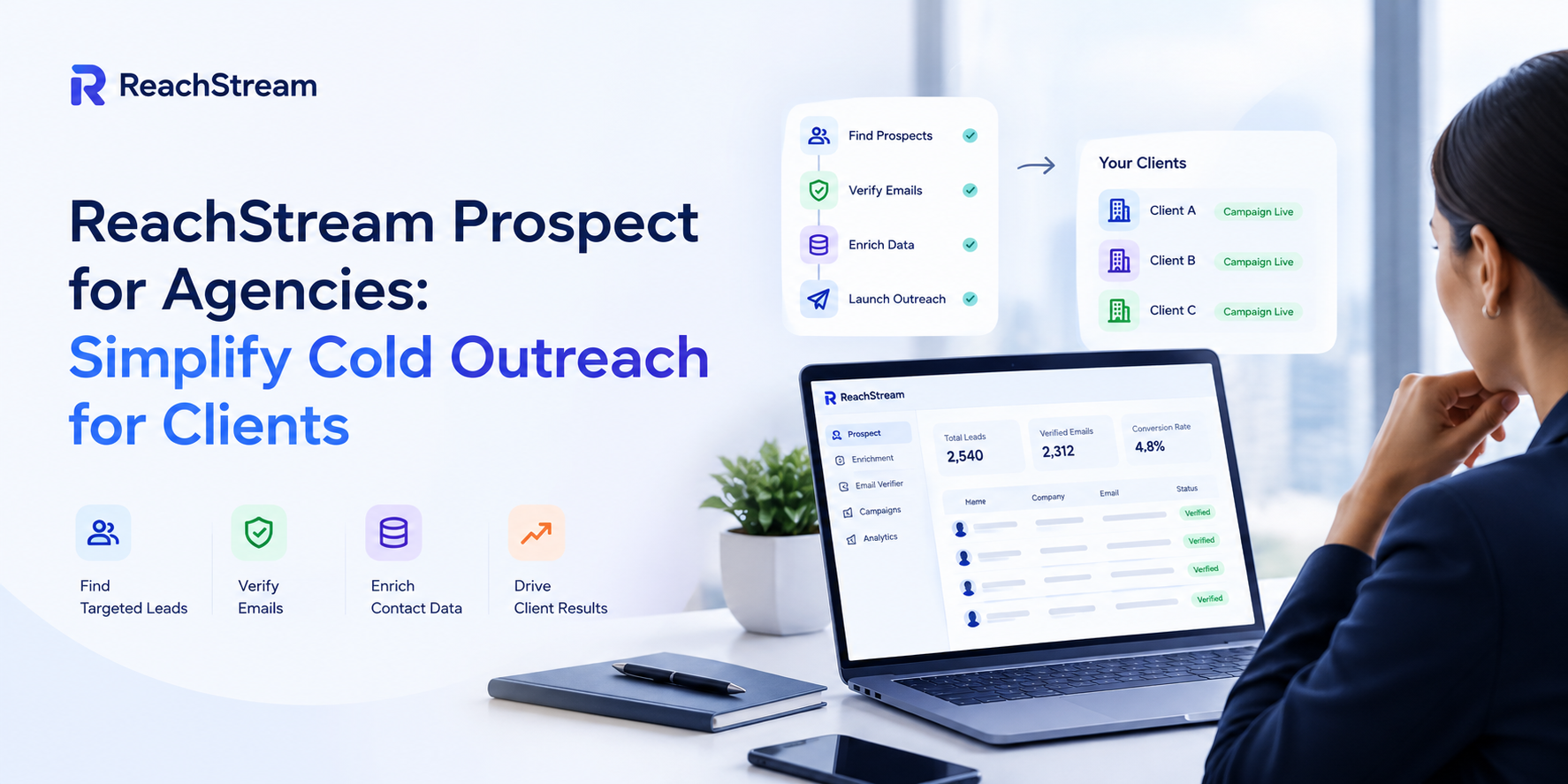
ReachStream Prospect for agencies is a verified B2B contact database built for teams running cold outreach on behalf of multiple clients at once, not just one company’s own pipeline. It gives agencies a single source of verified contact and company data, filterable by industry, seniority, and company size, so every client’s list is built against that client’s specific ICP instead of one generic export reused across accounts.
Most agencies do not lose clients because their copy is weak. They lose clients because one bad list tanked deliverability for an entire account, or because nobody could produce a clean report showing what actually got booked that month. Scaling cold outreach for clients means building a repeatable system and reporting that proves ROI without a scramble at the end of the month.
Protect each client’s sender reputation the same way a single company would protect its own, because from the client’s perspective, that is exactly what they are paying for. Sender reputation is built slowly and lost quickly, and an agency managing several accounts has more surface area for something to go wrong.
A few habits carry the most weight here: keep bounce rates under 3% on every single client account, not just the ones getting close attention that week, and treat email warmup as a requirement for any new domain before it carries real send volume. Continuous monitoring matters more at agency scale than it does for a single sender, since one account’s bounce rate climbing unnoticed can affect inbox placement.
Verified lead data is the foundation for every other aspect of a campaign. A campaign based on a scraped or out-of-date list doesn’t just perform poorly; it can also harm the client’s domain reputation, and that damage often lasts longer than the campaign itself.
When clients join an agency, lead lists for their campaigns should be retrieved and verified fresh before each email send rather than reused indefinitely. For B2B lead generation for agency work, you need to filter accurately by industry, company size, and seniority level for each client’s ideal customer profile, since a general list usually matches only one client’s target market.
It also makes sense to require any data source to follow the standard of not paying for unverified credits, since spending credits on addresses that will never deliver is a cost that builds up across all clients using the same unreliable data.
Verified lead data for agencies also needs to account for overlapping markets, because two clients in neighboring industries could end up with similar contact lists if the data isn’t carefully filtered according to each client’s ICP. That could put the same prospect at risk of receiving cold emails from two different campaigns the agency is running.
Manage multiple client campaigns without losing track of which account is doing what, and the answer usually comes down to structure rather than more headcount. Client workspaces that keep each account’s lists, sequences, and sending domains cleanly separated, but visible from a single view, let a small team run far more accounts than a patchwork of spreadsheets and separate logins ever could.
One dashboard for all your clients also makes it easier to catch a problem early: a bounce rate creeping up on one account, a reply rate dropping on another, or a domain that needs a fresh warmup cycle before it can handle more volume. Agency prospecting tools 2026 that treat multi-channel outreach and CRM sync as standard, rather than an add-on, tools built primarily for a single sender.
Prove ROI to every client with numbers that mean something to them, not just activity metrics that look busy without saying much. Meetings booked, not emails sent is the right way to frame a client report, since a client rarely cares how many messages went out if none of them turned into a real conversation.
White-label reporting for clients should track pipeline generated, positive reply rate, and meetings booked at the account level, presented under the agency’s own branding rather than a vendor. This keeps the agency in the position of trusted partner rather than a pass-through for someone else’s dashboard, and it makes the monthly client call a lot easier when the numbers are already organized.
| Approach | Best for | Time per verified contact | Scalability | Data freshness risk |
|---|---|---|---|---|
|
Manual per-client research |
A single client or a very small agency |
15 to 20 minutes |
Low, breaks down past a handful of accounts |
Low, checked in real time by a person |
|
Shared list across all clients |
Agencies trying to save time short term |
Seconds to minutes |
High, but reputation risk compounds across clients |
High, one client’s stale data affects all |
|
ReachStream Prospect for agencies |
Agencies running multiple client campaigns at once |
Seconds to minutes |
High, scales per client without shared risk |
Low, verified per client before every campaign |
Cold outreach agency pricing gets complicated fast when data costs scale unpredictably with client count. Predictable pricing as you scale matters just as much as list quality, since an agency adding a new client should not also be adding a data bill nobody budgeted for. Outbound agency client results tend to improve when the underlying cost structure is simple enough that a team can actually plan around it.
No wasted spend on bad data is the practical version of that principle: money spent on verified, usable contacts rather than a bulk list padded with addresses that were never going to convert into a meeting. Agencies evaluating ReachStream Prospect for agencies against other data sources usually find the cost comparison gets simpler once unverified, bounce-heavy credits are taken out of the equation entirely.
ReachStream Prospect for agencies is built around exactly this kind of workflow. It is designed to help agencies pull verified contact and company data at scale, with 500M+ contacts, 50M+ companies, and 100M+ direct dials, filterable by industry, seniority, and company size, so each client’s list is built against their specific ICP instead of one generic export reused across accounts.
Its AI Conversational Search can make it faster to describe a client’s ideal customer profile in plain language instead of stacking manual filters for every new account, and Similar Companies can help expand a target list from accounts that already resemble a client’s best customers, which is a common ask when a client wants their list to grow without diluting fit.
For an agency running lead lists for client campaigns across several accounts at once, having verified contact data for agencies available from a single source can make onboarding a new client considerably faster than building each list from scratch.
Running outreach at agency scale comes down to treating each account with the same discipline a single company would apply to its own pipeline: verified data, protected sender reputation, and reporting that actually proves the work.
ReachStream Prospect for agencies is built to support that kind of workflow, giving teams a single source of verified contact data instead of a patchwork of lists assembled account by account. Get the fundamentals right for every client, not just the loudest one, and the agency’s own reputation ends up as protected as any single domain it manages.
Author

Give every client campaign verified contact data and protected sender reputation, without the shared-list risk.
Don't forget to share this post!















Check out our other blogs!
What Is B2B Data and Why It Matters for Modern Sales Teams
A Buyer’s Checklist for Evaluating B2B Data Providers
How to Sync B2B Data with Your Outreach Sequences