Written by:

Abdul Kareem
How to Build a Targeted Prospect List Using Filters
A step-by-step method for turning your ICP into filters, decision-makers and a verified list

TL;DR
- To build a targeted prospect list, start with a written ICP and turn each trait into a filter.
- Firmographic filters such as industry, size and location find the right accounts.
- Job title and seniority filters find the decision-makers inside them.
- Qualify accounts against your ICP before anyone writes a message.
- Verify every email and refresh the list each quarter.
- Track match rate, bounce rate and reply rate to judge list quality.
- ReachStream offers 500M+ contacts, 50M+ companies and 100M+ direct dials, plus 100 free export credits a month.
What Is a Targeted Prospect List?
Target audience identification is the work of finding who those buyers are and where they sit. A qualified prospect database is a searchable set of contacts that already match your criteria.To build a targeted prospect list, start with your ideal customer profile (ICP).
Turn its traits into filters such as industry, company size, location, job title and seniority, then verify every contact before outreach. B2B prospect list building takes a vague market and turns it into a short list of accounts and decision-makers who can actually buy.
How Do You Define Your Ideal Customer Profile?
Your ICP is the base of every list. Look at your best customers and write down what they share: industry, company size and revenue band, region, the tools they use and the problem that made them buy. Then add buyer personas for the people inside those accounts, such as the manager who feels the pain and the executive who signs.
This is target audience segmentation in practice, and it keeps you from building a list of everyone who might possibly care. If you have only a handful of customers, borrow the pattern from deals you lost or nearly won.
Our free ICP worksheet gives you a simple place to write this down, and our guide on ICP refinement with data filters shows how to tighten it over time. With the profile written, you can build a B2B lead list that starts from facts instead of hunches.
Which Filters Help You Find the Right Accounts?
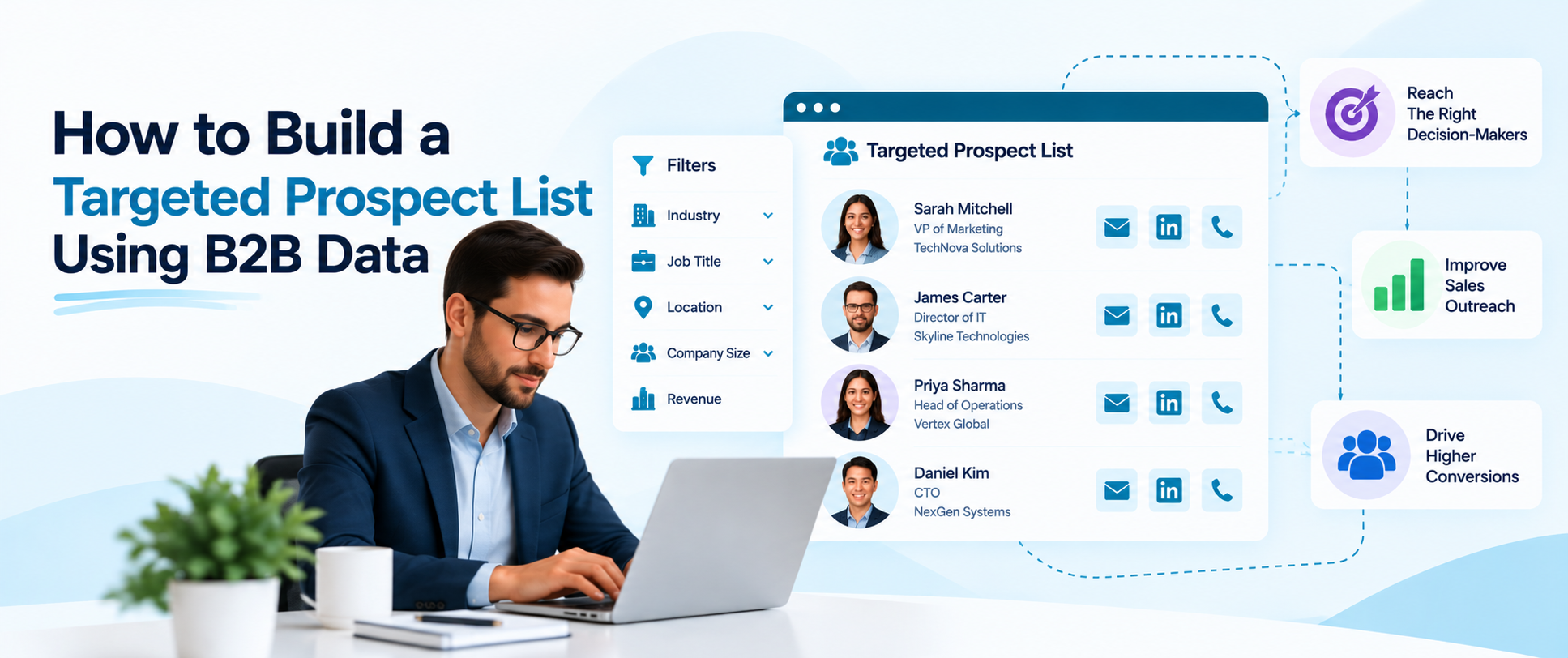
Filters turn the profile into a search. Start with firmographics: industry, company size, location and, where your source supports it, revenue. Add job titles and seniority levels to reach the right people, and technology filters if your product fits a specific stack.
Each filter you add narrows the list, so apply them in order of importance and stop when the count feels workable for your team. ReachStream filters by industry, job title, seniority, location, company size and technologies used, and Technology Insights adds filters based on 22K technologies.
AI Search lets you describe the buyers you want in everyday language, and Similar Companies expands from accounts that already fit. Together they help you reach targeted B2B leads faster than a manual search, though coverage varies by market, so test a few searches before you commit.
How Do You Find Decision-Makers at Target Accounts?
Once you know the accounts, find the people. Decision-makers and key stakeholders rarely share one title, so map the buying group: the user who feels the problem, the manager who owns the budget and the executive or procurement lead who signs off.
Search by job title and seniority, then check that you have more than one contact per account so a single missed reply does not stall the deal. A sales prospect list works best when each account carries two or three roles, not just one name.
Our guide on how to find decision makers in your target industry covers the research side, and a company contacts database can speed it up when it shows verified emails and direct dials next to each name.
How Do You Qualify and Verify Your Prospects?
A big list is not a good list. Qualify each account against your ICP before anyone writes a message: right size, right industry, right region and a visible reason to talk now, such as hiring, funding or a new tool. Score what you find so reps work the strongest accounts first. Our guide to how to qualify B2B leads breaks the scoring down.
Then verify. Run every address through an email verifier, watch the bounce rate and remove what fails. ReachStream includes a built-in email verifier, and we refresh records on a 45-day cycle. A qualified prospect database is one where the fit and the contact details have both been checked, and our guide to B2B data accuracy explains how to test a sample.
Which B2B Prospecting Strategies Work Best?
Most teams combine a few approaches. Account-based prospecting starts from a short list of target accounts and goes deep on each. Volume prospecting starts from a broader filter set and relies on clear segmentation to keep messages relevant. Trigger-based prospecting watches for changes such as new hires or tools and reaches out when timing is right.
These B2B prospecting strategies all depend on the same thing: a clean list that matches a clear profile. If you are weighing tools, our guide to the best sales prospecting tools compares the main options, and our guide to B2B prospecting automation shows how to automate the repeatable steps once the list is solid.
Build a targeted prospect list with ReachStream
Apply filters for industry, size, location and title, then export verified contacts.
Which Method Fits Which Prospecting Goal?
The table below compares common ways to source prospects. Most teams mix them, so adjust the rows to your own process.
| Method | Best for | Typical fields | Watch-outs | What to test |
|---|---|---|---|---|
|
Filtered contact database |
Fast, targeted lists by role and company |
Title, company, size, industry, verified email |
Coverage varies by region and role |
Share of target accounts found |
|
Manual research |
Small, high-value account lists |
Names, notes, context from the web |
Slow and hard to repeat |
Time per qualified contact |
|
Inbound and events |
Warm leads who raised a hand |
Form fills, attendee lists |
Small volume and uneven fit |
Share that match your ICP |
How Do You Build a Targeted Prospect List Step by Step?
- Define the ICP: Write down industry, size, region and the problem you solve.
- Set the filters: Turn each trait into a filter and check the result count.
- Add the people: Filter by title and seniority to find decision-makers at each account.
- Qualify: Score accounts against your ICP and remove poor fits.
- Verify and enrich: Run the email verifier and fill missing fields.
- Export and sync: Save a dynamic list, then export to CSV or sync to Salesforce or HubSpot.
How Do You Keep a Prospect List Fresh?
Lists decay as people change roles and companies change size. Plan prospect list generation as a cycle, not a one-off: refresh your filters each quarter, re-verify emails before every campaign and remove anyone who has left. ReachStream offers dynamic lists that stay current, data enrichment, CSV export, native Salesforce and HubSpot sync and the Reach API, so a saved search can feed your CRM without manual copying.
Tag each record with its source and date, set a retention period and honor requests to access, correct or delete personal data under laws such as GDPR and CCPA. Our guide to B2B email list segmentation shows how to split a clean list by role and stage. This is general information, not legal advice.
How Do You Measure List Quality?
- Match rate: The share of contacts that fit your ICP.
- Bounce rate: The share of emails that fail, which shows data quality.
- Reply rate: The share of messages that get a response.
- Meetings per 100 contacts: How fast the list turns into conversations.
- Contacts per account: How many roles you cover at each target account.
- Cost per qualified lead: What each lead costs across tools and time.
How Does ReachStream Help With List Building?
Among B2B lead list building tools, ReachStream Prospect is designed to help sales teams build a targeted prospect list from 500M+ contacts. Dynamic lists stay current, the Chrome Extension helps capture leads from LinkedIn, and data enrichment, CSV export, the Reach API and native Salesforce and HubSpot sync move data into your stack.
Coverage differs by role and region, so test the searches you run most on the Free plan. You can explore the platform on the ReachStream Prospect page. ReachStream is ISO 27001:2022 certified and SOC 2 Type II, and lists GDPR, CCPA, PIPEDA and DPDPA compliance.
Start with 100 free export credits a month
No credit card needed. Test the filters on accounts you already know.
How to Build a Targeted Prospect List: The Short Version
The short version: to build a targeted prospect list, define your ICP, turn it into filters, find the decision-makers, qualify and verify, then keep the list fresh. ReachStream offers 500M+ contacts, 50M+ companies and 100M+ direct dials, with a Free plan so you can test coverage for yourself.
For your next read, see our guide to B2B email list building and our guide to B2B list building.
Find a plan that fits your prospecting volume
Compare ReachStream’s Free, Starter, Pro and Business plans.
Frequently Asked Questions
1. How do I build a targeted prospect list for B2B?
To build a targeted prospect list, define your ideal customer profile, turn it into filters for industry, size, location and title, then add decision-makers and verify their emails. Save the result as a list and sync it to your CRM. Review it each quarter so it stays accurate.
2. What is a targeted prospect list and why use one?
A targeted prospect list is a set of companies and contacts that match your ideal customer profile. It matters because reps spend their time only on accounts that can buy, which lifts reply rates and shortens the sales cycle.
3. What steps create a qualified B2B prospect list?
Define the ICP, set firmographic filters, add titles and seniority, qualify accounts, verify emails and export. Each step removes poor fits, so the final list is smaller and stronger. Repeat the cycle every quarter.
4. How do I identify the right prospects?
Start with your best customers and note what they share. Use those traits as filters, then check that each account shows a reason to talk now. A short test campaign will show whether the profile is right.
5. How do I define an ICP before building a list?
Review your top customers by retention and deal size, then record industry, size, region, tools and the problem you solved for them. Add buyer personas for the roles involved. Writing it down in a worksheet keeps the whole team aligned.
6. What should a B2B prospect list include?
Include company name, industry, size, location, contact name, job title, seniority, a verified email and, where available, a direct dial. Add the source and date of each record, plus fit notes. Every field should help a rep decide who to contact first.
7. How do I find decision-makers at target companies?
Search by job title and seniority inside your target accounts, and map the buying group so you cover the user, the budget owner and the approver. A contact database with verified emails and direct dials helps you reach them. Aim for two or three roles per account.
8. Which filters work best for prospect lists?
Industry, company size, location, job title and seniority do the most work. Technology filters help when your product fits a specific stack. Add filters one at a time and check the result count so the list stays workable.
9. How much does ReachStream cost for prospecting?
The Free plan costs $0 and includes 100 export credits a month. Billed yearly, Starter is $29 a month for 5,000 credits, Pro is $49 for 10,000 and Business is $79 for 20,000 credits and 3 seats. Monthly billing costs $39, $59 and $99, and Enterprise is custom.
Abdul Kareem
Author
Abdul Kareem

Abdul Kareem writes about B2B sales prospecting, email deliverability, and cold outreach for ReachStream, focusing on practical guidance that sales and marketing teams can put to use right away.
Share
Table of Contents
Access 500M+ verified business emails and grow your sales pipeline effortlessly.
Power Your Sales
with Targeted Data
Abdul Kareem writes about B2B sales prospecting, email deliverability, and cold outreach for ReachStream, focusing on practical guidance that sales and marketing teams can put to use right away.
Don't forget to share this post!















Check out our other blogs!
How to Build a Targeted Prospect List Using Filters
October 21, 2026

B2B Data for Ed-Tech Companies: Reaching School Decision-Makers
October 21, 2026
Direct Dial Numbers Explained: A Guide for Sales Reps
October 19, 2026