



How to Evaluate B2B Data Vendors for Accuracy and Compliance
Manual prospecting eats hours that could go toward actual conversations. A free B2B data API lets you pull verified contacts directly into your CRM and outreach tools—automatically—so your pipeline fills while you focus on closing.
This guide covers what a B2B data API actually delivers, how to evaluate free tiers, and a step-by-step workflow for automating lead generation without upfront cost.
A B2B data API is a way for your software to pull verified business contact and company information from an external database automatically. Think of it like a direct line between your CRM and a massive contact list—except instead of copying and pasting, your system sends a request and gets back structured data in seconds.
When providers say “free,” they usually mean one of three things: a freemium tier with limited monthly credits, a time-boxed trial, or capped daily requests. Unlimited access? That’s rare.
The data you typically get back includes:
Once you understand what’s actually included in a free tier, you can figure out whether it fits your workflow or whether you’ll burn through credits before seeing results.
Here’s the thing: committing budget to a data provider before testing accuracy is a gamble. A free tier lets you validate whether the emails actually land, whether the filters match your ideal customer profile, and whether the integration works with your existing tools.
This approach is especially useful if you’re a developer building a custom integration, a growth team at a startup watching every dollar, or a solopreneur testing outbound for the first time. You can run side-by-side comparisons across providers and only scale up once you’ve proven the workflow.
Not every free tier delivers the same value. Before you build around a specific API, here’s what to evaluate.
Unverified emails bounce. Bounces hurt your sender reputation. And a damaged sender reputation means your future emails land in spam even the good ones.
Look for APIs that use multi-step validation: syntax checks, domain verification, and mailbox pings. On the firmographic side, deeper data (industry codes, employee count, revenue bands) lets you filter more precisely.
REST is the standard architecture for web APIs. You send an HTTP request, and you get back a JSON response. Simple.
Webhook support goes a step further. Instead of your system asking “any updates?” repeatedly, the API pushes new data to you automatically when records change. That eliminates polling and keeps your database current without extra code.
Rate limits cap how many requests you can make per minute or per day. If you hit a limit mid-workflow, your automation stalls.
The fix? Check the documentation before you commit. Look for clear rules on credit consumption knowing exactly how many credits each lookup costs prevents surprise overages.
If you’re reaching out to contacts in the EU or California, compliance isn’t optional. Look for providers that offer data processing agreements (DPAs), honor opt-out requests, and document their lawful basis for processing personal data.
Native connectors to HubSpot, Salesforce, Outreach, and similar platforms save significant development time. Pre-built integrations mean you can push verified leads into sequences without writing custom code.
Here’s a quick snapshot. Detailed breakdowns follow in the next section.
ReachStream’s ReachAPI gives you real-time access to verified contacts and companies across hundreds of industries. The platform includes enrichment endpoints, a Counts API for estimating result volume before pulling records, and native CRM connectivity. Compliance with GDPR, CCPA, CAN-SPAM, and ACMA is built in.
The main consideration: credits are limited during the trial, so plan your testing strategically.
Apollo combines a large contact database with built-in sequencing tools. That makes it popular for teams that want prospecting and outreach in one platform. The free tier is generous at 50 credits monthly, though data freshness can vary—some records haven’t been updated recently.
Hunter focuses specifically on email finding and verification. It’s accurate for domain-based searches, and the interface is straightforward. However, the free ceiling is low (25 searches/month), and you won’t get phone numbers or deep firmographics.
Clearbit integrates natively with HubSpot and excels at firmographic enrichment. The free tier caps at 100 API calls monthly, and direct-dial phone numbers aren’t included.
People Data Labs is developer-first, offering a massive dataset with flexible querying. After 100 free records, you pay per record. Transparent pricing, but potentially expensive at scale.
Cognism shines in EMEA coverage and verified mobile numbers. The catch: there’s no ongoing free tier, only a time-limited trial.
Lusha offers budget-friendly contact enrichment with a simple interface. The free plan (5 credits/month) is tight, and filtering options are limited compared to competitors.
Snov.io combines email finding with outreach sequences, which is convenient for small teams. The free tier is restrictive, so you’ll likely upgrade quickly if volume matters.
Here’s a practical workflow you can implement today.
Start by identifying the attributes that define your ideal customer: job title, seniority, industry, company size, location. Then map those attributes to the API’s predefined filter values so your queries return relevant contacts from the first request.
Send a GET or POST request with your filters. The API returns a JSON response containing matching records—typically name, email, phone, company, and firmographic fields. Most providers include code samples in their documentation to speed this up.
If your initial pull returns partial data, call an enrichment endpoint to fill gaps. Real-time email verification at this stage reduces bounce risk before you ever send a message.
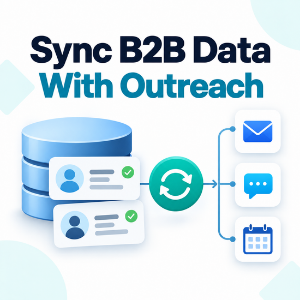
Use webhooks or direct integrations to sync verified leads into Salesforce, HubSpot, or your outreach tool. This eliminates manual CSV exports and keeps your pipeline current.
Track consumption using a Credits Insights or usage endpoint. Schedule periodic re-enrichment—every 45 to 90 days—to catch job changes and keep records accurate.
A free API fits naturally into a broader workflow. Here are two example stacks:
Native integrations reduce custom code significantly. When evaluating providers, check whether they already connect to your existing tools.
A few pitfalls to watch for:
A few signals indicate it’s time to move to a paid plan. You’re consistently hitting credit or rate limits. Bulk enrichment or higher request volumes become necessary. You require priority support or SLAs. Or your outreach expands to regions with limited free coverage.
ReachStream’s ReachAPI combines verified data, flexible endpoints (enrichment, counts, predefined values), and CRM connectivity—all with built-in compliance. Whether you’re a solopreneur testing outbound or an enterprise team scaling pipeline, the platform adapts to your workflow.
Most providers offer a freemium tier with limited monthly credits that renew indefinitely. However, some only provide a time-limited trial. Always check whether access continues after the trial period ends.
Accuracy depends on the provider’s verification process. Look for APIs that use multi-step email and phone verification. Free tiers typically deliver the same data quality as paid plans—the difference is volume, not accuracy.
Yes, provided the API’s terms permit commercial use and you comply with regulations like GDPR and CAN-SPAM. Review each provider’s acceptable-use policy before launching campaigns.
Batch your requests during off-peak hours, cache responses locally, and use a counts or estimation endpoint to preview result volume before pulling full records.
Absolutely. Many teams layer APIs—using one for email finding and another for firmographic enrichment—to maximize coverage without exceeding any single provider’s free limits.
Marketing professional with a Master’s degree in Marketing, specializing in SEO, content strategy, social media, performance marketing, prospecting, and demand generation.
Access 200M+ verified business emails and grow your sales pipeline effortlessly.
Don't forget to share this post!















Check out our other blogs!
What Is B2B Data and Why It Matters for Modern Sales Teams
A Buyer’s Checklist for Evaluating B2B Data Providers
How to Sync B2B Data with Your Outreach Sequences