Written by:

Junaid Hussain Khan
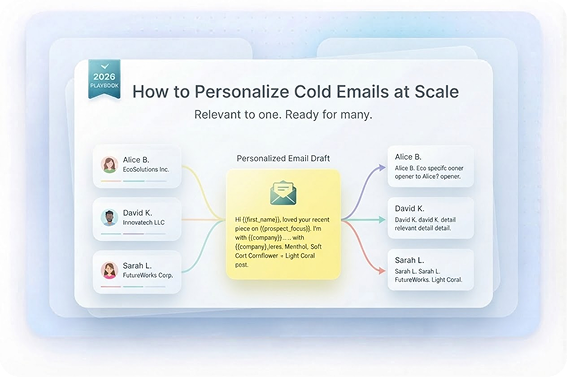
How to Personalize Cold Emails at Scale
How to Evaluate B2B Data Vendors for Accuracy and Compliance
Introduction
Personalizing a few cold emails is easy. Personalizing hundreds without making them all sound the same is where things get difficult.
Most teams end up choosing one of two options: spend hours researching every prospect or send the same template to everyone with a few merge tags added. Neither is a great way to personalize cold emails at scale.
The right method starts with preparation. Once you have checked contact details, company information, job titles, technical data, and relevant business signals, you can produce messages with a personal touch without writing each one from scratch.
We don’t want each sentence to be different; we want each potential customer to have a valid reason to care about the message.
What "Personalize at Scale" Actually Means
To personalize cold emails at scale doesn’t mean writing a completely unique email for every contact. It means building a repeatable process where the right prospect data automatically informs the message you send.
Start with a basic framework, then change the parts that matter:
Who are they?
Their role, seniority, company, and industry.
What’s happening?
A new hire, funding round, expansion, product launch, or technology change.
Why does it matter?
A problem or opportunity connected to that situation.
What’s the next step?
A simple, low-effort CTA.
This is the difference between real personalization and “Hi {{first_name}}.” You can personalize at scale while keeping the message consistent because the structure stays the same while the context changes.
That’s also why personalization quality matters more than quantity. Five random details from a prospect’s LinkedIn profile won’t necessarily make an email better. One strong personalization point can do much more.
Personalization Starts with Better Prospect Data
Start With Verified, Up-to-Date Data
Good personalization starts with good inputs. If the contact has changed jobs, the company name is outdated, or the email address is invalid, your carefully written message isn’t going to help much. Before you personalize anything, clean your list before personalizing.
A useful prospect record might include:
- Full name and current job title
- Company and industry
- Company size and location
- Department and seniority
- Technology used
- Hiring activity
- Funding or growth information
- Relevant buyer intent or trigger events
ReachStream’s enrichment process can add verified email addresses, phone numbers, industry, company size, location, and technographic data to contact records. Such kind of information gives sales teams more than a name and an inbox. It gives them context they can use.
Email Verification and Waterfall Enrichment
Email verification should happen before you start writing personalized messages. A verified email list reduces the chance of spending time personalizing emails that will simply bounce. It also gives you a cleaner audience for testing.
Then there’s waterfall enrichment. Instead of relying on one source for every field, teams can use multiple sources. This is particularly useful when you’re working with large lists. The objective isn’t to collect every possible data point. It’s to collect the few pieces of information that will make the email more relevant.
Building Your ICP Before You Personalize
Before creating a cold email personalization strategy, define your ICP. If you’re targeting everyone, personalization becomes difficult because there is no clear message behind it.
For example:
- Sales leaders: pipeline, quota, prospecting efficiency
- Marketing leaders: lead generation, campaign performance, attribution
- Founders: growth, hiring, efficiency
Once your audience is segmented, personalization becomes much easier. You can create different messaging angles for each group instead of trying to build one email that speaks to everyone.
This is where B2B email personalization becomes useful. Segmentation lets you decide which data matters before your team starts writing. Segmentation guidance similarly recommends grouping contacts according to shared characteristics or behavior so communications can be made more relevant.
Personalization Tokens Beyond
Personalization tokens are useful, but they shouldn’t carry the whole campaign.
You can use fields such as:
- {{First_Name}}
- {{Company}}
- {{Job_Title}}
- {{Industry}}
These are helpful for speed and consistency. In fact, platforms such as Reply support reusable templates with variables that are populated per contact.
But there’s a big difference between: Hi John, noticed you’re the VP of Sales at Acme.
and: Saw Acme is hiring six SDRs this quarter. That’s usually when list building starts taking more time than expected.
The first relies mostly on a token. The second uses a real business signal. That’s why personalization tokens cold email workflows work best when tokens are combined with enriched context rather than treated as personalization on their own. Use merge tags for predictable information.
Cold Email Personalization Examples by Data Point
The easiest way to personalize cold emails at scale is to decide which data points are useful for each audience.
Here are a few practical cold email personalization examples.
- Job change: Congrats on the new VP Sales role. Are you already looking at how to increase pipeline coverage for the team?
- Hiring activity: Saw you’re hiring five SDRs. That usually creates more pressure on list building and lead research.
- Funding: Noticed you recently raised your Series A. Are you planning to expand outbound along with the sales team?
- Technology: Saw your team is using [Technology]. Companies using that stack often run into [relevant challenge].
- Company growth: Looks like the team has grown significantly this year. How are you handling prospect research as the sales team expands?
The important thing is to reference a real signal and connect it to a problem you can help solve. Don’t mention a detail just because you found it.
Clean Your Data Before You Personalize
Using AI for Cold Email Personalization Without Sounding Robotic
AI cold email personalization can make large campaigns much easier to manage, especially when the underlying prospect data is structured. AI can take a role, company description, trigger event, industry, and pain point and turn that information into a short opening line.
But there is a catch. Give AI weak data and you’ll get weak personalization.
Give AI Real Context:
Instead of asking:
“Write a personalized email for this prospect.”
Give it:
- prospect role
- company
- industry
- recent event
- likely pain point
- relevant outcome
- desired CTA
The output will have something real to work with.
Keep a Human Review Step:
AI can get facts wrong or make a perfectly normal situation sound like a press release.
Before sending, ask:
- Is the information accurate?
- Would a salesperson say this?
- Does this sound like a human wrote it?
- Does the opening connect to the rest of the email?
The best AI personalization should help you sound like a human, not produce thousands of messages that all have the same polished tone. The goal is not to automate judgment.
Personalized Email Sequences at Scale
Personalization shouldn’t disappear after the first email. The strongest personalized email sequences keep the same account context while changing the reason for the follow-up.
For example:
- Email 1: Mention the trigger event and connect it to the problem.
- Email 2: Share a useful observation, statistic, or resource.
- Email 3: Introduce a relevant customer example or use case.
- Email 4: Send a simple final message with a low-effort CTA.
You don’t need to research the prospect from scratch each time. Keep the important context in your CRM so sales reps can see why the account entered the sequence. This also makes outreach automation more useful.
Automation can handle timing and scheduling while the underlying personalization remains based on real data. The key is to avoid sending the same message four times with a different “just following up” at the top.
Cold Email Personalization Best Practices to Keep in Mind
A few cold email personalization best practices will keep your campaigns from becoming overcomplicated.
1. Don’t Sound Robotic
Avoid language that sounds like it came directly from an AI tool.
Instead of: I was deeply impressed by your organization’s remarkable growth trajectory.
Try: Saw the team is expanding into Europe.
Simple is often better.
2. Keep It Under 75 Words
For the first email, keep it under 75 words when possible. You don’t need to explain your product, company history, pricing, and case studies in the first touch.
A useful structure is: Personalization → problem → value → low-effort CTA
3. Focus on What’s in It for Them
The prospect doesn’t really care how many features your product has. They care about what’s in it for them. Connect your solution to the problem you identified rather than listing everything your product can do.
4. Use Verified Contact Data for Outreach
Verified contact data for outreach gives you a much better starting point for personalization. Current job titles, company details, and valid email addresses mean your team isn’t building messages around outdated information.
ReachStream continuously validates and refreshes contact and company records every 45 days and provides enriched information designed to support more accurate targeting and outreach.
5. Personalization Quality Over Quantity
Don’t try to mention five different things about the prospect. One relevant detail is usually enough. The goal is to stop sending spray-and-pray campaigns and start sending messages that feel like they were meant for the person receiving them.
6. Test What Actually Works
Use A/B testing to compare subject lines, opening statements, CTAs, and audience segments. Track reply rate and meetings booked alongside open rate. The important question isn’t whether an email looks more personalized. It’s whether it creates better conversations.
Conclusion
The best way to personalize cold emails at scale is to build a system around good data rather than trying to manually customize every sentence.
Start with a clean, verified list. Define your ICP. Add the company and contact information that matters. Look for trigger events and buyer intent. Then use that information to create short, relevant messages.
AI and cold email personalization tools can speed things up, but they work best when they’re given accurate information and used with human judgment. You don’t need dozens of personalization fields. You just need the right one.
When accurate data, useful context, and clear messaging come together, personalized cold email with verified data becomes much easier to repeat across a large campaign without making your outreach feel automated.
For teams that want to personalize cold emails at scale, ReachStream Prospect can help identify relevant contacts, enrich records, and build targeted lists using verified contact and company information.
Turn Verified Data into Personalized Outreach
Frequently Asked Questions
What is the best way to personalize cold emails at scale?
Start with accurate prospect data, segment your audience by ICP, identify one useful signal for each prospect, and build that information into a reusable template. This makes personalization repeatable without writing every email from scratch.
Is using {first_name} enough for cold email personalization?
No. A first name is a basic merge field, not meaningful personalization on its own. Use company context, role, trigger events, or other relevant signals to make the email genuinely useful.
What data is most useful for cold email personalization?
Job title, seniority, company size, industry, technology, location, hiring activity, funding, and other business signals can all be useful. The right data depends on your ICP and what you’re selling.
Can AI personalize cold emails without making them sound robotic?
Yes, when AI has accurate and relevant information to work with. Keep a human review step to check accuracy, tone, and whether the personalization adds value.
How much personalization should be in a cold email?
One strong personalization point is often enough. The aim is to make the message relevant, not to prove how much research you did.
Should follow-up emails also be personalized?
They should remain relevant to the prospect and the original conversation, but you don’t need to research completely new information every time. Change the angle, value point, or CTA while keeping useful context from the first message.
Junaid Hussain Khan
Author
Junaid Hussain Khan

Junaid Hussain Khan is a Senior Manager, Business Development at ReachStream. He leads strategic partnerships, uncovers new market opportunities, and helps drive ReachStream’s growth and its position in the B2B ecosystem.
Share
Table of Contents
Access 200M+ verified business emails and grow your sales pipeline effortlessly.
Power Your Sales with Targeted Data
Junaid Hussain Khan is a Senior Manager, Business Development at ReachStream. He leads strategic partnerships, uncovers new market opportunities, and helps drive ReachStream's growth and its position in the B2B ecosystem.
Don't forget to share this post!















Check out our other blogs!
Catch-All vs Invalid vs Risky Emails: Which Should You Send To?
November 18, 2026
What Is a Catch-All Email? How to Check and Verify One
November 18, 2026
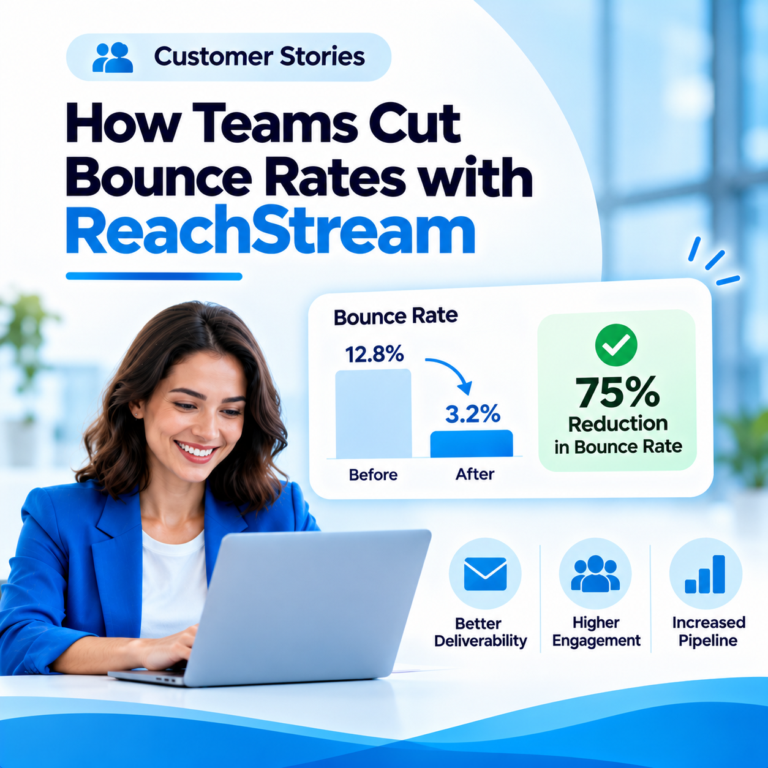
Customer Stories: How Teams Cut Bounce Rates with ReachStream
November 18, 2026